Conversation — read the running agent as chat
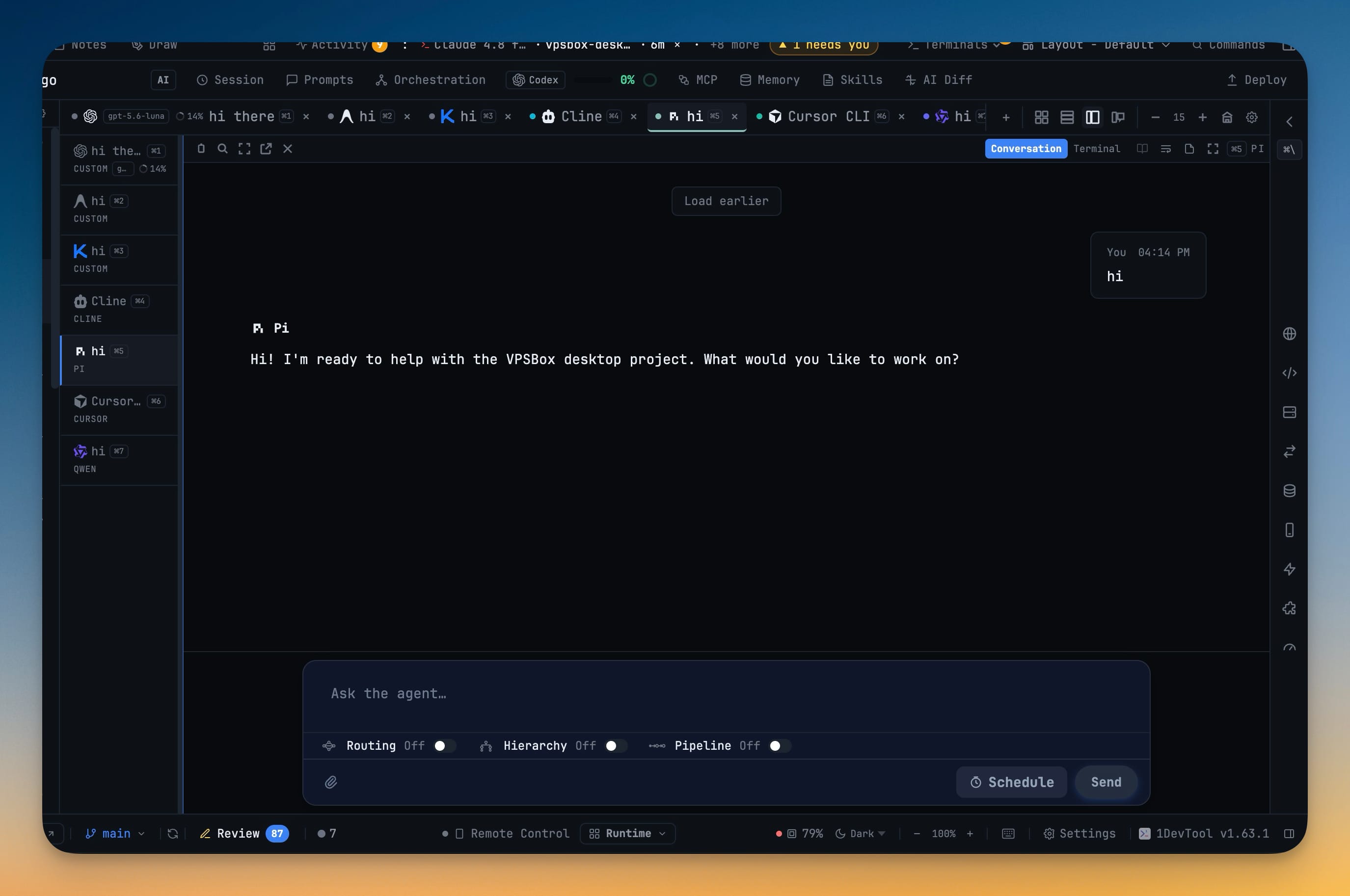
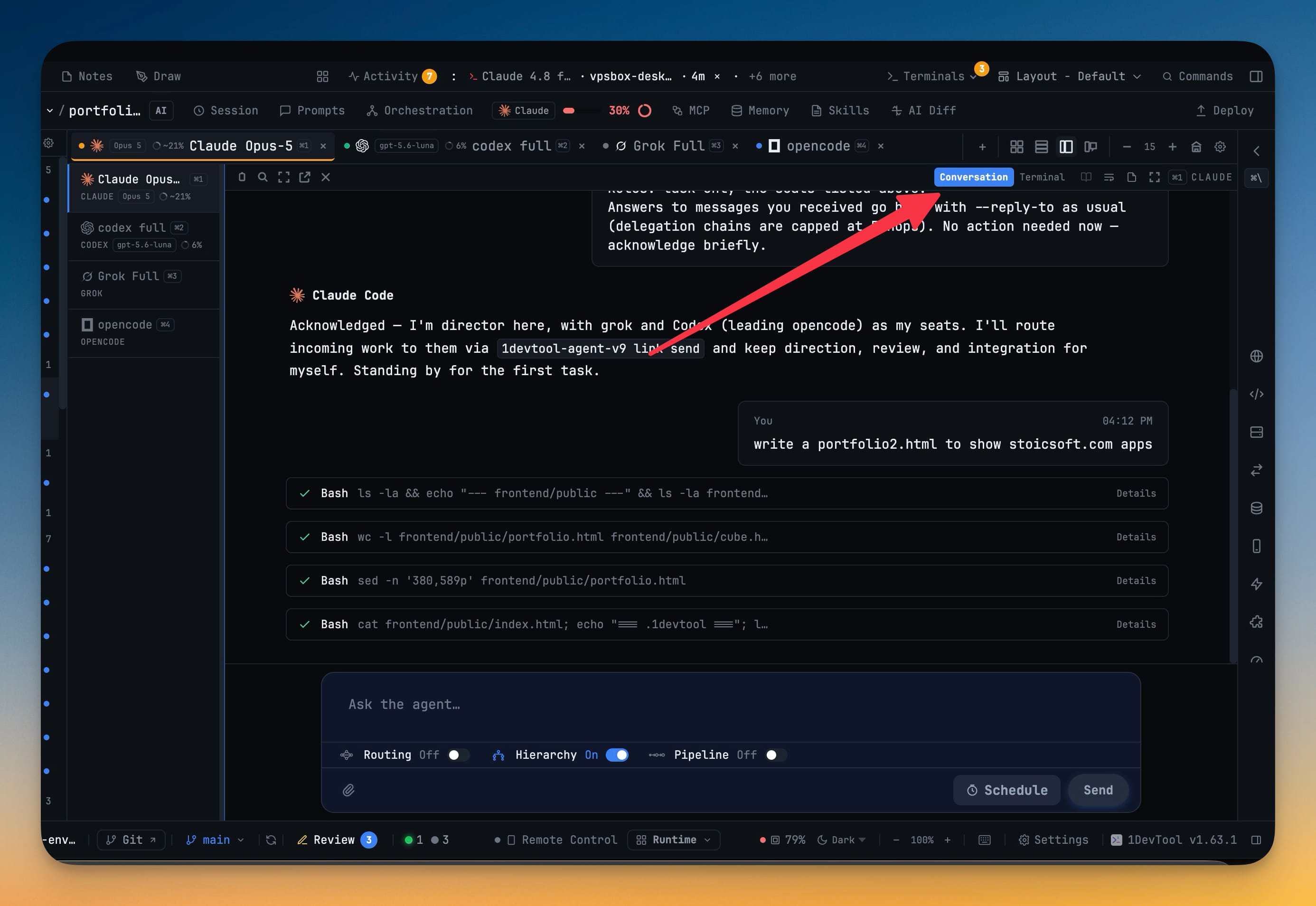
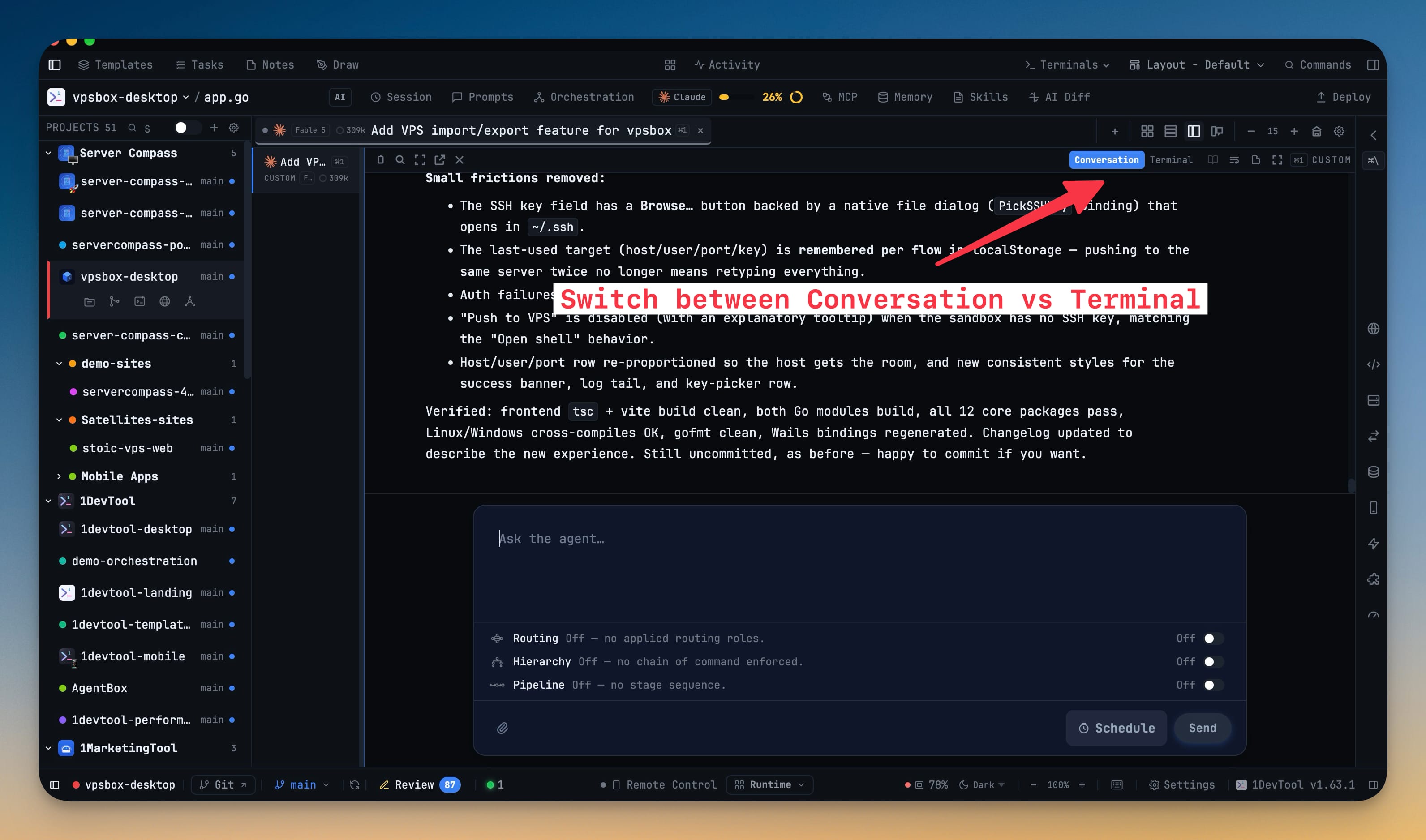
Conversation shows any running agent as a chat transcript instead of the raw terminal — "You" bubbles, markdown replies, tool rows and thinking blocks, with Load earlier and Jump to latest — and a control on every AI pane flips it back to Terminal in one click, without starting a second session. It works with the coding CLIs you already run (Claude, Codex, Gemini, Kimi Code, Antigravity, Qwen, OpenCode, Cline, Grok, Hermes, Cursor, Pi, Amp, Qoder), follows an in-terminal /resume, and carries a compact composer with Routing Hierarchy Pipeline on one row. The prompt-first layout is now named Conversation to match. Orchestration pickers also stay inside the app, Grok joins the Accounts list, and seats that used to be handed the wrong permission flag now receive the brief.
Download v1.64.0
The download page always has the newest build; installers for this version are on GitHub.
What changed
New features
5- Switch any AI pane between Terminal and Conversation — a control on the pane shows the same live agent as a chat transcript instead of the raw TUI, without starting a second session. Your prompt still goes through the same Agent Input bar the terminal uses. You get "You" bubbles, markdown replies, tool rows, and — where the agent records them — thinking blocks. Load earlier pages history; Jump to latest returns you to the live end if you scrolled up. If a transcript never appears, a banner offers Terminal instead of leaving you on a blank chat.
- Works with the coding CLIs you already run — Claude, Codex, Gemini, Kimi Code, Antigravity, Qwen, OpenCode, Cline, Grok, Hermes, Cursor, Pi, Amp, and Qoder all read as chat.
- Follows an in-terminal resume — picking a past Claude conversation with
/resume(or--resume) updates Conversation to that session, instead of waiting forever on the empty one you just left. - A compact composer under the transcript — one line that grows as you type, with Routing / Hierarchy / Pipeline on a single row, so the chat stays the main surface. Turn Conversation off in Settings → Terminal if you only want the live TUI.
- The prompt-first layout is now called Conversation — same arrangement as before (wide center, Preview / Changes / Code on the right); stored layouts keep working.
Improvements
3- Orchestration pickers stay inside the app — Builder, Start, and repair no longer open native OS menus that cover the dashboard. Search models, skills, projects, and seat terminals; leave a model blank for the agent's default or type a custom id.
- Grok sits with your other AI accounts — Settings → Accounts lists Grok alongside Claude, Codex, Gemini, Qwen, and OpenCode, with credit alerts on the same row.
- The compact project rail scrolls — Terminal Right, Terminal Center, and Chat no longer clip later project icons behind the status bar.
Bug fixes
6- Fixed Qwen and Gemini seats in a team or pipeline never receiving the brief — those agents were being launched with Claude's permission flag, which they reject; they now start with their own auto-approve flags and the prompt lands.
- Fixed Terminal Right snapping terminals back to chat — choosing single, grid, or tabs in that preset is kept across project switches and restarts.
- Fixed “Drop folder to add project” overlay staying on after a drop — the guide dismisses once the folder is added or selected.
- Fixed phone Browser showing a blank page for desktop localhost —
localhost:3000and the other local spellings now proxy to the desktop app instead of the phone itself. - Fixed Conversation composer caret sitting in the middle of the text — the insertion point stays on the character you are editing, matching Terminal Mode.
- Fixed Antigravity tabs never naming themselves or keeping a session — titles and Conversation show what you typed, not
<USER_REQUEST>wrappers, and a restart can resume the same conversation.
Screenshots