Browser profiles — a separate login for every tab
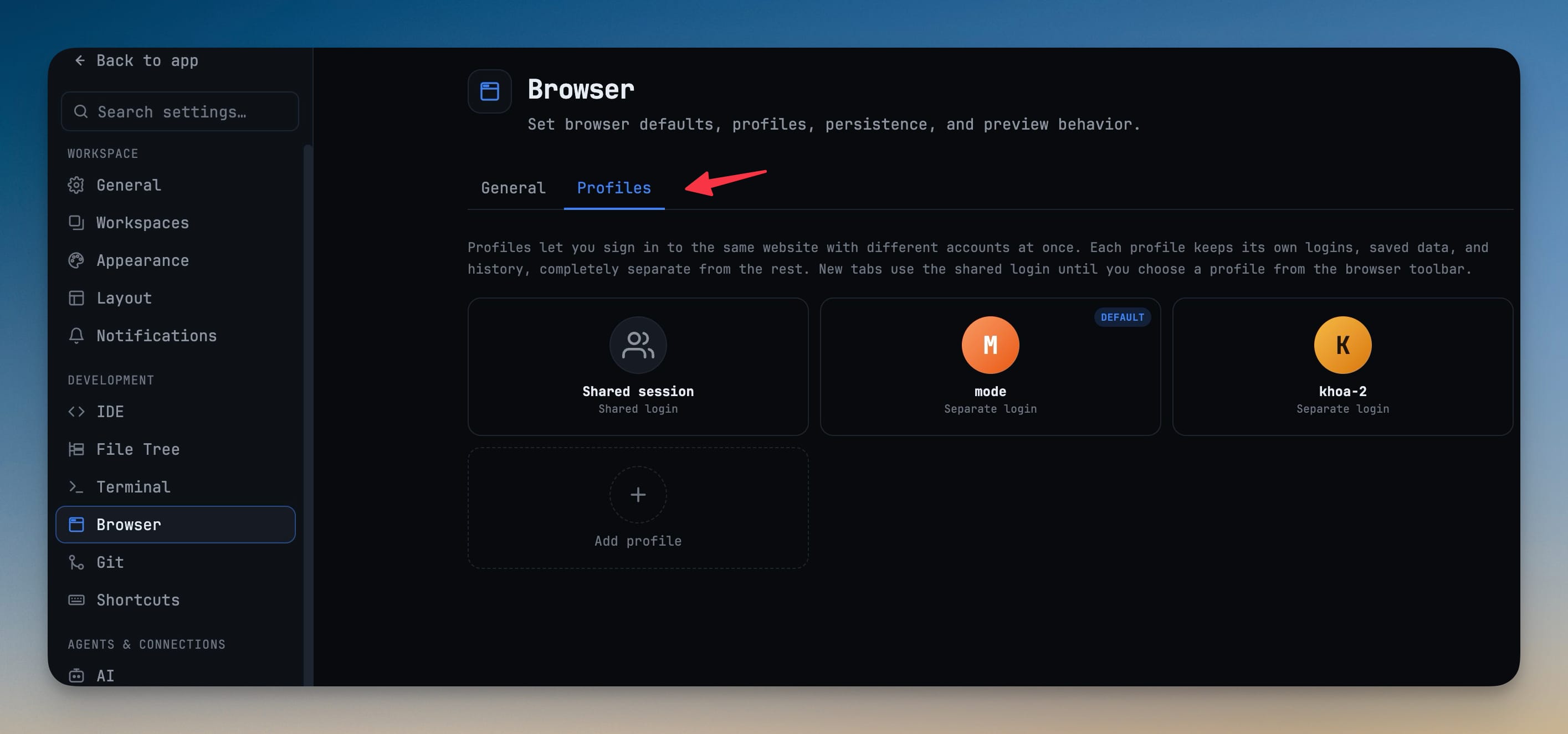
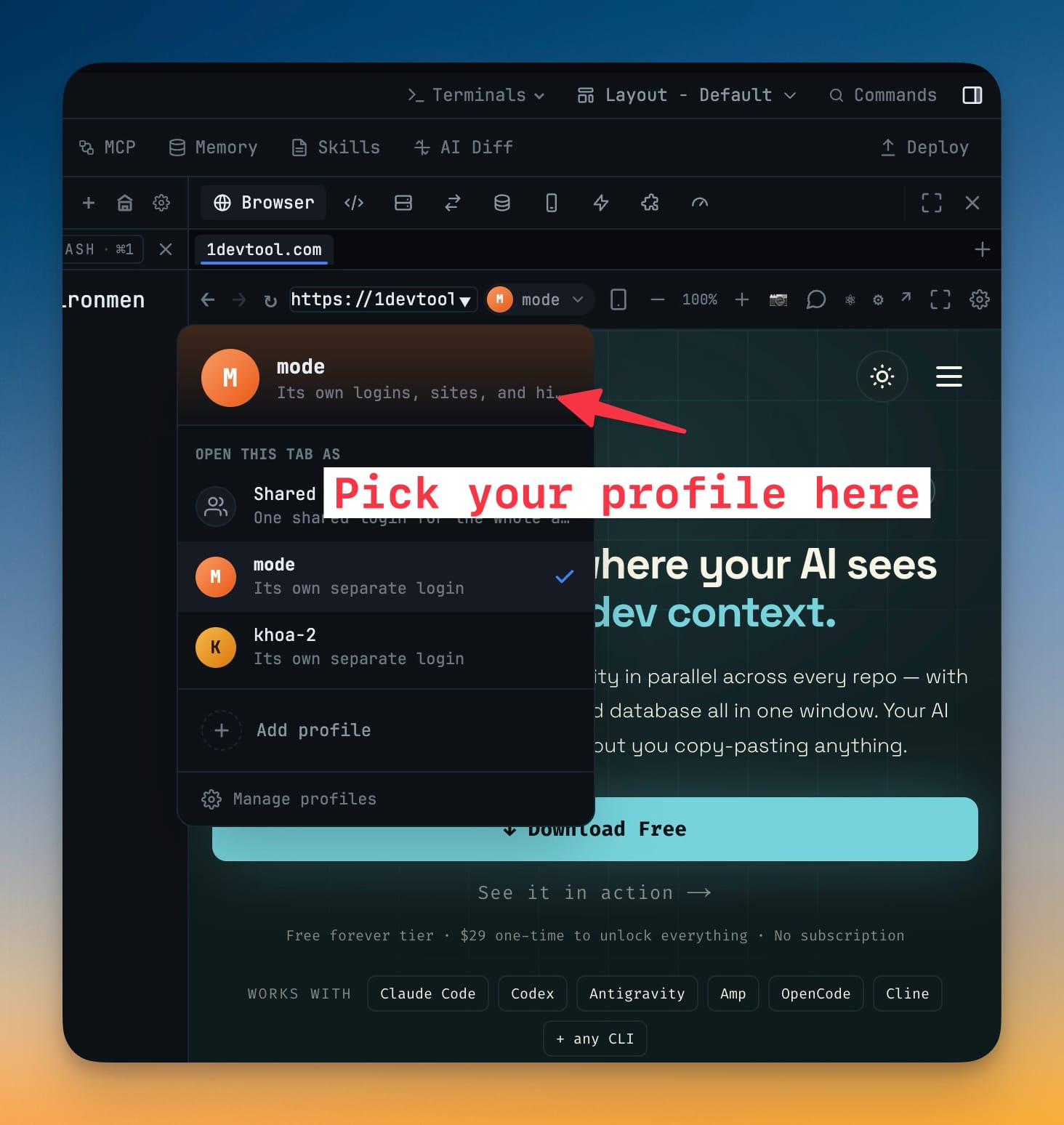
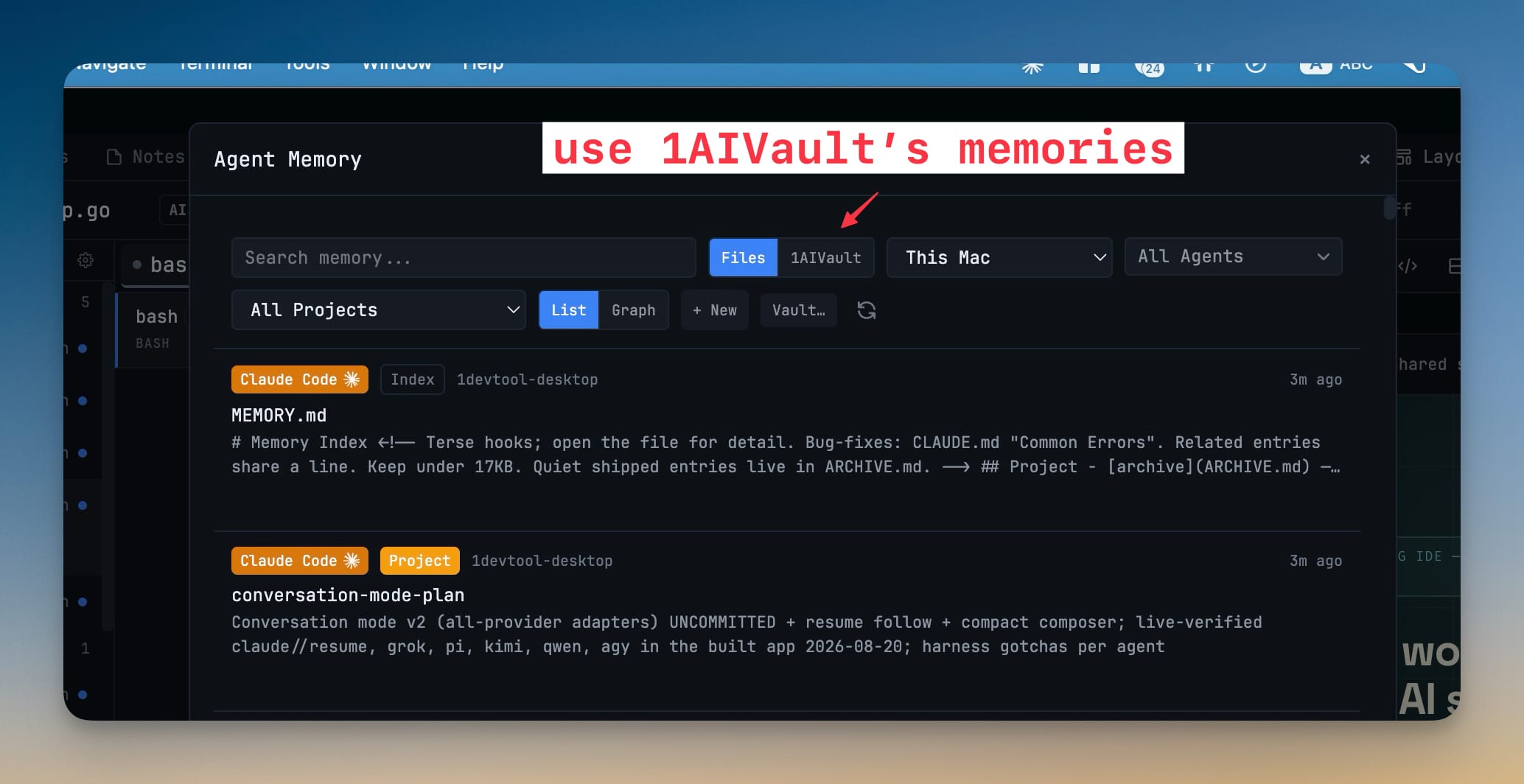
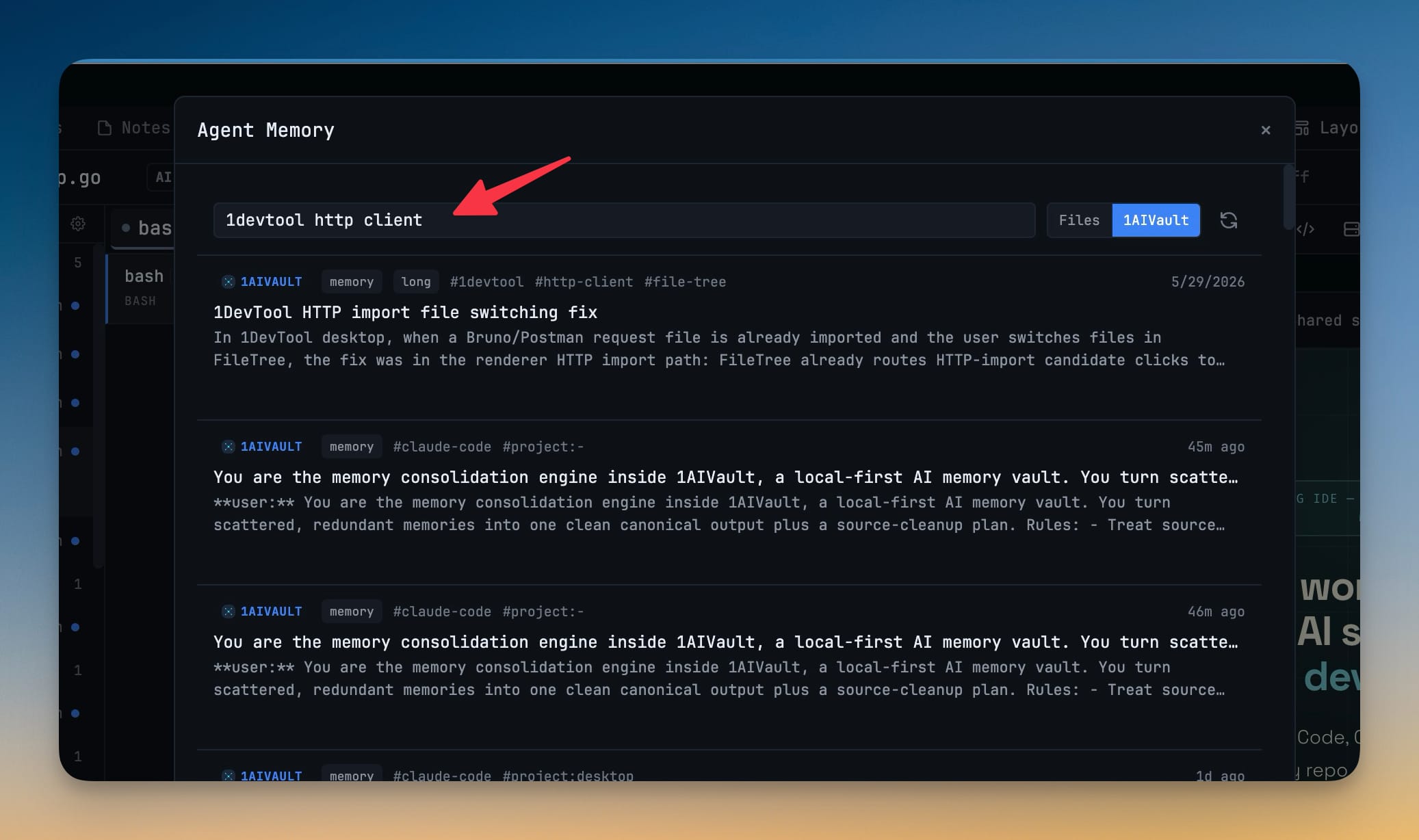
Browser profiles give any tab its own identity — separate cookies, storage, and history — so Work, Staging, and a throwaway test account never bleed into each other, and an agent driving a tab works as the account you signed in. Set a default profile for new tabs or keep everything on one Shared session, switch a tab's login from a per-tab picker in the toolbar, tell sites to Look like Chrome (so sign-ins and checkouts behave) or use 1DevTool's native identity, and browse or wipe each profile's history — all in Settings → Browser. A new 1AIVault source in the Memory panel brings your vault into the workspace: browse, search and filter every saved memory and hand any entry to an AI agent as context, read-only by design. Conversation also gains a needs-your-answer banner when an agent stops on a question, shows your message the instant you send it, marks Reader Mode snapshots as captured-when-opened, keeps long transcripts smooth with Load earlier, and lets you resize the composer and jump back through your own turns. The terminal pane header is regrouped into Output · Render · Window clusters with a clearer Conversation Terminal toggle.
Download v1.65.0
The download page always has the newest build; installers for this version are on GitHub.
What changed
New features
5- Give any browser tab its own identity — each profile keeps its cookies, storage, and history separate, so Work, Staging, and a throwaway test account never bleed into each other. Agents inherit the profile too: a tab driven by browser automation uses the same signed-in session you see. Set a default profile for new tabs, or leave everything on one Shared session — a single cookie jar for the whole app.
- Switch a tab's login from the toolbar — a per-tab profile picker moves that tab onto another profile, so you can be signed into the same site as two different accounts side by side.
- Tell sites how the browser should look — choose Look like Chrome (recommended, so sign-ins and checkouts work normally) or 1DevTool's native identity for the occasional login page that needs it.
- Browse and clear a profile's history — each profile remembers where it has been, and you can remove entries or wipe a profile and its data. Add, rename, set default, and delete profiles in Settings → Browser.
- 1AIVault memory in the workspace — a new 1AIVault source in the Memory panel lists everything saved in your vault alongside your local agent memory files. Search and filter it without leaving 1DevTool, and hand any entry to an AI agent as context or copy it to paste elsewhere. Read-only by design — 1DevTool never changes your vault, and points you to 1AIVault when it isn't installed.
Improvements
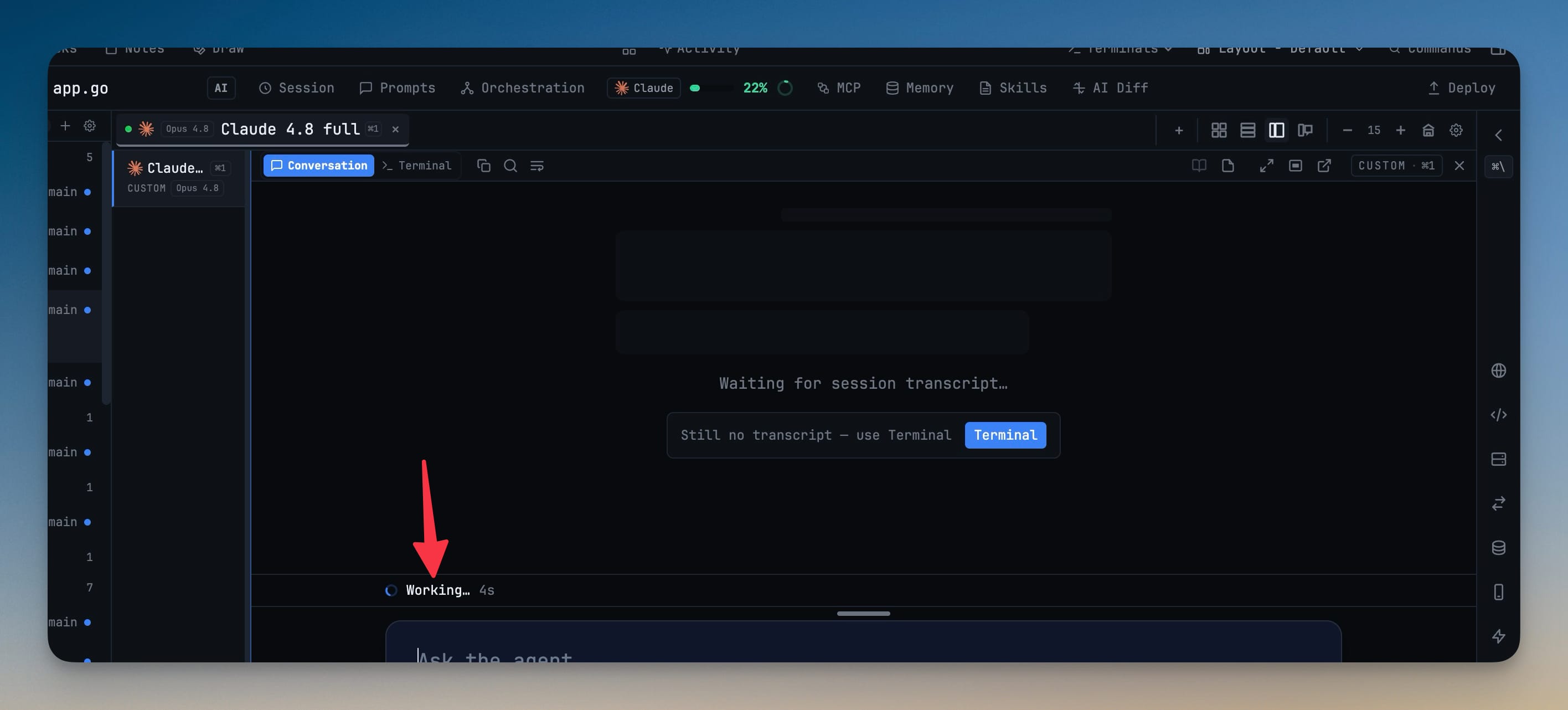
6- Conversation tells you when the agent is waiting on you — a running agent that stops on a question, confirmation, or picker raises a The agent needs your answer banner so you don't miss it while reading the chat.
- Your message appears the moment you send it — a prompt typed into the Conversation composer shows as your row right away, before the agent writes it into the transcript, and reconciles once the real turn lands.
- Reader Mode says when it's showing an old snapshot — while the agent is still working, Reader marks its view as captured-when-opened and offers one click to load the latest, instead of looking frozen.
- Long transcripts stay smooth — Conversation keeps only the most recent messages mounted, with Load earlier for the rest, so big sessions scroll without lag.
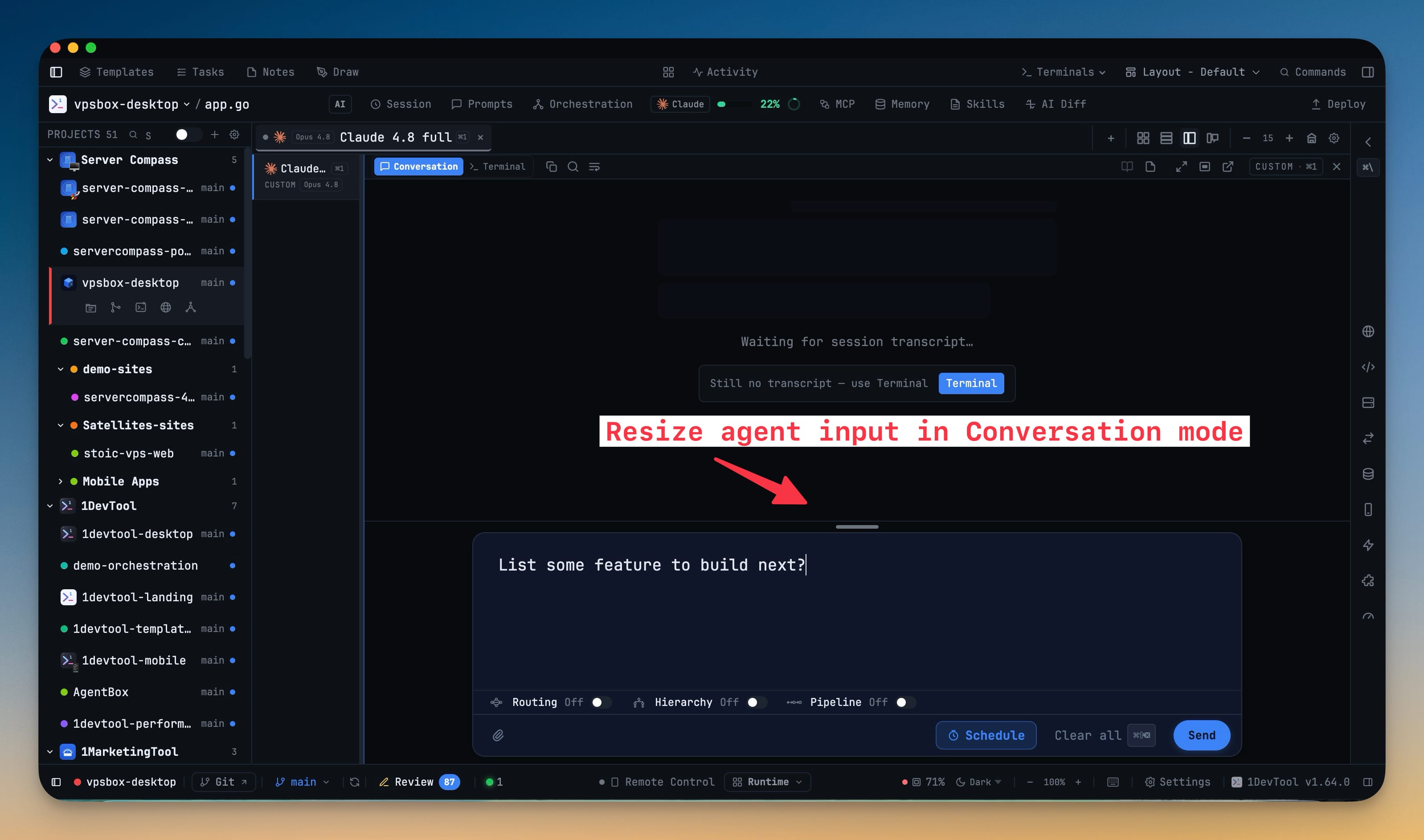
- Resize the Conversation composer — drag its top edge for more room to write; the height is remembered per terminal. A quick control also walks you back through your own turns in a long transcript.
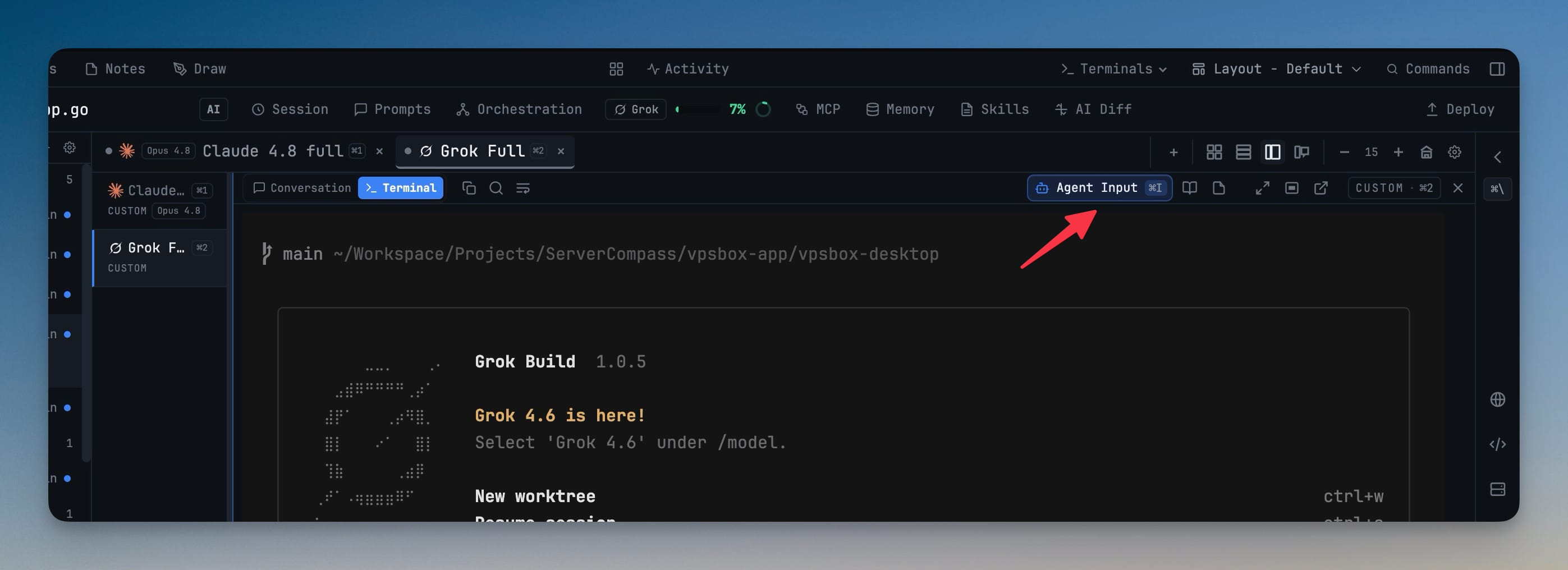
- Cleaner terminal pane header — pane controls are grouped into Output · Render · Window clusters with unified, round-capped icons and a clearer Conversation / Terminal toggle. Switching AI panes shows chat instantly, since recently viewed conversations stay warm.
Bug fixes
3- Fixed Conversation staying blank on a session's first turn — a brand-new session, a
/clear, or a conversation you just followed with/resumenow appears immediately instead of waiting out a refresh cycle. - Fixed popping out a terminal that Reader Mode was showing — the pop-out is now blocked for a docked terminal instead of tearing down the live view underneath it.
- Fixed a stray divider line on plain shell panes — a non-AI terminal no longer leaves a stranded hairline at the edge of its header.
Screenshots