Pull requests in the Repo panel
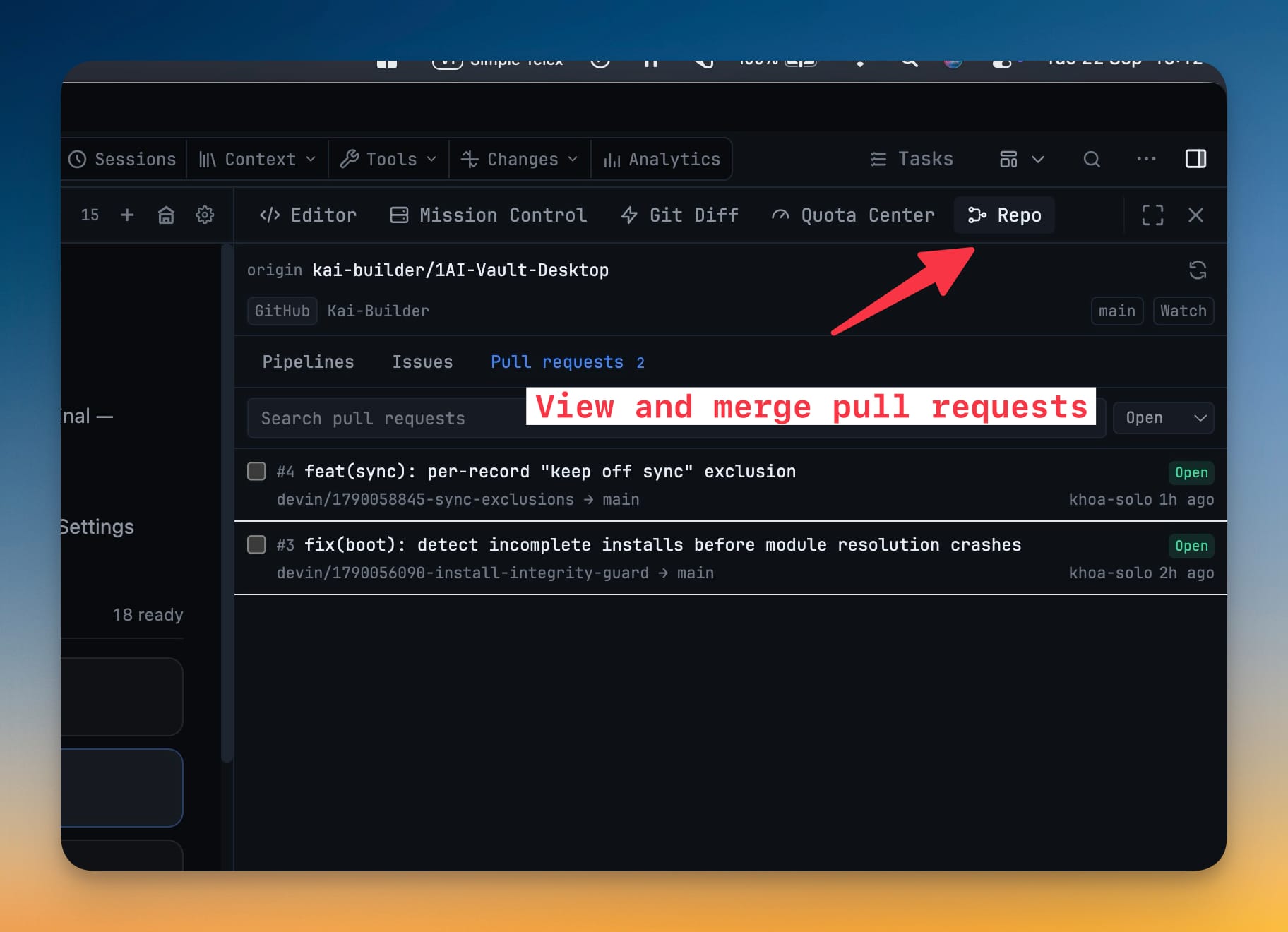
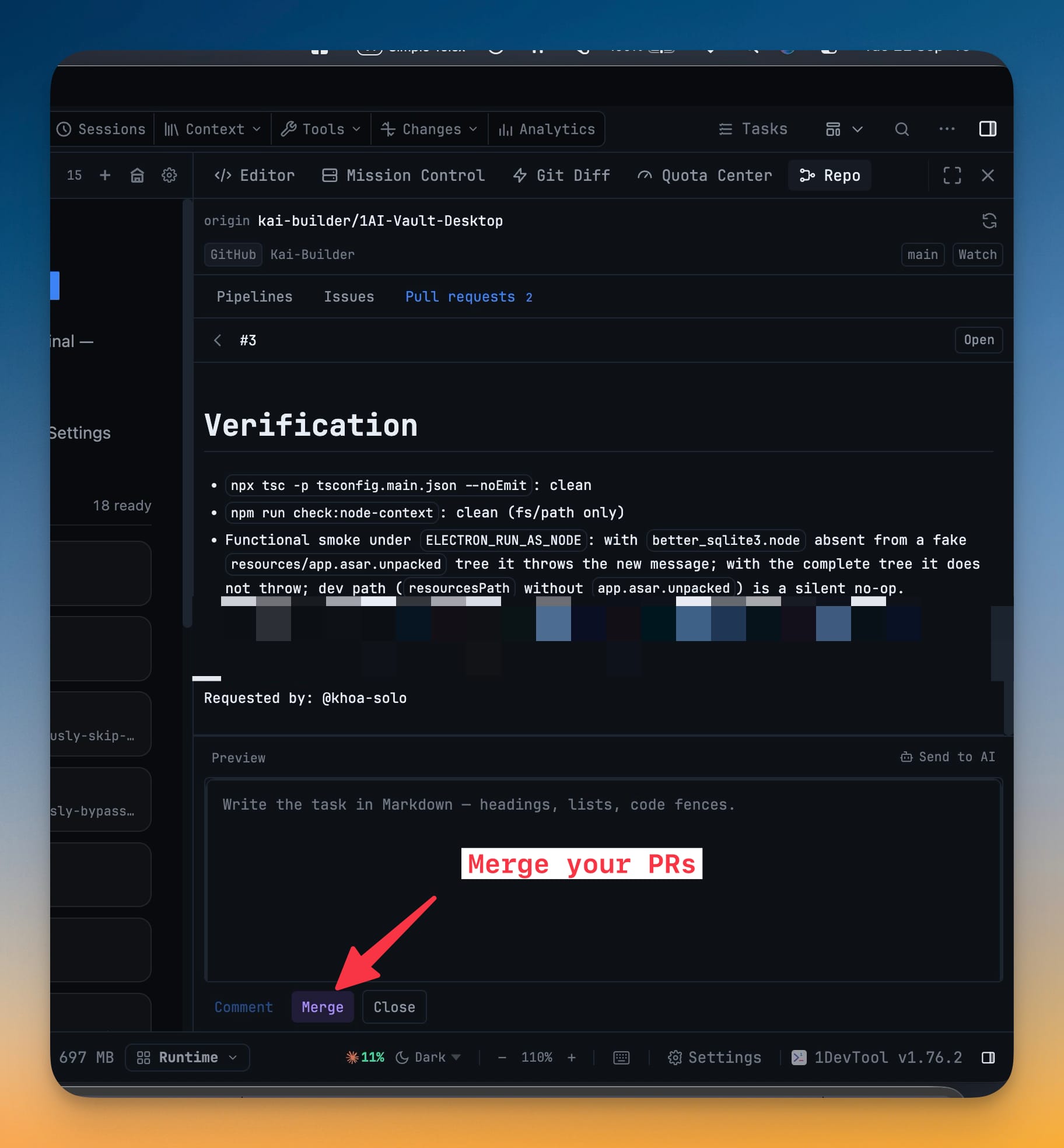
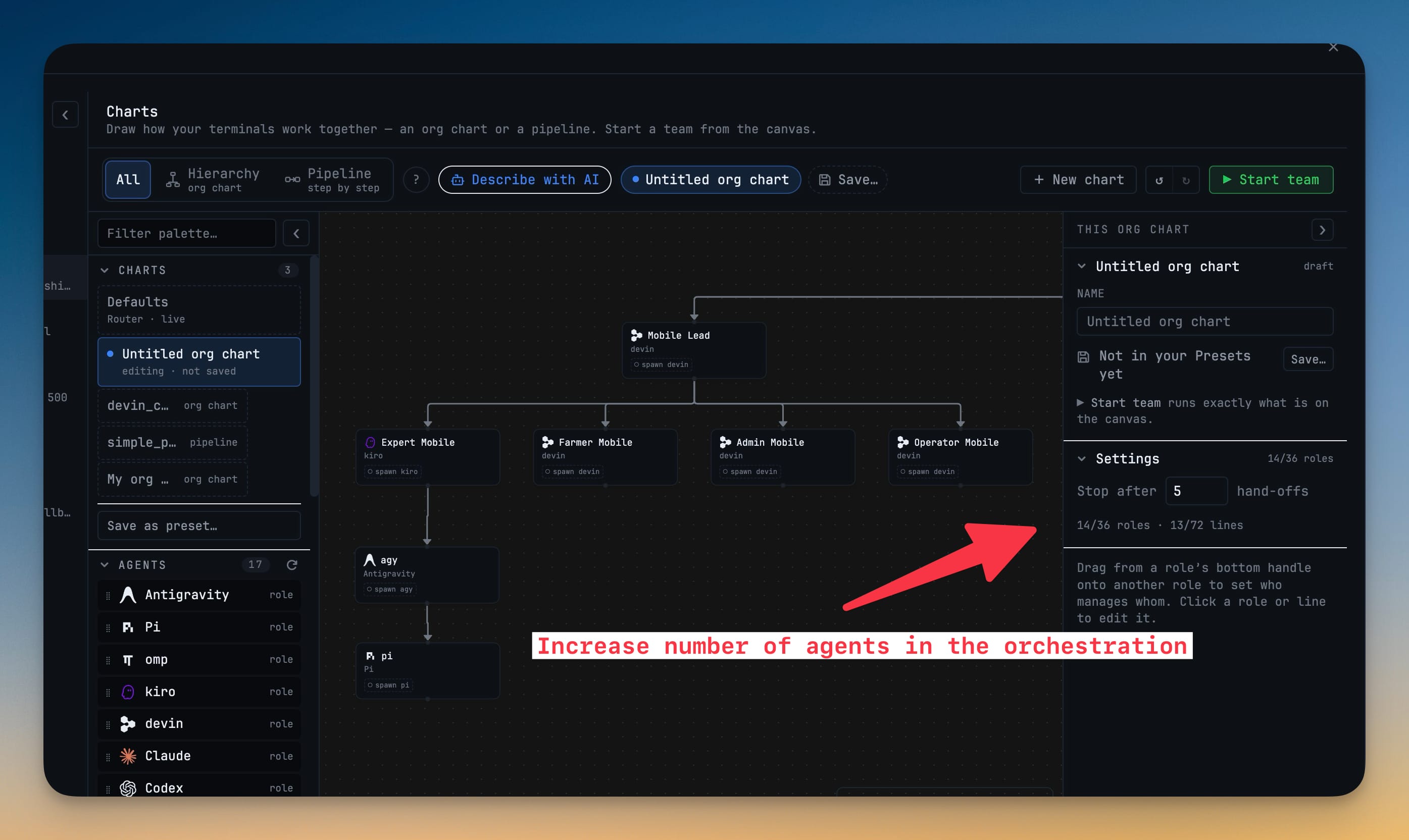
Pull requests in the Repo panel. A third tab next to Pipelines and Issues handles GitHub pull requests and GitLab merge requests from the same git remote the rest of the panel already resolved: an open count riding on the tab, filter and search by title, number or branch, then source and target branch, description, labels, assignees, diff size, the full comment thread and a mergeability line that says it's ready, what's blocking, or that the host is still checking. Merge from the detail view with a merge commit, squash or rebase — the app sends the revision you reviewed as a condition, so a branch that moved under you is refused rather than silently merged — or tick several open, non-draft requests and merge them in a batch with a result per request. Agent org charts also grew to 36 seats and 72 reporting links.
Download v1.76.3
The download page always has the newest build; installers for this version are on GitHub.
What changed
New features
8- A new Pull requests tab in the Repo panel — the third tab next to Pipelines and Issues, for GitHub pull requests and GitLab merge requests alike, resolved from the same git remote as the rest of the panel
- The open count rides on the tab — a badge shows how many pull requests are waiting before you ever open it
- Filter and search — open, merged, closed or all, narrowed by title, number or branch
- Open one and read it — source and target branch (forks marked), description, labels, assignees, diff size and the full comment thread, plus a mergeability line that tells you it's ready, what's blocking, or that the host is still checking
- Merge from the detail view — pick merge commit, squash or rebase on GitHub (merge or squash on GitLab); the app sends the revision you reviewed as a condition, so a branch that moved under you is refused rather than silently merged
- Close or reopen, comment, and Send to AI — the same interactions issues already had, and one click hands the request with its branches and chosen comments to an AI terminal for review
- Merge many at once — tick any open, non-draft requests in the list, confirm once, and they merge one after another with a result per request: what landed, and for the ones that didn't, exactly why
- Drafts and already-merged requests can't be selected, so a batch never starts with a member that couldn't land anyway
Improvements
1- Bigger agent org charts — a hierarchy chart now holds up to 36 seats and 72 reporting links (was 12 and 24), so department-sized teams fit on one chart instead of being split into stubs
Screenshots