Prompt History — auto-saved drafts
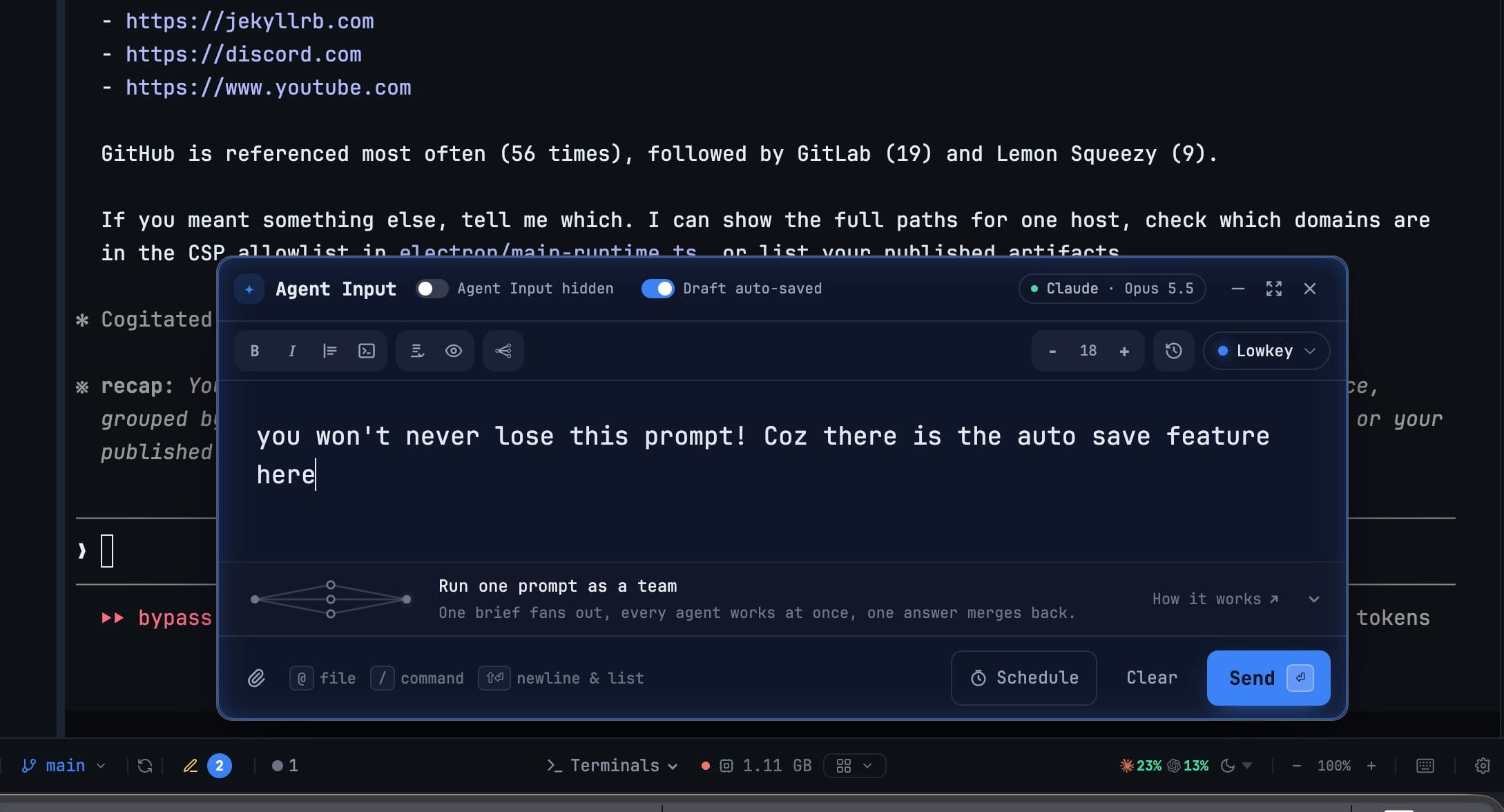
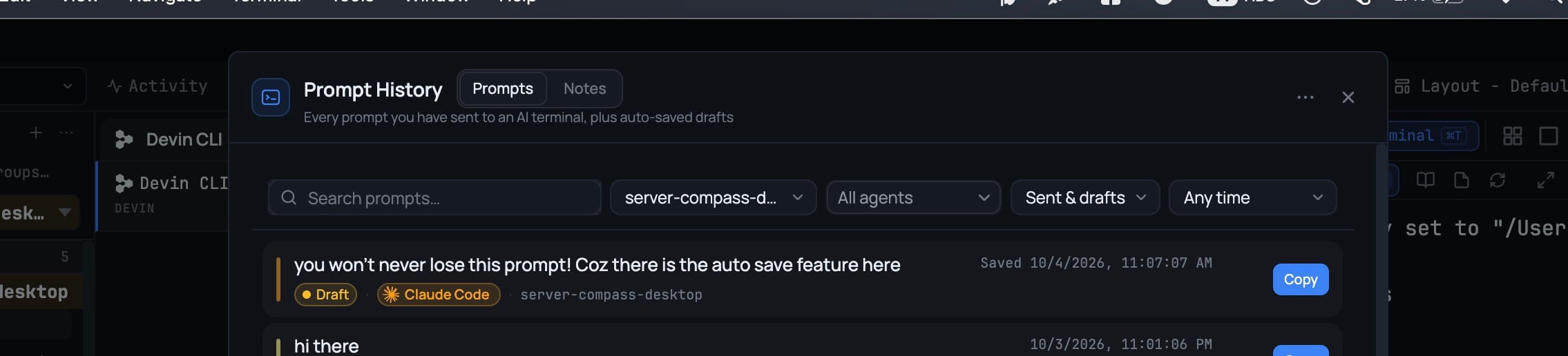
Prompt History — auto-saved drafts. Flip the new Auto-save draft switch in the Agent Input header (off by default) and the prompt you are still writing is kept in Prompt History as a Draft after each typing pause, with pasted screenshots and dropped files saved alongside it as thumbnails and file chips. Picking a draft — or any past prompt that carried attachments — with Use puts the text back at your caret and restores the images and files as chips. There is one draft per terminal, replaced as you edit and removed the moment you send or clear, so a prompt is never listed twice; a new Sent & drafts Sent only Drafts only filter narrows the list, and drafts are included when you export. The same switch lives in the Prompt History tools menu and in Settings → Agents → Behavior. Also in this release: past prompts that started with image or file paths now show thumbnails and chips instead of a wall of paths, and fixes for Send from Agent Input opening Claude Code's Rewind menu after an Esc, and for stray ^[[I characters typed into the shell after an agent terminal crashed.
Download v1.76.8
The download page always has the newest build; installers for this version are on GitHub.
What changed
New features
6- Keep what you're typing in Agent Input — flip the new Auto-save draft switch in the Agent Input header (off by default) and your unsent prompt is kept in Prompt History as a Draft while you type
- Images and files ride along — pasted screenshots and dropped files are saved with the draft and shown on the row as thumbnails and file chips
- Use brings all of it back — picking a draft (or any past prompt that had attachments) drops the text at your caret and restores the images and files as chips in the composer
- One draft per terminal, gone once sent — the draft is replaced as you edit and removed when you send or clear, so a prompt is never listed twice
- Filter the list with Sent & drafts, Sent only or Drafts only; drafts are included when you export your history
- The same switch lives in the Prompt History tools menu and in Settings → Agents → Behavior
Improvements
1- Prompt History shows attachments as attachments — a prompt that started with image or file paths now shows a thumbnail per image and a chip per file, with the prompt text as the row title instead of a wall of paths
Bug fixes
2- Fixed Send from Agent Input opening Claude Code's Rewind menu and losing the prompt — after you pressed Esc at a Claude prompt (which clears it), the next Send could greet the now-empty prompt with a double Escape, open the Rewind picker ("Nothing to rewind to yet") and drop your text into it; the app now checks what the terminal actually shows before clearing, so the prompt is delivered
- Fixed stray
^[[Icharacters typed at the shell after an agent crashed — when a Cursor terminal died mid-turn, every click around the app kept typing focus-report garbage into the shell prompt that appeared underneath, so the next command you typed failed; agent terminals no longer forward those reports (reported on Windows)
Screenshots