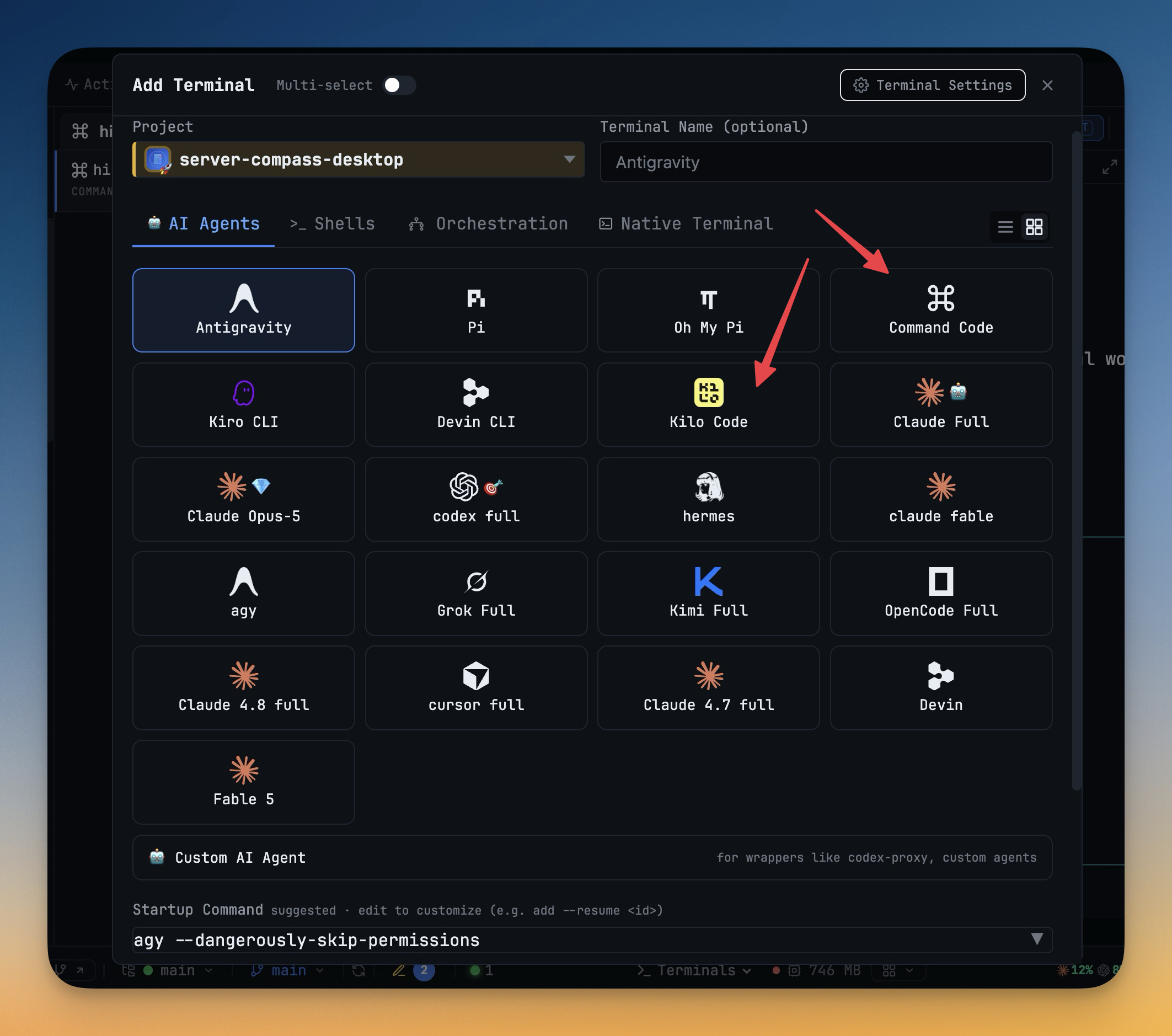
Command Code and Kilo Code
Command Code and Kilo Code — two new built-in AI agents. Both now sit in Add Terminal next to Claude, Codex and the rest, with their own logos on desktop and phone. 1DevTool waits for each agent's composer to be idle before Agent Input, Send to AI or a delegated prompt types into it, lists past sessions in Resume and the Conversation view, reopens a restarted terminal on its own session, and writes a rename back to the agent's own session store. Command Code offers full-permission, plan and accept-edits modes and a model picker fed by --list-models; Kilo Code launches with --auto and lists every model kilo models reports. Other agents can delegate to either, they can take a seat in teams, Draw, commit messages and Task AI, and Settings installs 1DevTool's MCP servers into each one. Also in this release: finished team runs collapse to a single Dismiss line in Mission Control, and fixes for checklist questions in the Conversation view, the Tasks board behind Reader mode, and Agent Input menus that followed you to another terminal.
Download v1.76.7
The download page always has the newest build; installers for this version are on GitHub.
What changed
New features
8- Run Command Code as a first-class agent — pick it in Add Terminal next to Claude, Codex and the rest; it gets its own logo everywhere agents appear, on desktop and on the phone
- Knows when it's ready — Agent Input, Send to AI and prompt delivery wait for Command Code's composer to be idle, and hold back while a turn is running, a draft is typed or a picker is open
- Resume where you left off — past Command Code sessions show up in Resume, prompt history and the Conversation view, restarting a terminal reopens its own session, and renaming a session sticks in Command Code too
- Choose a model and permission mode — the model picker lists Command Code's available models, and full-permission, plan and accept-edits modes are one click away
- Delegate and orchestrate with it — other agents can hand work to Command Code, and it can take a seat in teams, Draw, commit-message generation and Task AI
- One-click MCP and skills — install 1DevTool's MCP servers and the orchestration skill into Command Code from Settings, just like the other agents
- Install with
npm install -g command-code(Node 22 or newer) - Kilo Code joins as a built-in agent too — pick it in Add Terminal with its own logo; 1DevTool waits for Kilo's composer before delivering a prompt, lists past Kilo sessions in Resume (
kilo -s <id>) and writes renames back to Kilo's own store, launches full-permission terminals with--auto, lets other agents delegate to it, and installs MCP servers intokilo.jsonfrom Settings. Install withnpm install -g @kilocode/cli
Improvements
1- Finished teams stop cluttering Mission Control — when every seat of a team run has lost its terminal (after a restart, or once you've closed them), Mission Control now collapses it to a single "not running" line with a Dismiss button, instead of a full grid asking you to pick a terminal for every seat; the chart stays saved in the Builder
Bug fixes
3- Fixed the Conversation view missing multi-select checklists — when an agent asked a checklist question that was the last or only one, or you'd arrowed down onto its action row, the Conversation pane showed nothing; it now shows the interactive card, and the button reads Submit on the final question
- Fixed the Tasks board looking dead behind Reader mode — opening Tasks while a terminal was in Reader mode left the reader on top, so clicks seemed to do nothing until you exited reading; opening Tasks now closes any open reader first
- Fixed Agent Input's @-mention and slash-command menus following you to another terminal — switching terminals now closes them, and Esc closes an open menu even when the text box no longer has focus
Screenshots