Accounts & Quota — one home for every AI account
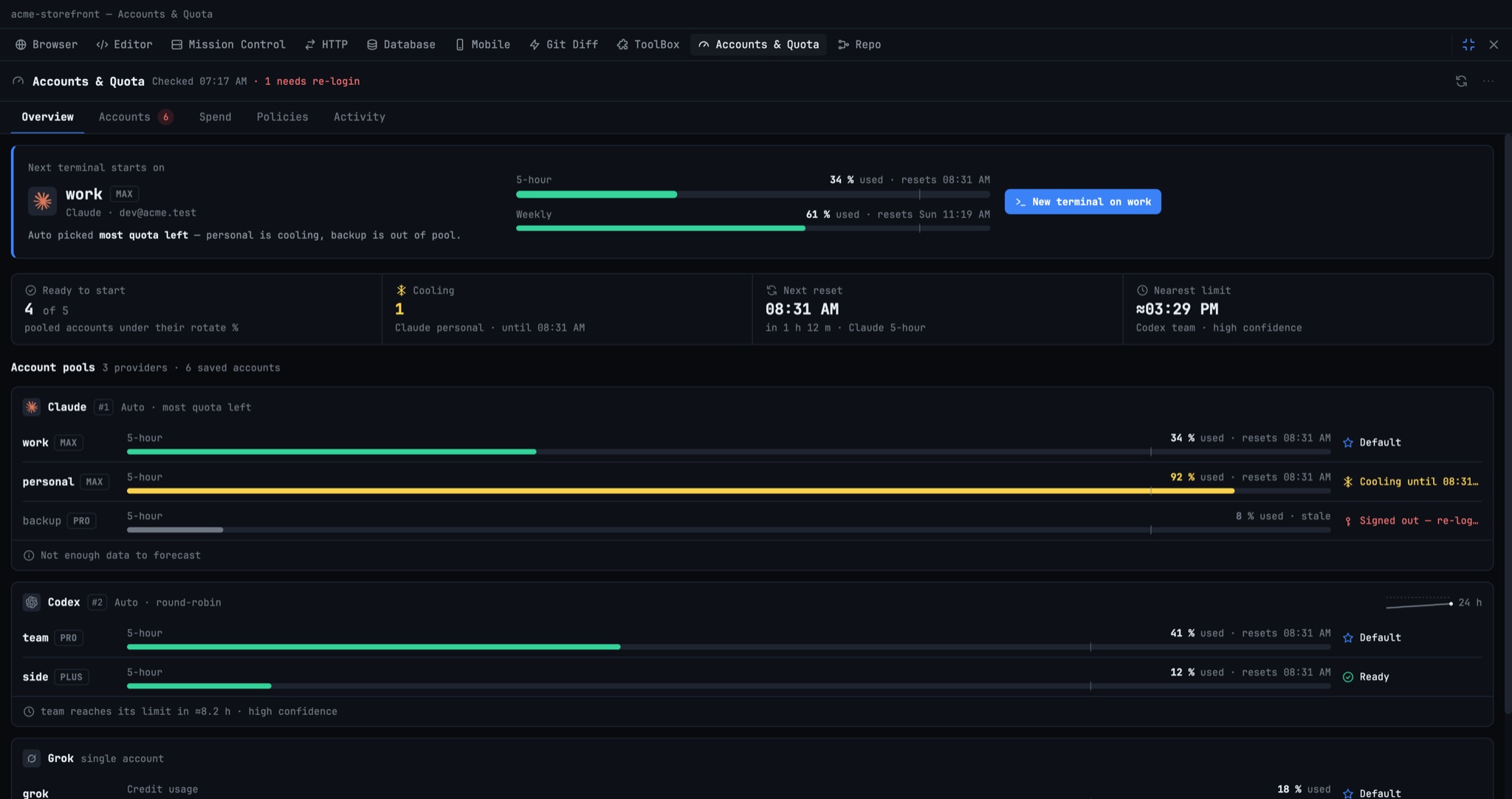
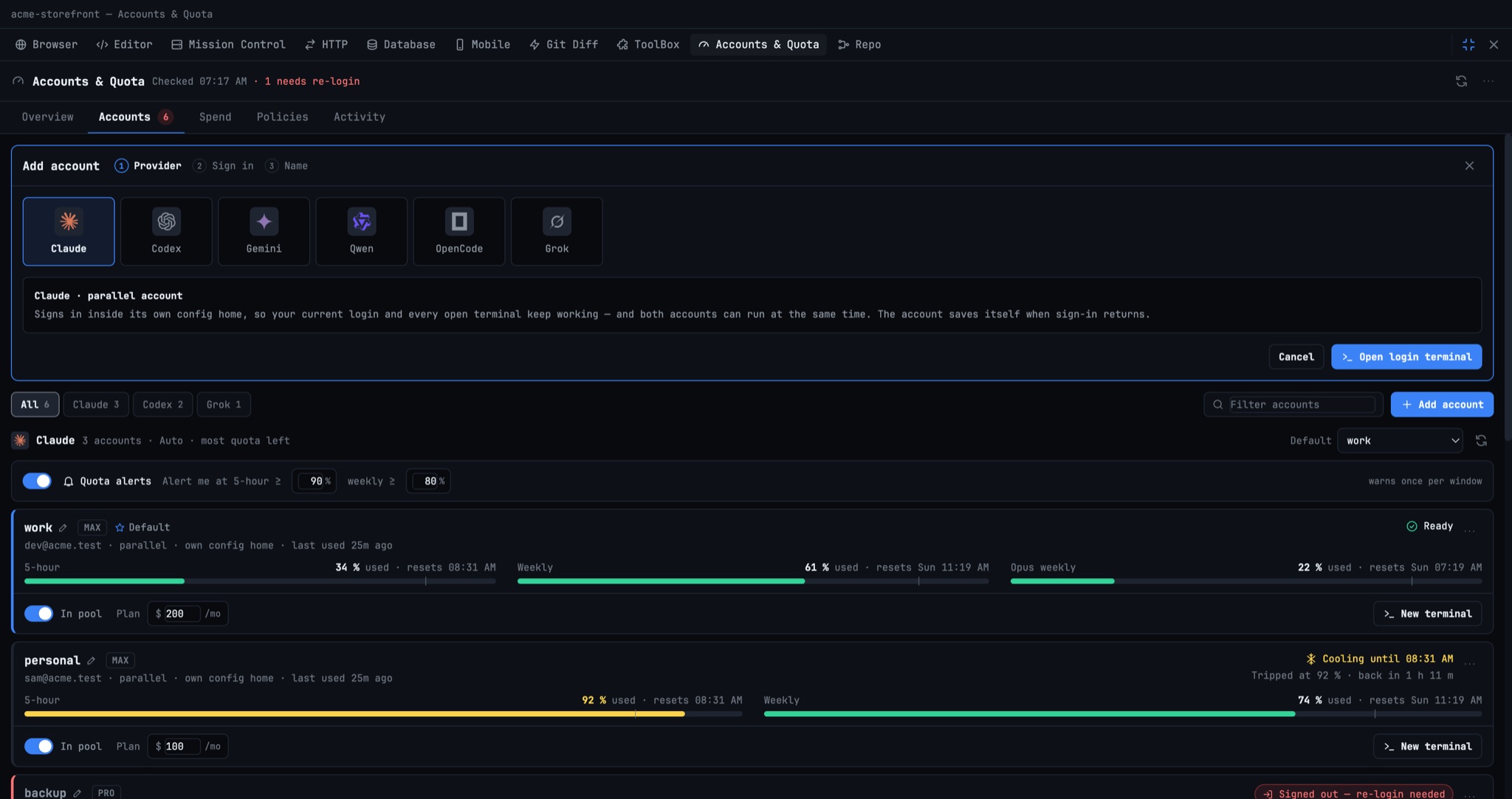
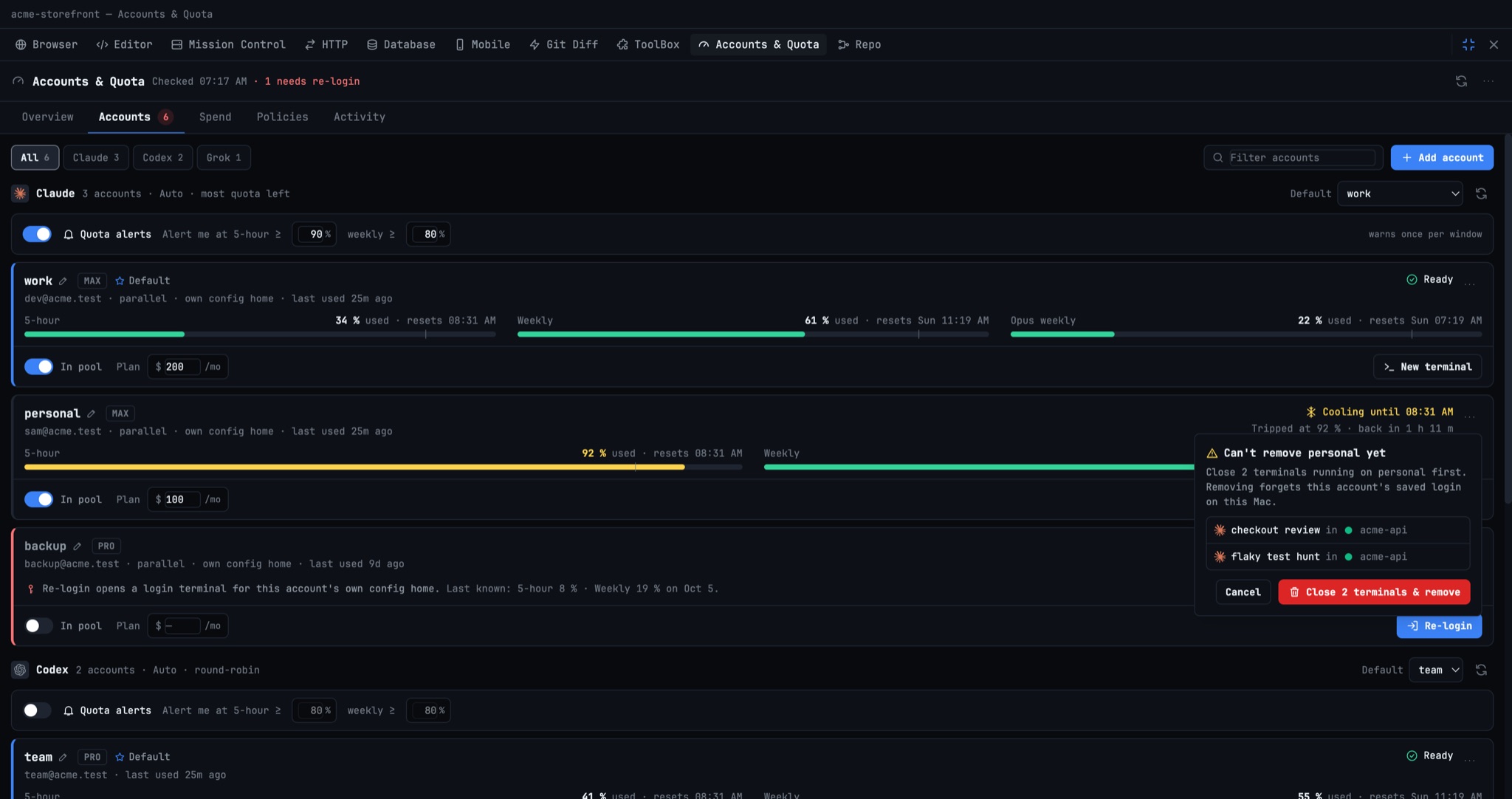
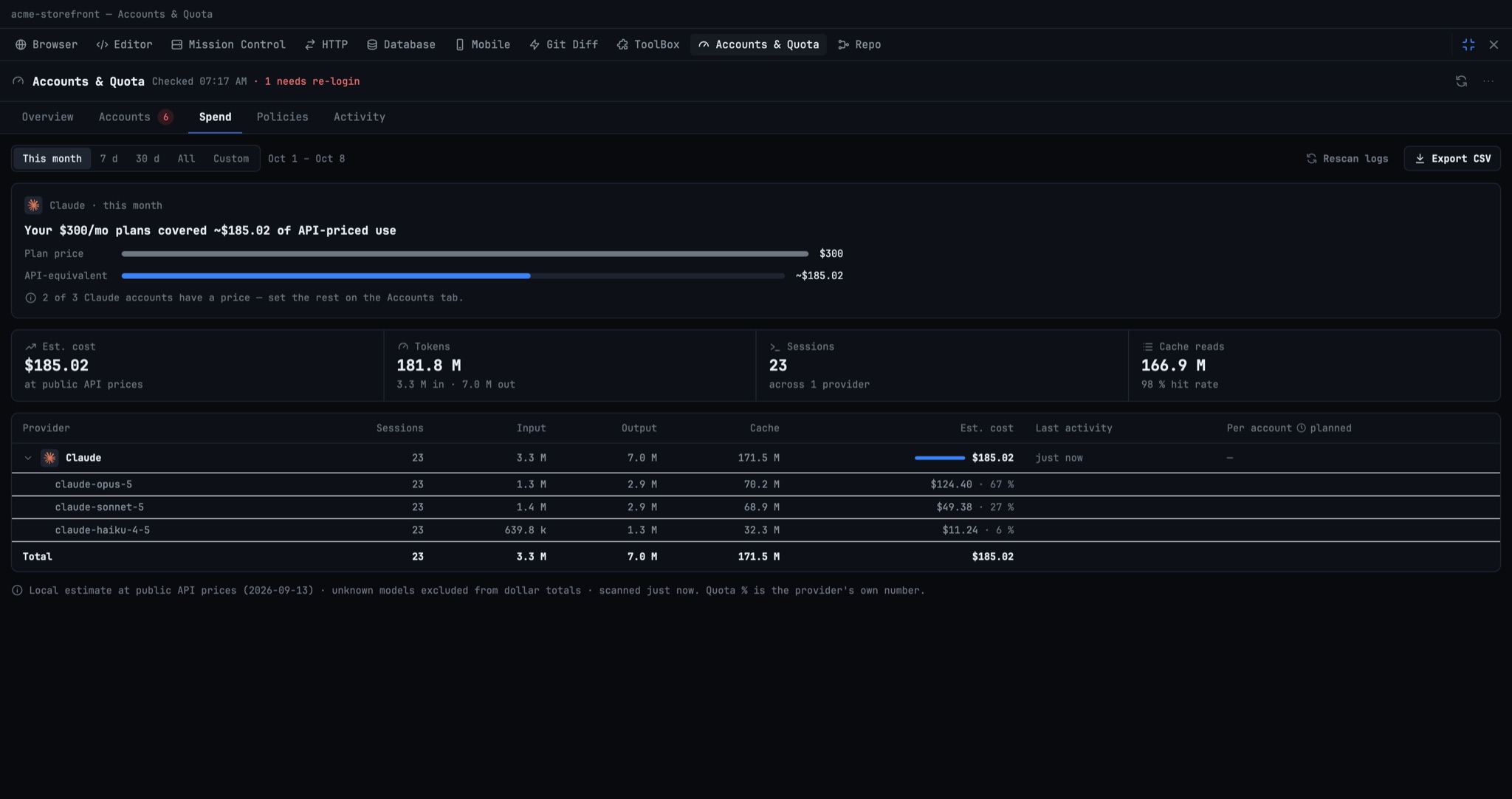
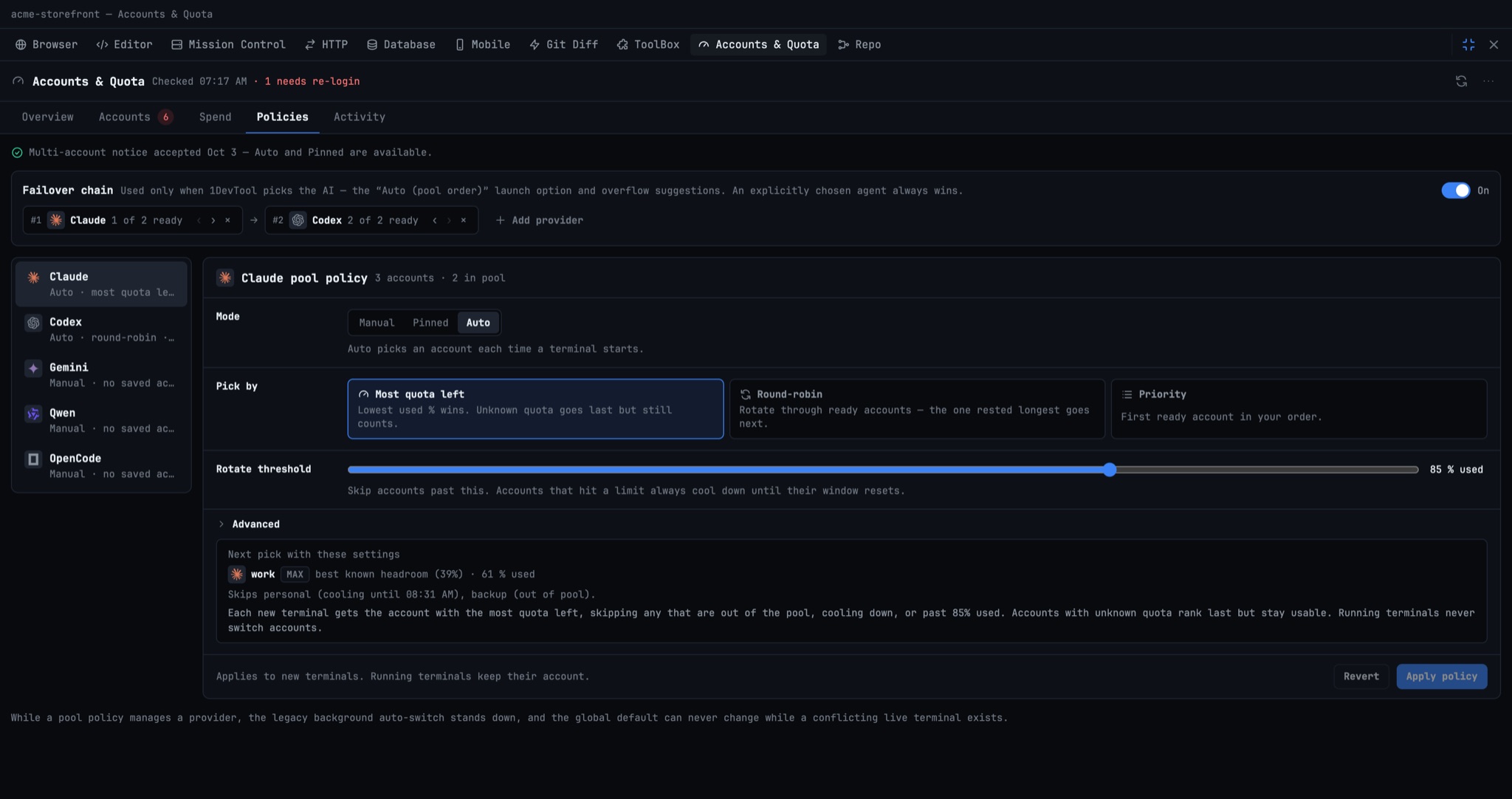
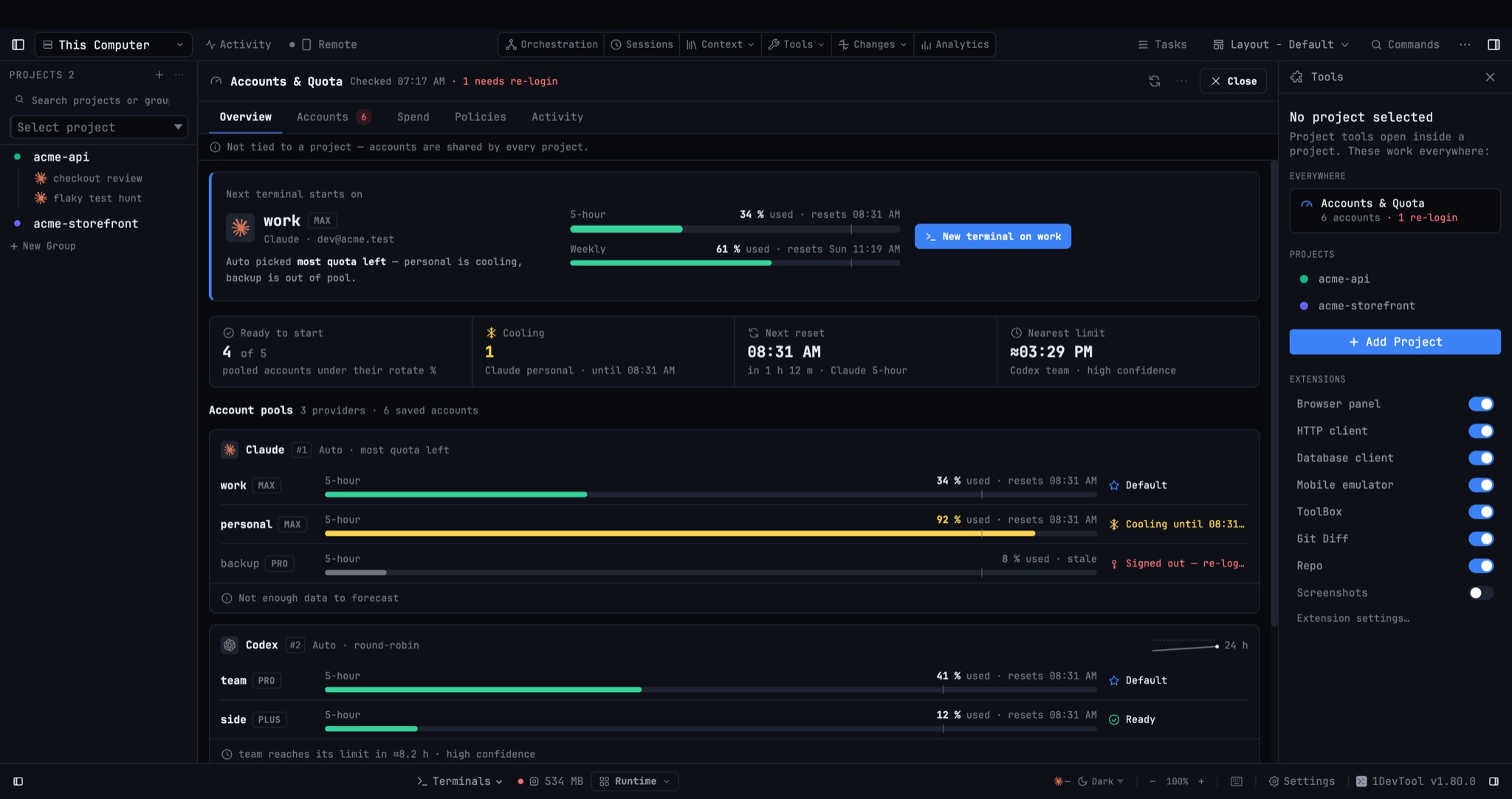
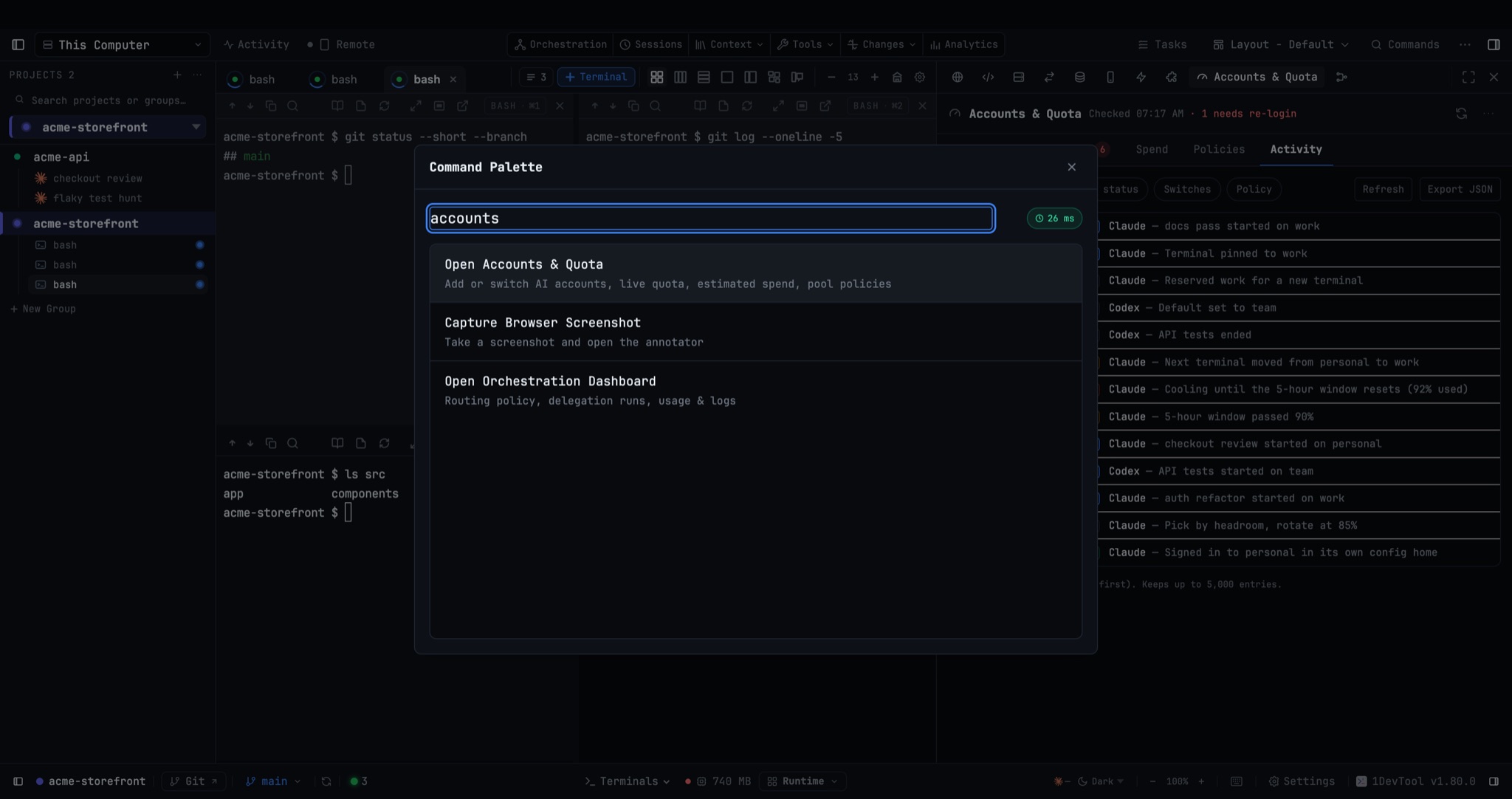
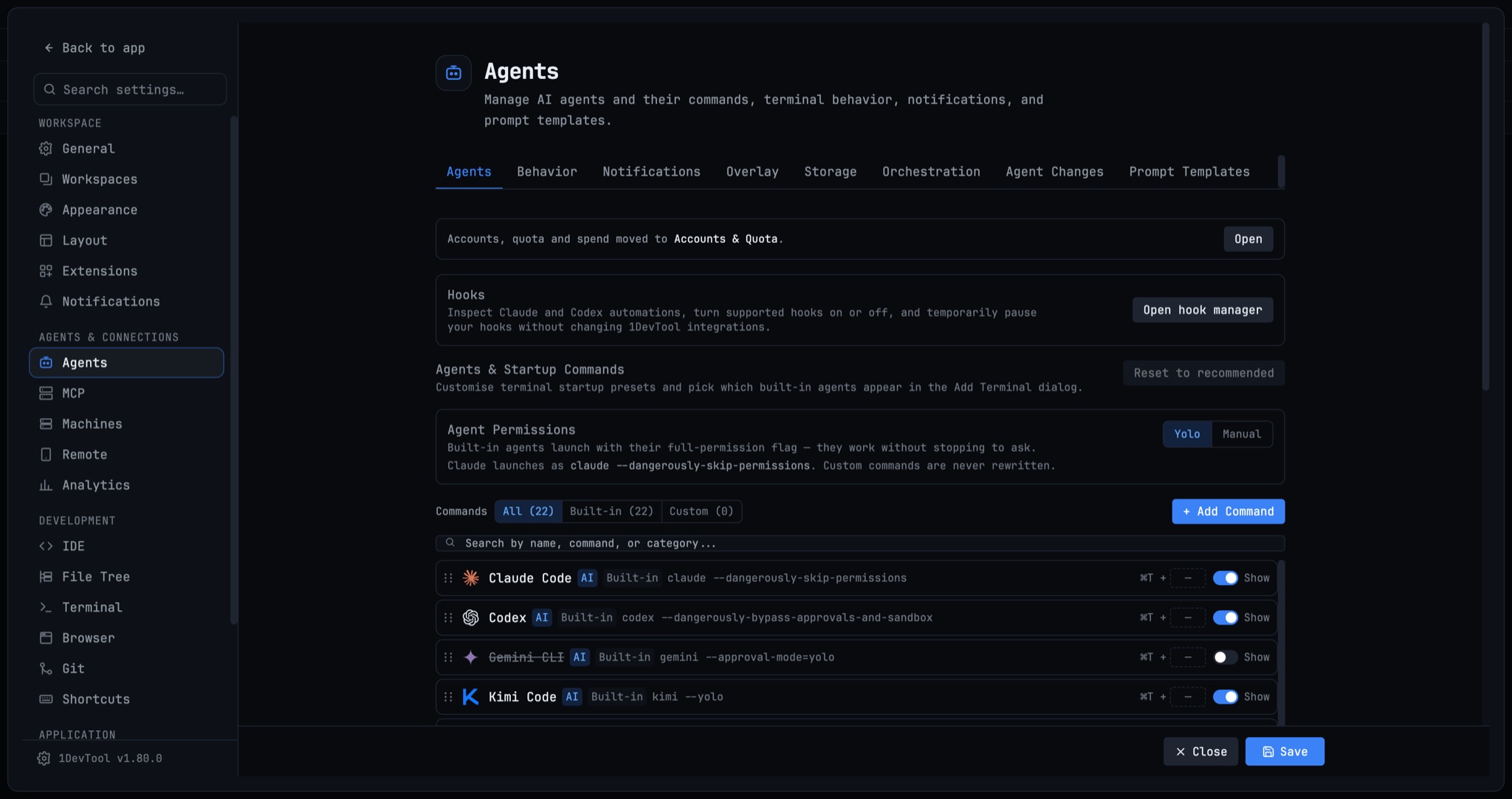
Accounts & Quota — one home for every AI account. The Quota Center is now Accounts & Quota, and it is the only place you add, switch, re-login and remove AI accounts; Settings → Agents → Accounts and Usage moved in, with a one-line note and an Open button left behind. Overview opens on a Next terminal starts on card that names the exact account a new terminal will use, picked the same way the app picks it, above a four-number summary and one lane per account. Accounts adds an account in three steps (provider → login terminal → name), sets the default, re-logins, renames, copies the login command, opens diagnostics, sets quota alerts and plan price and toggles In pool, and removing an account that is still in use lists its terminals and closes them and removes it in one step. Spend gains a custom date range, Rescan logs and cost by model, and Policies previews the next pick as you edit. Your accounts also show on the Welcome screen before you open a project, the empty Tools sidebar gets an Everywhere → Accounts & Quota entry, and ⌘⇧U opens the panel with or without a project. Also in this release: the panel now opens in about a tenth of a second while slower CLIs fill in, and fixes for accounts stuck on "cooling down" after their window reset, the app refusing to quit right after opening the panel, and a 12-second "Loading accounts…" wait.
Download v1.77.0
The download page always has the newest build; installers for this version are on GitHub.
What changed
New features
11- Manage every AI account in one panel — the Quota Center is now Accounts & Quota, and it's the only place you add, switch, re-login and remove accounts; Settings → Agents → Accounts and → Usage moved in here, with a one-line "moved to Accounts & Quota · Open" note left behind in Settings
- Old links (quota alerts, saved menus, the command palette, Settings search) land on the matching tab instead of an empty Settings page
- Overview — see where your next terminal starts — a Next terminal starts on card shows exactly which account a new terminal will pick, worked out the same way the app picks it, plus a four-number summary and one lane per account with a single clear status
- Providers you've signed into but haven't pooled show a Save / Add shortcut, and quota-only providers get their own section
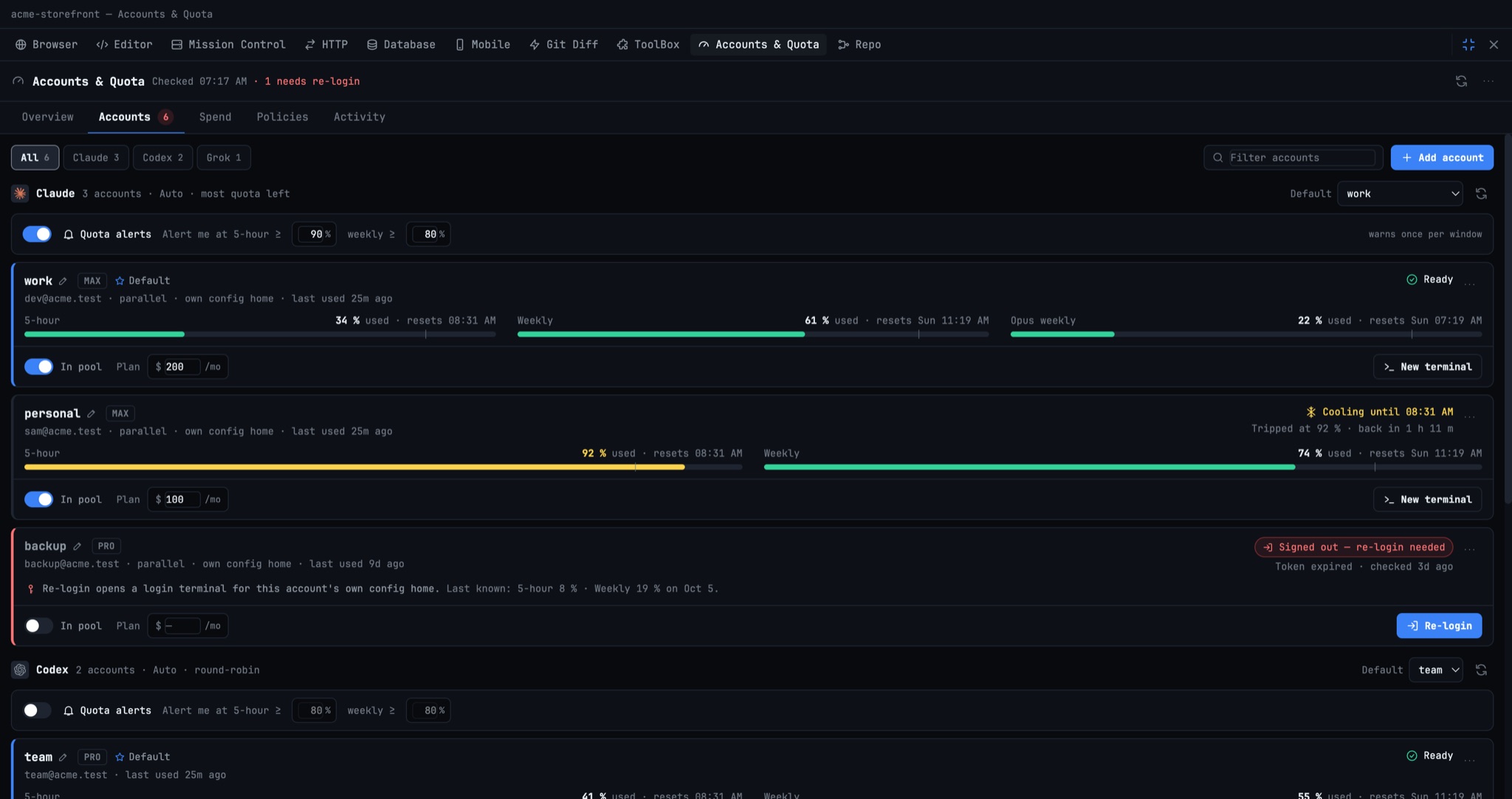
- Accounts — the full account manager — add an account in three steps (provider → login terminal → name), save a CLI login you haven't saved yet as a single row, pick the default account, re-login, rename, copy the login command, open diagnostics, set per-provider quota alerts and plan price, and toggle In pool
- Remove an account that's still in use — instead of a dead-end error, you see which terminals are using it and can close them and remove in one step
- Spend — usage and cost in the same panel — pick a custom from/to range, Rescan logs, and expand any provider to see cost by model; a callout compares what your usage would cost on other plans in the same month
- Policies — clearer pool settings — Auto and Pinned pick modes ask for your OK once, the failover chain and per-provider settings preview the next pick as you edit, and warn-at %, max terminals per account and fallback cooldown live under Advanced (with the older background auto-switch)
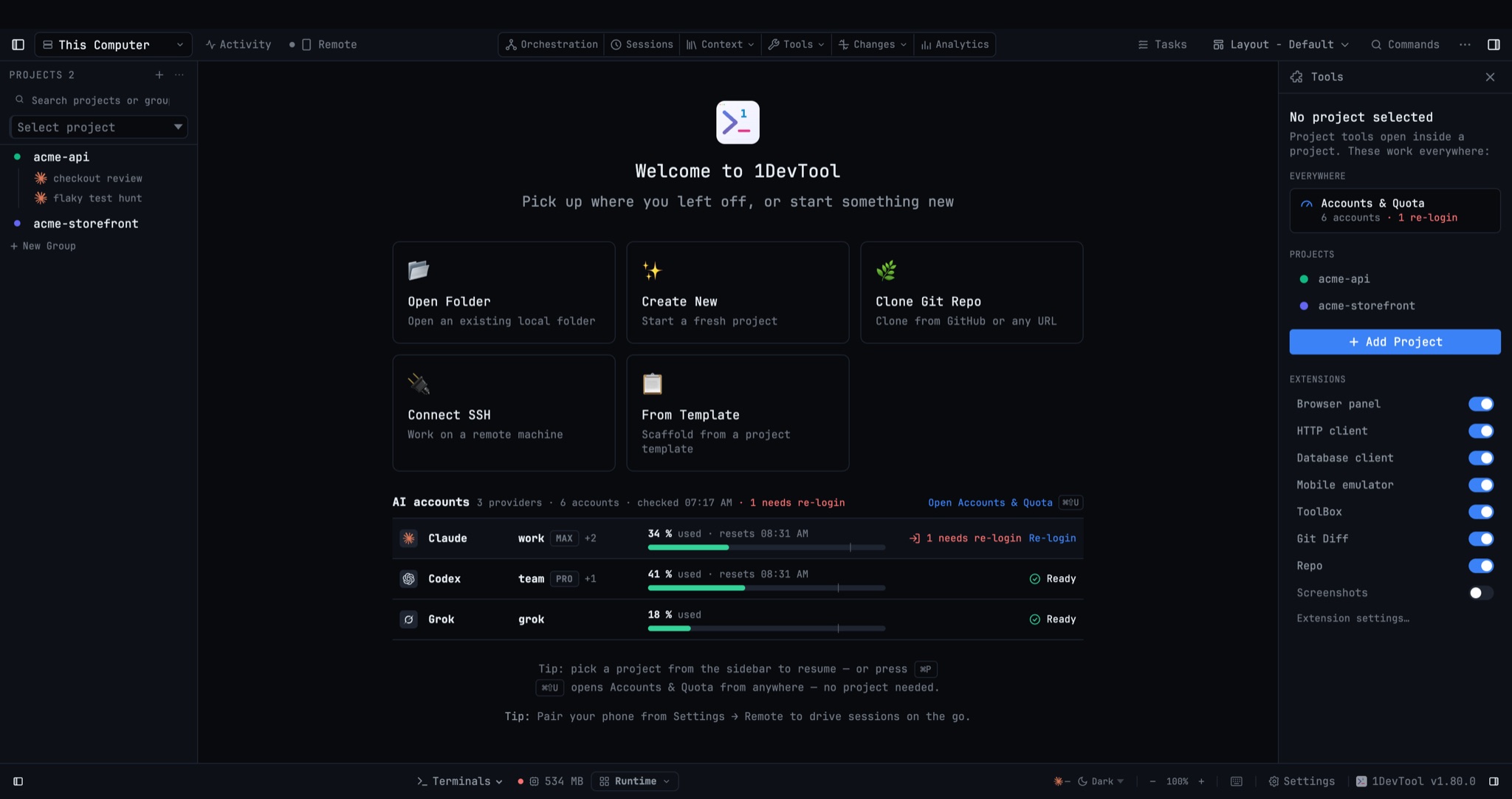
- AI accounts on the Welcome screen — see the account your next terminal will start on, its 5-hour usage bar and one status per provider before opening any project; with no accounts yet, Add an AI account is one click away
- Open Accounts & Quota from anywhere — the empty Tools sidebar has a new Everywhere → Accounts & Quota entry with your account count and any re-logins needed, and ⌘⇧U opens the panel with or without a project
- Opened without a project, the panel has its own Close, and if a project becomes active it moves into that project's layout instead of disappearing
Improvements
2- Accounts & Quota opens instantly — your account list now appears in about a tenth of a second, and live quota from slower CLIs (Antigravity, Cursor, Grok, Amp) fills in as it arrives instead of holding the whole panel on "Loading accounts…"
- Renamed everywhere — the app menu, command palette and sidebar now say Accounts & Quota, and the palette entry finds it when you search for "add account" or "login"
Bug fixes
3- Fixed accounts stuck on "cooling down" for hours — an account that hit its rotate threshold kept the cooling chip, and was counted in "N cooling down", long after its 5-hour window had reset; cooling now ends when the window does, matching the phone
- Fixed the app refusing to quit after opening Accounts & Quota — quitting within half a second of the panel opening could leave 1DevTool running invisibly (and impossible to relaunch until force-killed) while an Antigravity or Grok usage check was still starting; quit now finishes in under a second and leaves no stray CLI process behind
- Fixed Accounts & Quota sitting on "Loading accounts…" for up to 12 seconds when a CLI was slow, cold or signed out — every tab, including ones that don't use that CLI, now shows immediately
Screenshots