Agent Hierarchy
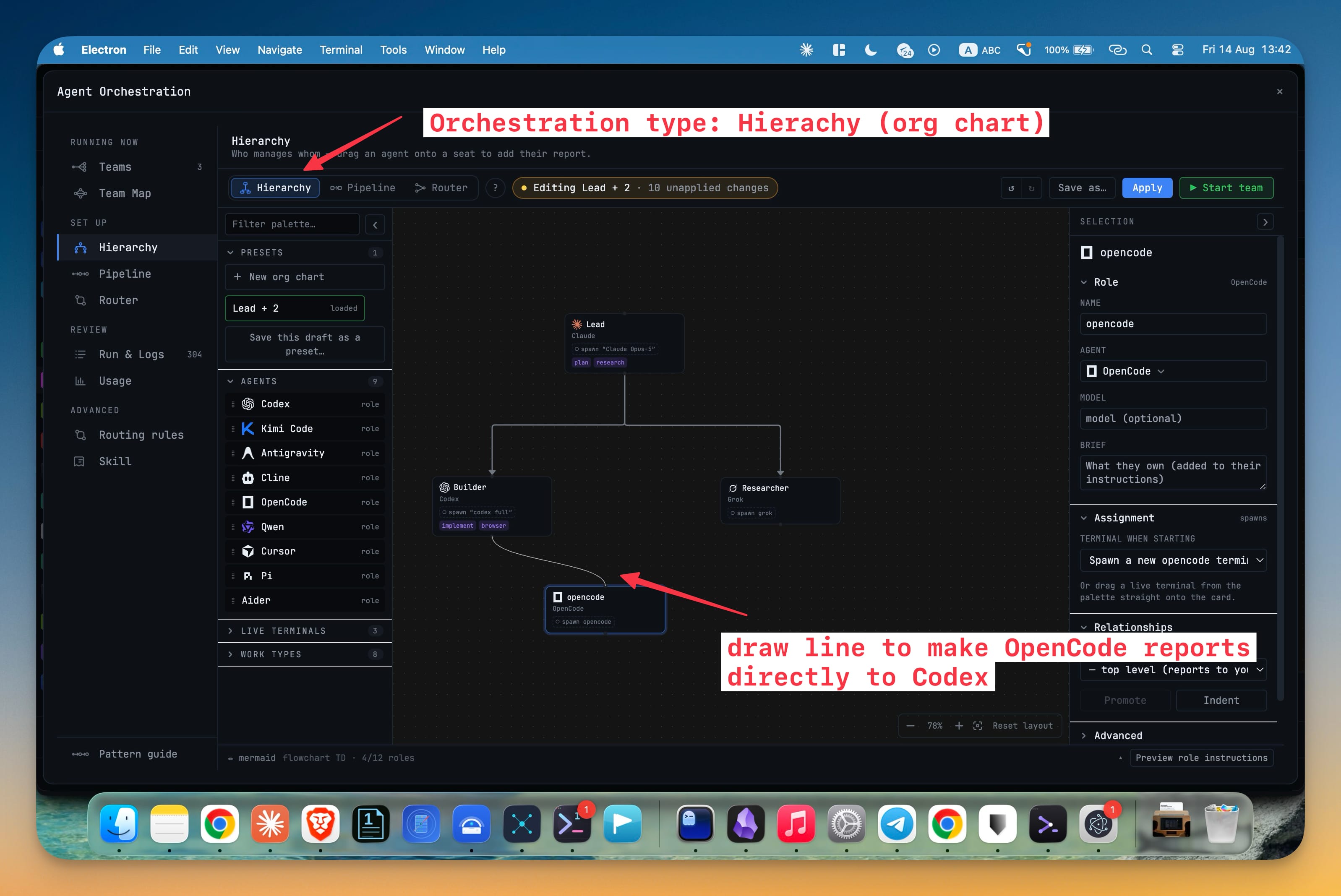
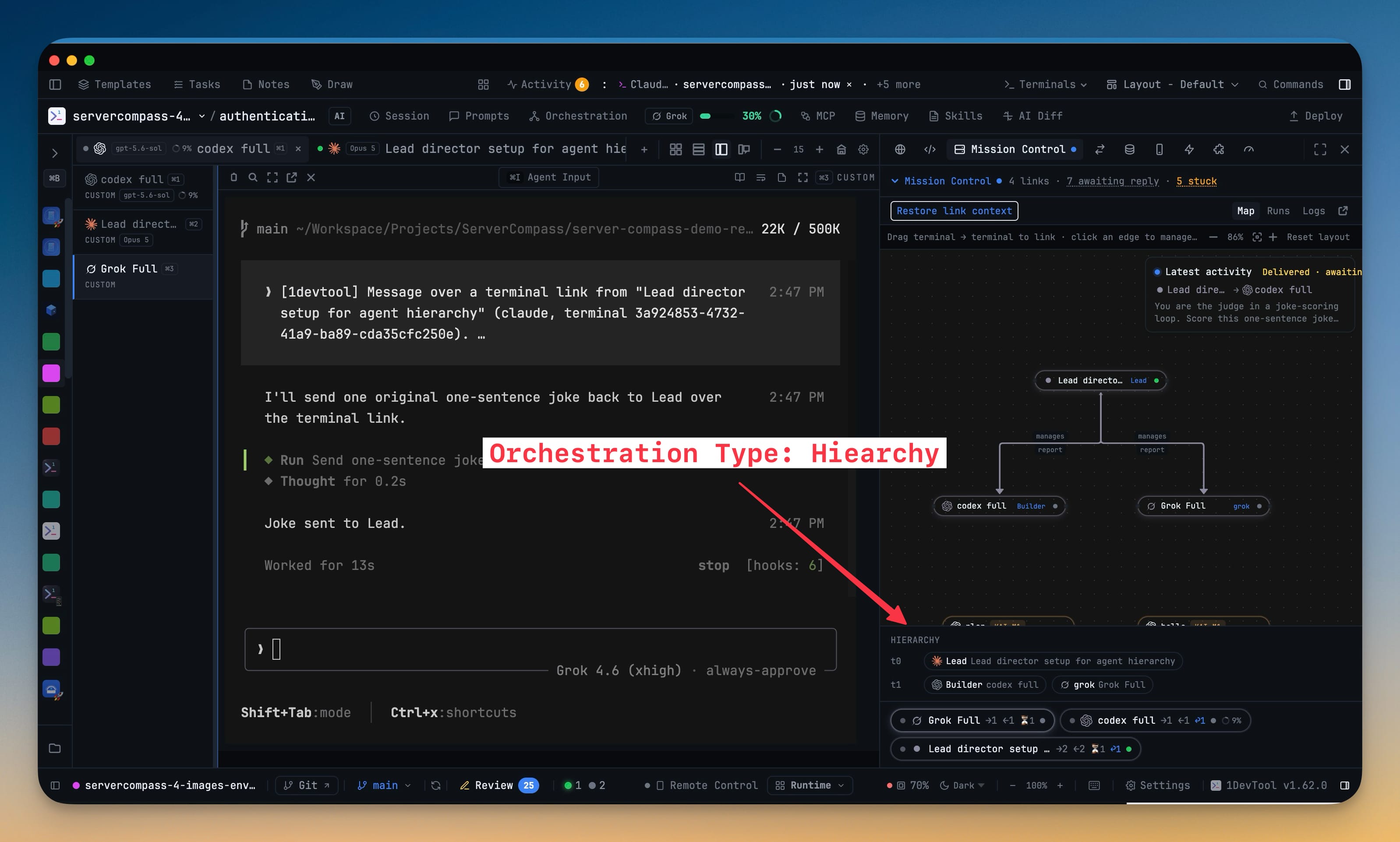
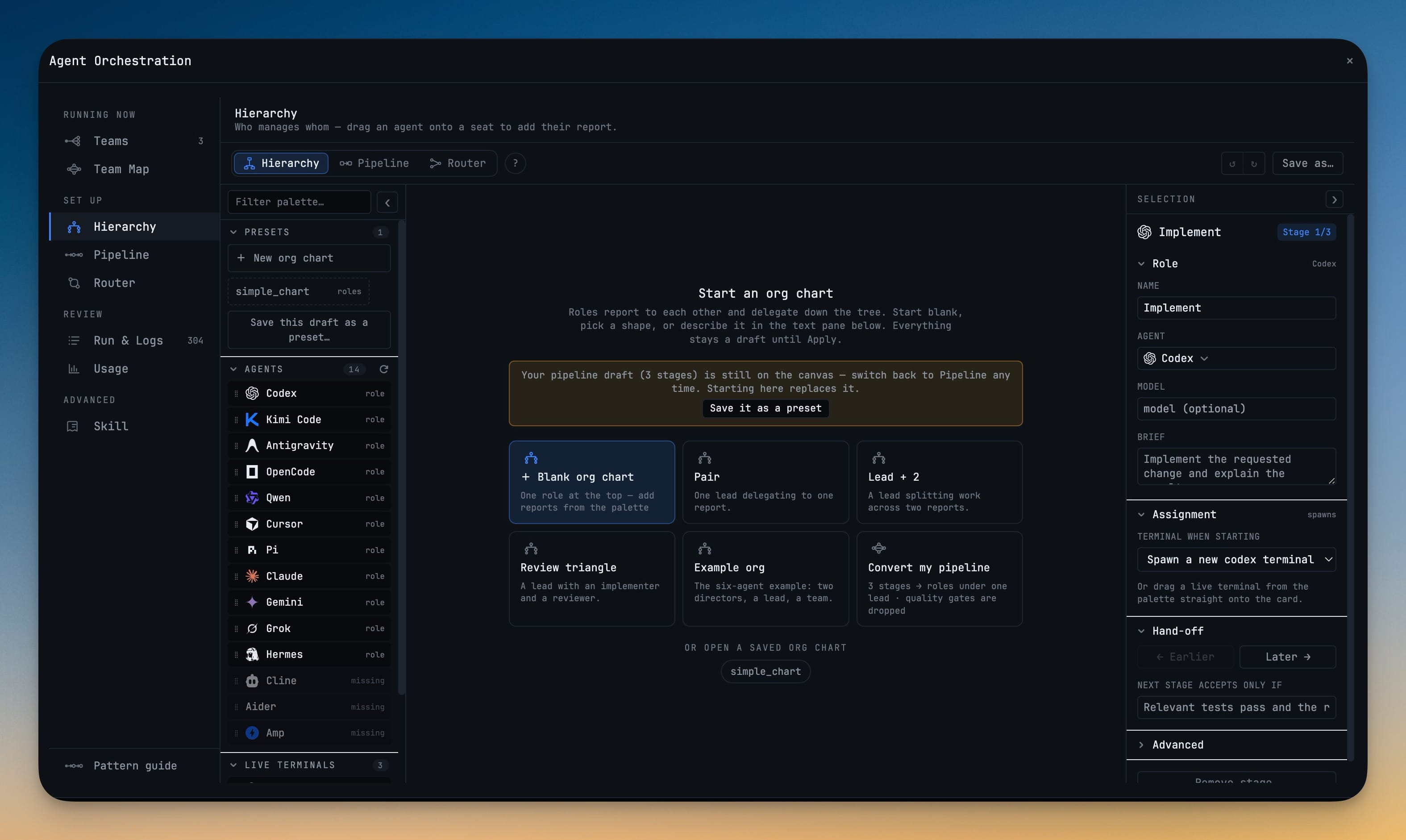
Give your agents a real chain of command — seats with managers and subordinates, applied to your project and activated onto live terminals. The chart is enforced at runtime, not decorative: an agent may task only its own subordinates and reports its results upward.
More Screenshots
Click any image to zoom in
Why You Need This
How this feature boosts your daily productivity
Once more than two agents are working at the same time, the problem stops being capability and starts being traffic. Without a chain of command every agent can talk to every other agent, and you lose the ability to reason about who asked for what. A hierarchy fixes the routes: an agent tasks only its own subordinates and reports upward, and anything else is refused with a message naming the route it should have taken. A director reports to you; a seat marked "chain ends here" finishes in place rather than reporting up, which is exactly what you want when you write "review back to Grok, do not report to me". Because hierarchies resolve by escalation, an agent cannot open a vote to overrule its own manager. Mission Control groups every seat by derived tier, flags vacancies and orphaned branches, and offers Rebind or Promote on the spot, so a team that lost a terminal gets repaired instead of rebuilt — and a counter opens a panel showing every blocked escalation: who tried to reach whom, when, and where it should have gone. You can also write the chain of command for a single prompt, or manage a running org from your phone.
How It Works
Get started in 4 simple steps
Give your agents an org chart
Seats with managers and subordinates, applied to your project and then activated onto real terminals.
Let the chart do the enforcing
An agent may task only its own subordinates and reports results upward. Anything else is refused with a message explaining the route it should have taken.
Decide where the chain ends
A director reports to you; a seat marked "chain ends here" finishes in place instead of reporting up. Hierarchies decide by escalation, so an agent cannot open a vote to overrule its manager.
Repair a team without rebuilding it
Mission Control groups every seat by level, flags vacancies and orphaned branches, and offers Rebind or Promote on the spot.
Or skip setup entirely
Write "claude requests grok to draft the fix, review back to grok, do not report to me" and that sentence becomes the chain of command for that prompt only.
Without 1DevTool
The manual way vs. the 1DevTool way
The Hard Way
The 1DevTool Way
Key Capabilities
Everything included with Agent Hierarchy
Why It Matters
The productivity impact of having ai productivity built into your workspace
Searchable Prompt Library
Every prompt you've ever sent is captured and searchable. Find and reuse your best AI interactions.
Visual AI Communication
Annotate screenshots and embed them in prompts. Show your AI agent exactly what you see.
Session Knowledge Base
AI conversations become searchable history. Find how you solved a similar problem last week.
Power Navigation
Command palette gives you instant access to any feature. Navigate 1DevTool at the speed of thought.
More in AI Productivity
Other features in this category you might find useful
Prompt History
Search prompts and sticky notes from Remote Control while away from the desktop. Switch between This project and All projects, filter prompts by agent or notes by source, copy entries, delete with Operator access, and sync local prompt history.
Resume UI
Browse, search, and resume past AI sessions from Claude Code, Codex, and Gemini CLI — or combine multiple sessions into one.
Combine Sessions
Select sessions from Claude Code, Codex, and Gemini CLI and merge them into a single conversation — giving your next agent the full cross-agent context.
AI Diff Review Panel
Track every file modification any AI agent makes — Claude Code, Codex, Gemini, Amp, custom — and review, accept, or revert their work per file from a dedicated panel with inline diff overlays in the editor.
Ready to boost your workflow?
Download 1DevTool for free and experience Agent Hierarchy along with 321 other features — all in one app.