The Router
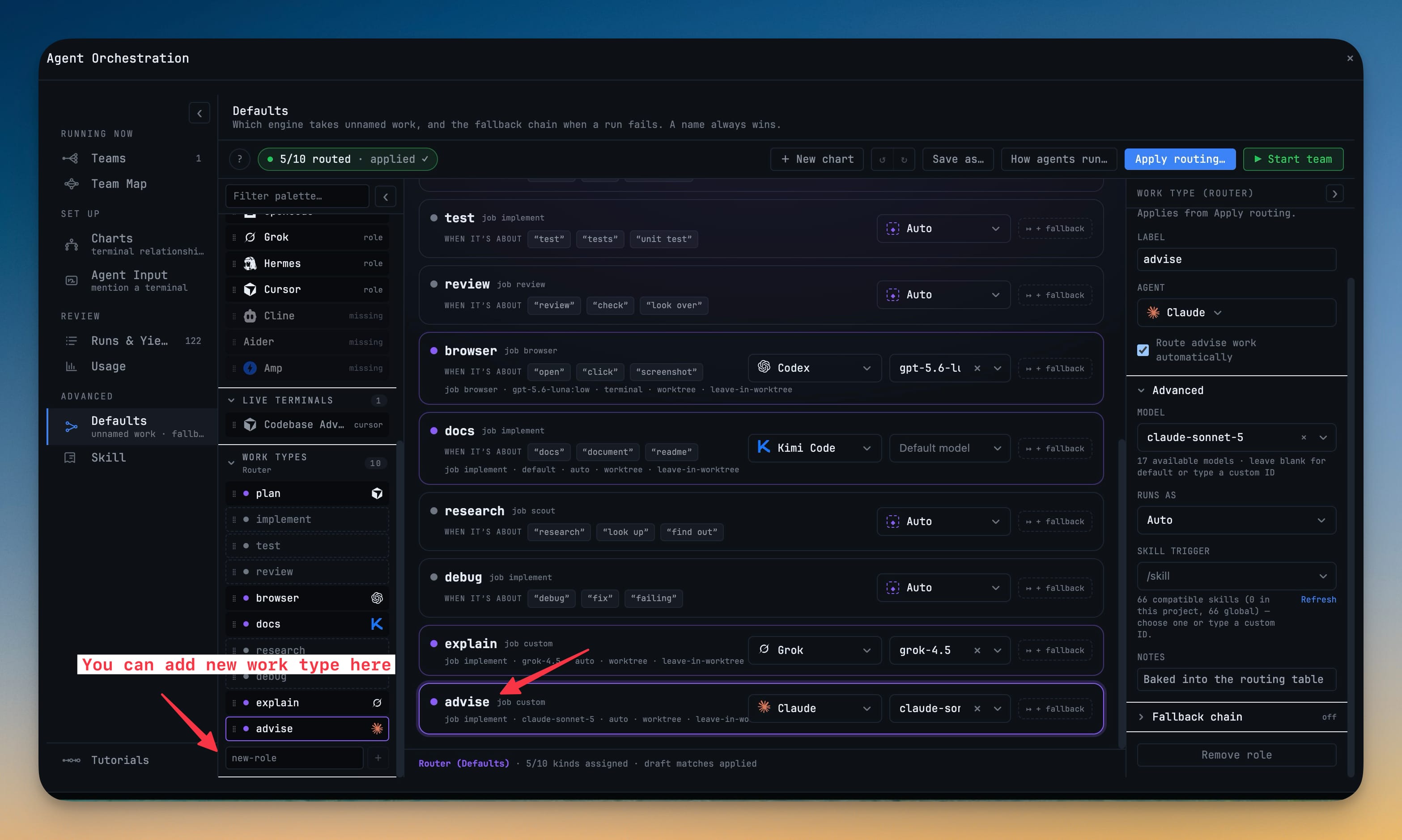
Set who handles each kind of work once, then ask for that work in any terminal without naming anyone — the host routes it for you. Reached under Advanced → Defaults, the Router is now a plain match table with one row per kind of work (plan, test, review, browser, docs, research, debug, explain, advise…), each carrying an agent picker and, once you pick one, a model picker beside it.
More Screenshots
Click any image to zoom in
Why You Need This
How this feature boosts your daily productivity
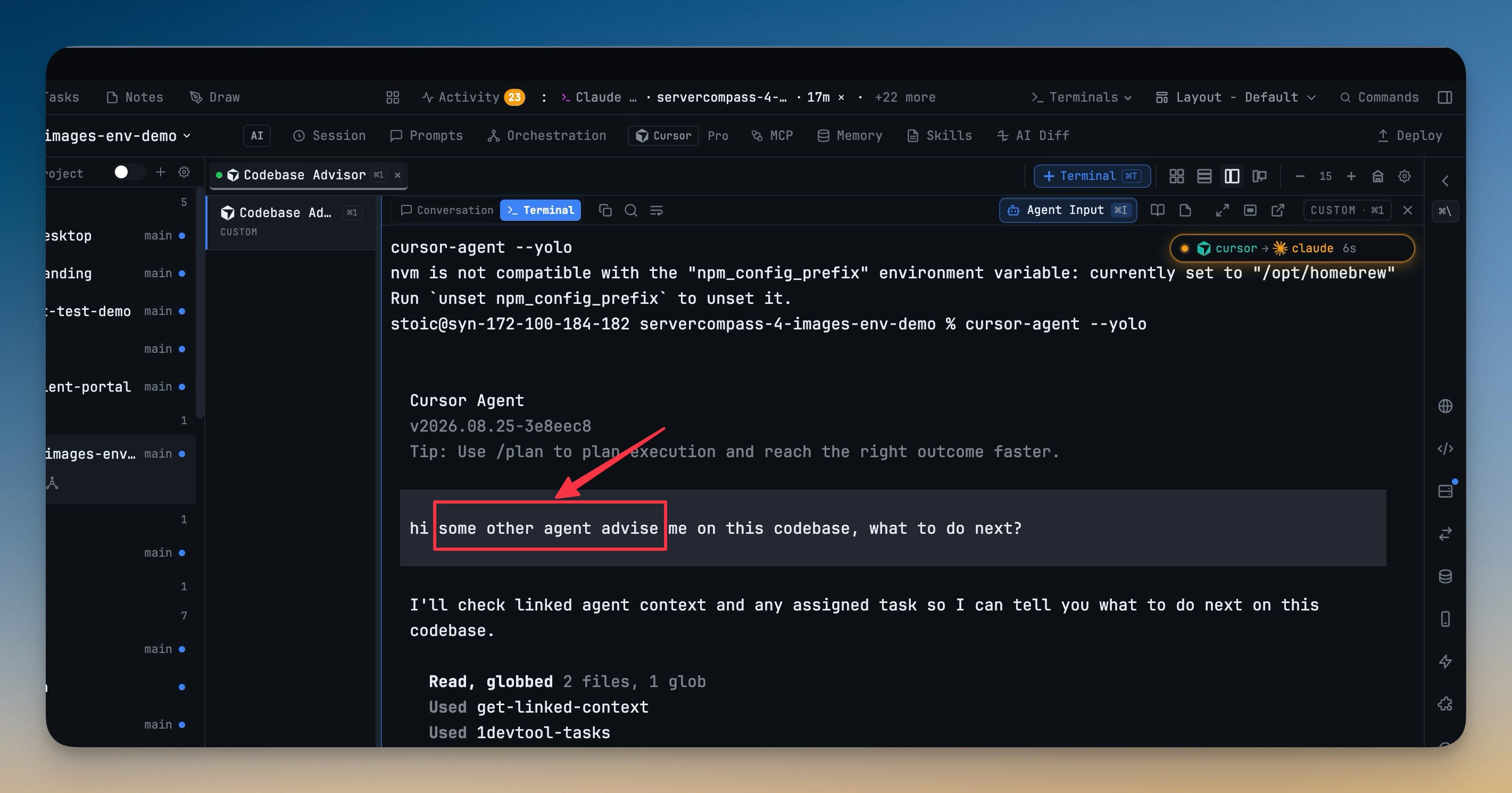
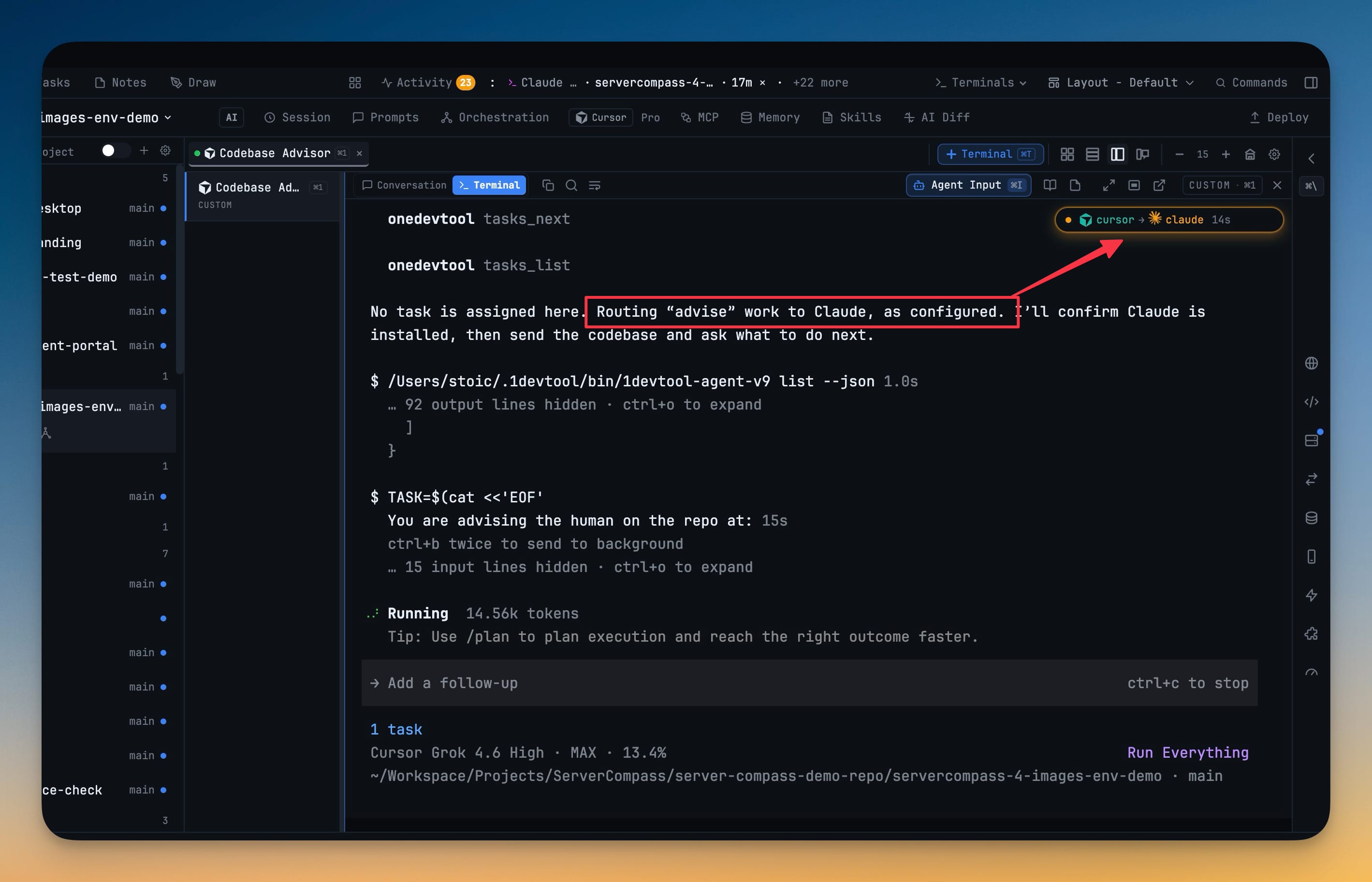
The old Router implied a left-to-right order that never matched how routing actually works — it runs per kind of work, never in sequence. Rebuilt as a match table, it reads two ways: By work lists every kind of work and who takes it, while By agent groups the same rules under the agent that owns them so one agent's whole load reads at a glance; anything you have not assigned sits in an Auto pool rather than erroring. A guided Tutorial plays the whole thing end to end — set a default, ask for that kind of work without naming anyone, and watch the host route it, so a prompt asking an agent to "advise" lands on the agent you configured.
How It Works
Get started in 4 simple steps
Open Advanced → Defaults
Defaults is now a match table — one row per kind of work: plan, test, review, browser, docs, research, debug, explain, advise and more.
Set an agent and a model per row
Each row carries its own agent picker and model picker, so "review" and "debug" can land on different agents without you naming them at send time.
Read it "By work" or "By agent"
Switch views: "By work" lists the table row by row, "By agent" rolls it up to show one agent's whole load. Work you never assigned sits in an "Auto" pool.
Ask for the work, not the agent
Ask for a kind of work without naming an agent and the Router matches it to the row you set, routing automatically.
Without 1DevTool
The manual way vs. the 1DevTool way
The Hard Way
The 1DevTool Way
Key Capabilities
Everything included with The Router
Why It Matters
The productivity impact of having ai productivity built into your workspace
Decide the Routing Once
Set which agent handles review, debug or research a single time in the match table, and stop naming an agent on every prompt.
Two Ways to Read the Same Table
"By work" answers what handles this kind of task; "By agent" answers what is this agent responsible for — the same rows, the view you need.
Nothing Falls Through
Work you never assigned waits in an "Auto" pool instead of failing silently, so an unmapped kind of task still gets picked up.
Ask in Plain Terms
Request a kind of work without naming an agent and the Router matches it for you, so the intent — not the roster — drives the run.
More in AI Productivity
Other features in this category you might find useful
Prompt History
Search prompts and sticky notes from Remote Control while away from the desktop. Switch between This project and All projects, filter prompts by agent or notes by source, copy entries, delete with Operator access, and sync local prompt history.
Resume UI
Read any past AI session before you resume it. Resume AI Sessions is a split view with a searchable list of every Claude Code, Codex, Gemini CLI and other agent session on the left and a live preview of the project, branch, tool calls and conversation on the right, with Resume, bypass permissions and an editable command one click away.
Combine Sessions
Merge several past AI sessions into one opening prompt, or hand a single session to a different agent. Tick sessions in Resume AI Sessions, see a token estimate of the context they add, and send the result to a new chat with any agent or preset or to a terminal that is already open.
AI Diff Review Panel
Track every file modification any AI agent makes — Claude Code, Codex, Gemini, Amp, custom — and review, accept, or revert their work per file from a dedicated panel with inline diff overlays in the editor.
Ready to boost your workflow?
Download 1DevTool for free and experience The Router along with 327 other features — all in one app.