AI Diagnosis
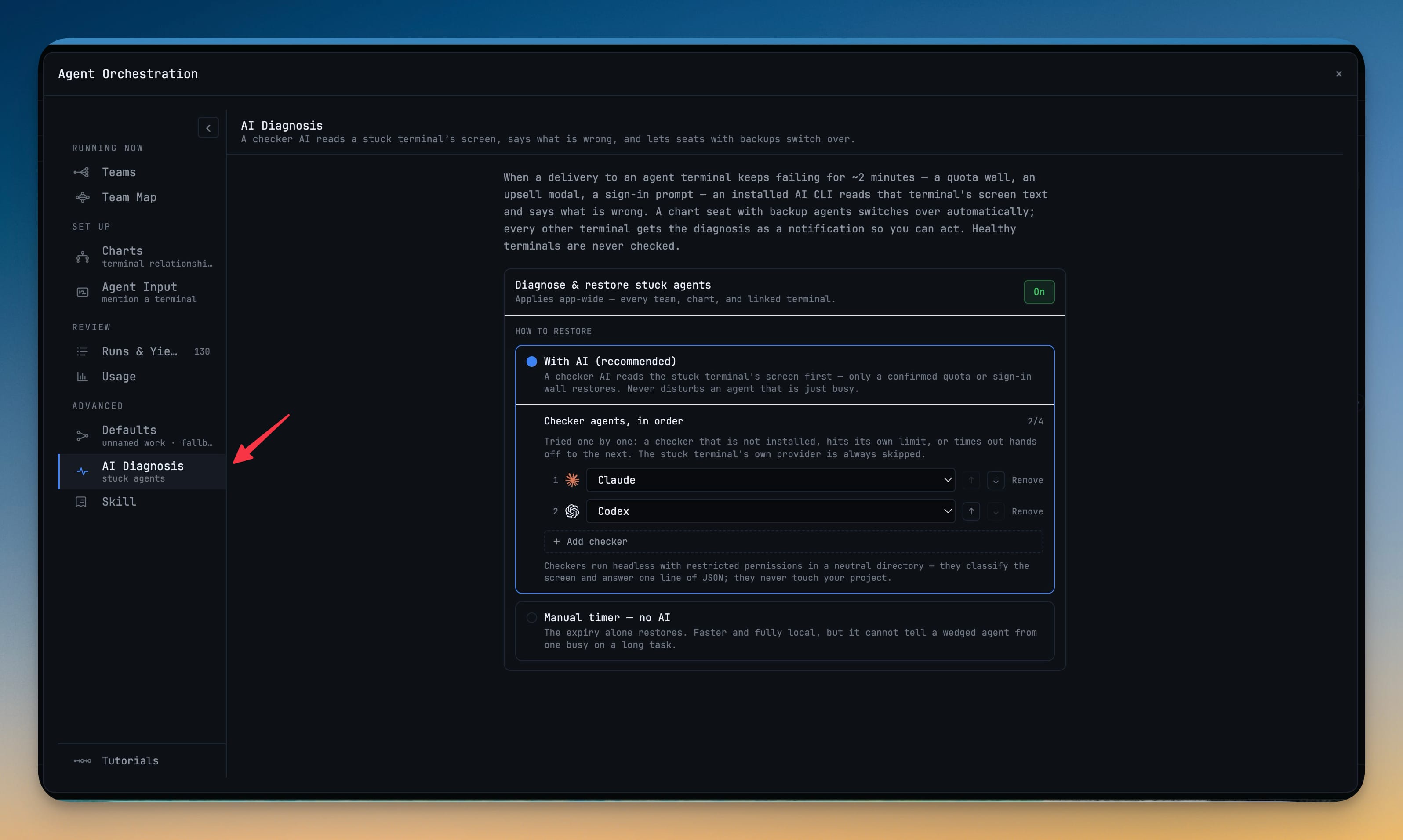
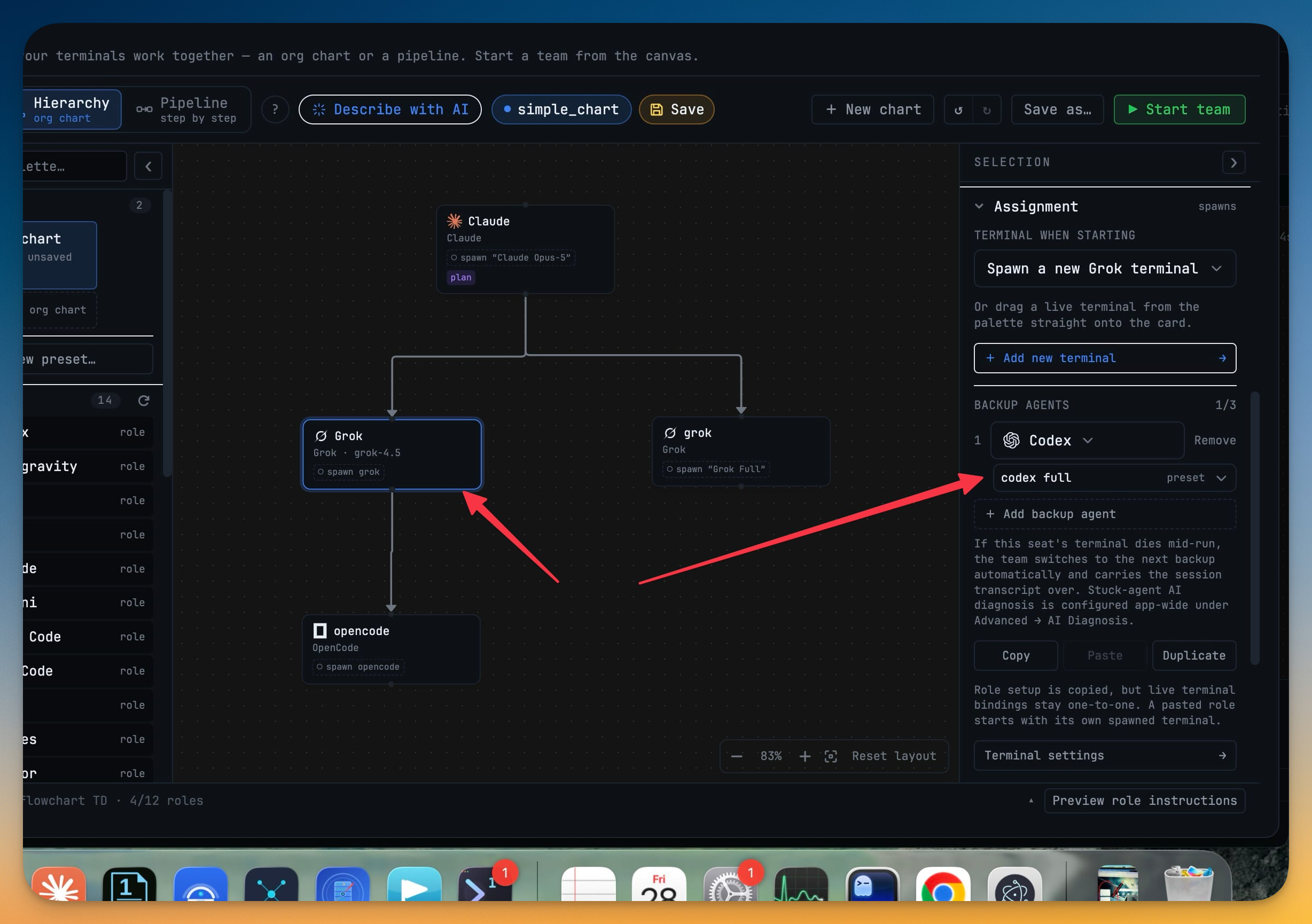
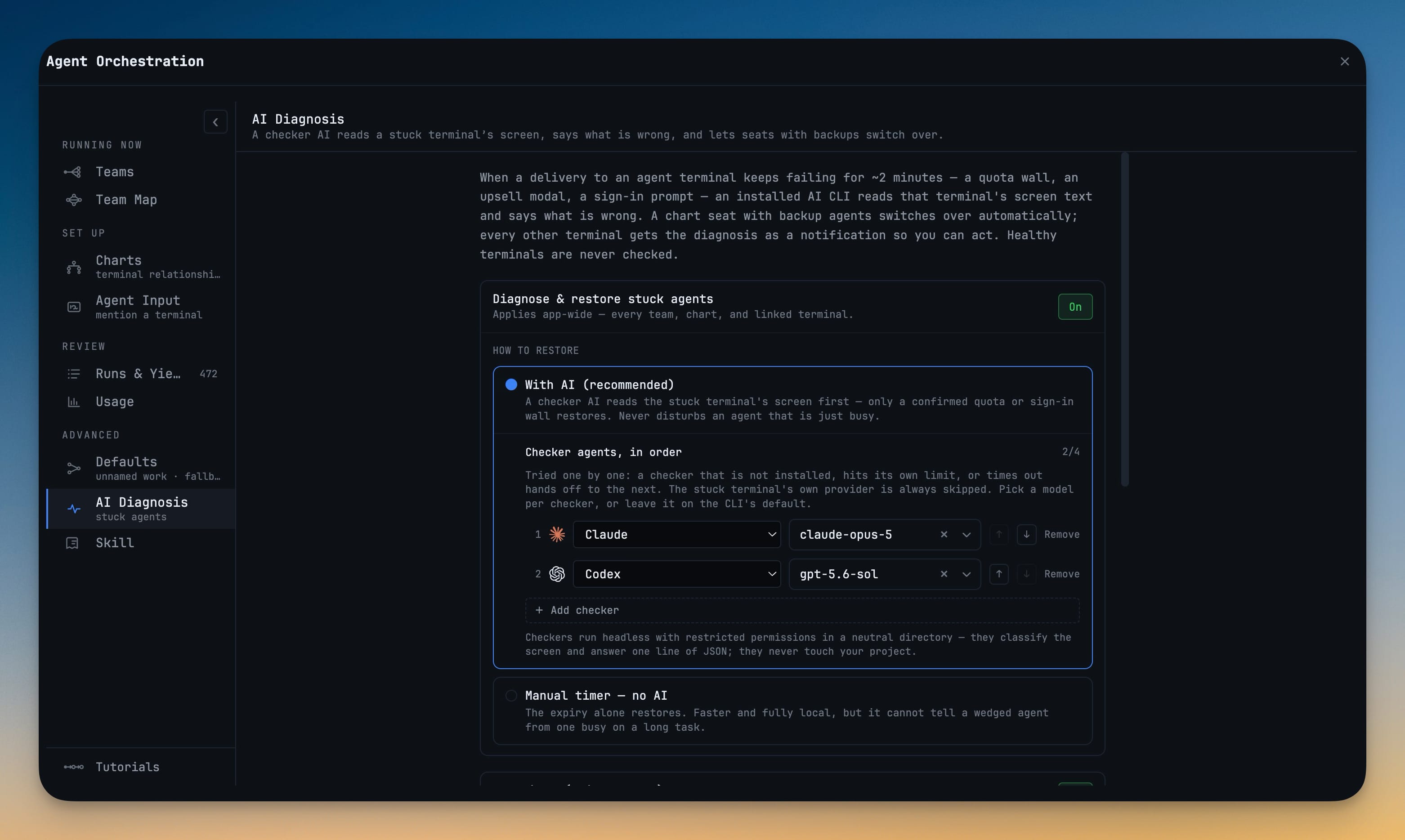
Find out why an agent went quiet instead of waiting out the full ten-minute timeout: when a delivery to a terminal keeps failing for about two minutes, an installed checker AI reads that terminal's screen and classifies the wall — a quota limit, an upsell modal, a sign-in prompt. A chart seat with backup agents fails over on its own, and every other terminal gets the diagnosis as a notification so you can act. Pick the model each checker runs on, and turn on Autopilot to resume or hand off an agent that drops mid-task.
More Screenshots
Click any image to zoom in
Why You Need This
How this feature boosts your daily productivity
A stuck agent used to cost you the ten-minute timeout plus however long it took to even notice the terminal had gone dark — and then the guesswork of why. AI Diagnosis, under Advanced → AI Diagnosis, turns that into a one-line answer: an ordered checker chain reads only a genuinely stuck terminal's screen (a healthy agent is never checked, and a busy one mid-task is never mistaken for a stuck one), the stuck terminal's own provider is always skipped, and checkers run headless with restricted permissions in a neutral folder so they classify the screen and never touch your project. It is on by default behind a single one-time consent, with a "Manual timer — no AI" fallback if you would rather not disclose screen text.
How It Works
Get started in 4 simple steps
Leave it on — or turn it off
AI Diagnosis is on by default after a one-time consent. Advanced → AI Diagnosis lets you keep "With AI (recommended)" or fall back to "Manual timer — no AI".
A send keeps failing for ~2 minutes
When an agent stops accepting work and nothing moves for about two minutes, an installed checker AI reads that terminal's on-screen text — the stuck terminal's own provider is skipped so it never grades itself.
The checker names the wall
It reports what it sees — a quota wall, a sign-in prompt, an upsell modal — running headless and restricted in a neutral folder, walking an ordered checker chain until one answers.
Restore, then notify everyone
A chart seat with backup agents fails over on its own instead of waiting the full ~10-minute timeout, and every other terminal gets the diagnosis as a notification.
Without 1DevTool
The manual way vs. the 1DevTool way
The Hard Way
The 1DevTool Way
Key Capabilities
Everything included with AI Diagnosis
Why It Matters
The productivity impact of having ai productivity built into your workspace
No More 10-Minute Silences
A seat with backups fails over on its own after about two minutes, so a stalled agent stops costing you the full ~10-minute timeout before anyone notices.
The Reason, Not Just the Symptom
The checker names the actual wall — quota, sign-in, an upsell modal — instead of leaving you to guess why a terminal went quiet.
One Diagnosis, Whole Team Informed
Every other terminal gets the finding as a notification, so a fix learned in one seat is knowledge the whole team shares.
Careful by Design
Checkers run headless in a neutral folder and skip the stuck terminal's own provider, and the whole thing stays behind a one-time consent.
More in AI Productivity
Other features in this category you might find useful
Prompt History
Search prompts and sticky notes from Remote Control while away from the desktop. Switch between This project and All projects, filter prompts by agent or notes by source, copy entries, delete with Operator access, and sync local prompt history.
Resume UI
Read any past AI session before you resume it. Resume AI Sessions is a split view with a searchable list of every Claude Code, Codex, Gemini CLI and other agent session on the left and a live preview of the project, branch, tool calls and conversation on the right, with Resume, bypass permissions and an editable command one click away.
Combine Sessions
Merge several past AI sessions into one opening prompt, or hand a single session to a different agent. Tick sessions in Resume AI Sessions, see a token estimate of the context they add, and send the result to a new chat with any agent or preset or to a terminal that is already open.
AI Diff Review Panel
Track every file modification any AI agent makes — Claude Code, Codex, Gemini, Amp, custom — and review, accept, or revert their work per file from a dedicated panel with inline diff overlays in the editor.
Ready to boost your workflow?
Download 1DevTool for free and experience AI Diagnosis along with 327 other features — all in one app.