AI-Written Commit Messages
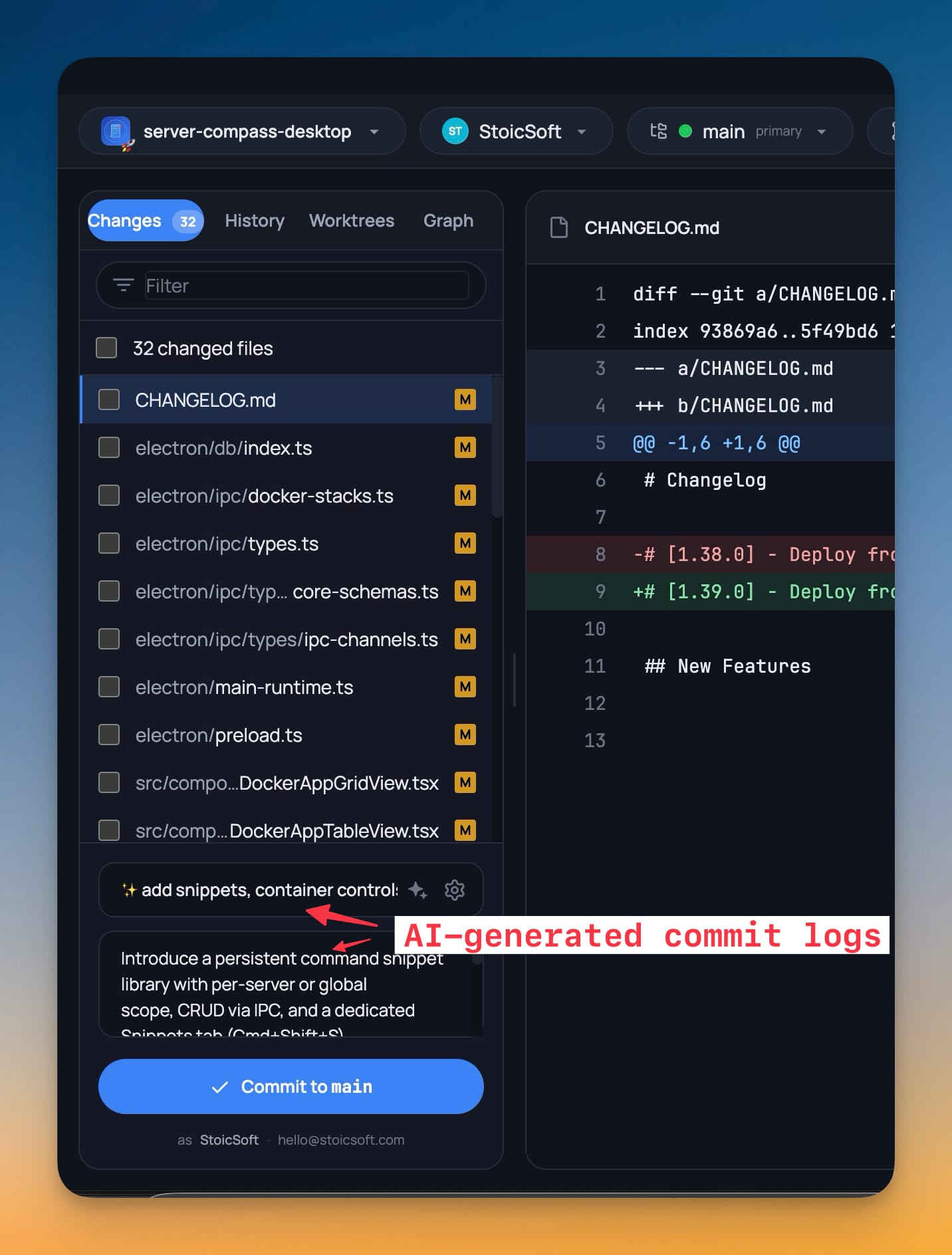
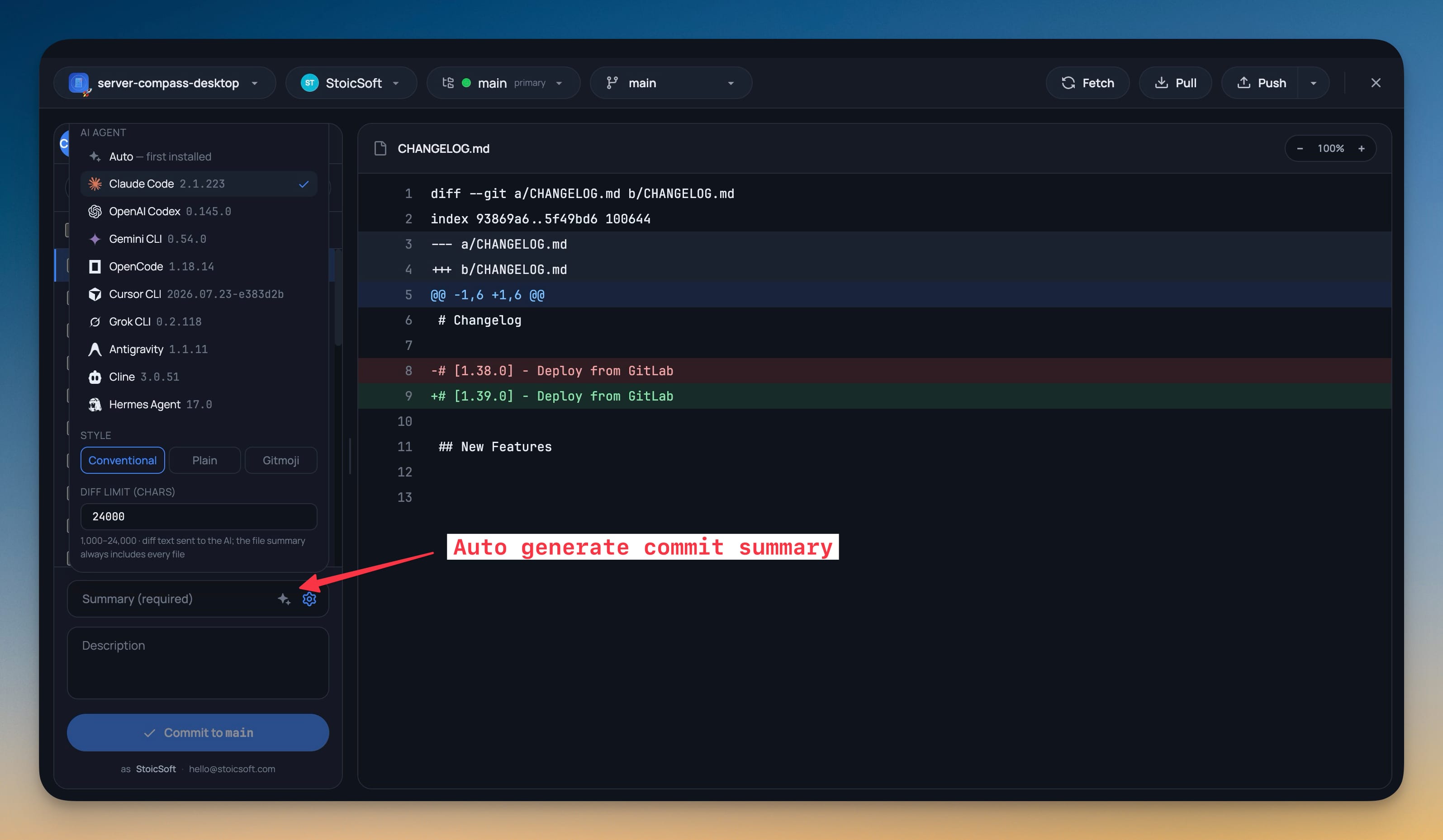
A sparkle button in the commit summary hands your diff to an installed AI CLI and gets a message back in Conventional, Plain or Gitmoji style. Pin which agent writes it, or let it use the first one you have installed.
More Screenshots
Click any image to zoom in
Why You Need This
How this feature boosts your daily productivity
The commit message is the last thing between you and being done, which is exactly why so many of them end up as “fix stuff” — and why a repo's history stops being searchable six months later. Generating it from the actual diff costs you one click instead of the copy-paste-into-a-chat-window detour, and because it uses an AI CLI you already have installed and signed in, there is no extra key to configure and no diff leaving through a service you did not choose. The style buttons make it match the repo you are in rather than one house convention, the diff character limit keeps a huge changeset from blowing past the model's context, and with nothing staged yet it falls back to the working-tree diff so it still works before you have picked your files.
How It Works
Get started in 4 simple steps
Stage your changes
Open the Git client and pick your files. With nothing staged yet it falls back to the working-tree diff, so it still works before you have chosen.
Press the sparkle button
The sparkle beside the commit summary hands the diff to an installed AI CLI and writes the summary and description in place.
Pick the agent and style
Pin which agent writes it or let it use the first one installed, and choose Conventional, Plain or Gitmoji to match the repo you are in.
Tune the diff limit
The diff character limit caps how much of a large changeset is sent to the model, while the file summary always includes every file.
Without 1DevTool
The manual way vs. the 1DevTool way
The Hard Way
The 1DevTool Way
Key Capabilities
Everything included with AI-Written Commit Messages
Why It Matters
The productivity impact of having project management built into your workspace
Instant Project Switching
Switch between projects in one click with complete state restoration. No more 5-minute setup rituals.
Visual Organization
Color-coded projects, file type icons, and layout presets keep your workspace organized and recognizable.
Smart File Navigation
.gitignore-aware filtering, instant search, and context menus make finding and opening files effortless.
Workspace Memory
Every project remembers its terminals, open files, database connections, and layout. Pick up exactly where you left off.
More in Project Management
Other features in this category you might find useful
Multi-Project Workspace
Work on multiple projects simultaneously with instant switching. Entire workspace state is preserved per project.
Smart File Explorer
Real-time file tree with type icons, .gitignore filtering, search, and right-click context menus.
Per-Project Code Intelligence
Spawn real typescript-language-server, gopls, pyright, rust-analyzer, clangd, solargraph, intelephense, or sourcekit-lsp for the projects you opt into — with project-aware errors and zero false positives.
Color-Coded Projects
Assign accent colors to each project for instant visual identification across your workspace.
Ready to boost your workflow?
Download 1DevTool for free and experience AI-Written Commit Messages along with 321 other features — all in one app.