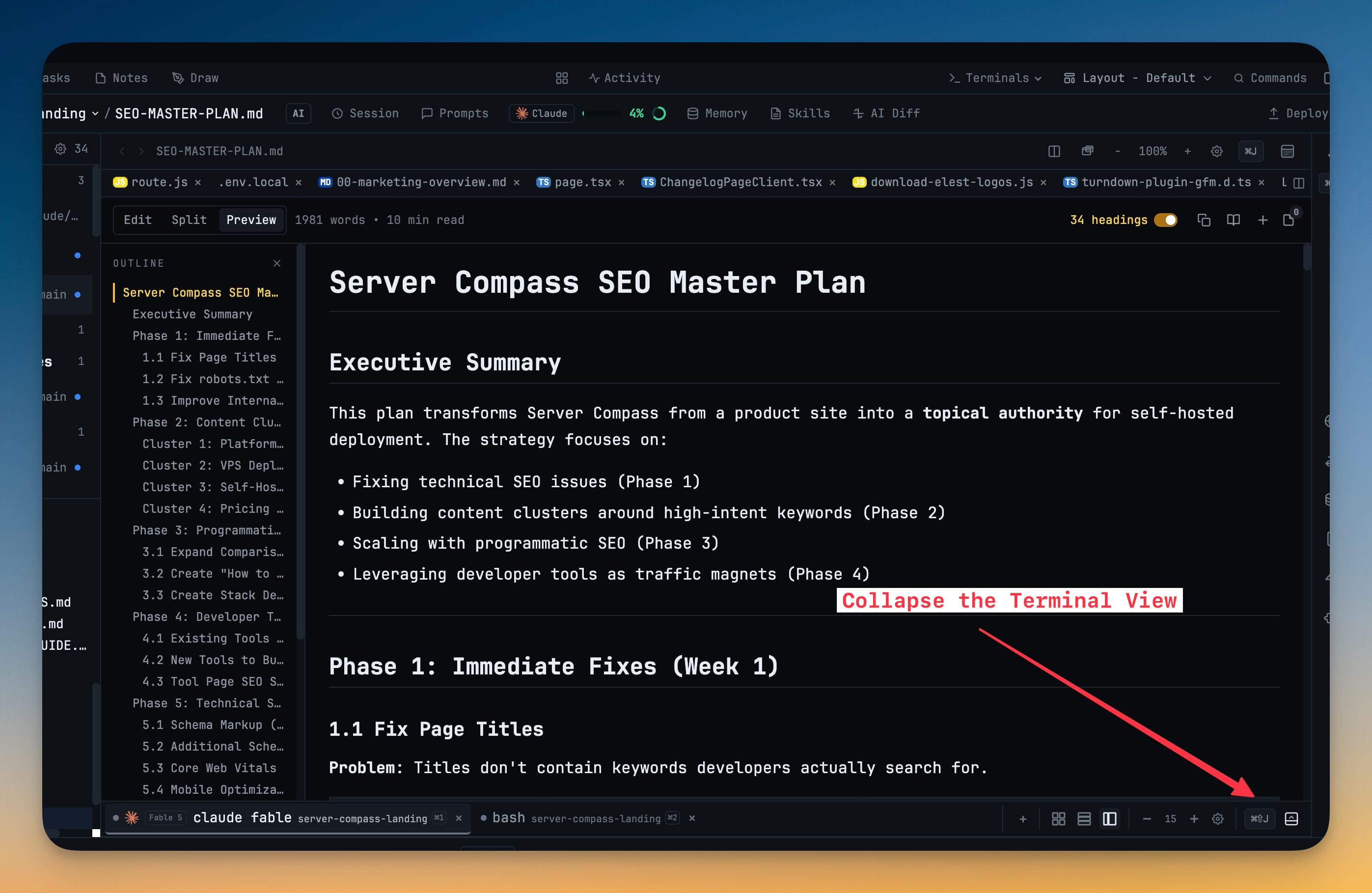
Collapse the Terminal Section
Fold the terminal panel below the editor out of the way with a header toggle or Cmd/Ctrl+Shift+J, handing the full height to your code. Terminals keep running while hidden, so nothing restarts when you bring them back.
Why You Need This
How this feature boosts your daily productivity
When you're reading or writing a long file, the terminals stacked under the editor eat half the screen you actually need. Collapsing the terminal section gives the editor the whole height on demand — and because the terminals keep running in the background, your dev server, build watch, and AI agents all carry on while they're out of sight.
How It Works
Get started in 4 simple steps
Toggle the section
Collapse the terminals with the header toggle or the Cmd/Ctrl+Shift+J shortcut.
Get the full editor height
The editor expands to fill the space so you can read or write without a cramped viewport.
Keep everything running
Hidden terminals stay alive — dev servers, watchers, and AI agents keep working in the background.
Bring them back instantly
Hit the toggle again and every terminal returns exactly where you left it, scrollback intact.
Without 1DevTool
The manual way vs. the 1DevTool way
The Hard Way
The 1DevTool Way
Key Capabilities
Everything included with Collapse the Terminal Section
Why It Matters
The productivity impact of having terminal & ai agents built into your workspace
Full Height on Demand
Hand the whole editor height to a long file the moment you need to read or write it.
Nothing Restarts
Hidden terminals keep running, so dev servers, watchers, and AI agents carry on in the background.
One Key Away
Cmd/Ctrl+Shift+J toggles the panel without reaching for the mouse.
Exactly As You Left It
Bring the terminals back and every session is right where it was, scrollback intact.
More in Terminal & AI Agents
Other features in this category you might find useful
Multi-Agent Terminals
Run Claude Code, Codex, Gemini CLI, Amp, OpenCode, Qwen, and custom AI commands in dedicated terminal tabs with recognizable agent logos, custom colors, and status indicators.
Flexible Terminal Layouts
View terminals in 2×2 grid, side-by-side columns, or single fullscreen mode with resizable panes.
Terminal Dashboard
Kanban-style board view of all terminal statuses — Idle, Running, and Review — with real-time polling.
Session Persistence
Terminal sessions persist across app restarts with full scrollback history via tmux integration.
Ready to boost your workflow?
Download 1DevTool for free and experience Collapse the Terminal Section along with 324 other features — all in one app.