Tasks
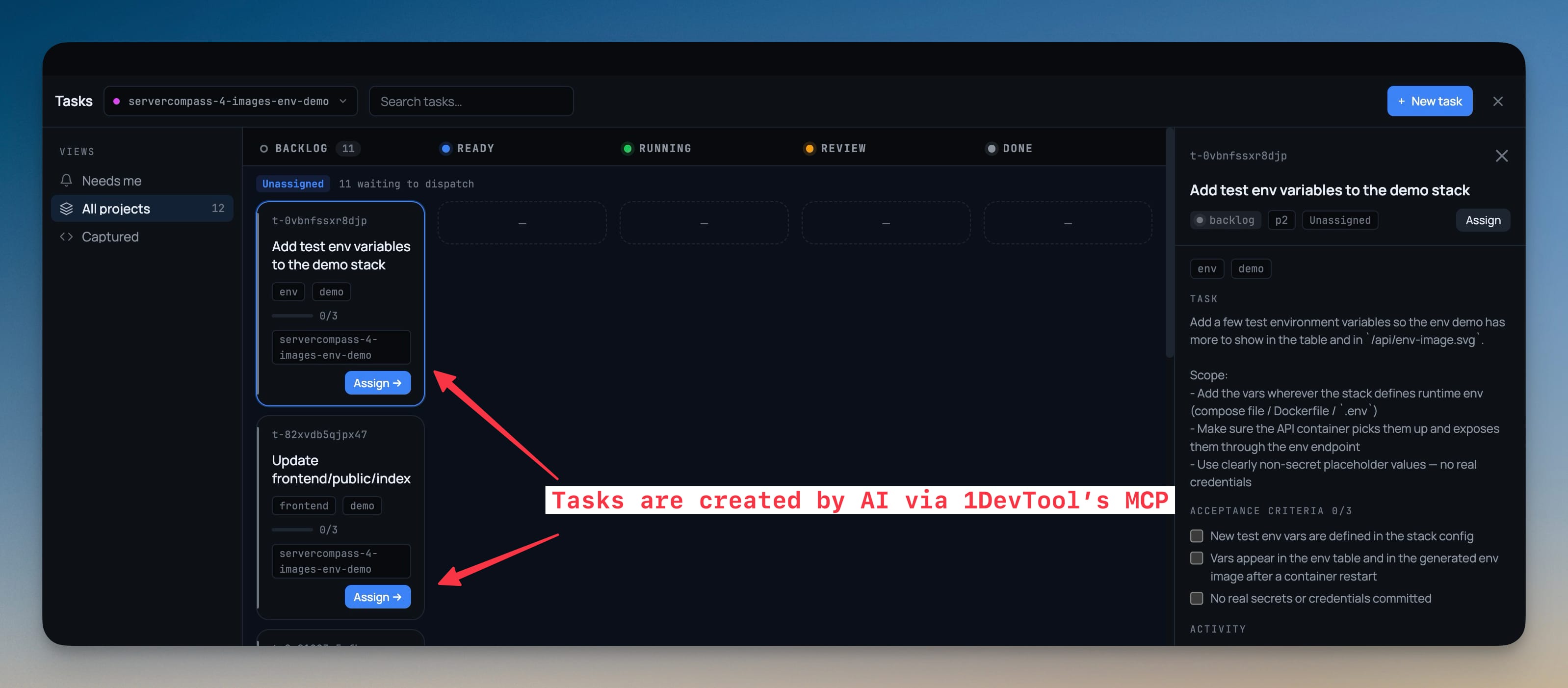
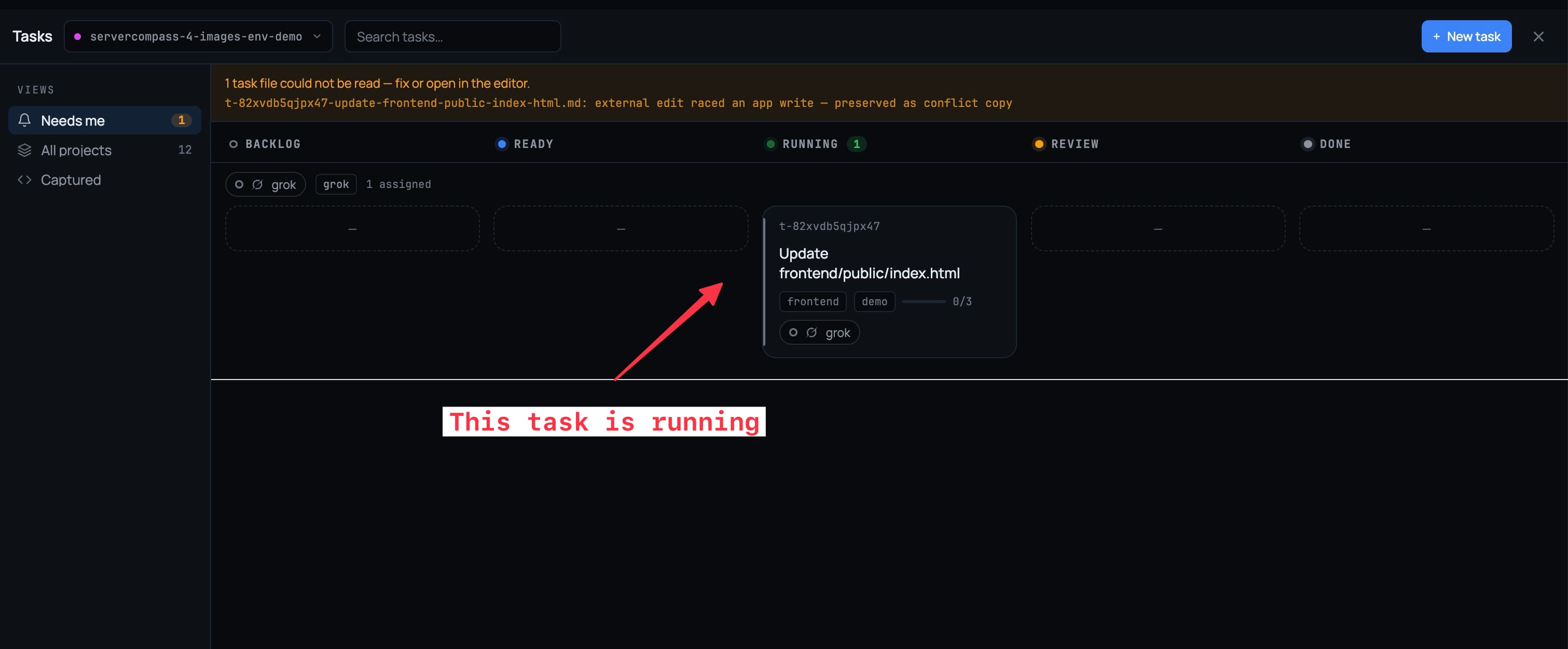
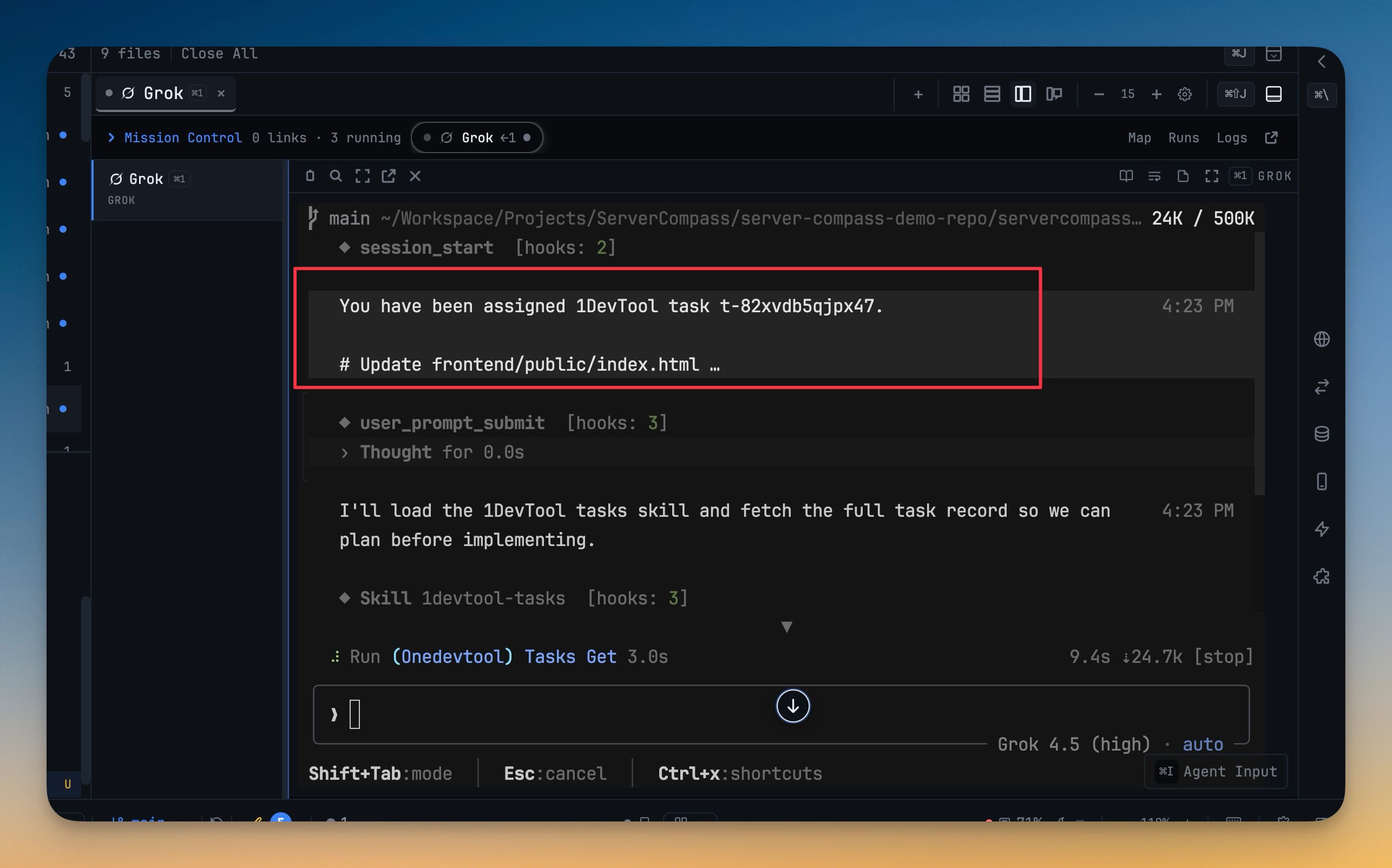
A task board your AI agents work directly — assigning a task spawns the terminal, sends the work, and binds the run to it, so the board and Mission Control describe the same thing. Plan and done approval gates reach you wherever you are, and every task is a markdown file in `.1devtool/tasks/` that diffs and travels with your branch. The board itself is two views behind a segmented control — Board, a kanban where every card names its owner, and By agent, a roster reading Working, Waiting for approval, Idle or Offline — with filters for agent, priority, tag and project, a Blocked column that appears only when there is blocked work, and drag-and-drop treated as a request rather than a silent write.
More Screenshots
Click any image to zoom in
Why You Need This
How this feature boosts your daily productivity
Once you have more than two agents running, the work only exists in your head and in scrollback. You retype a task into a terminal, watch it boot, then go check the other panes — and miss the one that stopped to ask a question ten minutes ago. Tasks makes assignment the same act as dispatch: pick a target and the terminal opens already holding the work, while the card tells you whether that agent is live, waiting on you, idle, or lost. Agents read and write the board through ten MCP tools, but cannot assign themselves work — creating a task is not taking it. Nothing auto-approves either: if nobody answers a gate in time the task blocks, because silence is not consent. And because tasks are markdown in your repo, the plan and the acceptance criteria arrive in the same diff as the code instead of being reconstructed from a chat log afterwards.
How It Works
Get started in 4 simple steps
Open Tasks on a project
It opens as its own full window like the Git client. A segmented control switches between Board — a kanban where every card names its owner — and By agent, a roster reading Working, Waiting for approval, Idle or Offline.
Fill the board
Right-click a stack trace or editor selection and Add task, describe a goal and accept the proposed set, or let an agent call tasks_create from the terminal you are already in.
Assign and run
Picking a target is dispatch — the terminal opens, receives the task, and the run binds to the card, which then reports what that agent is doing right now.
Answer the two gates
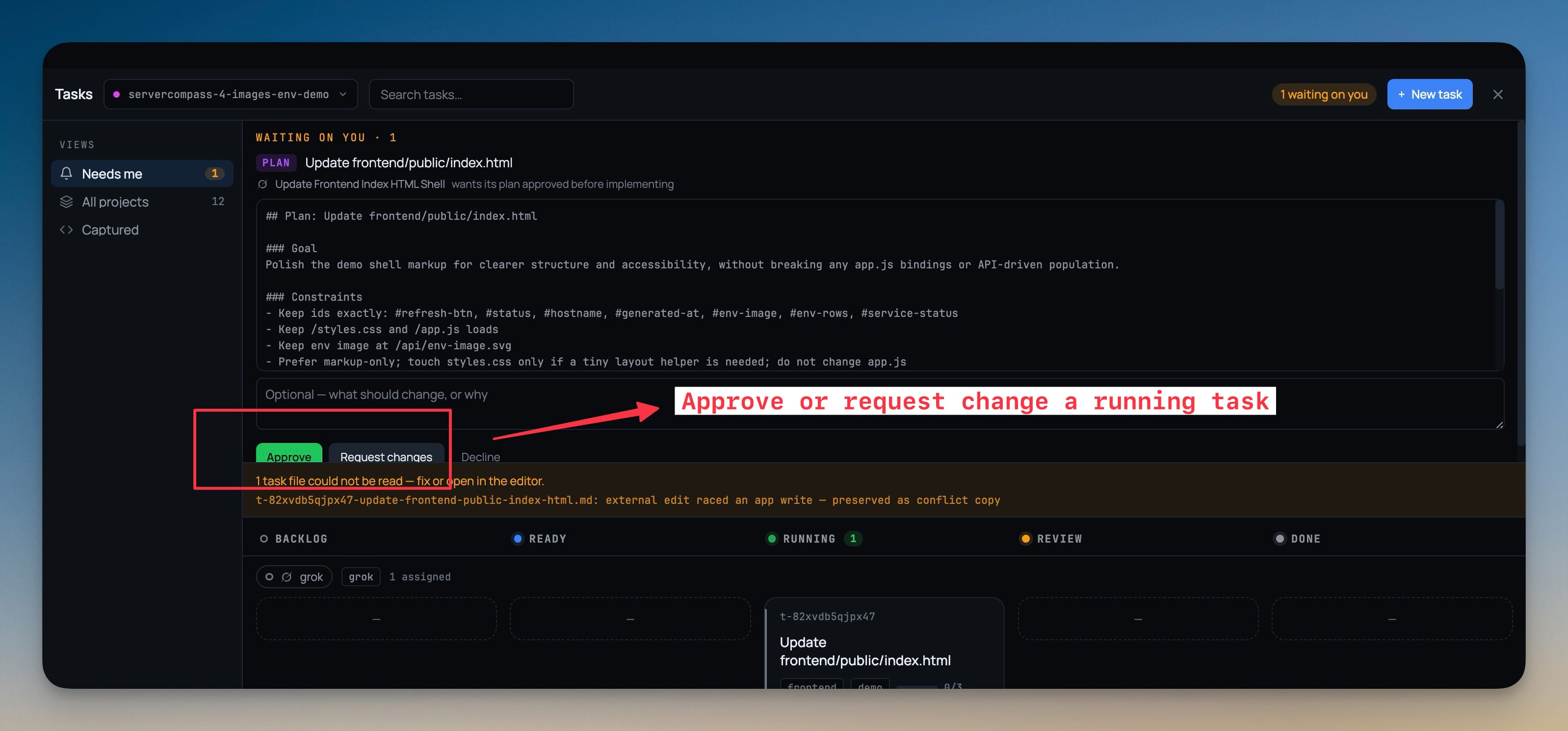
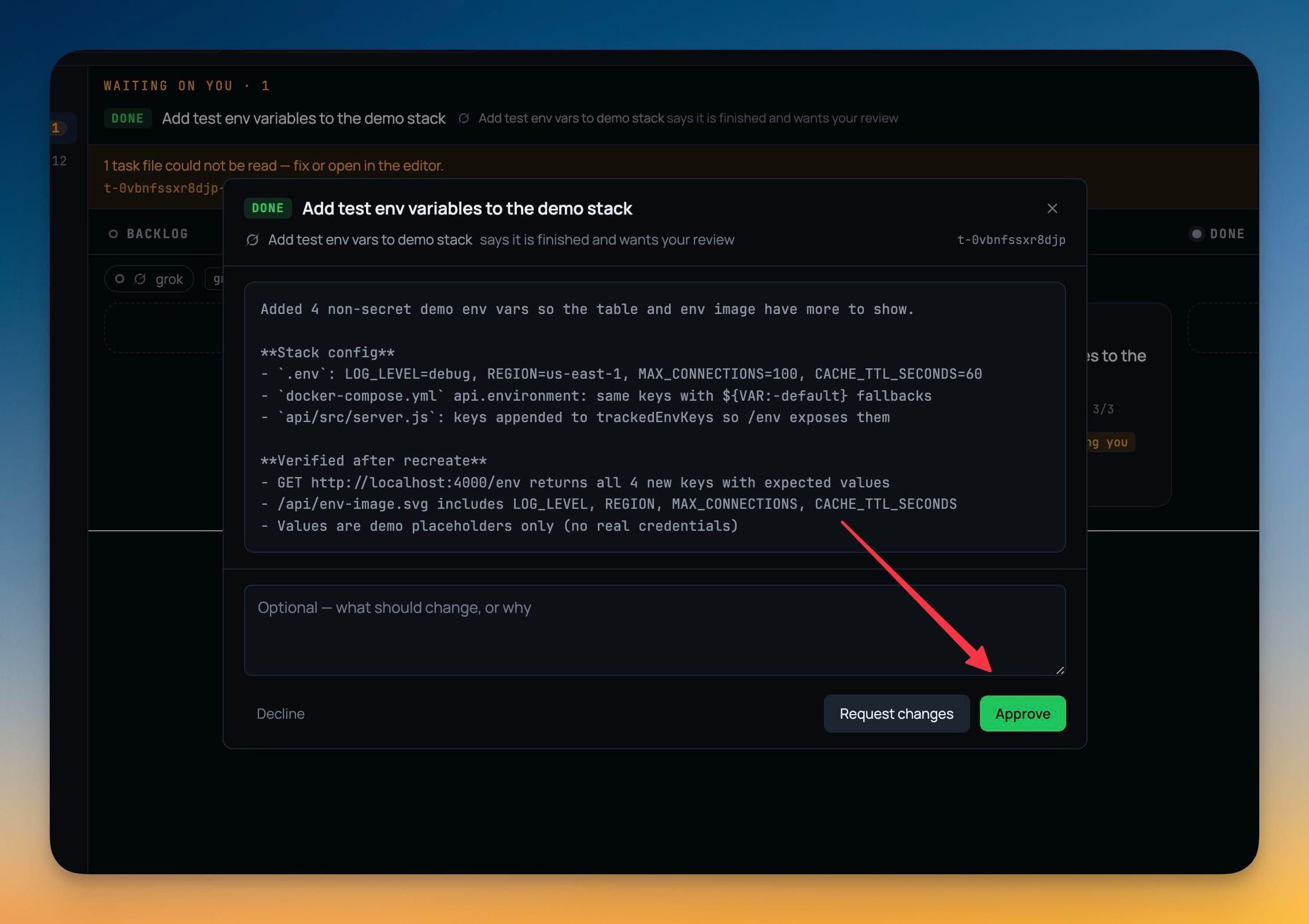
The agent asks before implementing a plan and before closing the task. Approve and Request changes sit as equals, and nothing auto-approves if you do not answer.
Without 1DevTool
The manual way vs. the 1DevTool way
The Hard Way
The 1DevTool Way
Key Capabilities
Everything included with Tasks
Why It Matters
The productivity impact of having project management built into your workspace
Assignment Is Dispatch
Picking a target spawns the terminal, sends the task and binds the run, so the board and Mission Control describe the same work instead of two versions of it.
Nothing Auto-Approves
If nobody answers a gate in time the task blocks. Silence is not consent, so an agent never ships an unreviewed plan while you are away.
Agents Cannot Self-Assign
tasks_create always creates UNASSIGNED — creating work is not taking it. That single rule is what stops an agent from filing and claiming its own work for hours.
Tasks Live In Your Repo
Markdown files under .1devtool/tasks/ diff, show up in review, and travel with a branch, so the plan arrives in the same diff as the code.
More in Project Management
Other features in this category you might find useful
Multi-Project Workspace
Work on multiple projects simultaneously with instant switching. Entire workspace state is preserved per project.
Smart File Explorer
Real-time file tree with type icons, .gitignore filtering, search, and right-click context menus.
Per-Project Code Intelligence
Spawn real typescript-language-server, gopls, pyright, rust-analyzer, clangd, solargraph, intelephense, or sourcekit-lsp for the projects you opt into — with project-aware errors and zero false positives.
Color-Coded Projects
Assign accent colors to each project for instant visual identification across your workspace.
Ready to boost your workflow?
Download 1DevTool for free and experience Tasks along with 322 other features — all in one app.