Images & Volumes
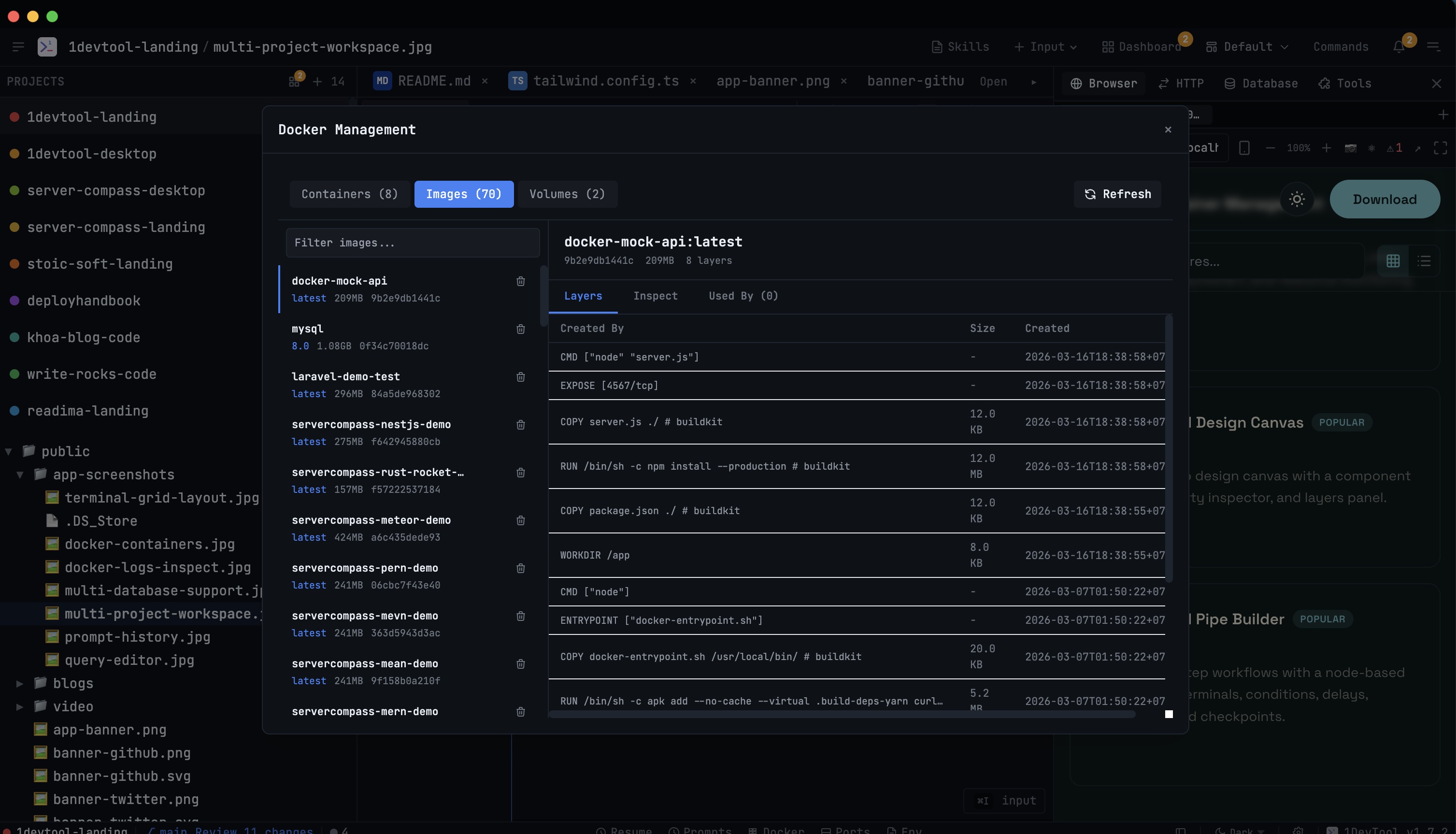
Manage Docker images with history/metadata and volumes with inspection. Clean up unused resources.
Why You Need This
How this feature boosts your daily productivity
Docker disk usage silently balloons over time. Old images, dangling volumes, and unused layers accumulate until your disk is full. The Images & Volumes tab gives you visibility into what's consuming space, with one-click cleanup for unused resources. See image layer history, volume mount points, and metadata without running arcane `docker system df` commands.
How It Works
Get started in 4 simple steps
Connect to Docker
1DevTool automatically detects your local Docker installation and loads all containers, images, and volumes.
Monitor Containers
See all containers with status badges and resource gauges. Start, stop, or restart with one click.
Debug Issues
Open the detail panel for live logs, environment variables, and resource stats. Inspect full container metadata.
Clean Up Resources
Browse images and volumes. Remove unused resources to reclaim disk space.
Without 1DevTool
The manual way vs. the 1DevTool way
The Hard Way
The 1DevTool Way
Key Capabilities
Everything included with Images & Volumes
Why It Matters
The productivity impact of having docker manager built into your workspace
Visual Container Management
See all containers with status badges and resource gauges instead of parsing docker ps text output.
One-Click Operations
Start, stop, restart, and remove containers without remembering IDs or typing long docker commands.
Unified Debugging
Logs, environment, stats, and inspect data in one panel — no more running 4 commands in 4 terminals.
Disk Space Awareness
Browse images and volumes with size information. Clean up unused resources before your disk fills up.
More in Docker Manager
Other features in this category you might find useful
Ready to boost your workflow?
Download 1DevTool for free and experience Images & Volumes along with 305 other features — all in one app.