Container Logs & Inspect
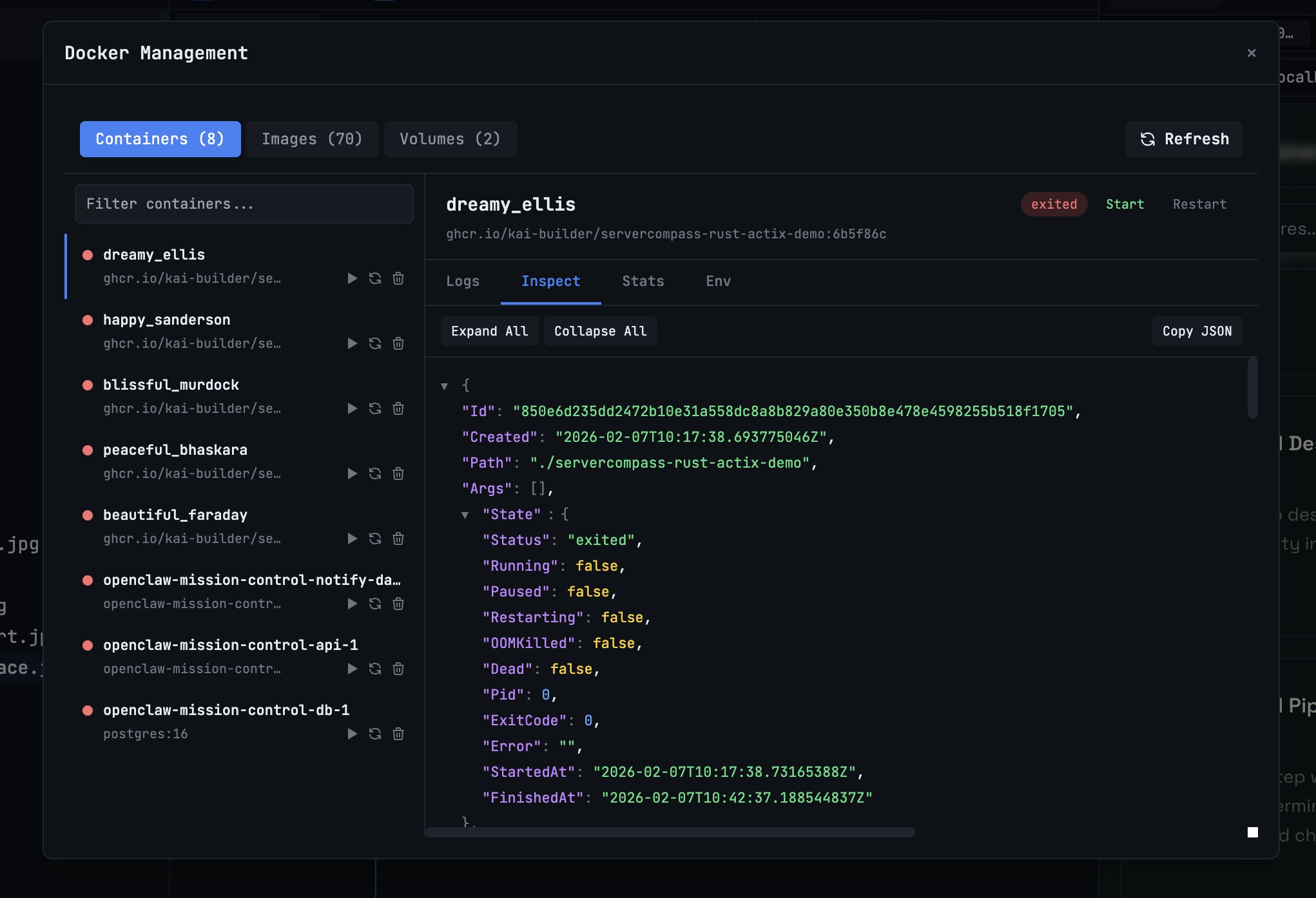
Stream real-time container logs, view environment variables, resource stats, and full inspect data.
Why You Need This
How this feature boosts your daily productivity
Debugging a container issue typically means running `docker logs`, `docker inspect`, and `docker stats` in separate terminals, then cross-referencing the output. The detail panel combines everything — live logs, environment variables, resource usage graphs, and the full inspect JSON — in a single view. Debugging time drops from 15 minutes of command-juggling to 30 seconds of scanning a dashboard.
How It Works
Get started in 4 simple steps
Connect to Docker
1DevTool automatically detects your local Docker installation and loads all containers, images, and volumes.
Monitor Containers
See all containers with status badges and resource gauges. Start, stop, or restart with one click.
Debug Issues
Open the detail panel for live logs, environment variables, and resource stats. Inspect full container metadata.
Clean Up Resources
Browse images and volumes. Remove unused resources to reclaim disk space.
Without 1DevTool
The manual way vs. the 1DevTool way
The Hard Way
The 1DevTool Way
Key Capabilities
Everything included with Container Logs & Inspect
Why It Matters
The productivity impact of having docker manager built into your workspace
Visual Container Management
See all containers with status badges and resource gauges instead of parsing docker ps text output.
One-Click Operations
Start, stop, restart, and remove containers without remembering IDs or typing long docker commands.
Unified Debugging
Logs, environment, stats, and inspect data in one panel — no more running 4 commands in 4 terminals.
Disk Space Awareness
Browse images and volumes with size information. Clean up unused resources before your disk fills up.
More in Docker Manager
Other features in this category you might find useful
Ready to boost your workflow?
Download 1DevTool for free and experience Container Logs & Inspect along with 305 other features — all in one app.