Skill Editor
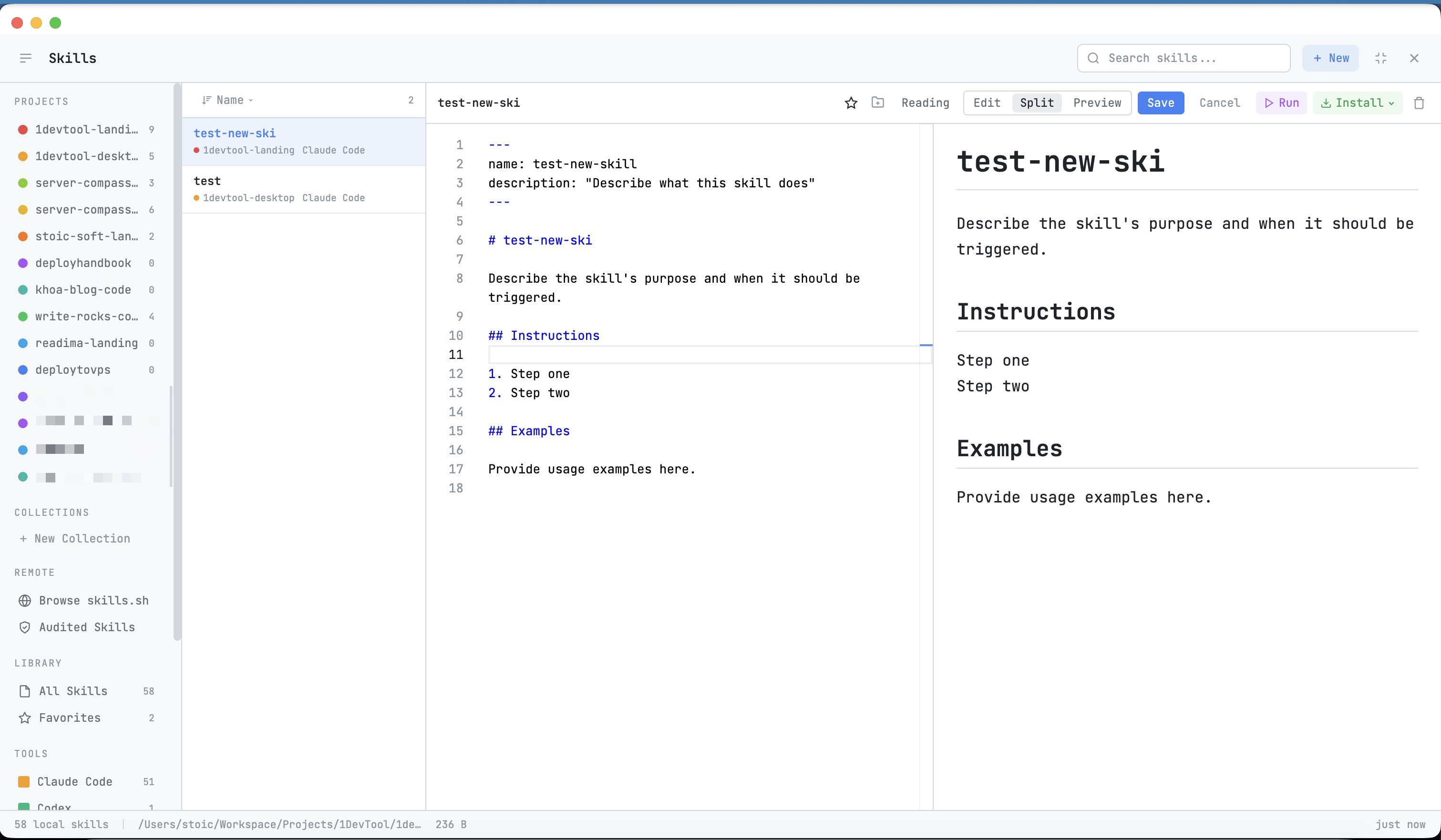
Edit and create AI agent skills with a Monaco code editor. Organize with collections and favorites.
Why You Need This
How this feature boosts your daily productivity
Custom skills let you teach your AI agents project-specific knowledge — your coding conventions, deployment procedures, or debugging checklists. The Skill Editor gives you a proper code editor for writing and refining skills, with syntax highlighting and preview. Organize your skills into collections, star your favorites, and share them across projects. Your best prompts become reusable, shareable assets instead of one-off messages.
How It Works
Get started in 4 simple steps
Browse Skills
Open the Skills Manager and browse by category, tool, or collection. Search for specific capabilities.
Check Security
Review the security risk level (Safe to Critical) before installing. Understand what each skill does and accesses.
Install & Configure
Install skills with full control — review the content, paste into your terminal, and run when ready.
Create Your Own
Use the Skill Editor to write custom skills. Organize them into collections and share across projects.
Without 1DevTool
The manual way vs. the 1DevTool way
The Hard Way
The 1DevTool Way
Key Capabilities
Everything included with Skill Editor
Why It Matters
The productivity impact of having skills manager built into your workspace
Curated Skill Registry
Browse and install AI agent skills from a curated registry instead of searching GitHub and reading docs.
Security Scanning
Every skill is rated from Safe to Critical risk. Know exactly what you're running before you run it.
Custom Skill Creation
Write your own skills with a proper editor. Turn your best prompts into reusable, shareable assets.
Multi-Agent Support
Skills work across Claude Code, Codex, Gemini, Amp, and more. One library, all your agents.
More in Skills Manager
Other features in this category you might find useful
Skills Browser
Browse local and remote AI agent skills by category, tool, and collection with security risk scanning.
Skills Control Plane
Install a skill once into a versioned library on your machine, then pin which version each project gets and which agent directory it lands in. Applying links rather than copies, and the manifest commits with your repo so a team shares one skill set.
Ready to boost your workflow?
Download 1DevTool for free and experience Skill Editor along with 305 other features — all in one app.