SQLite Database Client
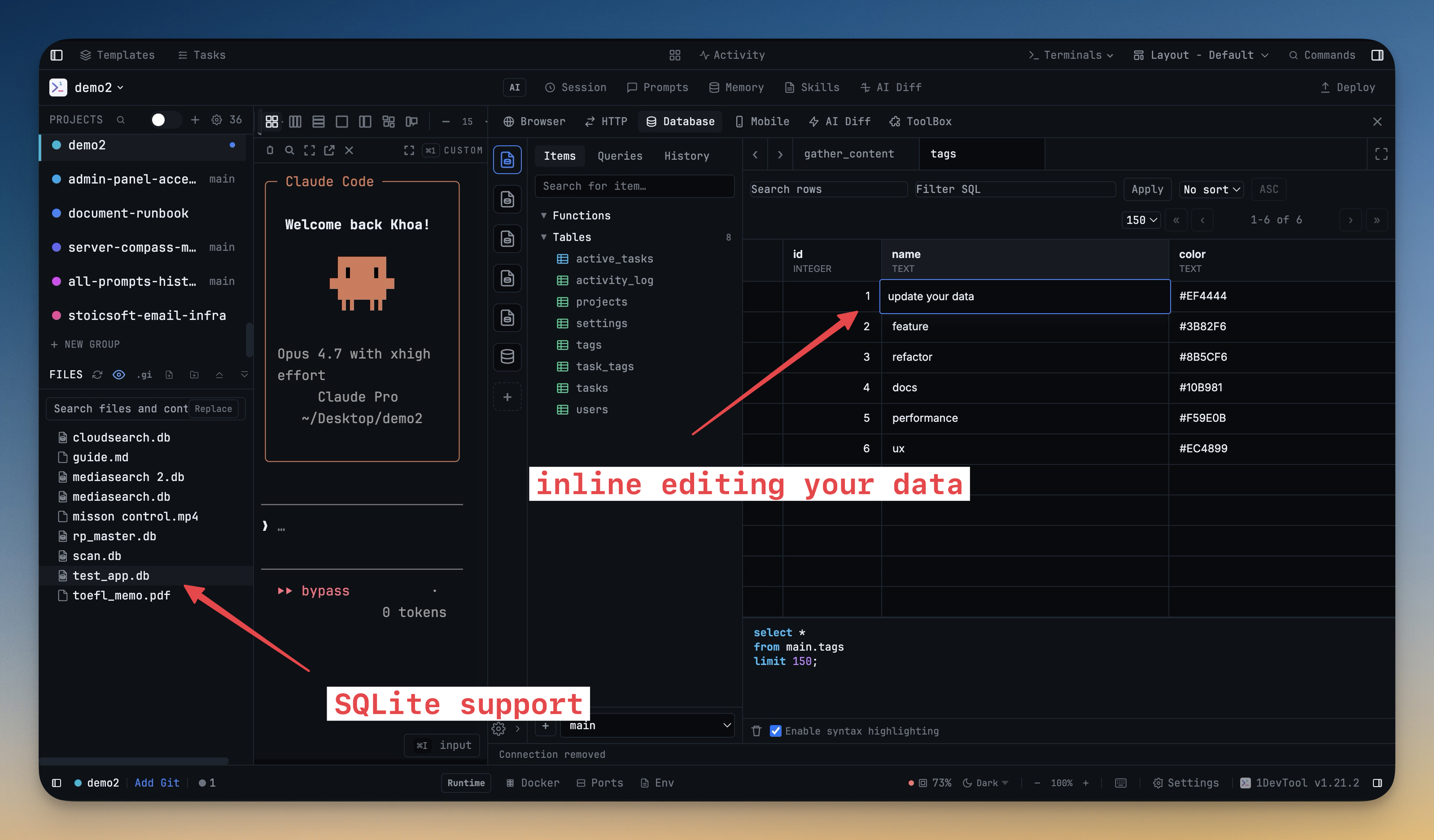
Open any SQLite database file from 1DevTool's file explorer and start querying immediately — the same SQL editor, schema sidebar, and result grid you use for Postgres, MySQL, and every other engine. Recognises `.sqlite`, `.sqlite3`, and `.db` files with no manual connection setup.
More Screenshots
Click any image to zoom in
Why You Need This
How this feature boosts your daily productivity
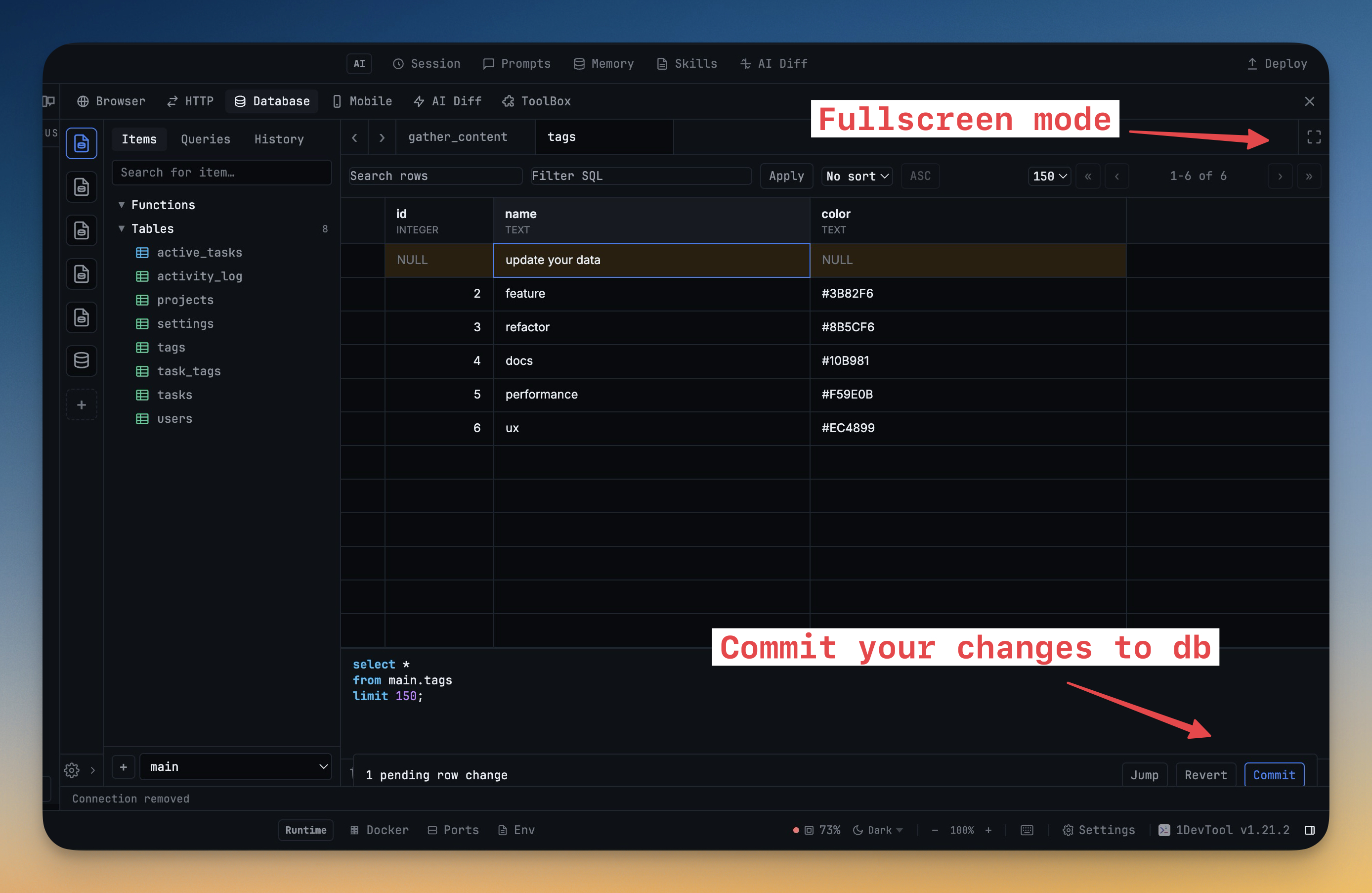
Most modern apps — Chrome, Slack, Notes.app, Better-Auth, Rails dev environments, countless mobile apps — store their state in SQLite. When you spot a `.sqlite` file in a project, you usually want to ask it a quick question, not install a third-party GUI or remember the `sqlite3` CLI syntax. 1DevTool's SQLite client removes that detour: click the file and you're querying it. The full-screen editor, staged commits, and row-count sidebar keep heavier exploration sessions just as fast as the one-question peek.
How It Works
Get started in 4 simple steps
Connect to Your Database
Enter connection details or paste a connection string. Test the connection before saving. Supports 13 engines.
Browse Your Schema
Explore tables, columns, and relationships in the schema browser. Preview data with a click.
Write & Run Queries
Use the SQL editor with syntax highlighting and auto-formatting. View results in sortable tables.
Export & Analyze
Export results to CSV. Send query results to your AI agent for analysis or anomaly detection.
Without 1DevTool
The manual way vs. the 1DevTool way
The Hard Way
The 1DevTool Way
Key Capabilities
Everything included with SQLite Database Client
Why It Matters
The productivity impact of having database client built into your workspace
One Tool, 13 Engines
PostgreSQL, MySQL, MongoDB, Redis, Elasticsearch, and 8 more — all from a single, consistent interface.
Visual Schema Exploration
Browse tables, columns, and relationships visually instead of running DESCRIBE commands in a terminal.
Professional Query Editor
Syntax highlighting, auto-formatting, and tabular results make database work feel like using a dedicated IDE.
Safe by Default
Color-coded connections and safe mode prevent accidental writes to production databases.
More in Database Client
Other features in this category you might find useful
13 Database Engines
Connect to PostgreSQL, MySQL, MongoDB, Redis, Elasticsearch, ClickHouse, Cassandra, SurrealDB, Weaviate, InfluxDB, Kafka, CouchDB, and MSSQL.
Query Editor & Results
SQL editor with syntax highlighting, auto-formatting, multi-tab workspace, and exportable result grids.
Schema Browser
Browse table schemas, preview data, and filter tables. Edit rows directly in the results grid.
Database Workspace Table List
Use a tabbed database workspace with a connection rail, table list sidebar, and query tabs so schema browsing and SQL editing happen in one place.
Ready to boost your workflow?
Download 1DevTool for free and experience SQLite Database Client along with 327 other features — all in one app.