Drawing & Whiteboard Canvas
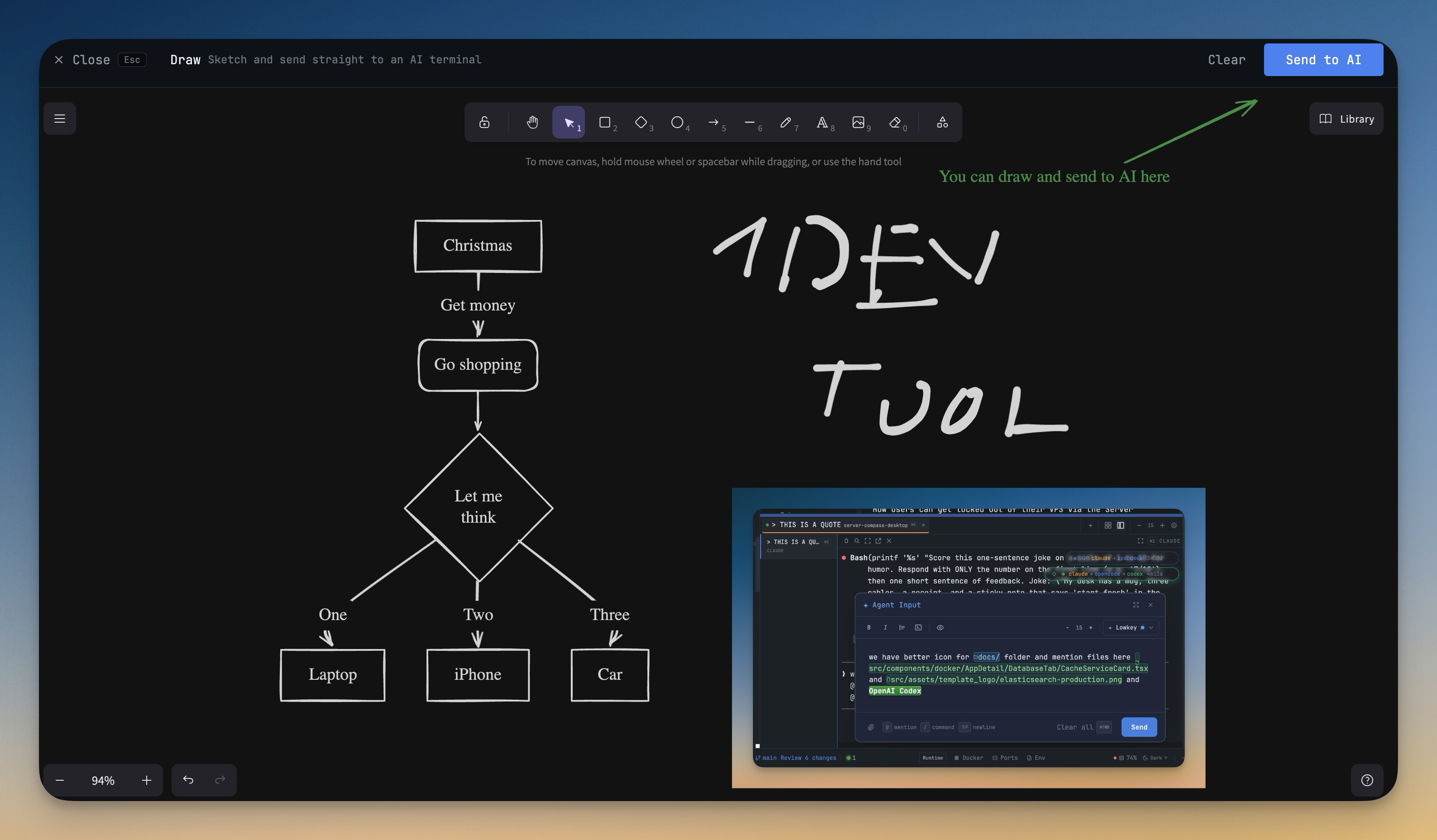
Open a full-screen whiteboard right inside 1DevTool, powered by Excalidraw. Sketch architecture diagrams, mark up screenshots, or scribble out an idea without leaving the app. Drawings persist locally and the canvas only loads its libraries when you actually open it, so startup stays fast.
Why You Need This
How this feature boosts your daily productivity
Half of debugging is drawing arrows on top of things — boxes for services, lines for requests, a circled spot on a screenshot where something went wrong. Pulling out a separate app for that breaks the loop you're already in: terminals on one side, code on another, browser open with an error. The built-in whiteboard removes the context switch — you sketch where you're already working, and your scene is still there the next time you open it.
How It Works
Get started in 4 simple steps
Open the ToolBox
Access the ToolBox from the output panel. Browse the grid of available tools organized by category.
Select Your Tool
Click any tool to open it. Each tool has a focused, purpose-built interface for its specific task.
Use & Transform
Paste your input and get instant results. Most tools update in real-time as you type.
Copy & Continue
Copy results to clipboard and continue your work. Switch between tools as needed without losing state.
Without 1DevTool
The manual way vs. the 1DevTool way
The Hard Way
The 1DevTool Way
Key Capabilities
Everything included with Drawing & Whiteboard Canvas
Why It Matters
The productivity impact of having developer toolbox built into your workspace
Always Available
Every developer utility you need is one click away. No searching for web tools or installing CLI utilities.
Data Stays Local
Unlike web-based tools, your data never leaves your machine. Safe for JWT tokens, API keys, and sensitive data.
Instant Results
Real-time updates as you type. No submit buttons, no loading spinners, no ads.
Comprehensive Coverage
Formatters, encoders, converters, generators, and testers — 15+ tools covering the most common developer needs.
More in Developer ToolBox
Other features in this category you might find useful
JSON Formatter
Format, validate, and minify JSON with syntax highlighting and error detection.
JWT Decoder
Decode and inspect JWT tokens — view header, payload, and signature with expiration checking.
Regex Tester
Write and test regular expressions with real-time matching, capture group highlighting, and match details.
Diff Viewer
Compare two text blocks side-by-side with line-by-line diff highlighting.
Ready to boost your workflow?
Download 1DevTool for free and experience Drawing & Whiteboard Canvas along with 335 other features — all in one app.