Workspace Task Board
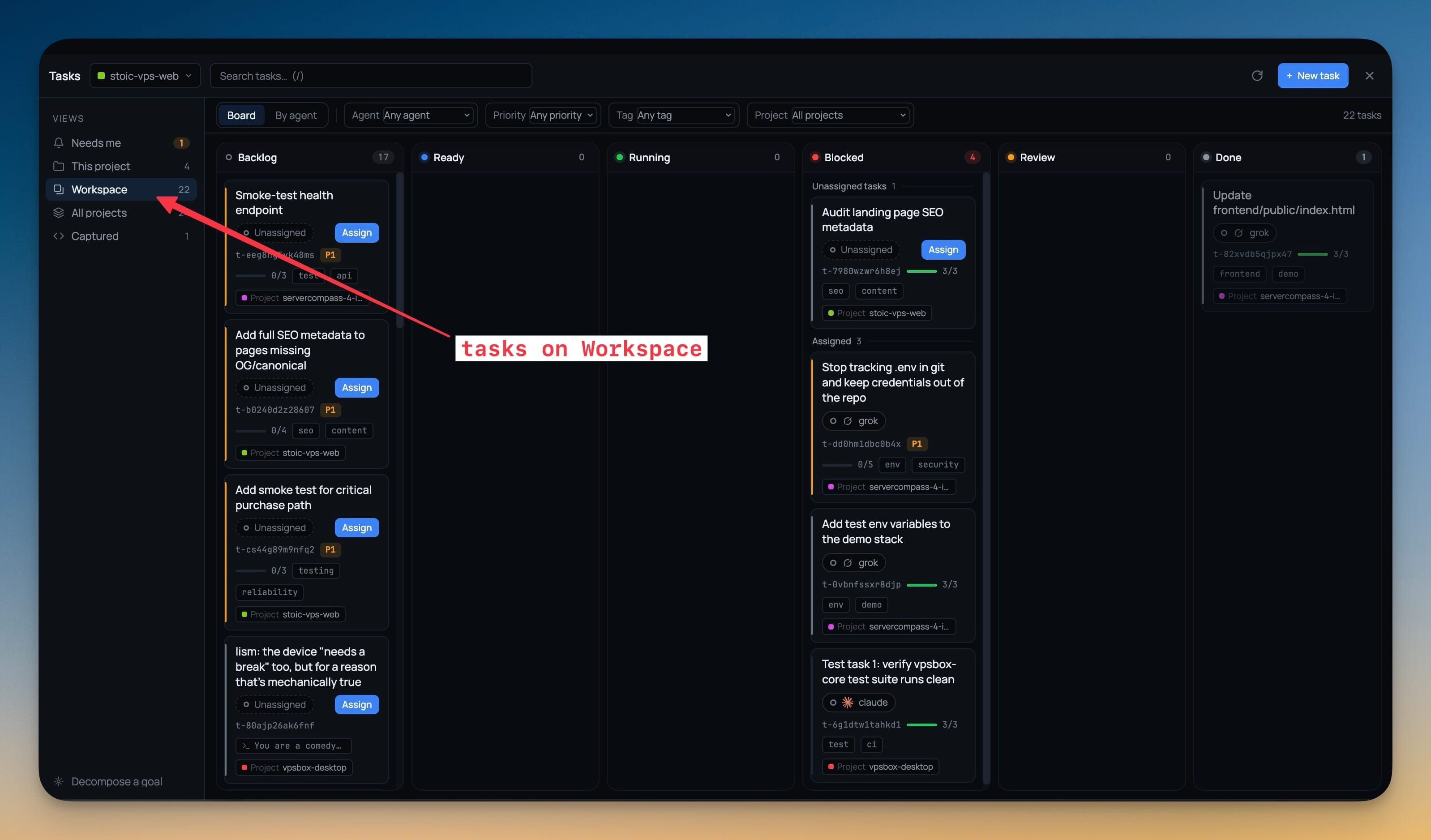
A Workspace view on the Tasks board listing every task across the member projects of a workspace, with a project badge on each card. The assign dialog offers sibling projects' terminals grouped as project · workspace.
Why You Need This
How this feature boosts your daily productivity
A board per project is fine until the work is a product rather than a repository — then "what is actually in flight" means opening four boards and holding the answer in your head. The Workspace view collapses that into one board where every column spans the whole product and every card still says which project it belongs to, so you keep the detail without paying for it in tab switching. Because assignment reaches sibling projects' terminals too, you can hand a task to the agent that is already sitting in the right repository.
How It Works
Get started in 4 simple steps
Open Tasks
The Views sidebar lists Needs me, This project, Workspace, All projects and Captured, each with its own count.
Switch to Workspace
The board now spans every member project of the workspace, across Backlog, Ready, Running, Blocked, Review and Done.
Read the project badge
Every card still carries the project it belongs to, so a board that spans four repositories never loses track of which one a task is in.
Assign across the workspace
The assign dialog offers sibling projects’ terminals grouped as project · workspace, so a task goes to the agent already sitting in the right repository.
Without 1DevTool
The manual way vs. the 1DevTool way
The Hard Way
The 1DevTool Way
How it compares
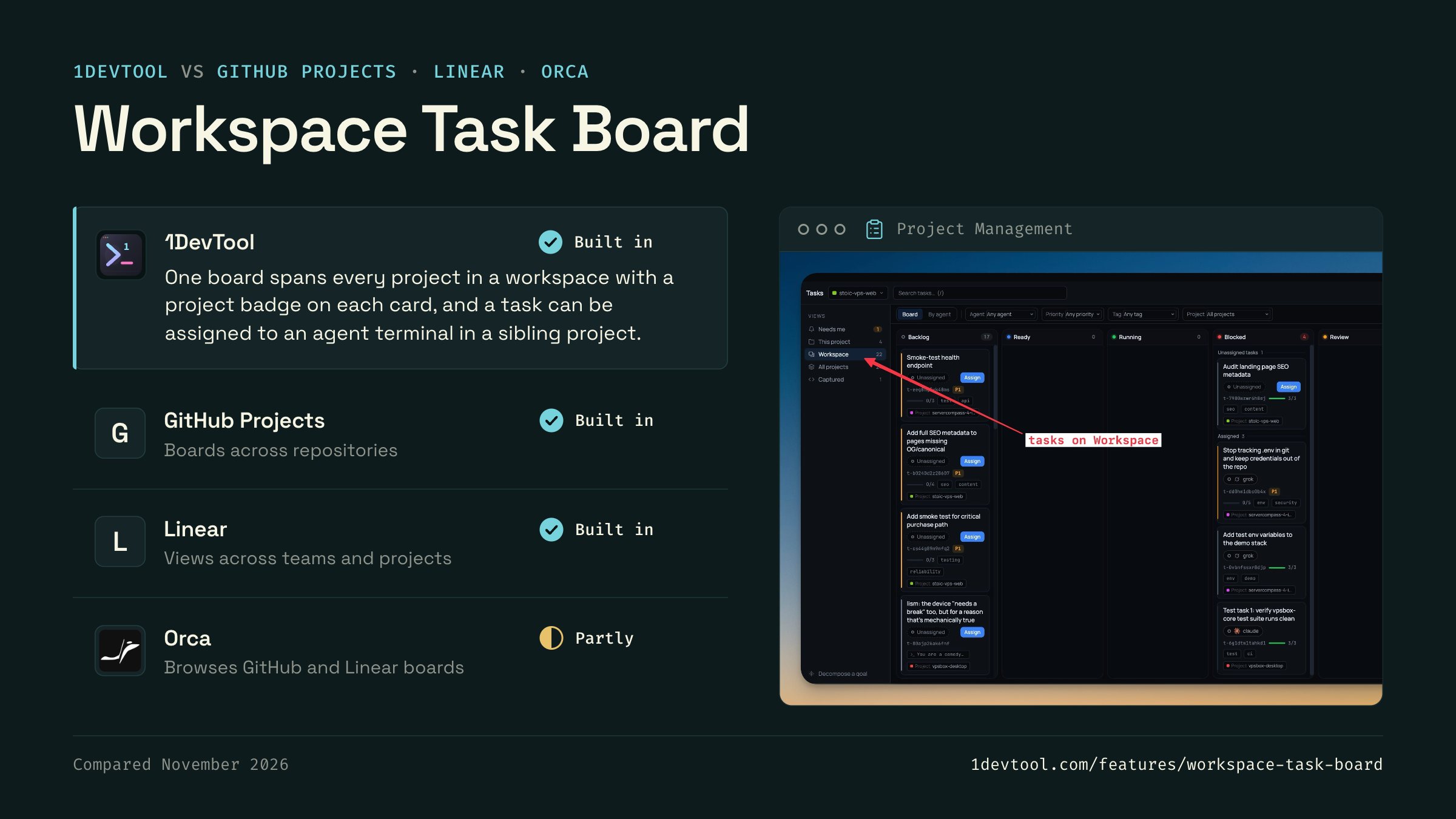
Work that spans several repositories is usually tracked in GitHub Projects or Linear, apart from the terminals where agents do the work.
 1DevToolBuilt inBuilt in
One board spans every project in a workspace with a project badge on each card, and a task can be assigned to an agent terminal in a sibling project.
- GitHub ProjectsBuilt inBuilt in
A GitHub project can hold issues from several repositories on one board, with a field showing each item's repository.
- LinearBuilt inBuilt in
Linear shows issues from several teams and projects in one view, and its agent integrations can hand an issue to a coding agent.
- Partly
Orca browses GitHub issues, pull requests and project boards, creates Linear issues in the app, and opens a worktree from a task.

Checked November 2026 against each app's public docs. These products change quickly. If a row is out of date, tell us at feedback.stoicsoft.com/1devtool.
Key Capabilities
Everything included with Workspace Task Board
Why It Matters
The productivity impact of having project management built into your workspace
Instant Project Switching
Switch between projects in one click with complete state restoration. No more 5-minute setup rituals.
Visual Organization
Color-coded projects, file type icons, and layout presets keep your workspace organized and recognizable.
Smart File Navigation
.gitignore-aware filtering, instant search, and context menus make finding and opening files effortless.
Workspace Memory
Every project remembers its terminals, open files, database connections, and layout. Pick up exactly where you left off.
More in Project Management
Other features in this category you might find useful
Multi-Project Workspace
Work on multiple projects simultaneously with instant switching. Entire workspace state is preserved per project.
Smart File Explorer
Real-time file tree with type icons, .gitignore filtering, search, and right-click context menus.
Per-Project Code Intelligence
Spawn real typescript-language-server, gopls, pyright, rust-analyzer, clangd, solargraph, intelephense, sourcekit-lsp, or csharp-ls for the projects you opt into — with project-aware errors and zero false positives.
Color-Coded Projects
Assign accent colors to each project for instant visual identification across your workspace.
Ready to boost your workflow?
Download 1DevTool for free and experience Workspace Task Board along with 342 other features — all in one app.