Mar 29, 2026
Docker Desktop Alternatives for Developers in 2026
Developers want a Docker workflow that stays close to code, logs, and AI agents. This comparison breaks down Docker Desktop alternatives by performance, observability, and daily usability.
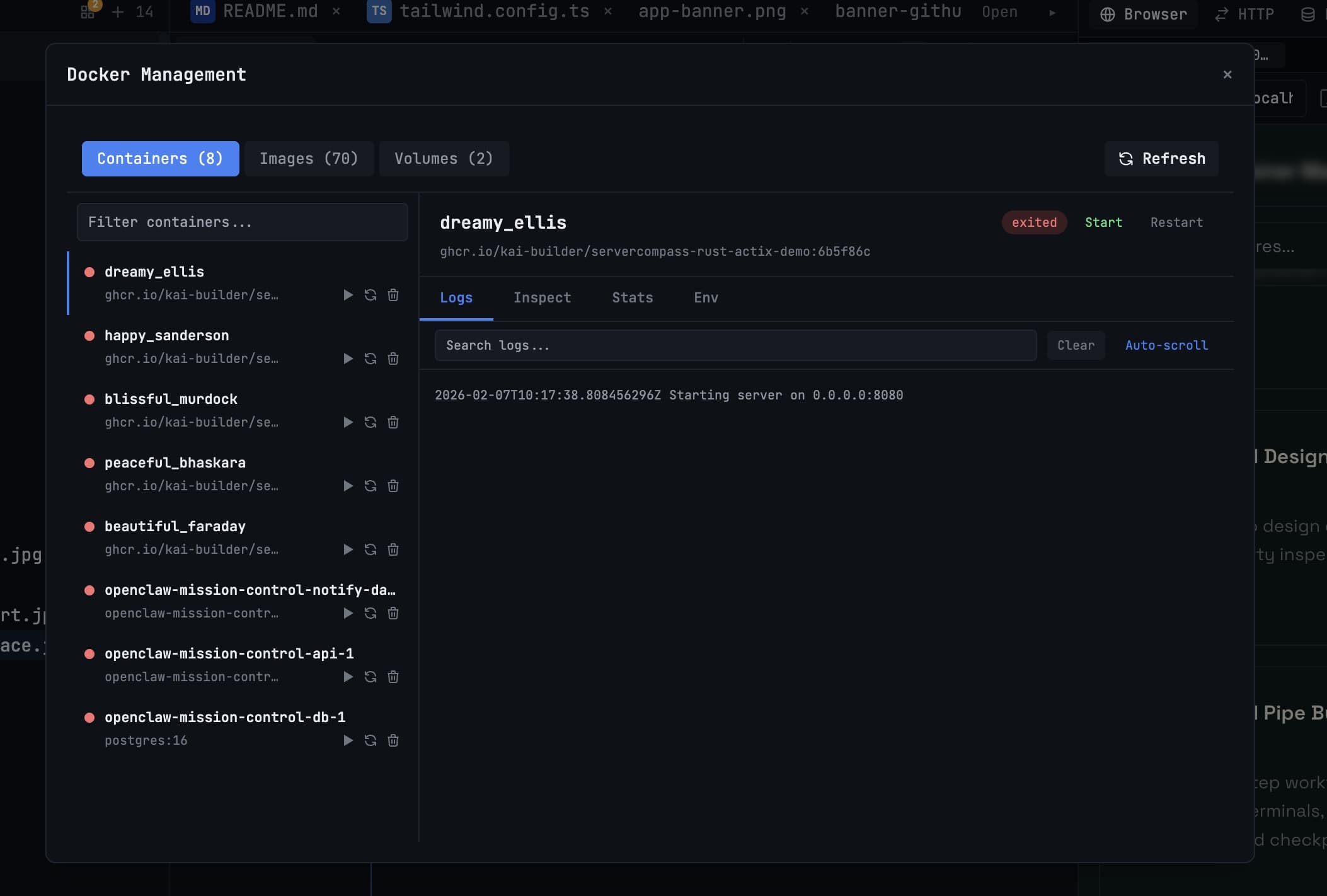
Developers searching for a Docker Desktop alternative are usually optimizing one of three things: performance, licensing flexibility, or tighter integration with coding workflows.
The right choice depends on how often you inspect containers, debug logs, and clean up images during daily work.
What Matters in a Docker GUI
- Container list clarity with status visibility and quick actions.
- Real-time logs with easy filtering and copy support.
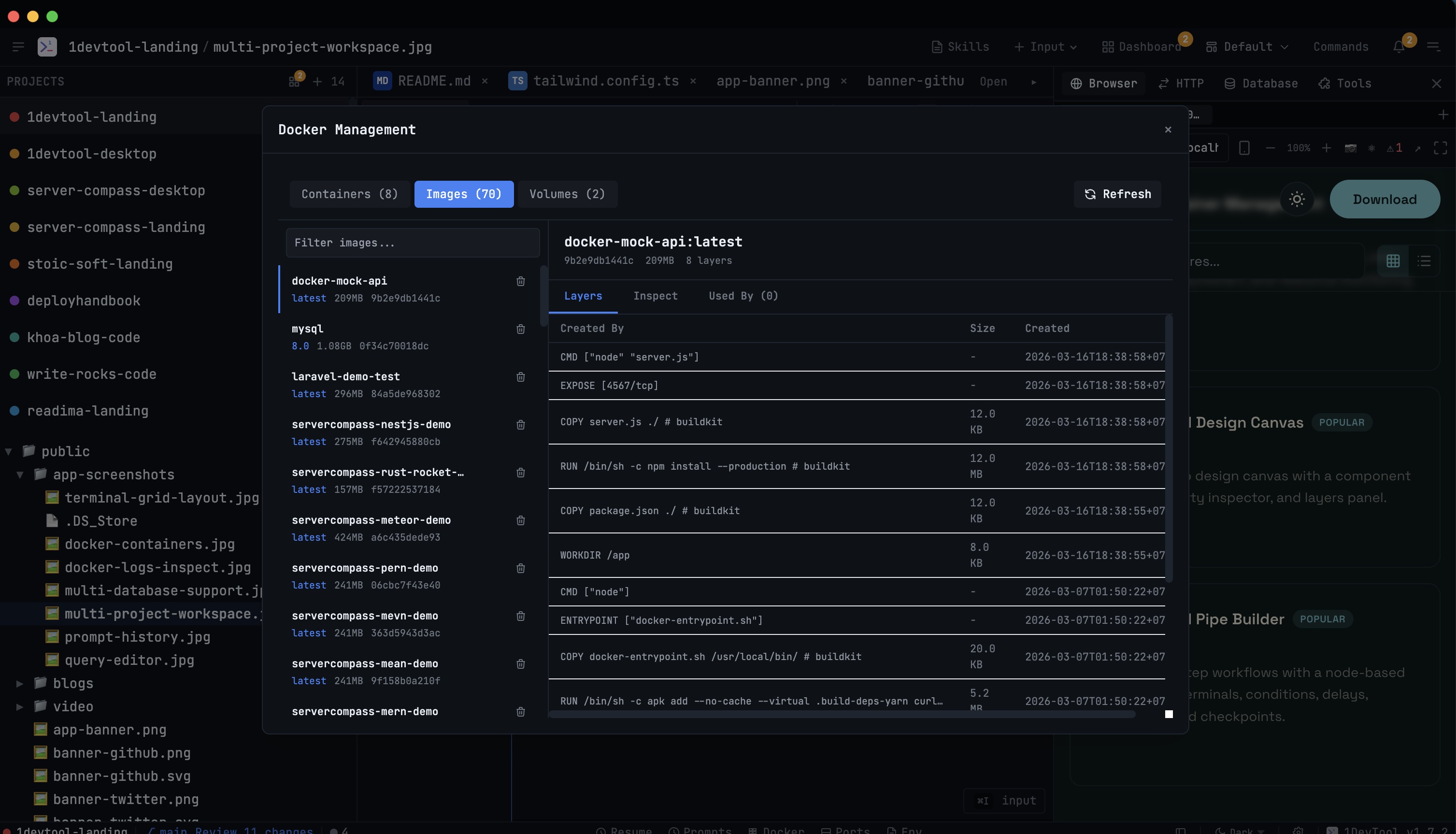
- Image and volume management that prevents machine bloat.
- Adjacency to terminal and code context for faster debugging.
Comparison Framework
Capability
Standalone Docker app
Workspace-integrated Docker manager
Container lifecycle controls
Yes
Yes
Context with code and terminals
Separate window
Same workspace
Logs to AI handoff
Manual copy flow
Direct share workflow
Operational speed in debugging loops
Medium
High
Core Workflows to Test
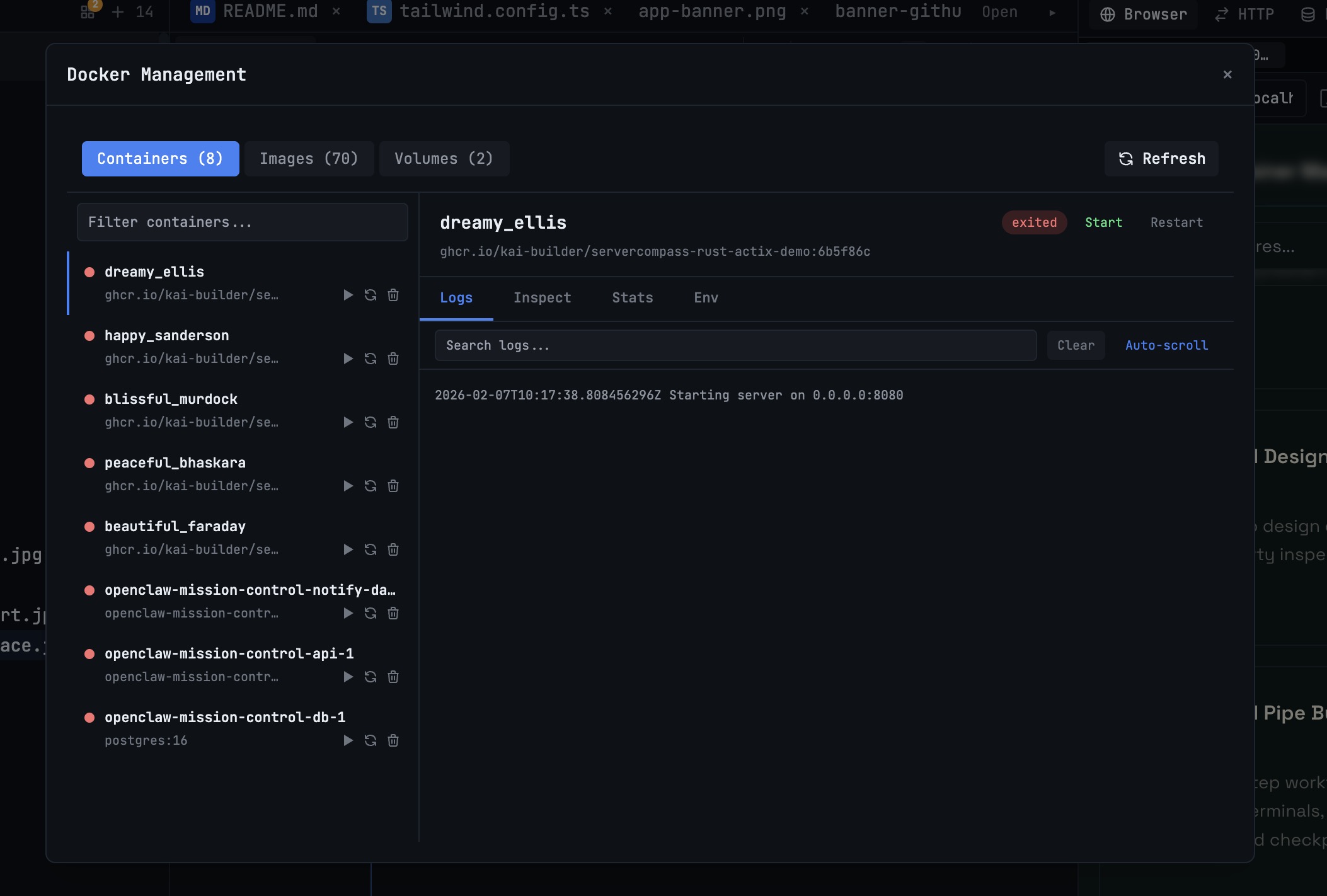
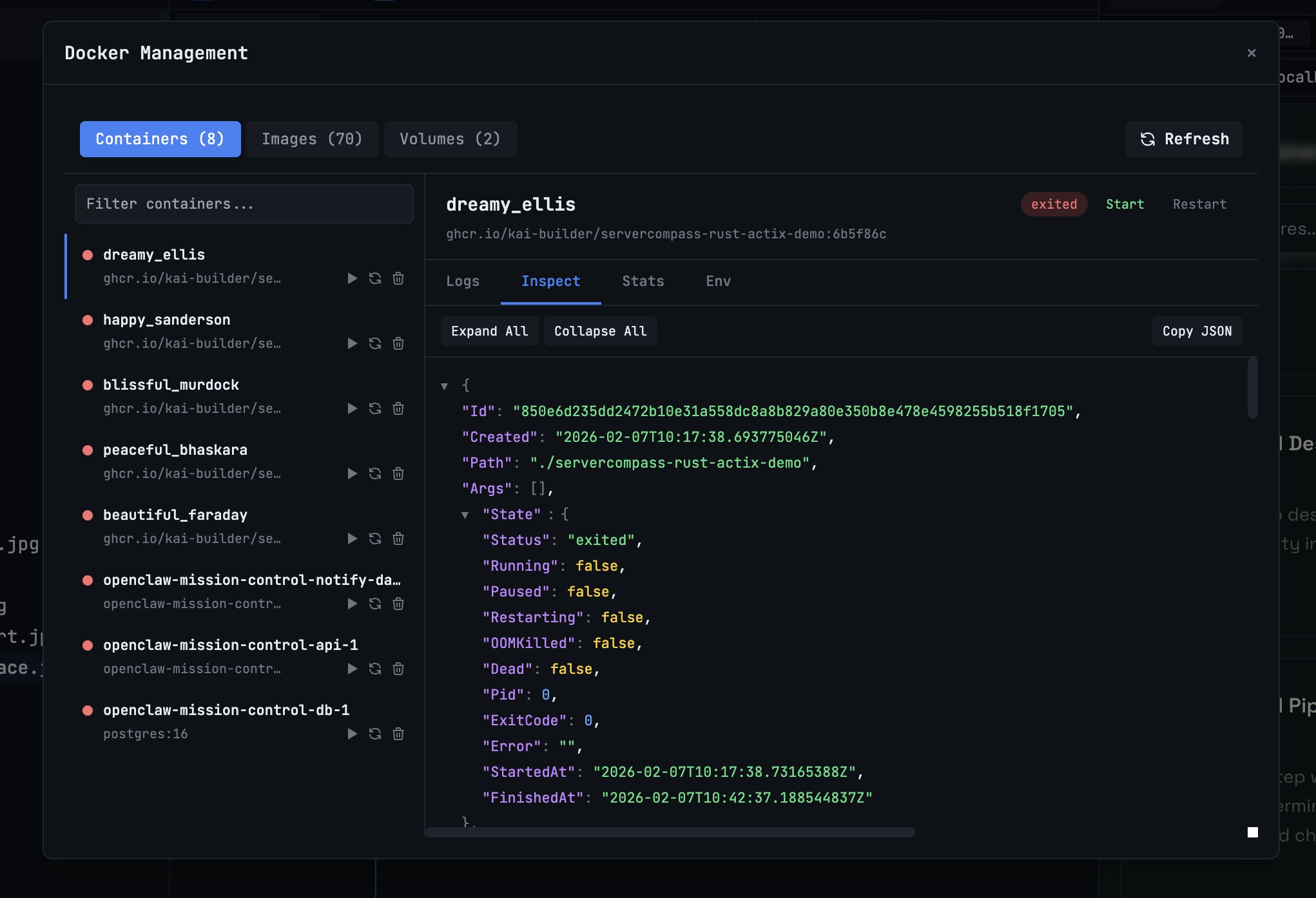
Evaluate any tool using these workflows: restart failed containers, inspect live logs, and remove stale images. In 1DevTool this maps to Docker Containers, Docker Logs Inspect, and Docker Images & Volumes.
Bottom Line
The best Docker Desktop alternative is the one that fits your full delivery loop. If containers are only part of a larger AI coding workflow, integrated tooling usually wins on cycle time and error recovery.
From across the StoicSoft network
Hand-curated reads on the same topic from sister sites in the StoicSoft family.
 ServerCompass12 min read
Coolify vs Dokploy: Which Self-Hosted PaaS Should You Use?
A detailed comparison of Coolify and Dokploy covering features, ease of use, pricing, Docker support, GitHub integration, and community. Find out which self-hosted PaaS fits your workflow in 2026.
Read on servercompass.app ServerCompass12 min read
Best VPS Control Panels for Developers in 2026
Compare the best VPS control panels for developers in 2026: CloudPanel, CyberPanel, Plesk, Webmin, and Server Compass. Features, pricing, ease of use, and which one fits your workflow.
Read on servercompass.app ServerCompass22 min read
Self-Hosted Vercel Alternative: Complete Guide (2026)
The complete guide to self-hosted Vercel alternatives. Compare Server Compass, Coolify, and CapRover. Learn how to migrate from Vercel, calculate real cost savings, and deploy with the same developer experience on your own VPS.
Read on servercompass.app- ServerCompass14 min read
Best Self-Hosted PaaS Platforms in 2026: Coolify, CapRover, Dokploy, and Server Compass Compared
Compare the best self-hosted PaaS platforms in 2026. An in-depth look at Coolify, CapRover, Dokploy, and Server Compass covering features, pricing, templates, and ease of use to help you pick the right open-source PaaS for your VPS.
Read on servercompass.app