v1.37.0July 11, 2026
Pick the right model for every AI agent handoff, manage Git history in place, and keep terminal-heavy sessions responsive
Pick the right model for every AI agent handoff, manage Git history in place, and keep terminal-heavy sessions responsive. This release brings Model-Aware Agent Delegation, Git History Actions and Grok Quota Alerts.
Download v1.37.0
The download page always has the newest build; installers for this version are on GitHub.
What changed
New features
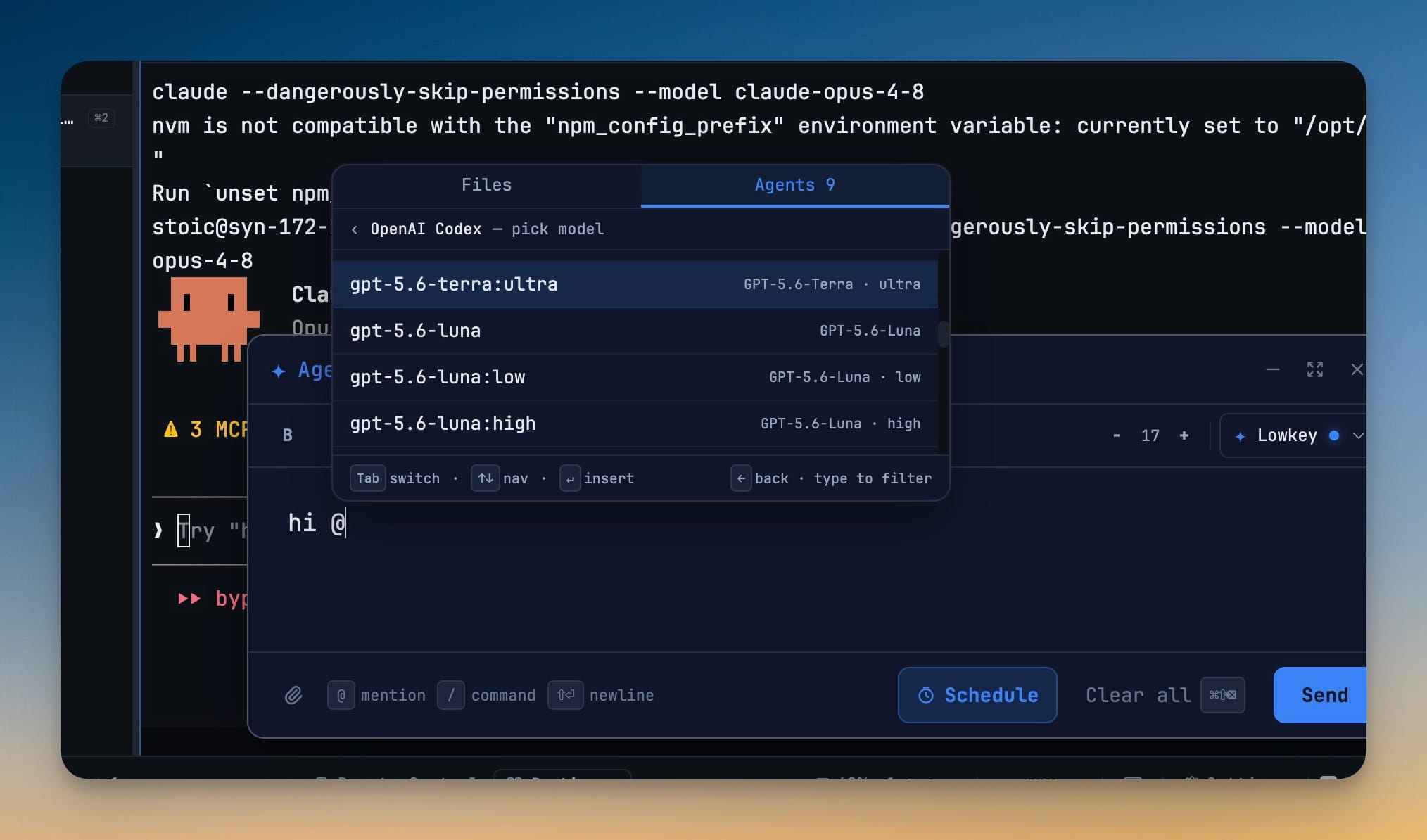
7- Choose a specific model for each AI agent handoff — open the Agents tab in Agent Input, select an agent, and drill into its model list before sending the task
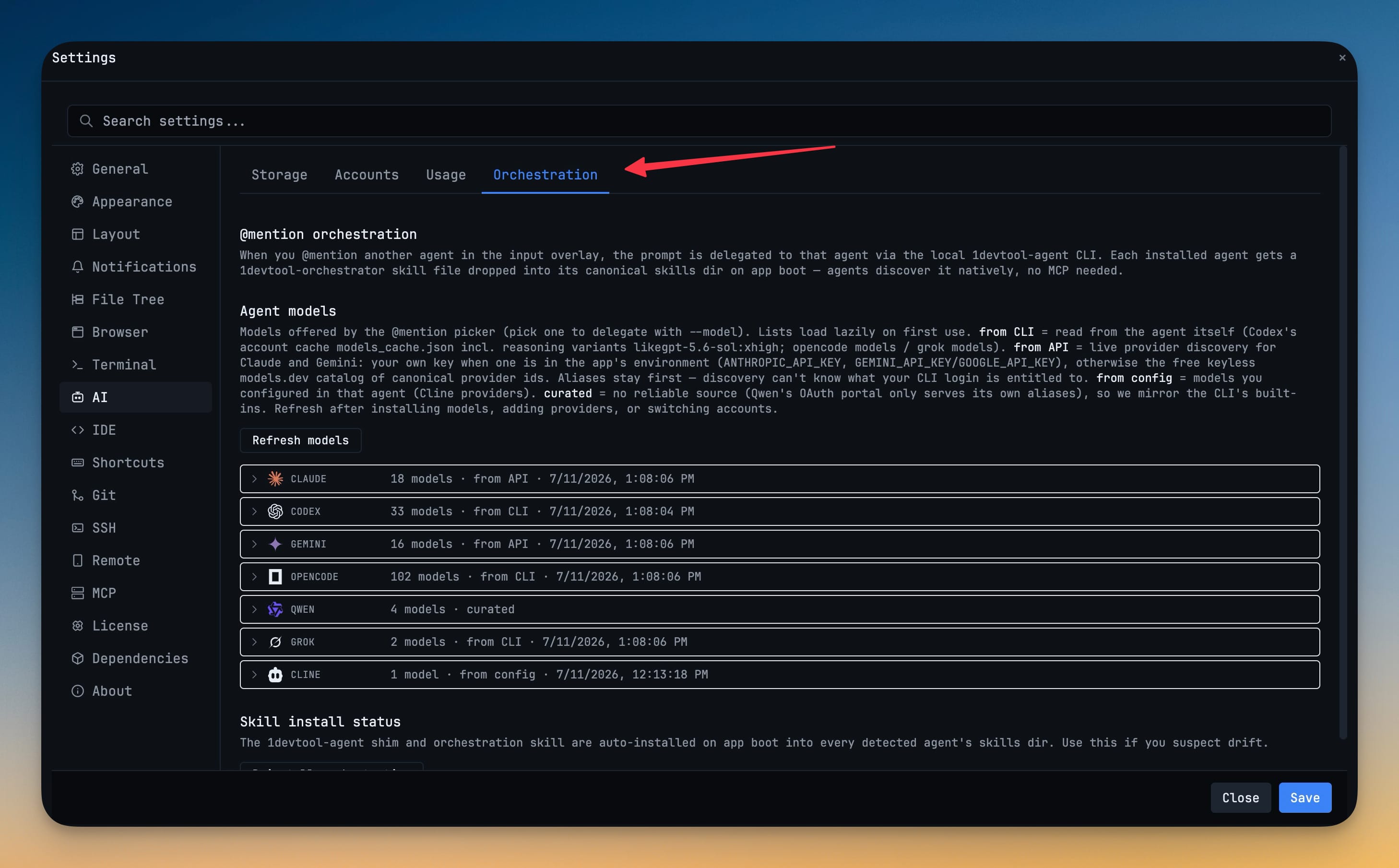
- Available choices reflect the installed agent, signed-in account, or saved provider setup, with reasoning-level options where supported
- Review model availability and refresh the catalog from Settings → AI → Orchestration after switching accounts or changing providers
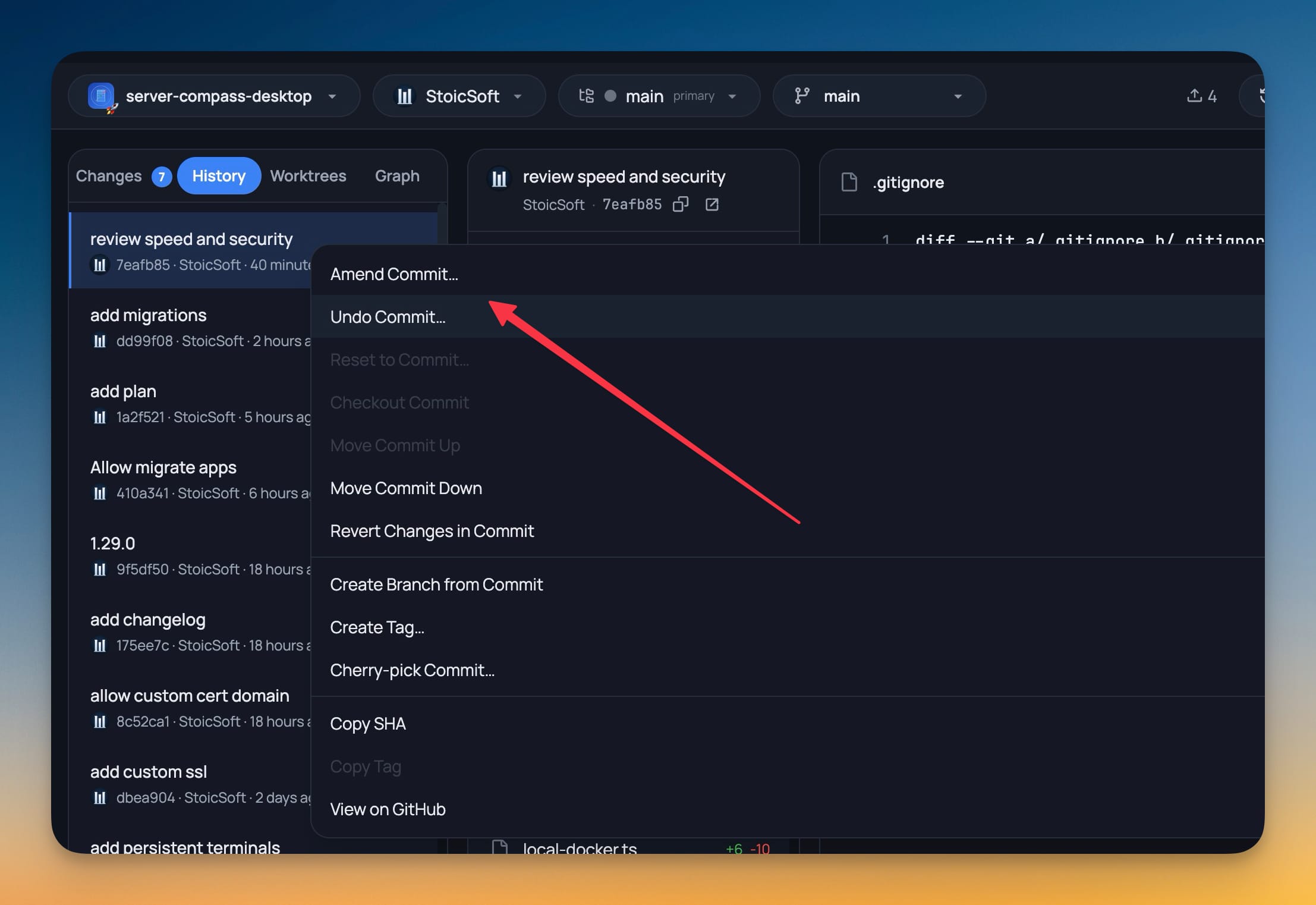
- Manage commits directly from Git History — right-click a commit to amend or undo the latest commit, reset or check out an earlier point, move commits up or down, revert changes, create a branch or tag, or cherry-pick a commit
- Copy commit IDs and tags or open the commit on its remote host from the same menu
- Confirmation dialogs explain destructive choices, and conflicted reorder, revert, and cherry-pick actions stop cleanly instead of leaving the repository mid-operation
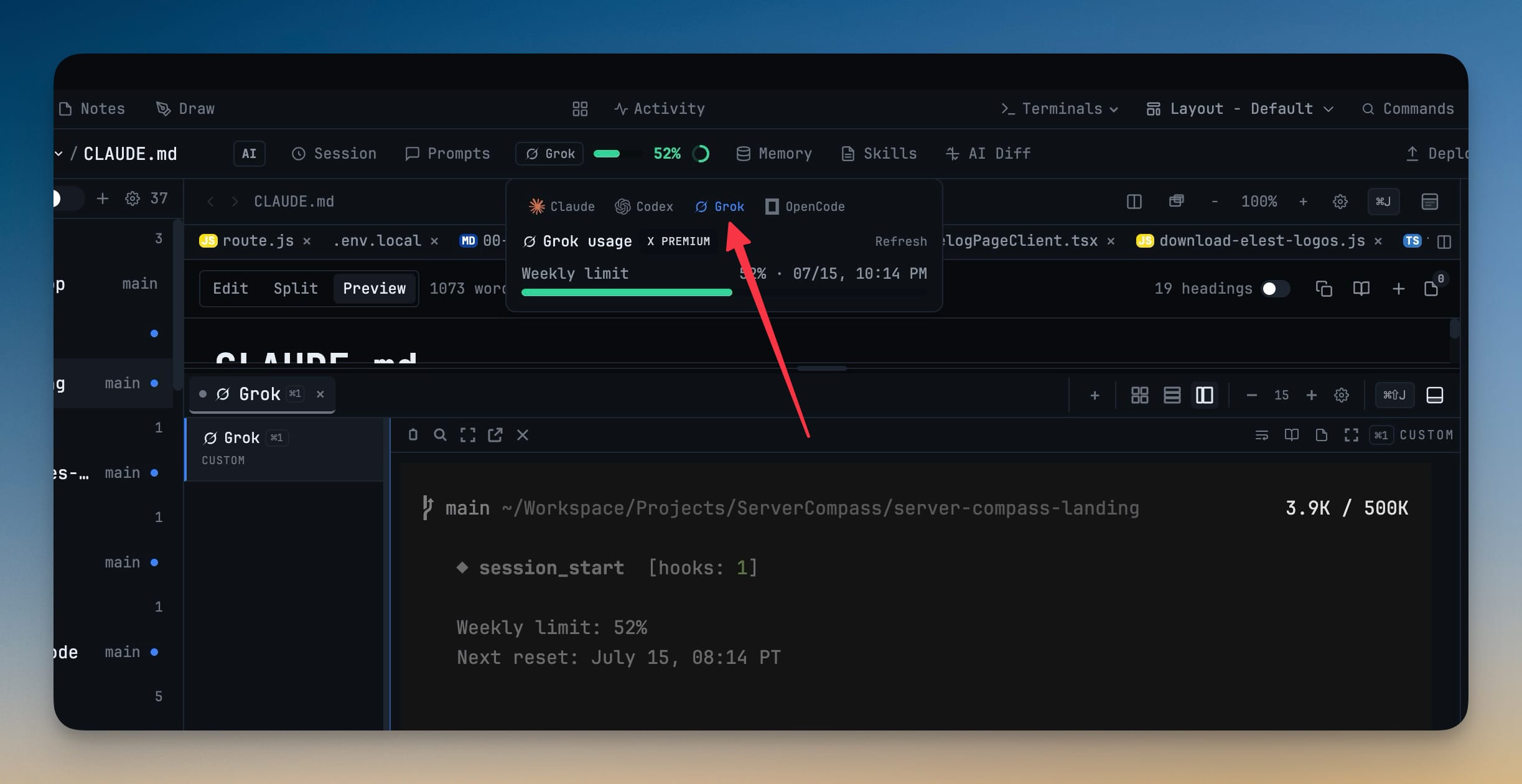
- Get warned before Grok credit usage reaches your limit — enable a custom threshold in Settings → AI → Accounts and receive one alert per billing period
Improvements
7- See Grok usage in the quota pill — Grok accounts now report their remaining credits in the quota pill and account switcher, reading from Grok's local billing log and falling back to a live check when you focus a Grok terminal or hit Refresh, so a freshly opened account fills in its usage instead of staying blank
- Run multi-command startup sequences through WSL on Windows — when editing a multi-line startup command, pick WSL (Linux) as the executing shell and 1DevTool wraps it in a login shell (wsl -- bash -lc) so your Linux PATH — nvm, npm globals — loads; it also warns before Linux-only commands (like systemctl or apt) or a non-login bash -c wrapper silently fail in the Windows shell
- See every contributor on a commit — Git History now shows stacked avatars and names for the primary author and co-authors
- Recognize AI agents faster — Agent Input mentions, account settings, and orchestration status now use each agent's brand logo
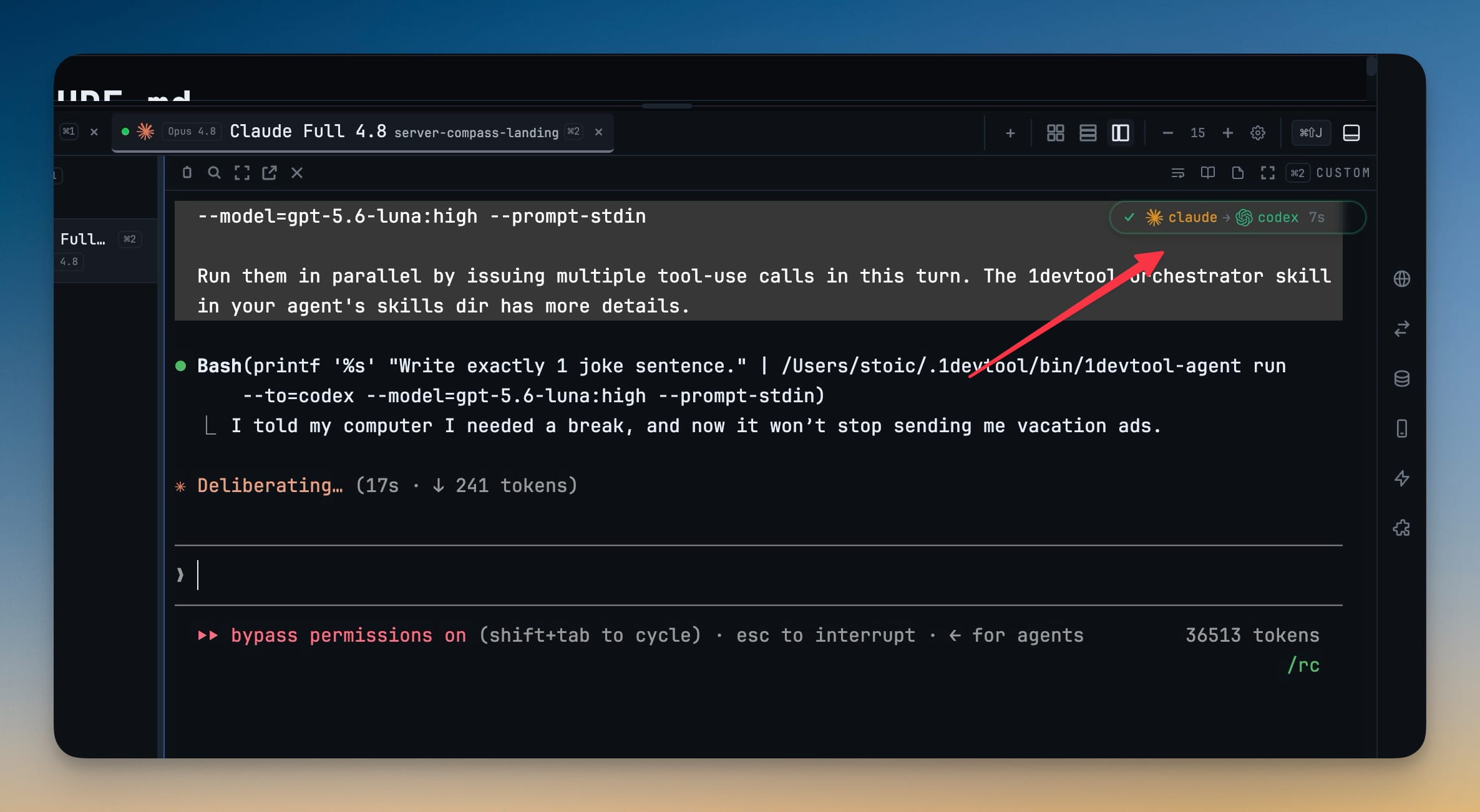
- Follow delegated work at a glance — sub-agent badges now show the logo and name of every agent in the handoff chain, with the currently running agent animated, and session history windows show the matching agent logo
- Keep long Remote Control sessions responsive — live AI transcripts update more efficiently as conversations grow
- Move around busy workspaces more smoothly — Dashboard, HTTP client, browser, Git, theme, and environment panels now avoid unnecessary interface updates
Bug fixes
7- Fixed delegated agents ignoring the selected model — model-specific handoffs now launch the requested model reliably, including Codex reasoning variants
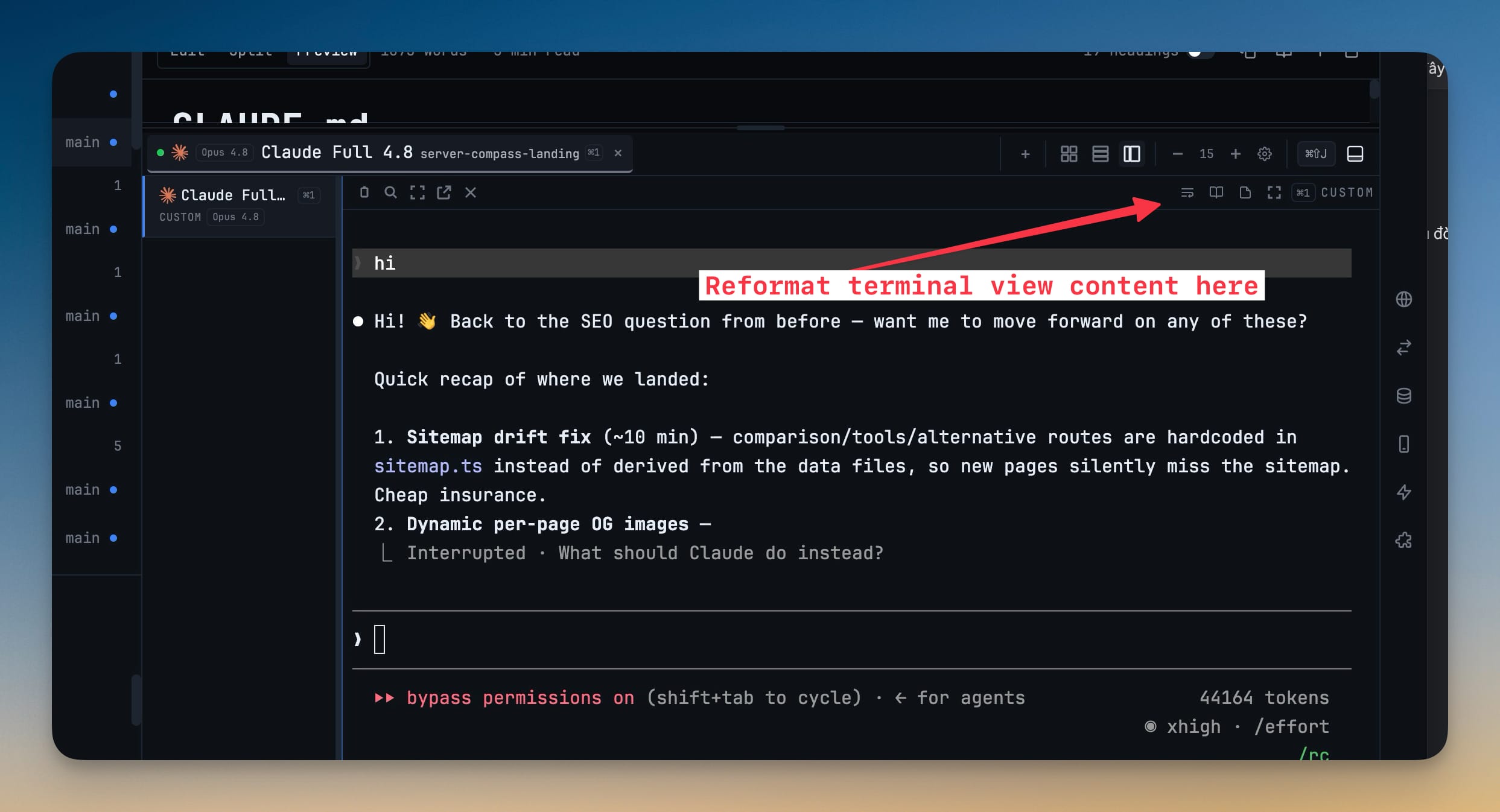
- Fixed terminal output wrapping at the wrong width — terminals now detect size mismatches, refit automatically, and repaint full-screen agent interfaces at the correct dimensions
- Fixed terminal text gaining unwanted line breaks in Agent Input — text copied from a terminal now rejoins display-only wraps when pasted into the prompt composer while preserving intentional newlines
- Fixed project layouts losing recent panel changes — active panels, presets, sidebar state, and pending layout edits are saved to the correct project when switching workspaces
- Fixed quota alerts repeating after dismissal — small reset-time changes no longer re-trigger the same alert, while genuine new quota windows still re-arm notifications
- Fixed the macOS close button bypassing terminal session confirmation — closing the main window now offers the same Save, Discard, or Cancel choices as quitting the app
- Fixed the quota popover staying on the wrong account — when an account's usage finishes loading after the popover opens (such as Grok's async read), the popover now follows the focused account instead of staying pinned to a fallback tab
Screenshots