v1.38.0July 12, 2026
Read your AI conversations comfortably from your phone, watch live run timers on every terminal, and enjoy a faster, more polished workspace
Read your AI conversations comfortably from your phone, watch live run timers on every terminal, and enjoy a faster, more polished workspace. This release brings Reader Mode on Remote Control and Live Run Timers on Terminals.
Download v1.38.0
The download page always has the newest build; installers for this version are on GitHub.
What changed
New features
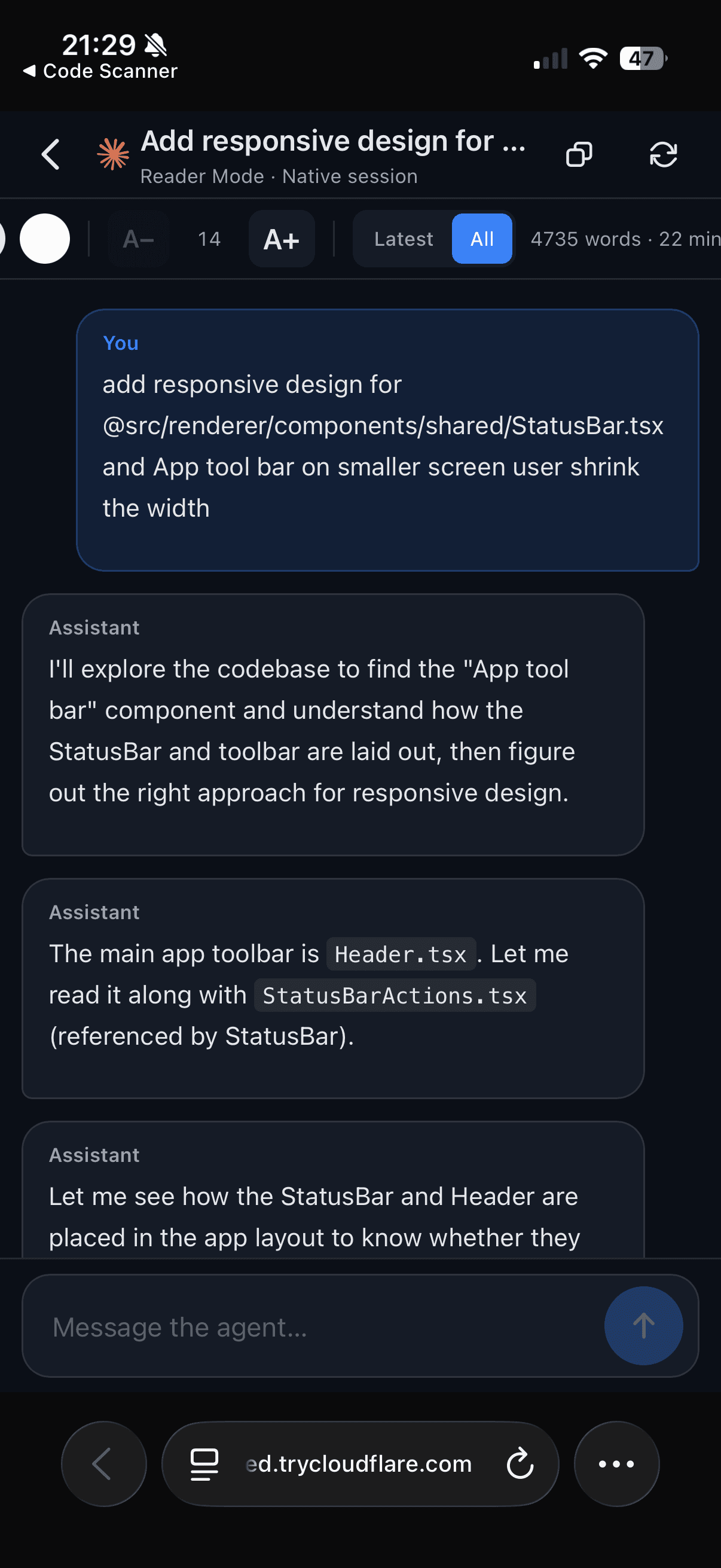
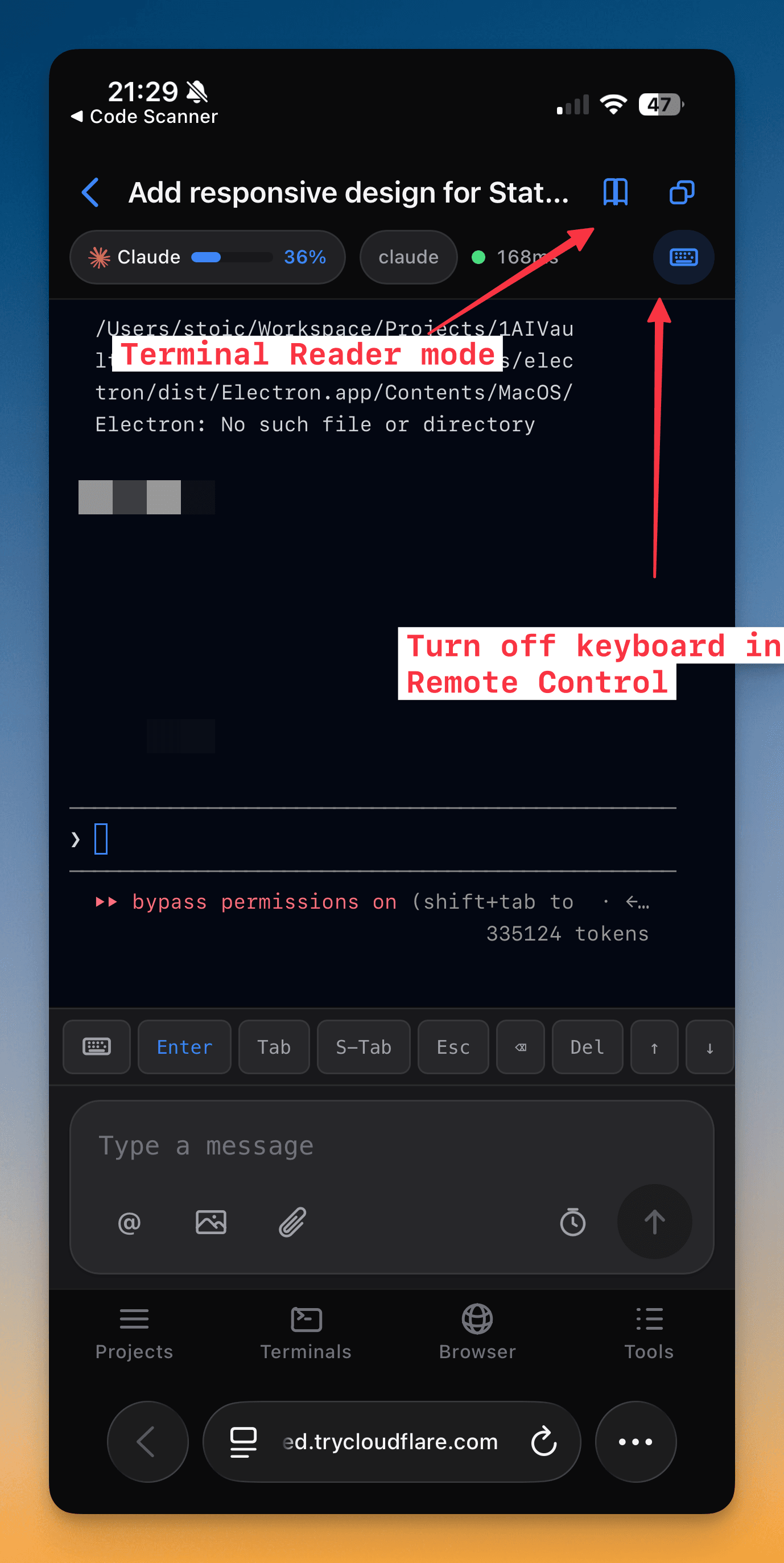
6- Open Reader Mode from your phone — Remote Control now shows the same clean, readable AI conversation view as the desktop, turning a live terminal into an easy-to-scroll transcript
- Works with your AI agent sessions and keeps up as the conversation grows
- Read comfortably on a small screen instead of squinting at a raw terminal
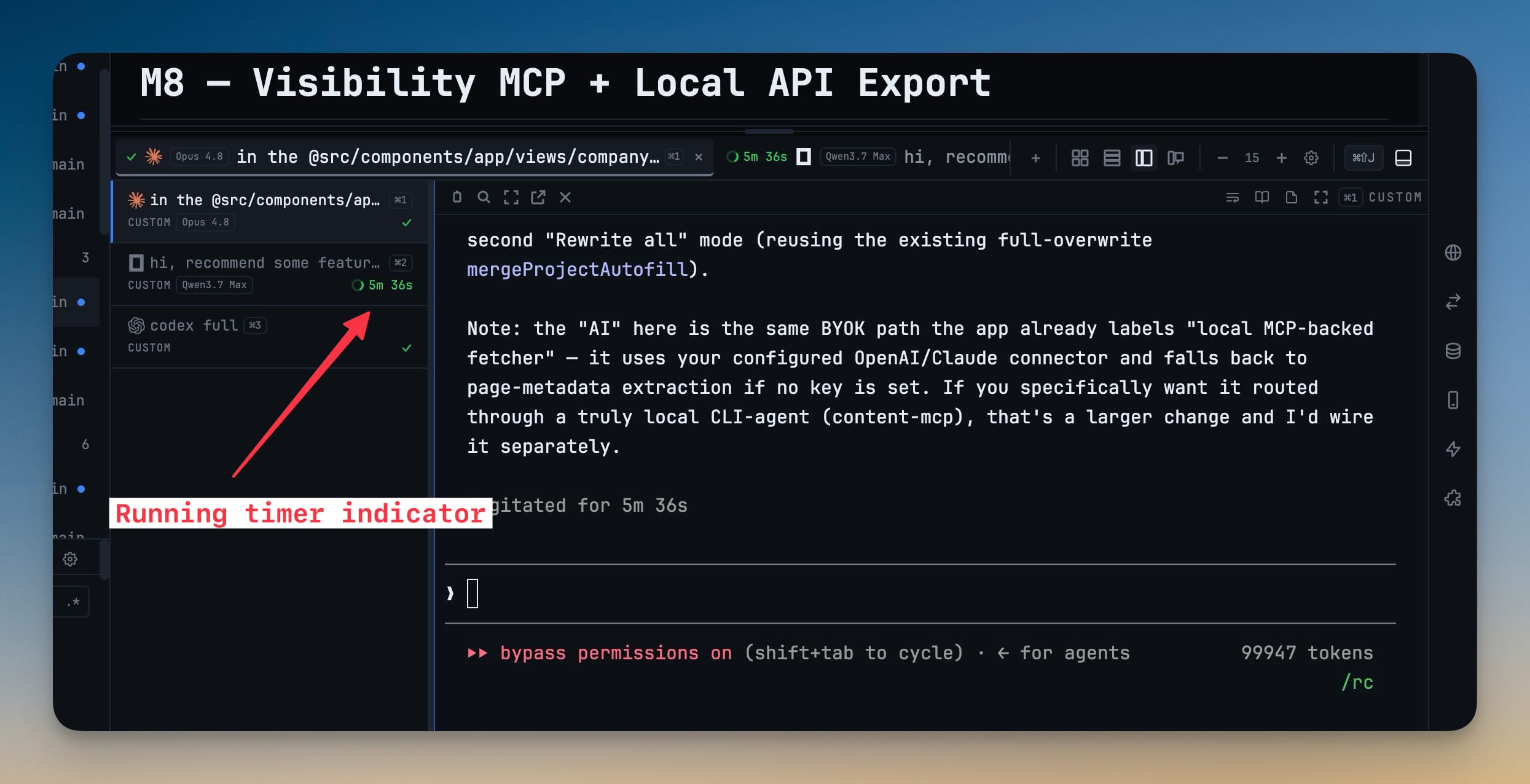
- See how long an AI agent has been working — every terminal tab now shows a spinner with a live elapsed timer while a run is in progress, and a check mark the moment it finishes
- The timer appears right on the tab, so you can tell at a glance which agents are busy and which are done
- Finished runs stop cleanly and stay done — the timer won't linger or reappear later
Improvements
8- Brand logos across the whole app — AI agents now show their real logo in far more places: the Prompt History, Terminal Dashboard canvas, Mission Control, the chat sidebar, the "Change AI" menu, the Skills runner, the project list, the Agent diff view, Reader Mode, and the Command Palette — so you can spot which agent is which instantly
- Edit the full message before sending to an AI terminal — Send to AI Terminal now lets you open, review, and edit the complete prompt (context included) before it goes out, then copy or send it
- Turn off the Agent Input composer right from the terminal — a new control next to the composer hides it in one click when you'd rather not see it (re-enable any time in Settings → Terminal)
- Toolbars and status bar adapt to narrow windows — when you shrink the window, the top toolbar, header, and status bar collapse button labels to icons and drop lower-priority items instead of clipping controls off-screen
- Faster Git client — the Git panel opens noticeably quicker, even on large repositories
- Faster editor and IDE — opening files and the code editor is snappier, with less waiting on busy projects
- Faster project switching — moving between workspaces is smoother and does less redundant work
- Desktop terminals keep their width in Remote Control — viewing a terminal from your phone no longer squeezes the desktop layout to phone width and leaves a blank gap
Bug fixes
3- Fixed the run timer sticking or reappearing — a terminal's timer no longer hangs after a failed AI query (including OpenCode) or comes back to life after the run already finished
- Fixed notifications on Windows — desktop notifications now show the correct 1DevTool identity and behave reliably
- Fixed context-menu items jumping while they load — menu entries that fetch data now show a loading state in place instead of popping in and shifting what you're about to click
Screenshots