v1.50.0July 20, 2026
Prompt Templates & Perf Improvements
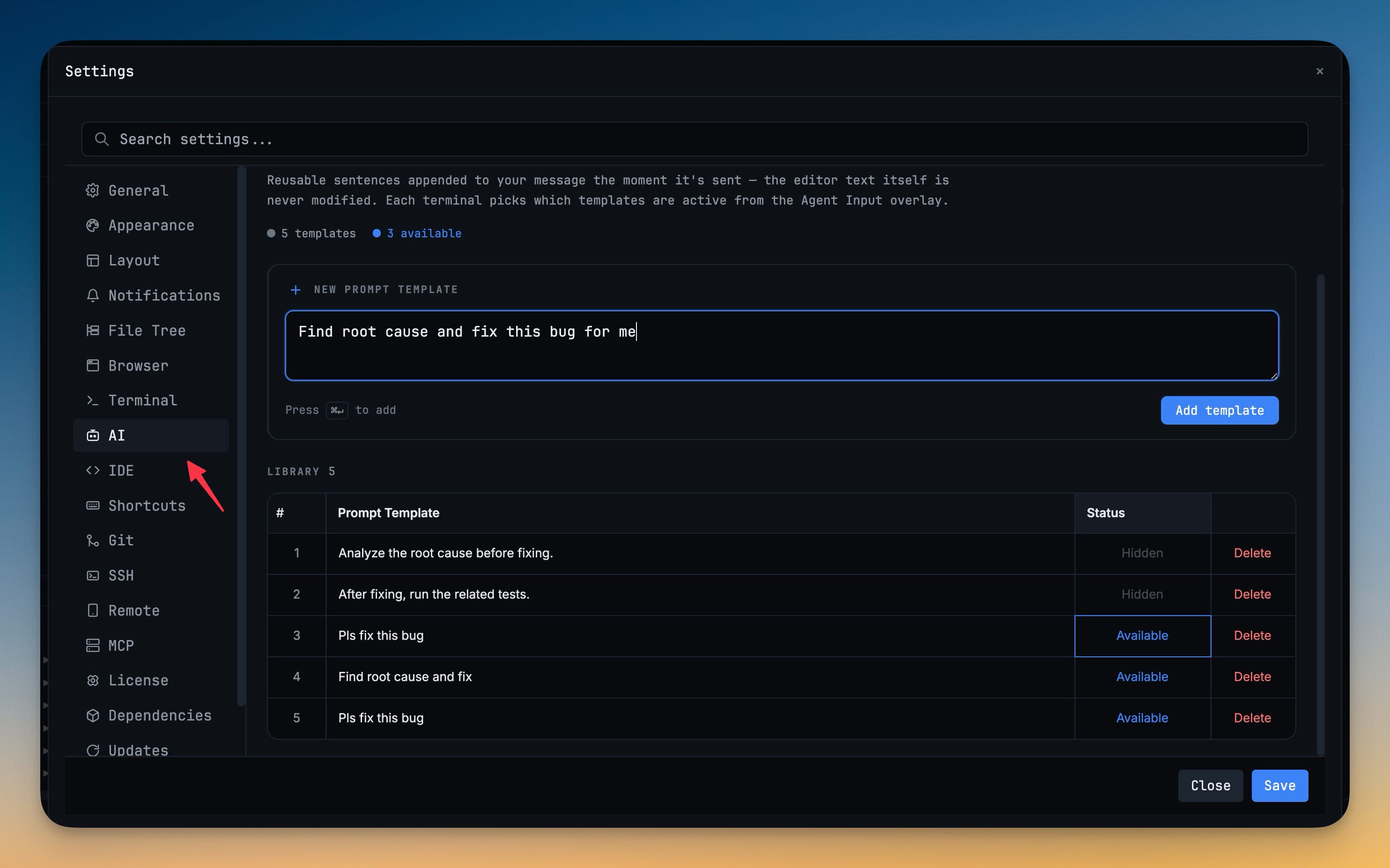
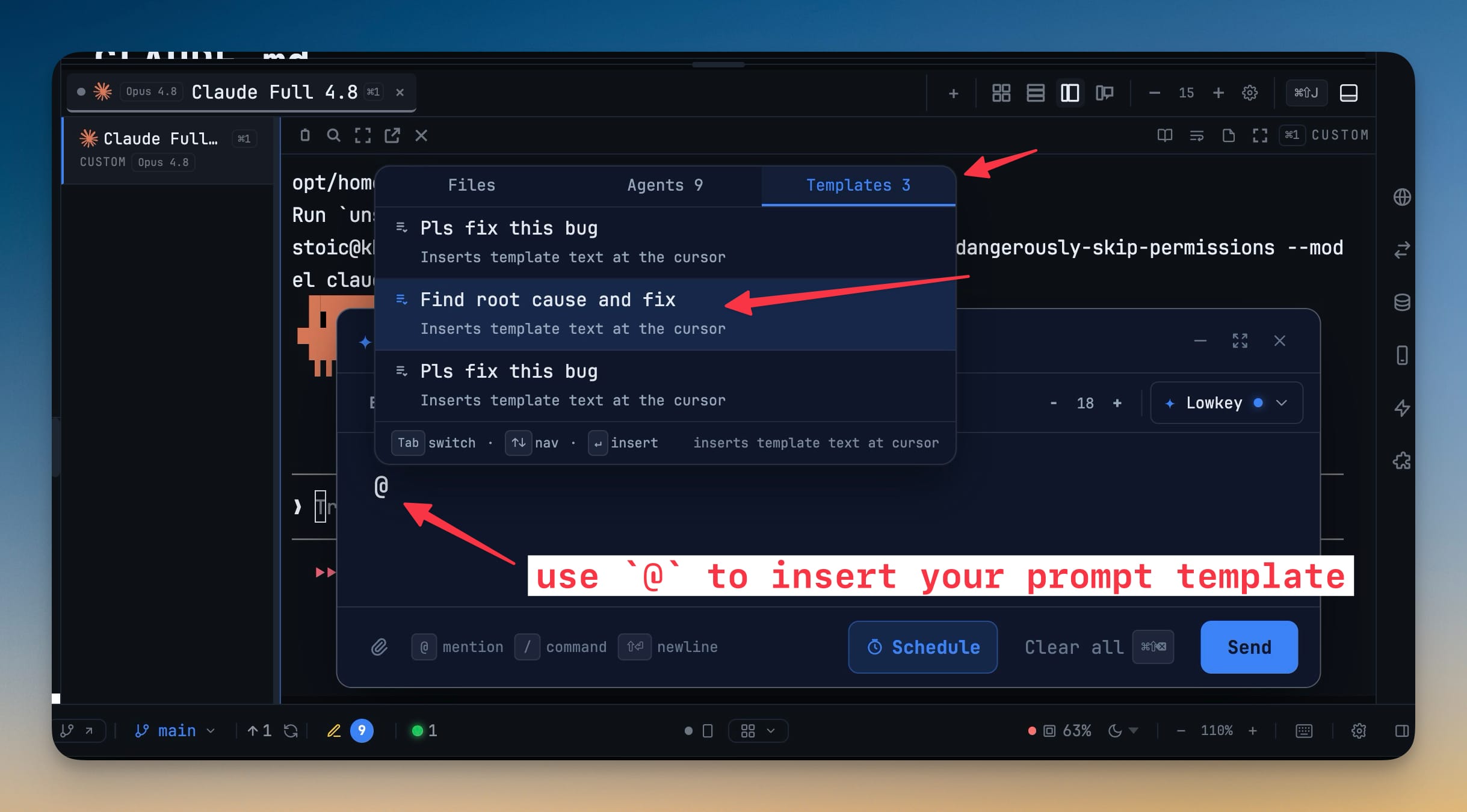
Prompt Templates & Perf Improvements. Reuse your favorite instructions in Agent Input, Turn templates on per terminal and choose exactly which ones are appended when you send and Type @, open the Templates tab.
Download v1.50.0
The download page always has the newest build; installers for this version are on GitHub.
What changed
New features
4- Reuse your favorite instructions in Agent Input — build a template library in Settings → AI → Prompt Templates, then use those instructions across your AI terminals without retyping them
- Turn templates on per terminal and choose exactly which ones are appended when you send
- Type @, open the Templates tab, and insert any enabled template directly at the cursor
- Add, edit, hide, or remove templates from one settings page
Improvements
5- See terminals sooner when switching projects — 1DevTool now restores visible terminals before loading editor groups, expanded File Explorer folders, Git status, and other heavy panels
- Every built-in layout and custom panel placement follows the same terminal-first behavior
- Projects without a visible terminal continue loading without waiting for terminal initialization
- Keep Agent Input within reach when its composer is hidden — a compact button shows the current shortcut in the terminal corner, plus a dot when an unsent draft is waiting
- Move between orchestration runs and logs more easily — Runs and Logs now share one dashboard section, while Settings shows whether Codex completion notifications are connected cleanly
Bug fixes
9- Fixed multi-line Claude prompts sending only their last line — Agent Input, Remote Control, Change AI, and Resume now deliver the complete message as one prompt
- Fixed AI terminals adopting the wrong conversation name or resume session — each terminal now waits for positive evidence from its own submitted prompt instead of claiming a nearby session from another tab or external terminal
- Session detection stays active after project and terminal switches, so the correct conversation can still be found after a remount
- Fixed Remote Control terminal text overlapping after a desktop resize — the phone view now follows live desktop terminal dimensions as panels, windows, and layouts change
- Fixed active Teams and Swarms disappearing while their agents were still working — background terminal handshakes no longer look like a person taking over a delegated terminal
- Fixed Claude workers showing internal event data instead of the final answer — orchestration results now retain the response, session, token usage, and cost correctly
- Fixed conflicting Codex completion notifications repeatedly relaunching each other — notification chains stop safely, Settings warns about unhealthy setups, and Reinstall repairs supported conflicts
- Fixed Cline completion alerts showing its empty composer and footer — desktop and Remote Control notifications now show meaningful result text or a clear completion message
- Fixed Agent Input shortcuts interfering with terminals — Windows and Linux now default to Ctrl+Alt+I without inserting a stray Tab, and macOS Option-based custom shortcuts record the intended key
Screenshots