v1.51.0July 22, 2026
Live Browser Automation
Live Browser Automation. Also in this release: MCP Activity History, Machine Terminals and Antigravity Session Resume.
Download v1.51.0
The download page always has the newest build; installers for this version are on GitHub.
What changed
New features
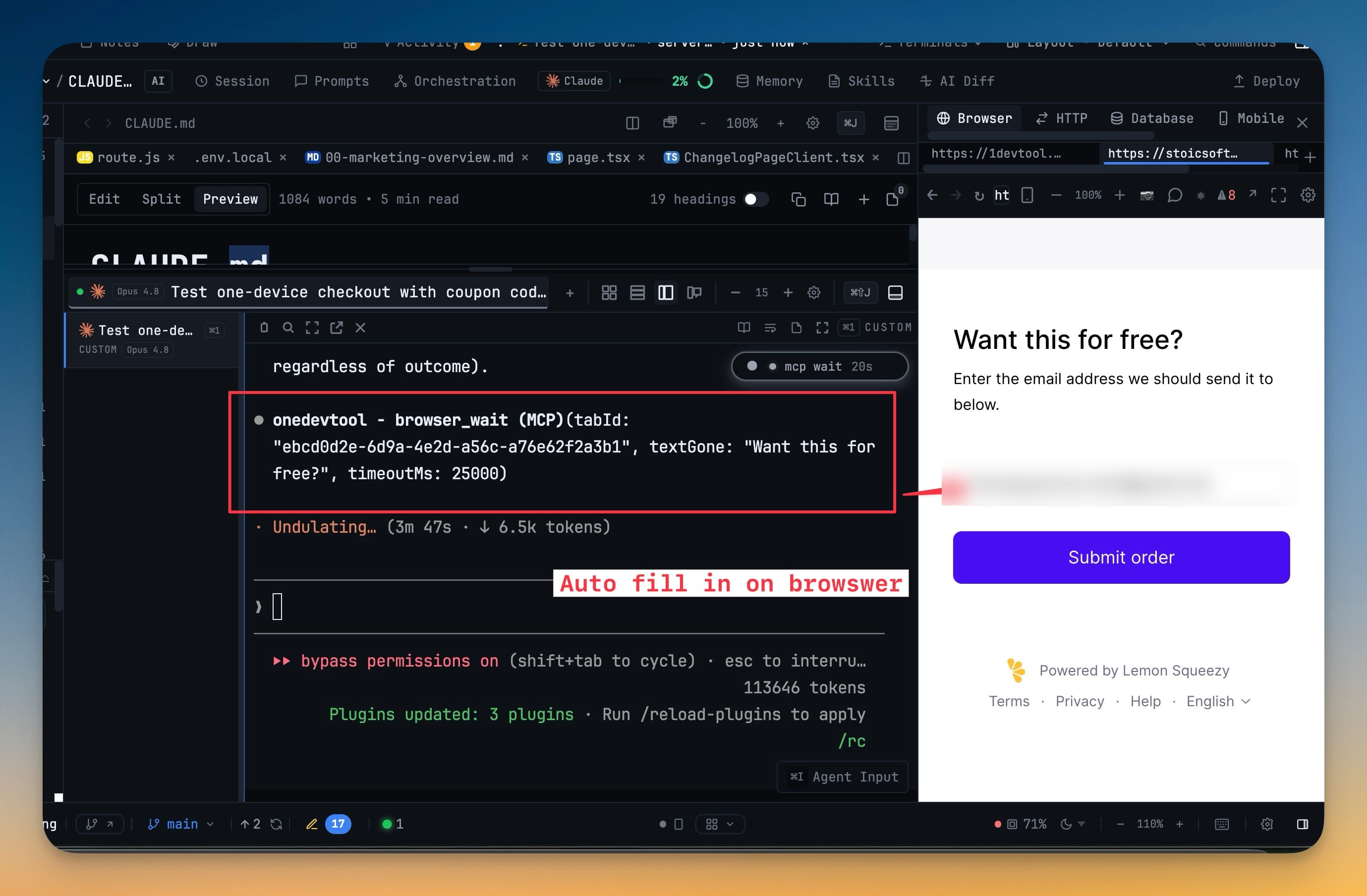
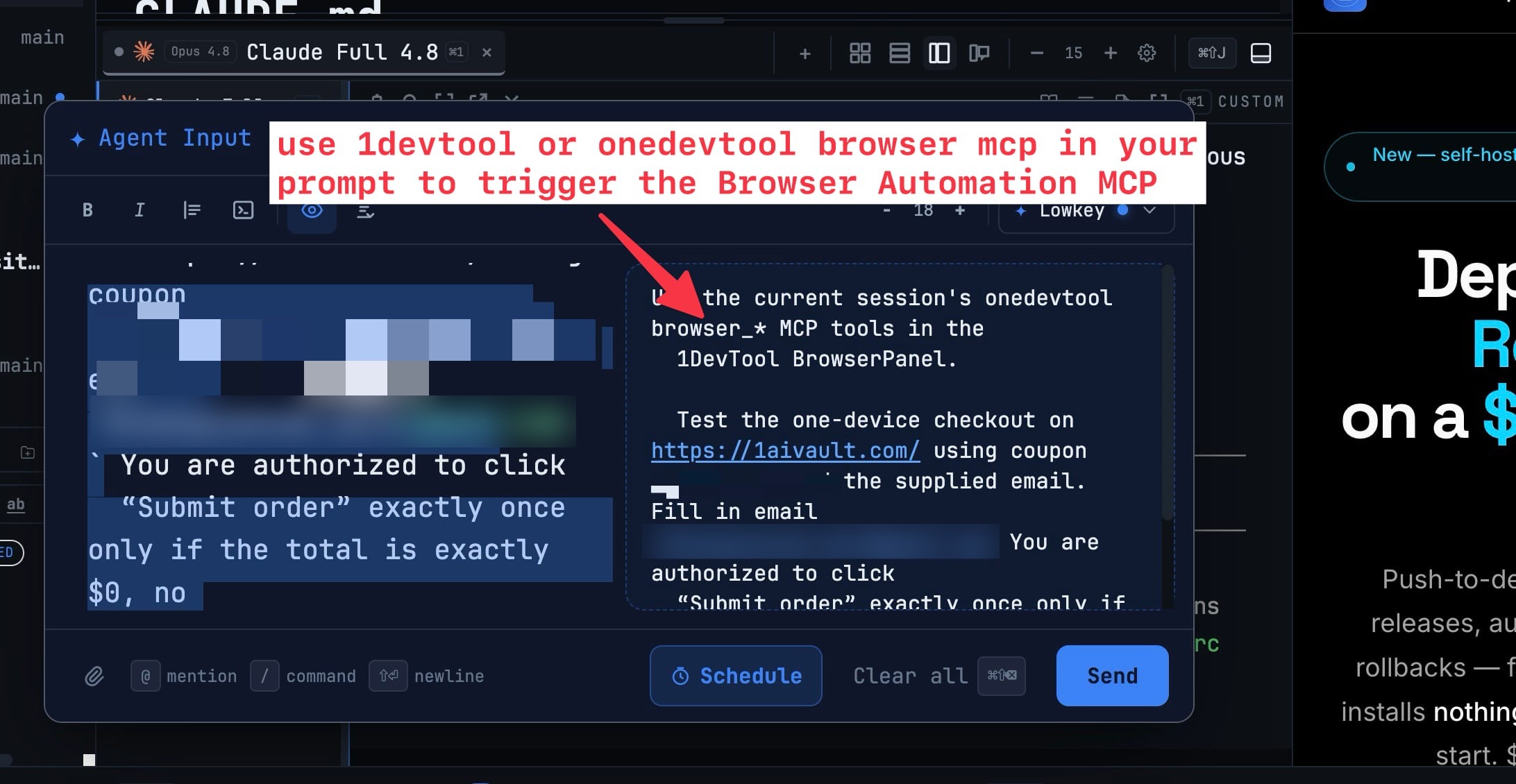
10- Let AI agents operate the Browser panel you already use — agents connected through 1DevTool MCP can work in the same visible browser, with its existing tabs, navigation history, and signed-in sessions
- Open and select tabs, navigate pages, inspect page structure, click controls, type text, choose options, press keys, and wait for page changes
- Read console output and capture an exact screenshot of the current tab when visual context is needed
- Automation stays scoped to an explicit project and tab, refreshes page references after navigation, and protects password and file inputs
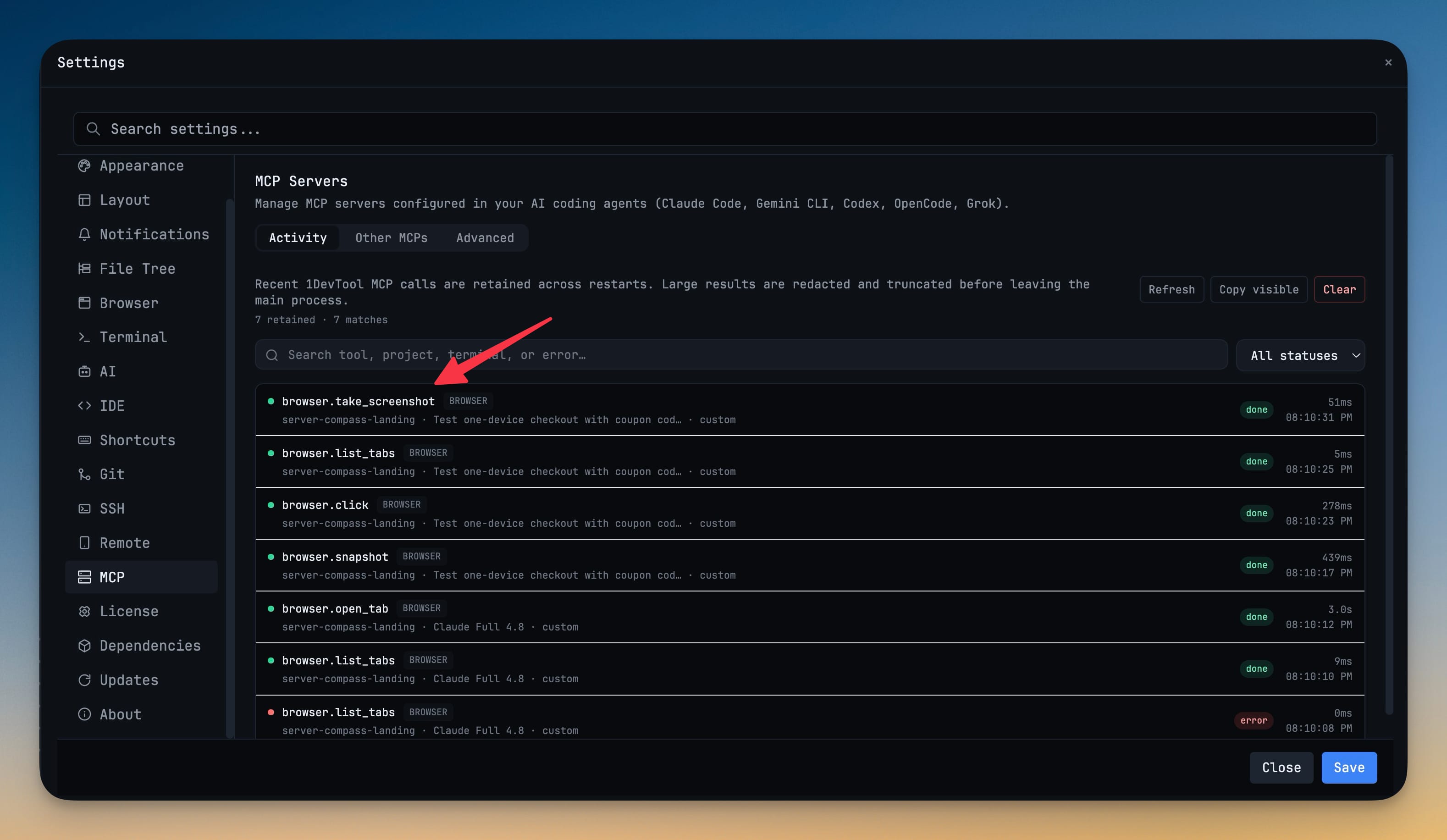
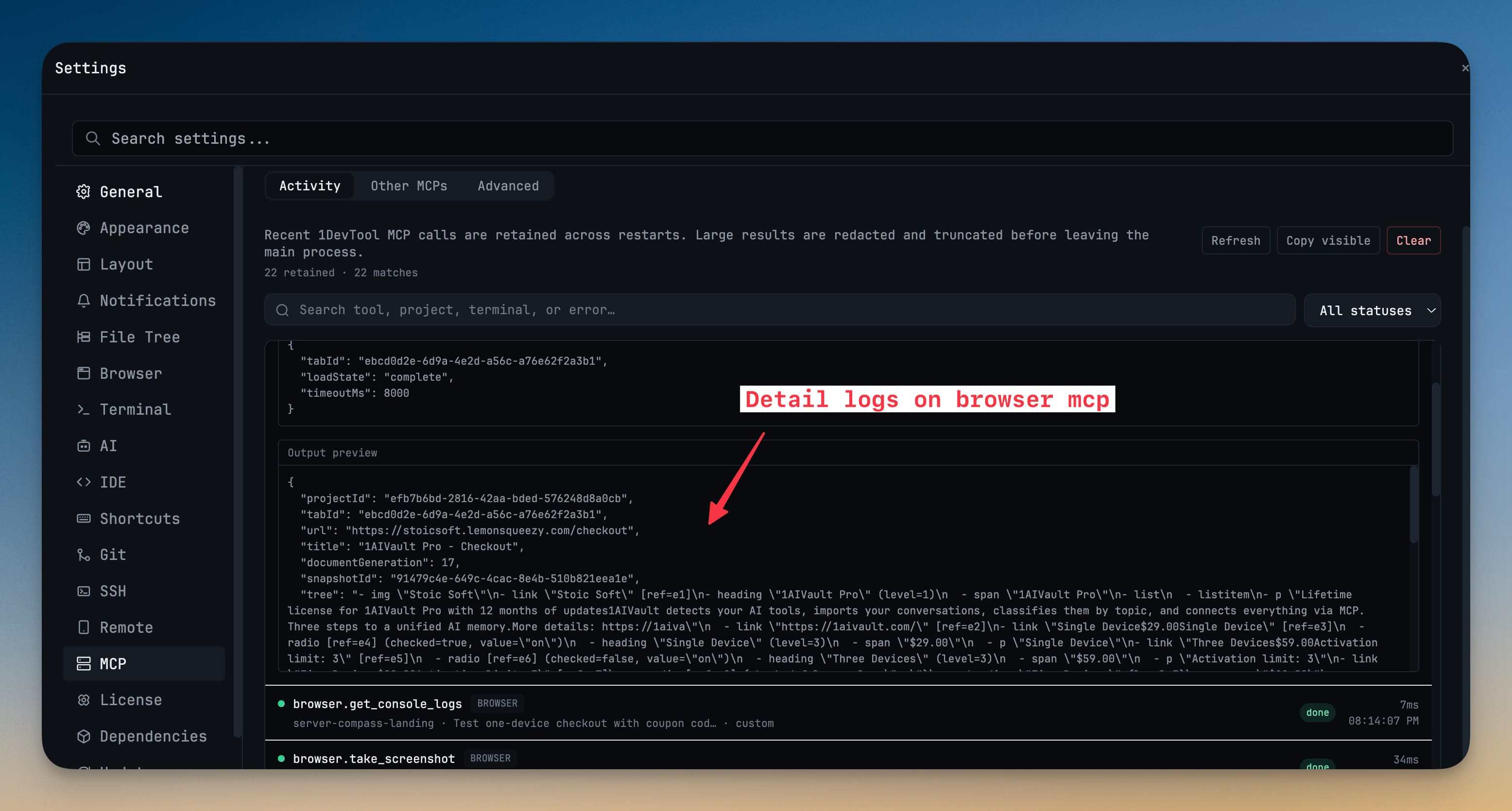
- Review recent MCP calls after they finish — Settings → MCP → Activity now keeps a searchable history of tool names, statuses, durations, projects, terminals, errors, and safe input/output previews across app restarts
- Filter by status, expand individual calls, copy the visible history, load older entries, or clear retained activity
- Sensitive values and large binary results are redacted or shortened before they reach the interface
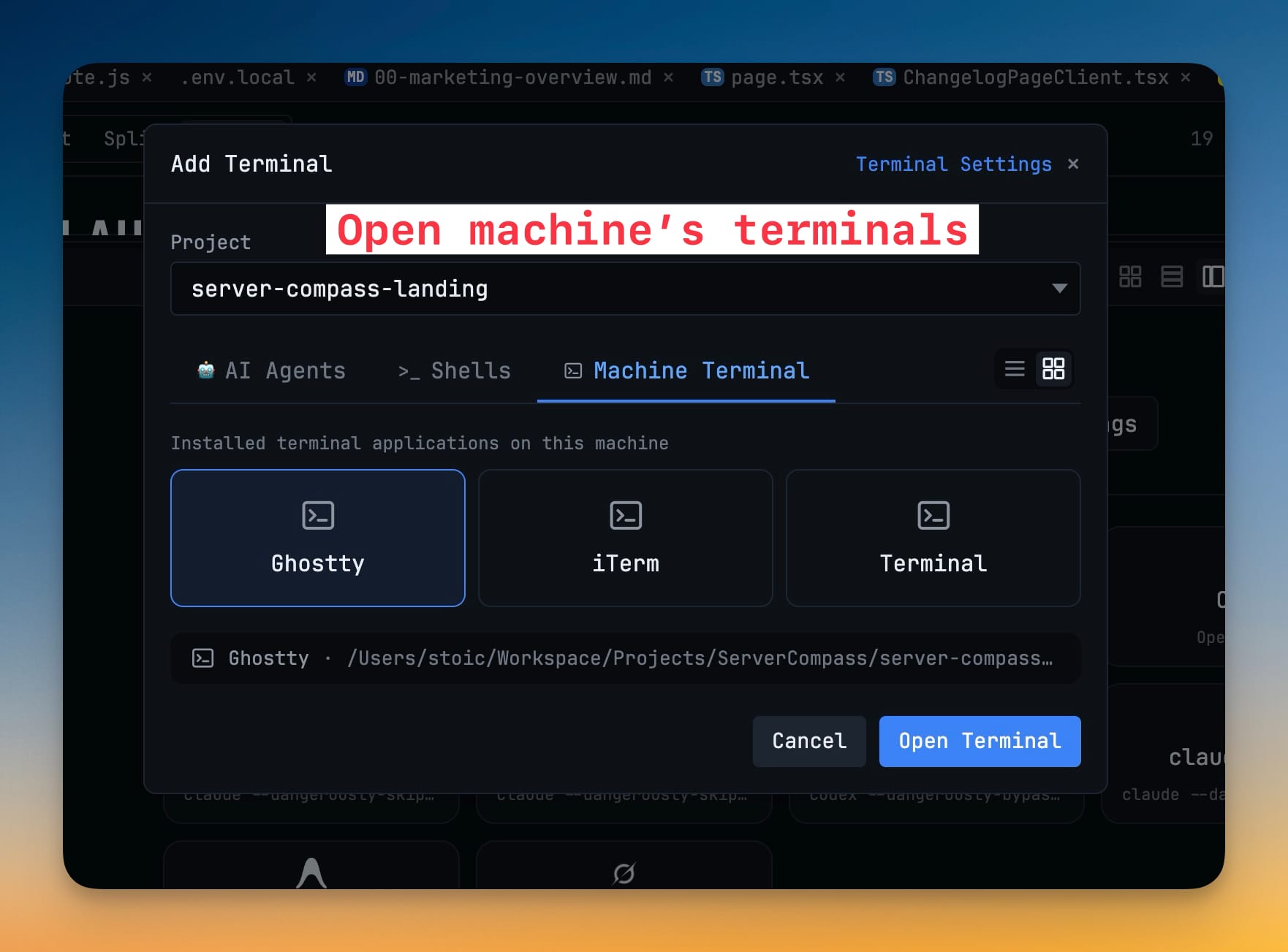
- Open an installed terminal app at any project — the Add Terminal dialog now includes a Machine Terminal tab that discovers native terminal apps on your computer and launches your choice in the selected project folder
- Browse and resume Antigravity conversations — Antigravity sessions now appear in Resume AI Sessions with their workspace, title, recent messages, activity time, and full conversation details
- Continue the selected conversation directly in a new Antigravity terminal
Improvements
9- Keep renamed AI conversations across apps and restarts — renaming a terminal tab now updates the supported coding agent's native session title, so the same name follows the conversation when it is reopened or resumed
- Keep explicit 1DevTool Browser MCP requests inside the app — Codex now connects directly to the visible Browser panel instead of opening an external Chrome session or spawning another agent terminal
- Keep Browser automation responsive with large pages and screenshots — agents still receive the complete MCP result, while the desktop interface processes only a compact, safe preview
- Reduce MCP badge clutter in terminals — each terminal shows at most three recent tool calls, and completed badges clear automatically after a short confirmation period
- Find configured AI agents throughout session tools — Prompt History, Resume AI Sessions, and Memory now include custom agent presets and observed agents with the correct names and icons
- Agents without a separate editable memory store show a clear explanation instead of an unavailable generic view
- Recover Agent Teams when terminal submission needs attention — Runs can now offer a headless fallback when prompt readiness cannot be confirmed, while still letting you retry the queued terminal prompt
- Headless workers inherit your normal command-line tools, and stopped runs release their workers and capacity cleanly
- Recognize projects faster in All Terminals — project avatars and emoji now appear alongside terminal groups
Bug fixes
6- Fixed Send to AI silently dropping commands for unopened terminals — cold terminals now start in the background, keep the request queued until the AI composer is ready, and report a clear error if the message was not sent
- Fixed Grok connecting to 1DevTool MCP but showing no available tools — the MCP server now advertises a compatible machine-facing name while keeping the 1DevTool brand and aliases
- Fixed Remote Control shrinking desktop terminals to unreadable text with a large blank gap — fit mode keeps a readable minimum font size, places the terminal above the composer, and allows horizontal panning when needed
- Fixed adding an AI account from an SSH project triggering an unrelated SSH mount or key error — account login terminals now open from a safe local project instead of the active remote folder
- Fixed Agent Teams getting stuck while stopping or rejecting valid headless recovery — stop and fallback paths now clean up observers and worker capacity reliably
- Fixed large Browser MCP results making the app and AI terminal feel stalled — screenshots and page payloads now keep the interface responsive, and completed terminal badges clear promptly
Screenshots