Kimi Code and Reliable Attach
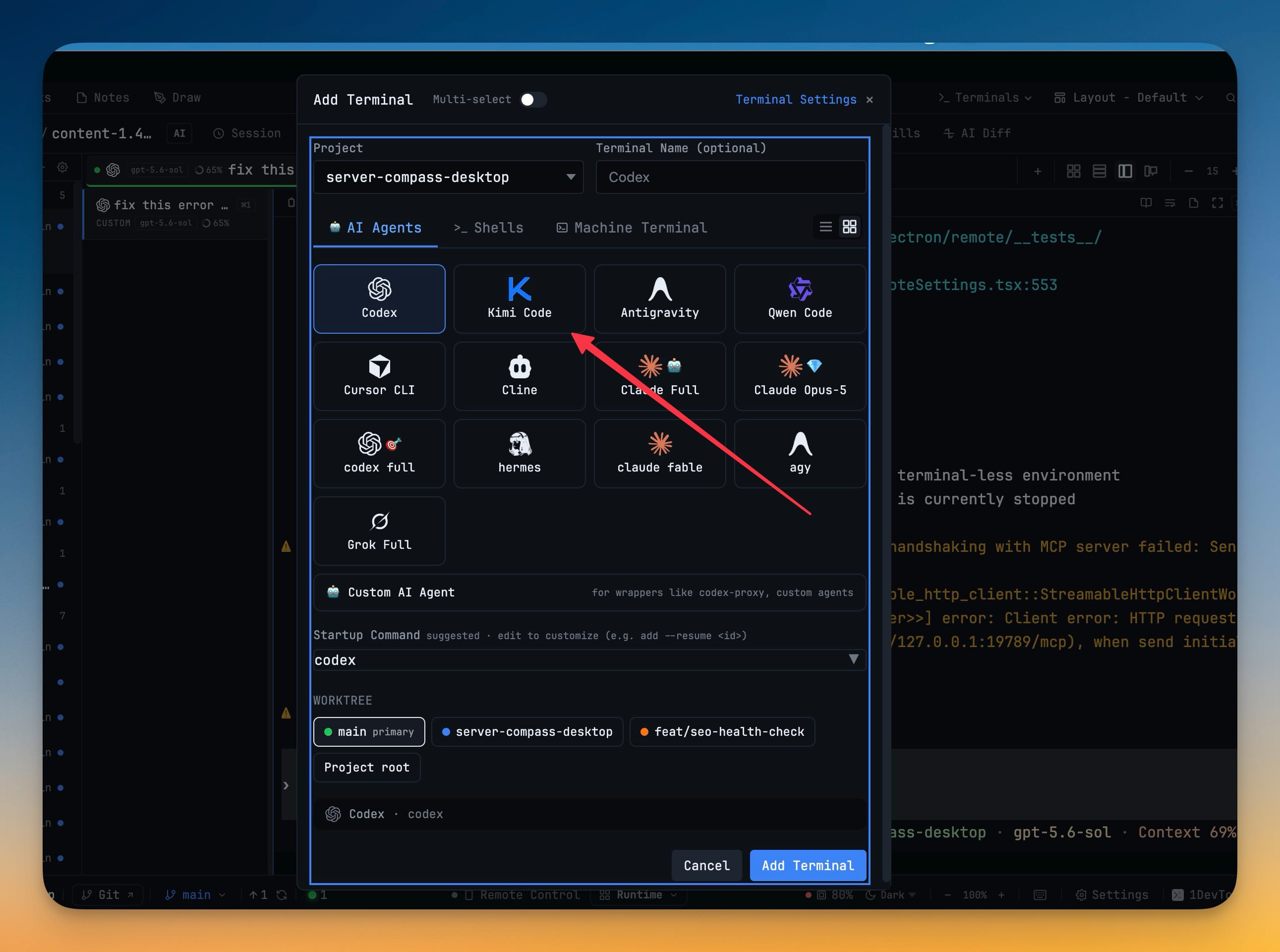
Kimi Code joins the agent roster as a first-class AI terminal — install the kimi CLI and open it from Add Terminal, Change AI, Vibe Coder, or any other agent picker. Model chips, slash commands, skills, headless sends, team delegation, Resume, Sub-agent History, and Design/Prototype/MCP surfaces all treat Kimi like every other agent. Under the hood, one solid attach path now serves desktop panes, Remote on your phone, peer mirrors, and orchestration watchers, so reopening a pane or reconnecting a slow phone no longer duplicates output or drops fragments. Scheduled prompts that fail stay recoverable with Restore, interrupted Team and Swarm runs stay in Run & Logs, and a pile of Windows scroll, link-delivery, and Safari Remote pairing fixes ship with the release.
Download v1.61.0
The download page always has the newest build; installers for this version are on GitHub.
What changed
New features
1- Run Moonshot's Kimi Code as a first-class AI terminal — install the
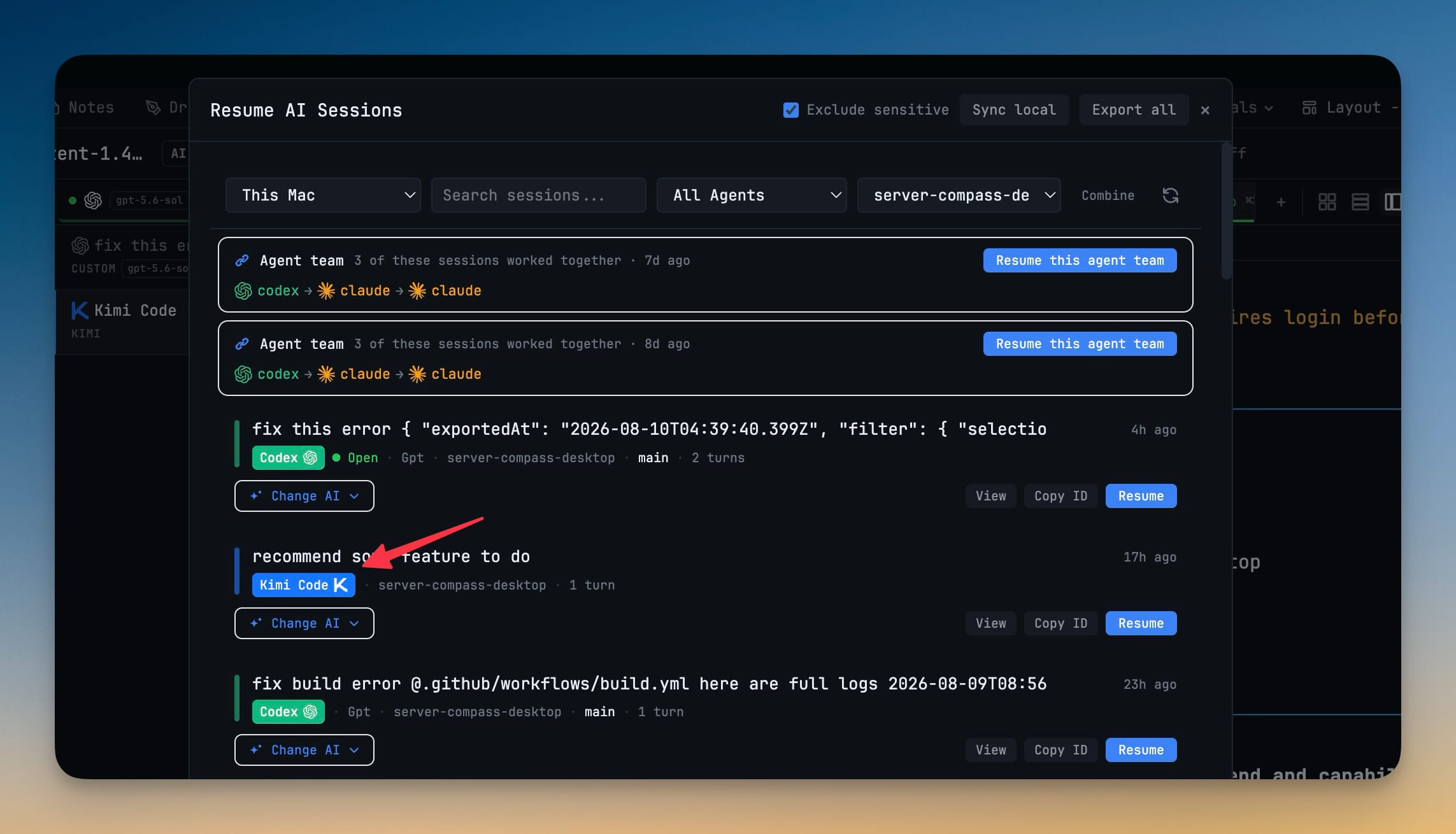
kimiCLI, then open it from Add Terminal, Change AI, Vibe Coder, or any other agent picker. Model chips, slash commands, skills, headless sends, and team delegation work the same way as your other agents. Resume past Kimi sessions from the Resume panel; Sub-agent History and session scanners understand Kimi transcripts. Design, Prototype, and MCP surfaces can target Kimi when it is installed.
Improvements
6- One solid way to attach every terminal view — desktop panes, Remote on your phone, peer mirrors, and orchestration watchers share the same attach, snapshot, stream, and recovery path. Reopening a pane or reconnecting a slow phone no longer duplicates output, drops a fragment, or applies bytes from a process that already restarted under the same tab. Programmatic prompts (Send-to-AI, links, scheduled fires) only finish against the terminal process they were aimed at.
- Scheduled prompts that fail stay recoverable — if the terminal restarted or delivery could not be confirmed, the chip says so and Restore puts the exact draft, attachments, and mentions back in the composer.
- Interrupted Team and Swarm runs stay in Run & Logs — intentional stops and Windows submission-interrupted finishes remain listed, with the error reason visible in the run detail.
- Cross-device replies can land while the controller is still working — a peer answering back to Codex or Grok no longer fails only because that controller still has an empty follow-up composer during its turn.
- Terminal font defaults to the bundled face — if you were still on the old unbundled JetBrains Mono default, it moves to the shipped Nerd Font so glyphs render consistently; custom font choices are left alone.
- Reset to recommended in Terminal startup commands restores the recommended agent list — Gemini stays supported but hidden until you turn Show back on, instead of flooding the picker again.
Bug fixes
8- Fixed Windows Codex accepting the mouse wheel but never revealing older turns — Codex now launches in inline mode so the transcript lives in real scrollback you can wheel through.
- Fixed Windows Codex resume opening the right session with nothing to scroll — earlier turns from that session are seeded above the live frame so history is reachable immediately.
- Fixed ordinary Windows shells losing mouse-wheel scroll after restore — old AI banners or alternate-screen bytes in saved history no longer steal wheel ownership from a plain shell.
- Fixed Windows Grok dropping linked prompts after the first turn — later link deliveries wait for a real idle composer, land as ordinary text when needed, and report delivery only when Grok actually accepted the message.
- Fixed OpenCode Agent Team tasks never arriving after the first turn on Windows — post-turn readiness and remount-safe submission reach the live Build/OpenCode composer again.
- Fixed Safari Remote stuck on "Authenticating…" with an old pairing — a fresh QR link clears revoked Safari credentials and returns you to pairing instead of spinning forever.
- Fixed cross-device peer replies denied while the controller was still busy — authorized reverse replies may use a proven empty follow-up composer without waiting for a fully quiet screen.
- Fixed Run & Logs looking empty after interrupted orchestration runs — controller-written interrupted records are kept so export and the dashboard still see them.
Screenshots