Agent Changes
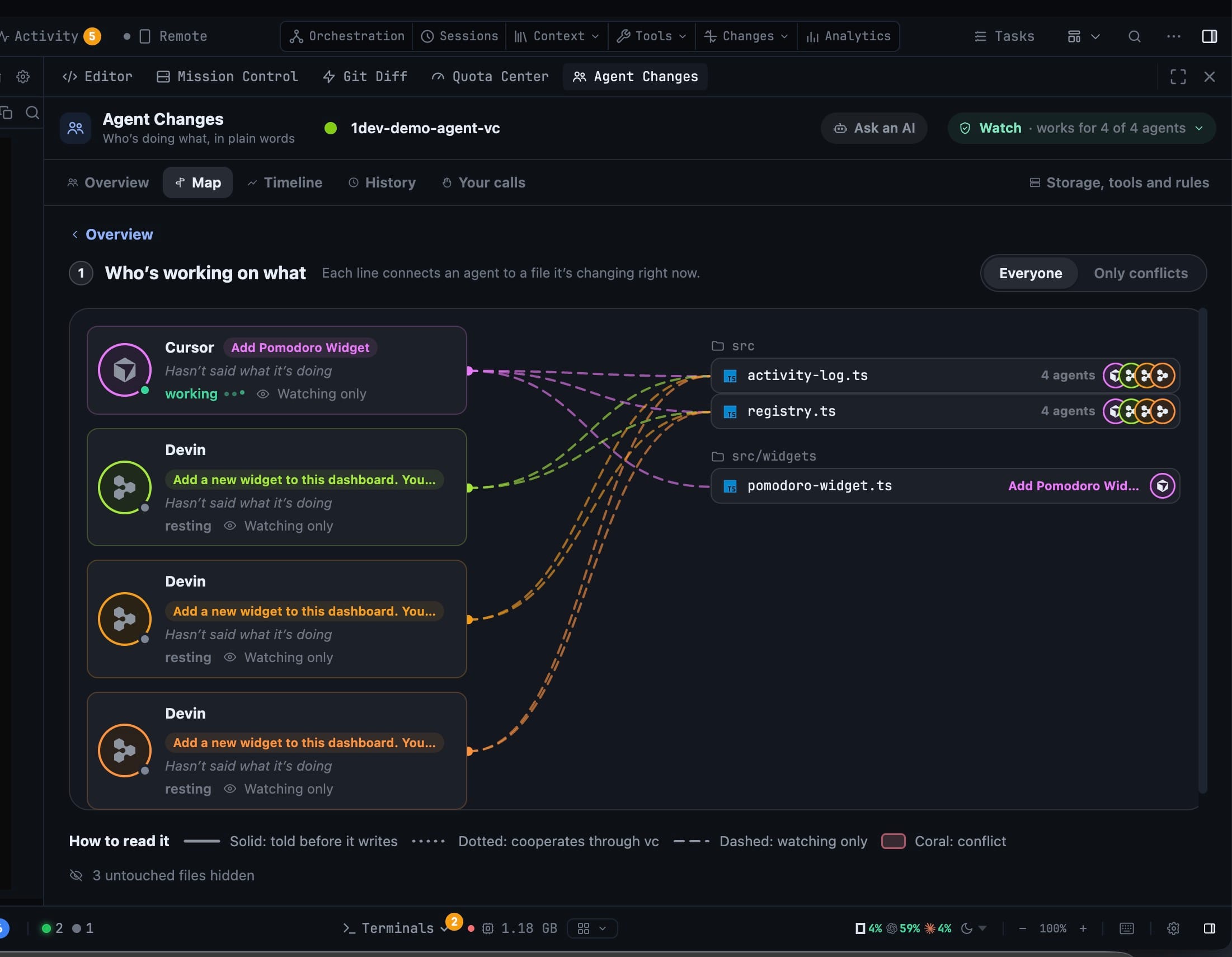
See which agent is changing which file while it happens, without reading a diff or asking. The Agent Changes panel answers three questions on one screen — what needs you, where two agents collide, and who is working on what right now.
More Screenshots
Click any image to zoom in
Why You Need This
How this feature boosts your daily productivity
Run more than one coding agent in a checkout and you lose the thread fast: a file changes and nothing says which agent did it, two agents quietly edit the same lines, and git only shows you the wreckage after the fact. Agent Changes records the writing as it happens, per agent and per file, so “who changed this and when” is a glance rather than an investigation. It is off by default and chosen per project and per working tree — Watch records who's changing what and keeps every version without getting in the way; Guide also tells cooperating agents what they are about to write over. Neither level ever blocks an agent or alters a write.
How It Works
Get started in 4 simple steps
Open Agent Changes
It lives in the right dock and under the top bar's Changes menu, beside Git Diff. The home screen opens on what needs you, where agents collide and who is working on what.
Pick a level for this project
Off, Watch (“record who's changing what and keep every version—never gets in the way”) or Guide (“also tells agents what they are about to write over—never blocks anything”). Off by default, per project and per working tree.
Read the Map while they work
Each line connects an agent to a file it is changing right now; the Everyone / Only conflicts switch narrows it, and the legend tells you which lines are told-before-it-writes, cooperating, watching or in conflict.
Let the app come to you
A count on the Changes menu, a ring in the File Explorer on files an agent is working in, and a pill over the terminal when that tab's agent changed files—or wrote over yours.
Without 1DevTool
The manual way vs. the 1DevTool way
The Hard Way
The 1DevTool Way
How it compares
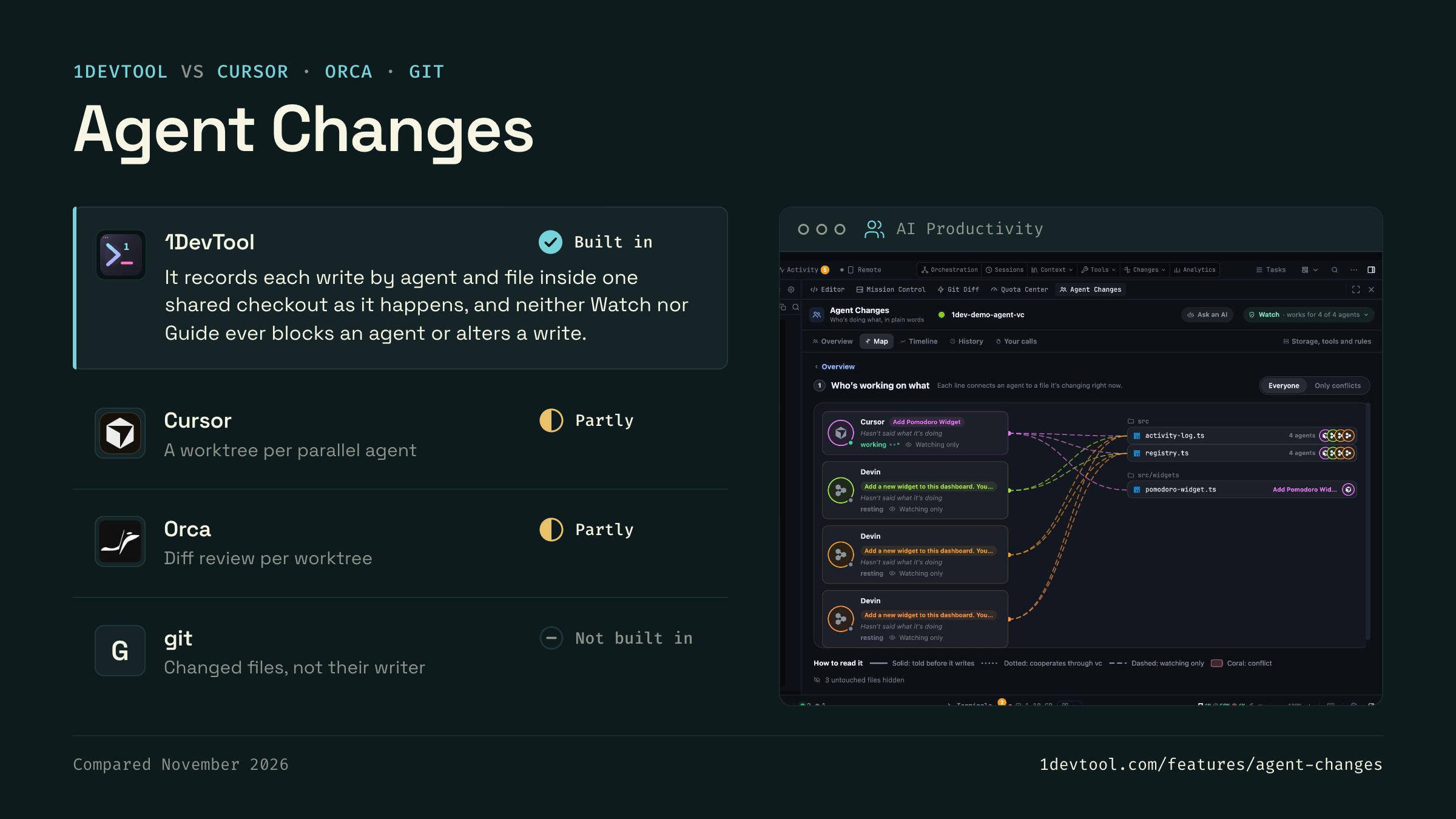
When several agents share a checkout, people work out who changed what from git status and diffs, or give each agent its own worktree.
 1DevToolBuilt inBuilt in
It records each write by agent and file inside one shared checkout as it happens, and neither Watch nor Guide ever blocks an agent or alters a write.
- Partly
Cursor can run several agents in parallel, each in its own git worktree, so each agent's changes show up as a separate diff.
- Partly
Orca isolates each agent in its own git worktree and shows that worktree's changes in a diff view for review.
- gitNot built inNot built in
git status and git diff list what changed in the working tree, and git blame covers committed lines. Uncommitted edits carry no author.


Checked November 2026 against each app's public docs. These products change quickly. If a row is out of date, tell us at feedback.stoicsoft.com/1devtool.
Key Capabilities
Everything included with Agent Changes
Why It Matters
The productivity impact of having ai productivity built into your workspace
Searchable Prompt Library
Every prompt you've ever sent is captured and searchable. Find and reuse your best AI interactions.
Visual AI Communication
Annotate screenshots and embed them in prompts. Show your AI agent exactly what you see.
Session Knowledge Base
AI conversations become searchable history. Find how you solved a similar problem last week.
Power Navigation
Command palette gives you instant access to any feature. Navigate 1DevTool at the speed of thought.
More in AI Productivity
Other features in this category you might find useful
Prompt History
Search prompts and sticky notes from Remote Control while away from the desktop. Switch between This project and All projects, filter prompts by agent or notes by source, copy entries, delete with Operator access, and sync local prompt history.
Resume UI
Read any past AI session before you resume it. Resume AI Sessions is a split view with a searchable list of every Claude Code, Codex, Gemini CLI and other agent session on the left and a live preview of the project, branch, tool calls and conversation on the right, with replies rendered as Markdown, with Resume, bypass permissions and an editable command one click away.
Combine Sessions
Merge several past AI sessions into one opening prompt, or hand a single session to a different agent. Tick sessions in Resume AI Sessions, see a token estimate of the context they add, and send the result to a new chat with any agent or preset or to a terminal that is already open.
AI Diff Review Panel
Track every file modification any AI agent makes — Claude Code, Codex, Gemini, Amp, custom — and review, accept, or revert their work per file from a dedicated panel with inline diff overlays in the editor.
Ready to boost your workflow?
Download 1DevTool for free and experience Agent Changes along with 342 other features — all in one app.