AI Quota Alerts
Set a per-agent usage threshold and 1DevTool warns you before you run out of AI quota, then lets you switch to a spare account that still has room in one click. You stop discovering the limit mid-task.
More Screenshots
Click any image to zoom in
Why You Need This
How this feature boosts your daily productivity
Running out of AI quota almost always happens at the worst moment: the agent is mid-refactor, you're waiting on a long run, and suddenly the session is blocked with no warning. Until now the only signal was the failure itself, and recovering meant logging out, logging into a spare account, and restarting the terminal by hand. Quota alerts move the warning earlier. You pick the percentage where you want a heads-up — separately for the short session window and the weekly window — and 1DevTool tells you once, before the wall, while you still have room to switch accounts or wind the task down cleanly.
How It Works
Get started in 4 simple steps
Turn it on
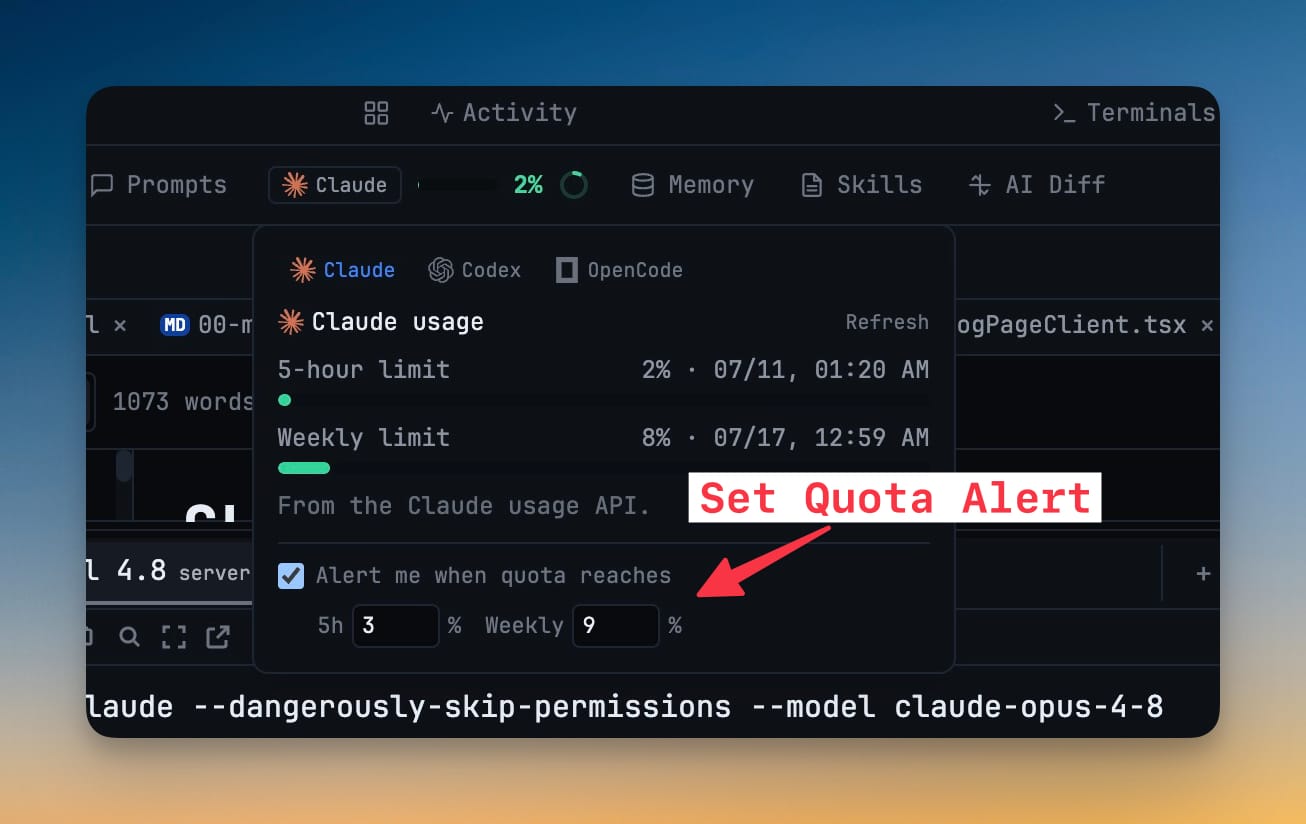
Open Settings → AI → Accounts, or the quota pill in the header, and toggle "Alert me when quota reaches" for the agent you care about.
Pick your thresholds
Set separate session (5-hour) and weekly percentages; the default is 80%. It warns once per quota window, so you get one heads-up, not a stream.
Get the alert
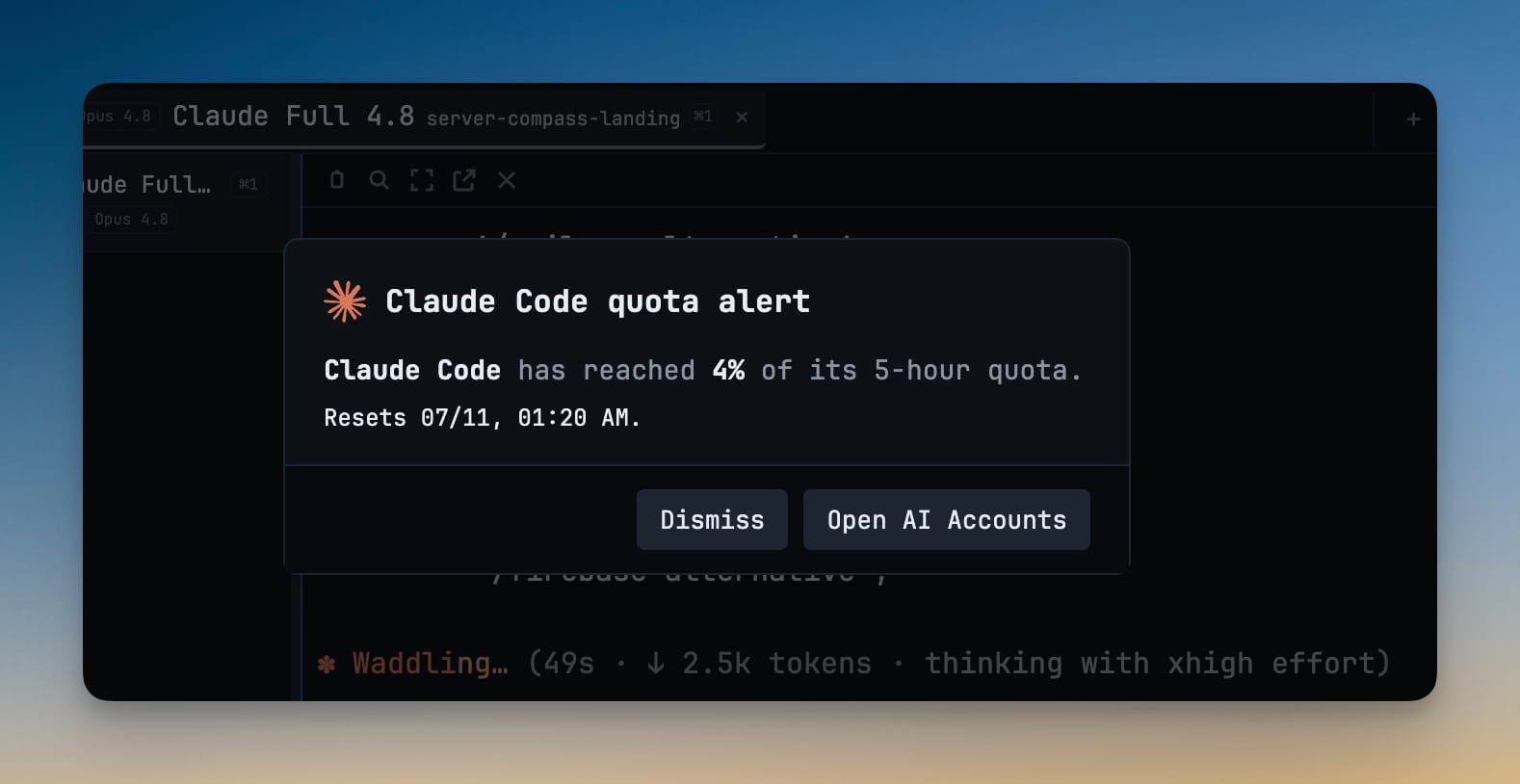
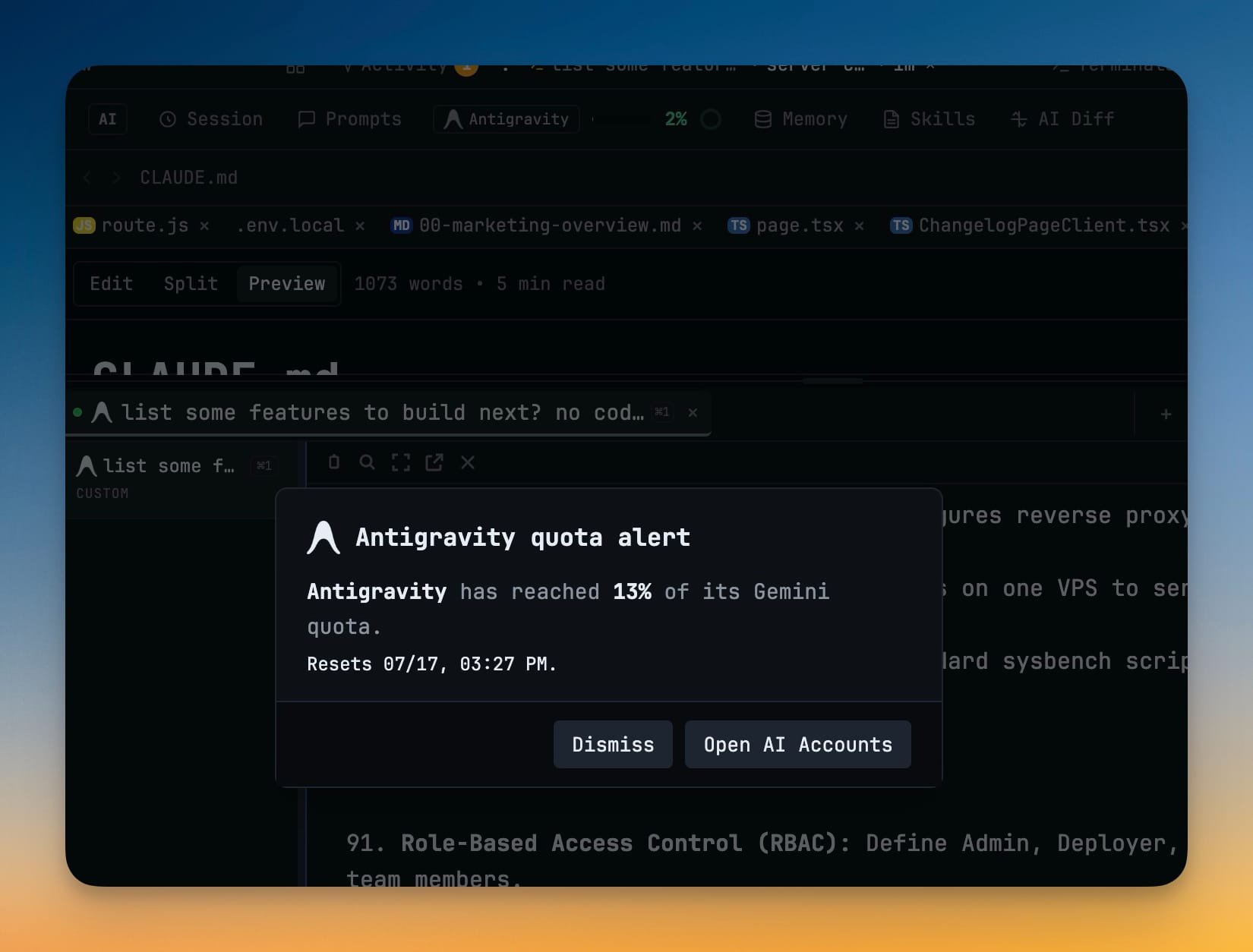
When live usage crosses the line, a center-screen alert names the agent, the percent used, and when the window resets.
Switch in one click
If a saved spare account still has quota, hit "Switch account"; otherwise "Open AI Accounts" to manage them. Restart that terminal to apply the new login.
Without 1DevTool
The manual way vs. the 1DevTool way
The Hard Way
The 1DevTool Way
Key Capabilities
Everything included with AI Quota Alerts
Why It Matters
The productivity impact of having ai productivity built into your workspace
Warned, Not Blocked
You hear about the limit at the percentage you chose, while there's still room to switch or wind down — not when the agent errors out.
Two Clocks Covered
Separate session and weekly thresholds catch a heavy afternoon and a spent week independently.
One-Click Recovery
When a spare account has room, the alert switches you to it in a click instead of a logout-login-restart scramble.
Quiet by Design
It fires once per quota window, so the warning stays meaningful instead of becoming noise.
More in AI Productivity
Other features in this category you might find useful
Prompt History
Search prompts and sticky notes from Remote Control while away from the desktop. Switch between This project and All projects, filter prompts by agent or notes by source, copy entries, delete with Operator access, and sync local prompt history.
Resume UI
Browse, search, and resume past AI sessions from Claude Code, Codex, and Gemini CLI — or combine multiple sessions into one.
Combine Sessions
Select sessions from Claude Code, Codex, and Gemini CLI and merge them into a single conversation — giving your next agent the full cross-agent context.
AI Diff Review Panel
Track every file modification any AI agent makes — Claude Code, Codex, Gemini, Amp, custom — and review, accept, or revert their work per file from a dedicated panel with inline diff overlays in the editor.
Ready to boost your workflow?
Download 1DevTool for free and experience AI Quota Alerts along with 326 other features — all in one app.