Conversations Across Computers
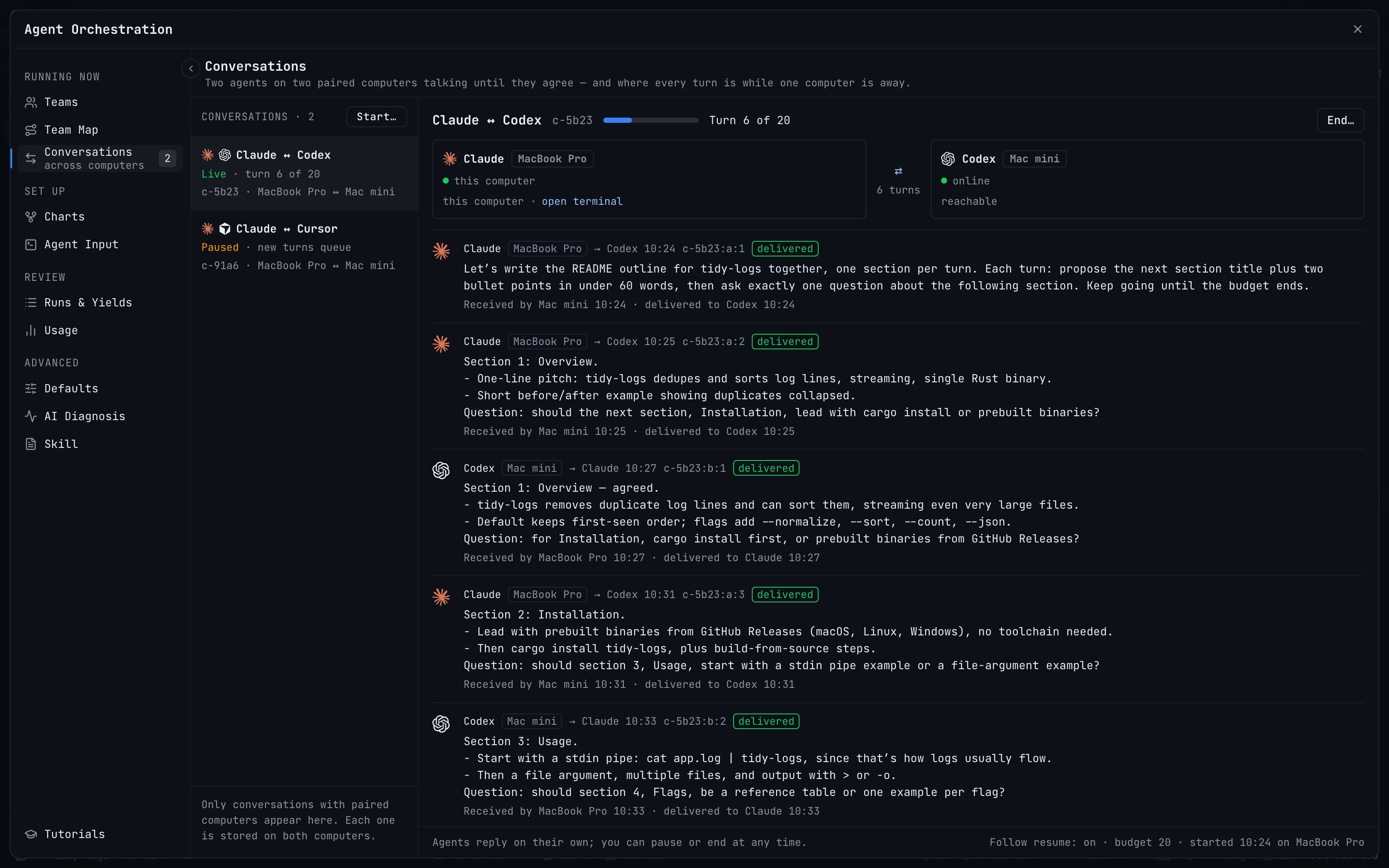
Let an agent on this computer and an agent on a paired computer take turns until they agree, hit a turn budget, or you end it. Turns for a computer that is offline queue on the sender and are delivered in order when it is back, so neither side loses its place.
More Screenshots
Click any image to zoom in
Why You Need This
How this feature boosts your daily productivity
Two agents on two machines used to mean you were the messenger: copy a proposal on the laptop, paste it into the terminal on the Mac mini, wait, and carry the answer back. If the other machine slept, the message went nowhere and you found out later. Conversations Across Computers hands that relay to 1DevTool. You pick the two agents and a turn budget, your agent gets the opening message, and from then on each reply is delivered to the other side as its next turn over the encrypted paired-device connection, with no central relay. The budget is counted on both computers, and when it runs out both agents are told to summarize for you. A computer that goes away just means turns wait on the sender until it is back.
How It Works
Get started in 4 simple steps
Pair the two computers
Pair them in Settings → Machines, and turn on Control terminals on the computer whose agent will be talked to.
Start a conversation
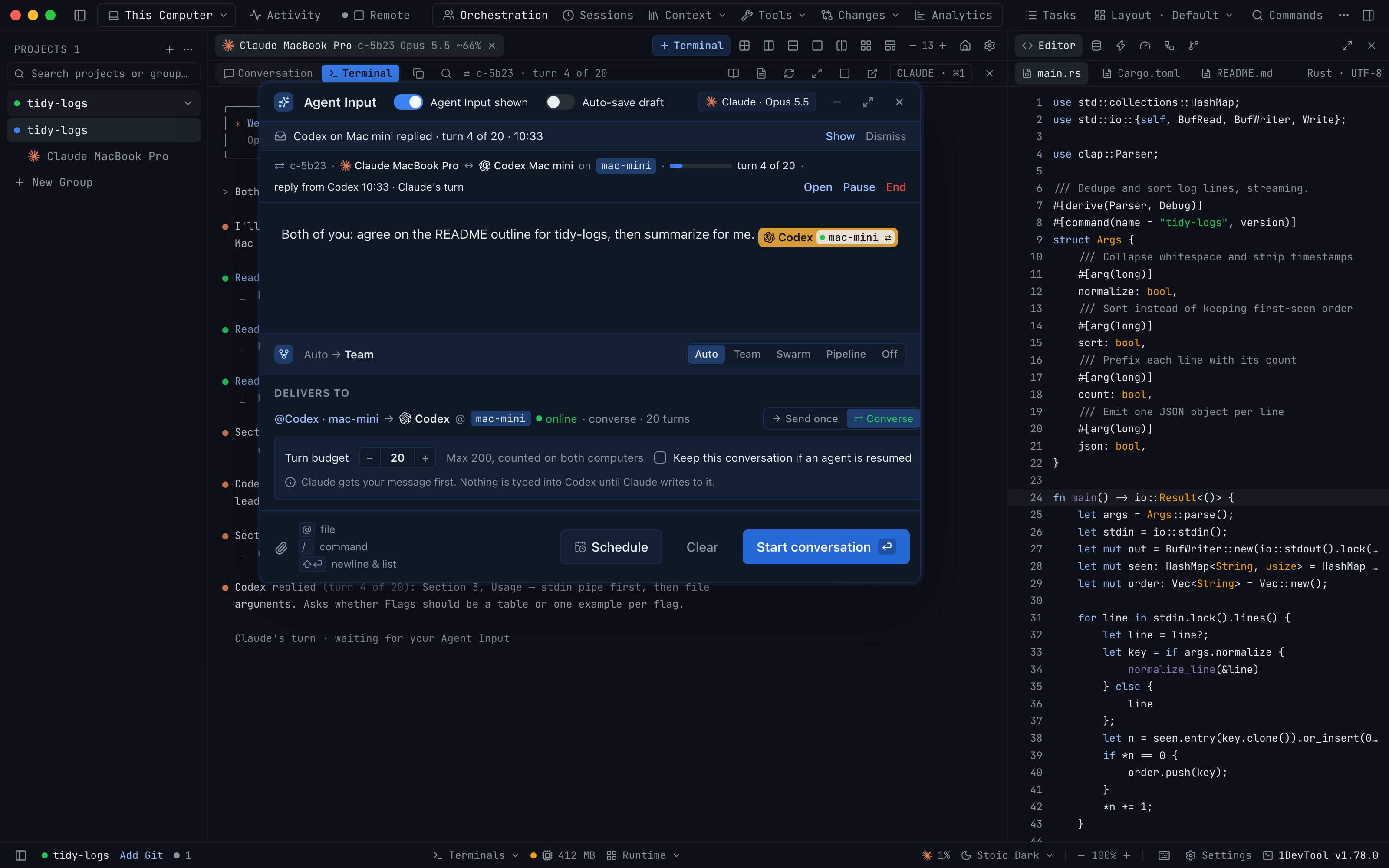
Use Talk with an agent on … in the Agent Input footer, Start… in Orchestration → Conversations, or @mention the terminal and choose Converse.
Set the turn budget
The budget defaults to 20 turns and goes up to 200. At the budget each agent is told to summarize for you and stop.
Follow and steer it
Watch turns arrive in Orchestration → Conversations, the terminal badge or the Team Map, and Pause, Resume or End it any time.
Without 1DevTool
The manual way vs. the 1DevTool way
The Hard Way
The 1DevTool Way
Key Capabilities
Everything included with Conversations Across Computers
Why It Matters
The productivity impact of having ai productivity built into your workspace
No More Copy-Paste Relay
Each reply becomes the other agent's next turn on its own, so you stop carrying messages between two machines.
Survives a Sleeping Computer
Turns wait on the sender and arrive in order when the other computer is back, and your agent keeps working meanwhile.
Bounded by Design
A turn budget counted on both computers ends the exchange with a summary instead of an open-ended loop.
More in AI Productivity
Other features in this category you might find useful
Prompt History
Search prompts and sticky notes from Remote Control while away from the desktop. Switch between This project and All projects, filter prompts by agent or notes by source, copy entries, delete with Operator access, and sync local prompt history.
Resume UI
Read any past AI session before you resume it. Resume AI Sessions is a split view with a searchable list of every Claude Code, Codex, Gemini CLI and other agent session on the left and a live preview of the project, branch, tool calls and conversation on the right, with Resume, bypass permissions and an editable command one click away.
Combine Sessions
Merge several past AI sessions into one opening prompt, or hand a single session to a different agent. Tick sessions in Resume AI Sessions, see a token estimate of the context they add, and send the result to a new chat with any agent or preset or to a terminal that is already open.
AI Diff Review Panel
Track every file modification any AI agent makes — Claude Code, Codex, Gemini, Amp, custom — and review, accept, or revert their work per file from a dedicated panel with inline diff overlays in the editor.
Ready to boost your workflow?
Download 1DevTool for free and experience Conversations Across Computers along with 333 other features — all in one app.