Hibernate Idle Agents
Agents you are not watching stop costing you memory. An agent left at its prompt shuts its CLI down and keeps its tab, resuming the same session on the next keystroke — and browser tabs in projects you have left unload on their own.
Why You Need This
How this feature boosts your daily productivity
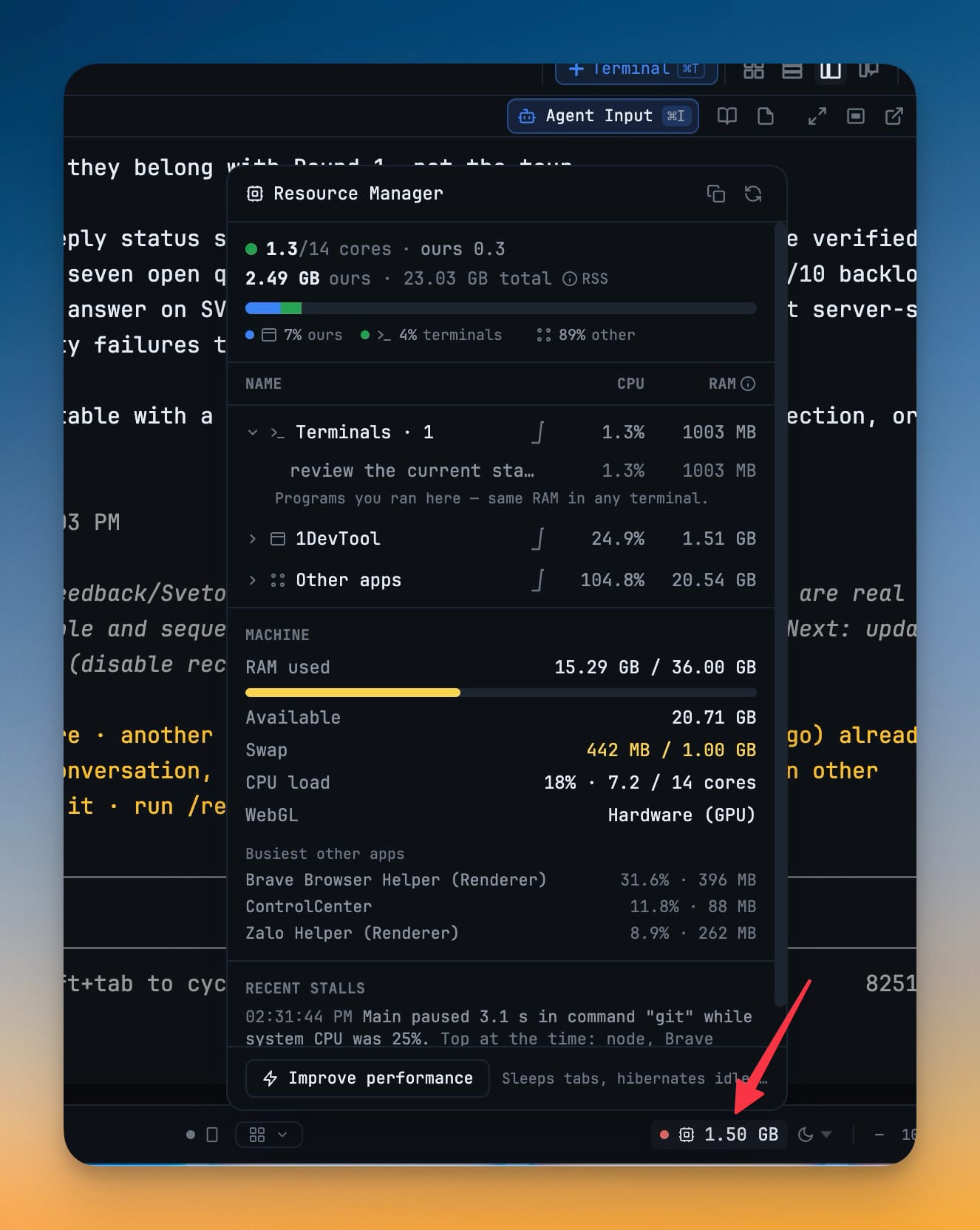
A workspace with a dozen agents in it holds a dozen CLIs in memory, and most of them are sitting at a prompt doing nothing. 1DevTool now reclaims that on its own. An agent idle at its prompt for half an hour hibernates: the CLI process shuts down, the tab stays exactly where it was, and the pane reads *“Hibernated — press any key or click to resume”*. Pressing a key brings the same session back. It never happens mid-turn, and never to a seat on a running team, so nothing you are actually waiting on is touched. You can also do it deliberately — right-click a terminal for **Hibernate** or **Hibernate all idle**, or reach it from a terminal's row in the Resource Manager. Browser tabs follow the same idea from the other direction: once you leave a project, its tabs release their memory after an idle period (**Settings → Browser**, 15 minutes by default), while tabs with unsaved fields, playing audio, driven by an agent, or pinned **Keep awake** stay loaded — and coming back to a project wakes its active tab. When the machine is genuinely short on memory, the app goes further on its own: background polling pauses and idle tabs sleep sooner. On Windows the programs inside your terminals also drop to below-normal CPU priority until the pressure clears, so the pane you are typing in stays responsive; macOS and Linux cannot raise a priority back once lowered, so there the Resource Manager's manual **Lower priority** covers one terminal at a time and lasts until those processes exit. The automatic behaviour is switched under **Settings → General → Diagnostics**.
How It Works
Get started in 4 simple steps
Leave an agent at its prompt
After half an hour idle the CLI shuts down and the tab stays exactly where it was, reading "Hibernated — press any key or click to resume".
Press a key to bring it back
The same session resumes. It never happens mid-turn, and never to a seat on a running team, so nothing you are waiting on is touched.
Or hibernate on purpose
Right-click a terminal for Hibernate or Hibernate all idle, or reach it from that terminal’s row in the Resource Manager.
Let browser tabs do the same
Tabs in projects you have left unload after an idle period — Settings → Browser, 15 minutes by default — while tabs with unsaved fields, playing audio, driven by an agent, or pinned Keep awake stay loaded.
Without 1DevTool
The manual way vs. the 1DevTool way
The Hard Way
The 1DevTool Way
Key Capabilities
Everything included with Hibernate Idle Agents
Why It Matters
The productivity impact of having terminal & ai agents built into your workspace
Zero Context Switching
All your AI agents and terminals live in one window. No more alt-tabbing between 5 different terminal apps.
Visual Status Tracking
Color-coded tabs and the Kanban dashboard tell you which agents are done, running, or need attention — at a glance.
Persistent Sessions
Tmux-backed persistence means your terminal state survives crashes and restarts. Never lose scrollback history again.
Flexible Arrangements
One-click layouts adapt to your task: grid for monitoring, columns for comparing, fullscreen for deep focus.
More in Terminal & AI Agents
Other features in this category you might find useful
Multi-Agent Terminals
Run Claude Code, Codex, Gemini CLI, Amp, OpenCode, Qwen, and custom AI commands in dedicated terminal tabs with recognizable agent logos, custom colors, and status indicators.
Flexible Terminal Layouts
View terminals in 2×2 grid, side-by-side columns, or single fullscreen mode with resizable panes.
Terminal Dashboard
Kanban-style board view of all terminal statuses — Idle, Running, and Review — with real-time polling.
Session Persistence
Terminal sessions persist across app restarts with full scrollback history via tmux integration.
Ready to boost your workflow?
Download 1DevTool for free and experience Hibernate Idle Agents along with 345 other features — all in one app.