Resizable Vertical Terminal Tabs
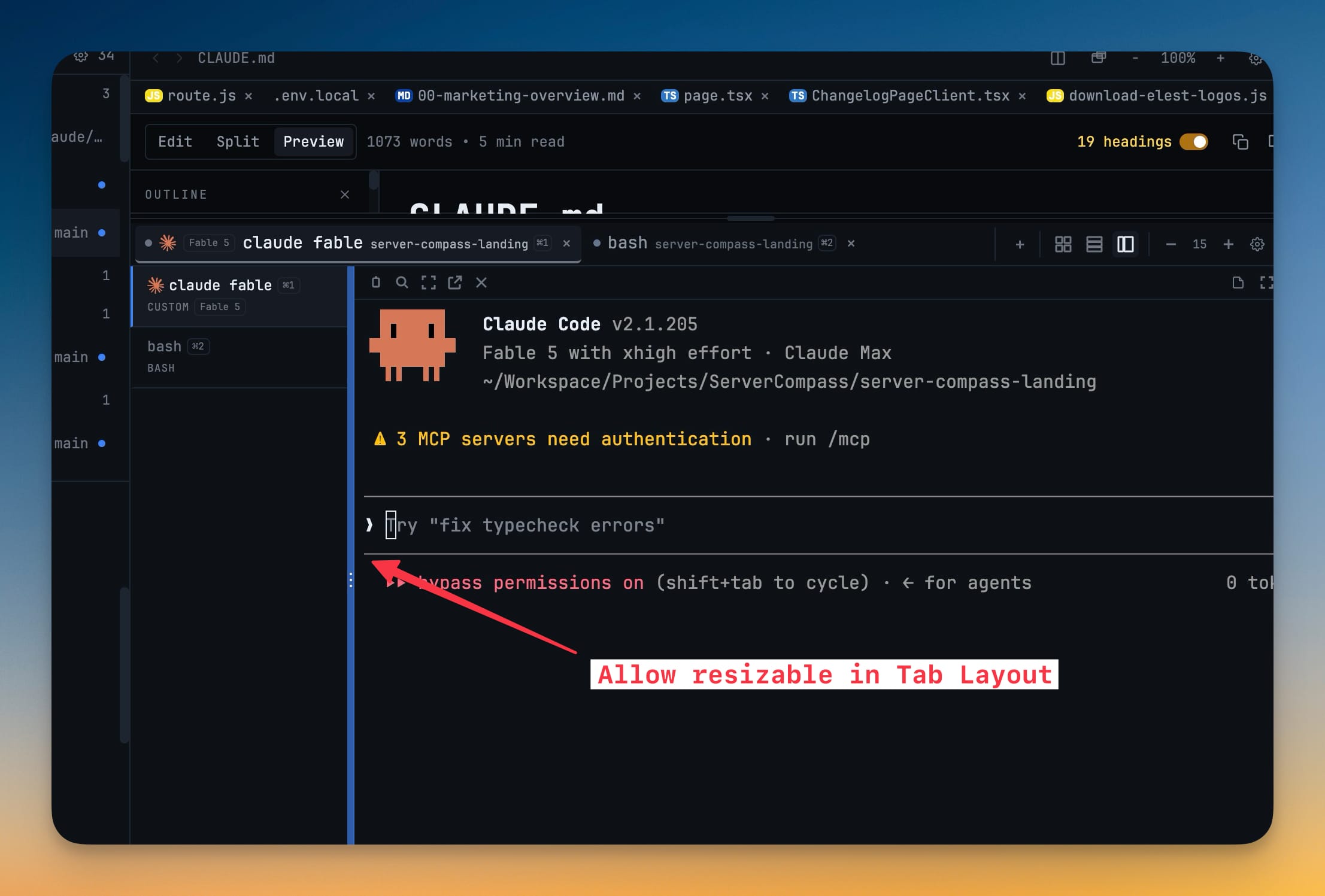
In the vertical-tabs terminal layout, drag the tab sidebar to the width that reads best and double-click the handle to reset it. The width is remembered per project.
Why You Need This
How this feature boosts your daily productivity
Long session titles get truncated in a fixed-width tab list, so you can't tell your terminals apart at a glance. Making the vertical tab list resizable lets you widen it until every title is readable — or keep it compact on a scratch project — and 1DevTool remembers your choice for each project so you set it once.
How It Works
Get started in 4 simple steps
Switch to vertical tabs
Use the vertical-tabs terminal layout where terminal tabs run down a sidebar.
Drag the edge
Grab the sidebar handle and drag it to the width where your session titles read cleanly.
Double-click to reset
Double-click the handle to snap the tab list back to its default width.
Keep it per project
1DevTool remembers the width for each project, so a repo with long titles stays wide while others stay compact.
Without 1DevTool
The manual way vs. the 1DevTool way
The Hard Way
The 1DevTool Way
Key Capabilities
Everything included with Resizable Vertical Terminal Tabs
Why It Matters
The productivity impact of having terminal & ai agents built into your workspace
Readable Titles
Widen the tab list until every session title fits instead of being cut off.
Set It Once
The width is remembered per project, so each repo keeps the size you gave it.
Compact When You Want
Keep scratch projects tight and reserve the extra width for the repos that need it.
Quick Reset
Double-click the handle to snap the tab list back to its default width.
More in Terminal & AI Agents
Other features in this category you might find useful
Multi-Agent Terminals
Run Claude Code, Codex, Gemini CLI, Amp, OpenCode, Qwen, and custom AI commands in dedicated terminal tabs with recognizable agent logos, custom colors, and status indicators.
Flexible Terminal Layouts
View terminals in 2×2 grid, side-by-side columns, or single fullscreen mode with resizable panes.
Terminal Dashboard
Kanban-style board view of all terminal statuses — Idle, Running, and Review — with real-time polling.
Session Persistence
Terminal sessions persist across app restarts with full scrollback history via tmux integration.
Ready to boost your workflow?
Download 1DevTool for free and experience Resizable Vertical Terminal Tabs along with 324 other features — all in one app.