Resizable And Collapsible File Tree
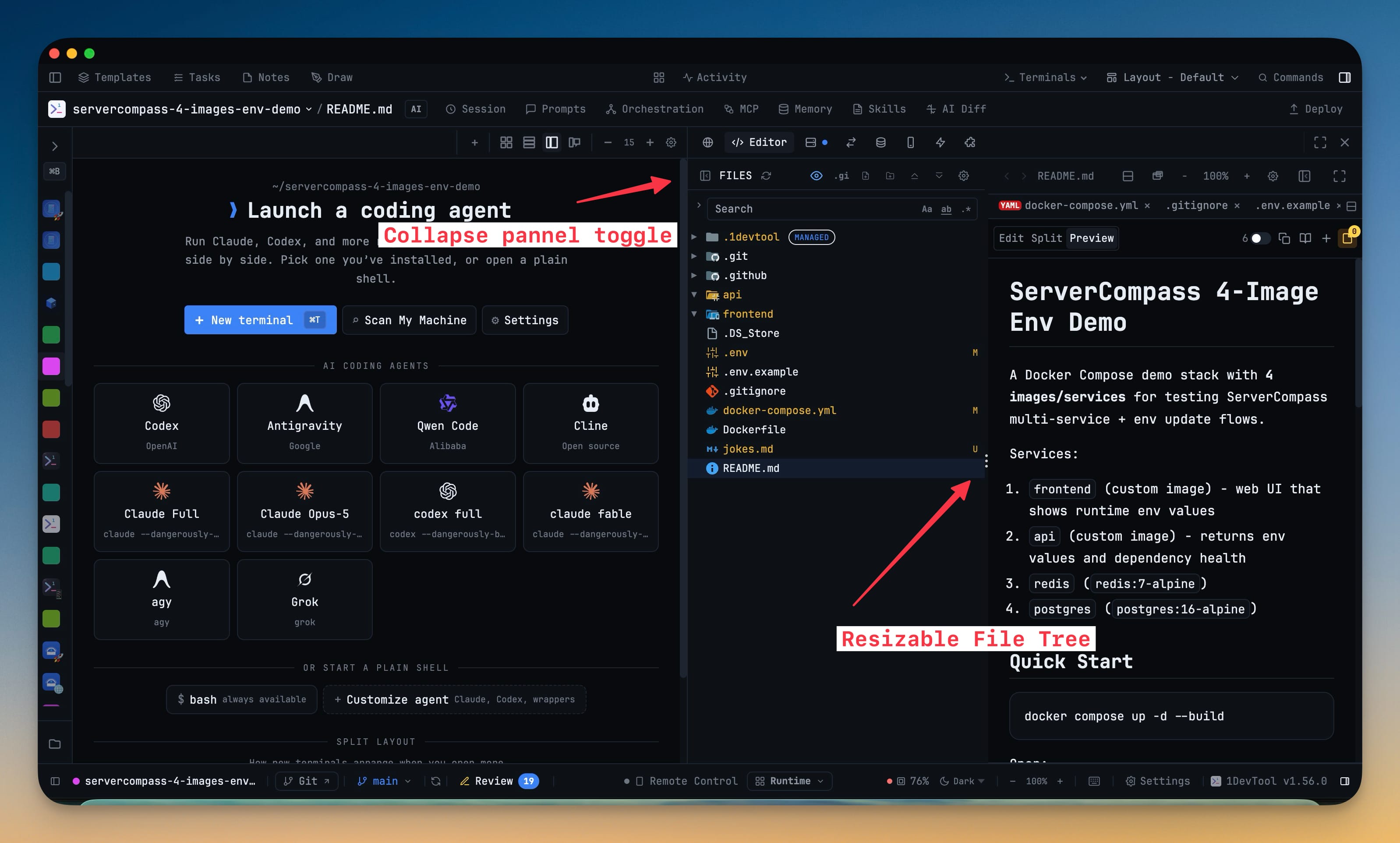
Drag the divider inside the File Tree + Editor workspace to set the tree's width while the editor keeps painting behind it, and double-click it to snap back to the default. Hide the tree from the workspace toolbar or the Files header and a slim rail stays behind to bring it back in one click.
More Screenshots
Click any image to zoom in
Why You Need This
How this feature boosts your daily productivity
A deep folder path and a wide code column want the same pixels, and a fixed split makes you choose once for every project you ever open. A drag divider settles it per workspace, and the width is remembered, so a monorepo with long paths and a flat service repo each keep the shape that suits them. The editor always keeps enough room even when the workspace sits in a narrow sidebar, collapsing the tree gives the editor the whole pane without losing your place, and a collapsed tree stops watching the repository until you open it again.
How It Works
Get started in 4 simple steps
Drag the divider
The divider inside the File Tree + Editor workspace resizes the tree while the editor keeps painting behind it. The width you choose is remembered.
Double-click to reset
Double-clicking the divider snaps the tree back to its default width, so an experiment costs nothing to undo.
Collapse it away
Hide the tree from the workspace toolbar or the Files header. A slim rail stays behind to bring it back in one click.
Shrink the sidebar explorer
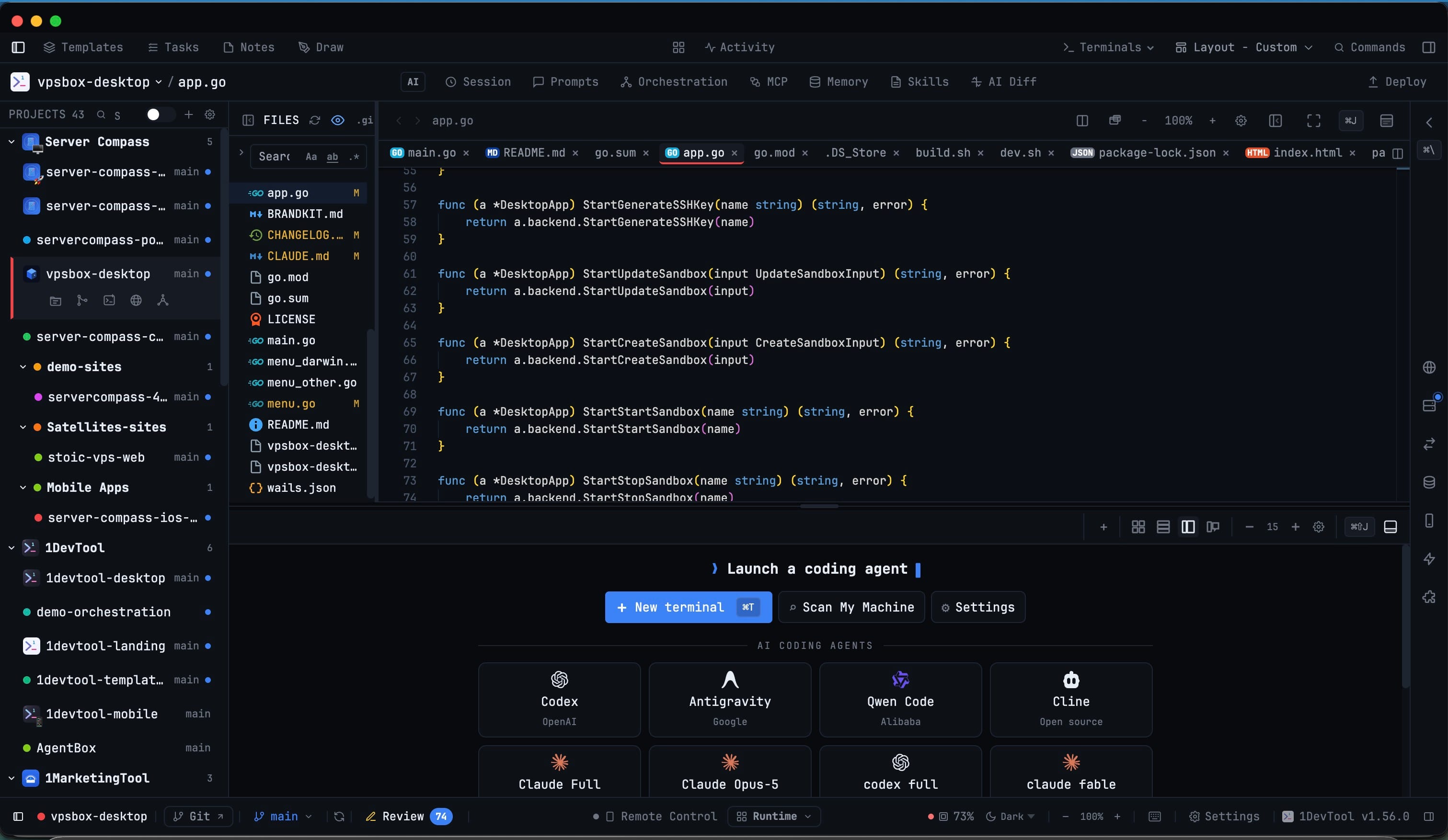
The sidebar File Explorer collapses to a single row, and the project list above it keeps the height you dragged it to.
Without 1DevTool
The manual way vs. the 1DevTool way
The Hard Way
The 1DevTool Way
Key Capabilities
Everything included with Resizable And Collapsible File Tree
Why It Matters
The productivity impact of having project management built into your workspace
The Split Is Yours
A deep path and a wide code column stop competing for the same pixels. Drag once and the workspace keeps that shape.
Per-Project Muscle Memory
The width is remembered, so a monorepo with long paths and a flat service repo each keep the layout that suits them.
Collapse Without Losing Your Place
Hiding the tree gives the editor the whole pane, and the slim rail brings it back in one click with your expansion intact.
A Hidden Tree Costs Nothing
A collapsed tree stops watching the repository until you open it again, so the workspace is not paying for a panel you cannot see.
More in Project Management
Other features in this category you might find useful
Multi-Project Workspace
Work on multiple projects simultaneously with instant switching. Entire workspace state is preserved per project.
Smart File Explorer
Real-time file tree with type icons, .gitignore filtering, search, and right-click context menus.
Per-Project Code Intelligence
Spawn real typescript-language-server, gopls, pyright, rust-analyzer, clangd, solargraph, intelephense, or sourcekit-lsp for the projects you opt into — with project-aware errors and zero false positives.
Color-Coded Projects
Assign accent colors to each project for instant visual identification across your workspace.
Ready to boost your workflow?
Download 1DevTool for free and experience Resizable And Collapsible File Tree along with 347 other features — all in one app.