Built-In Vercel & Cloudflare Deploys
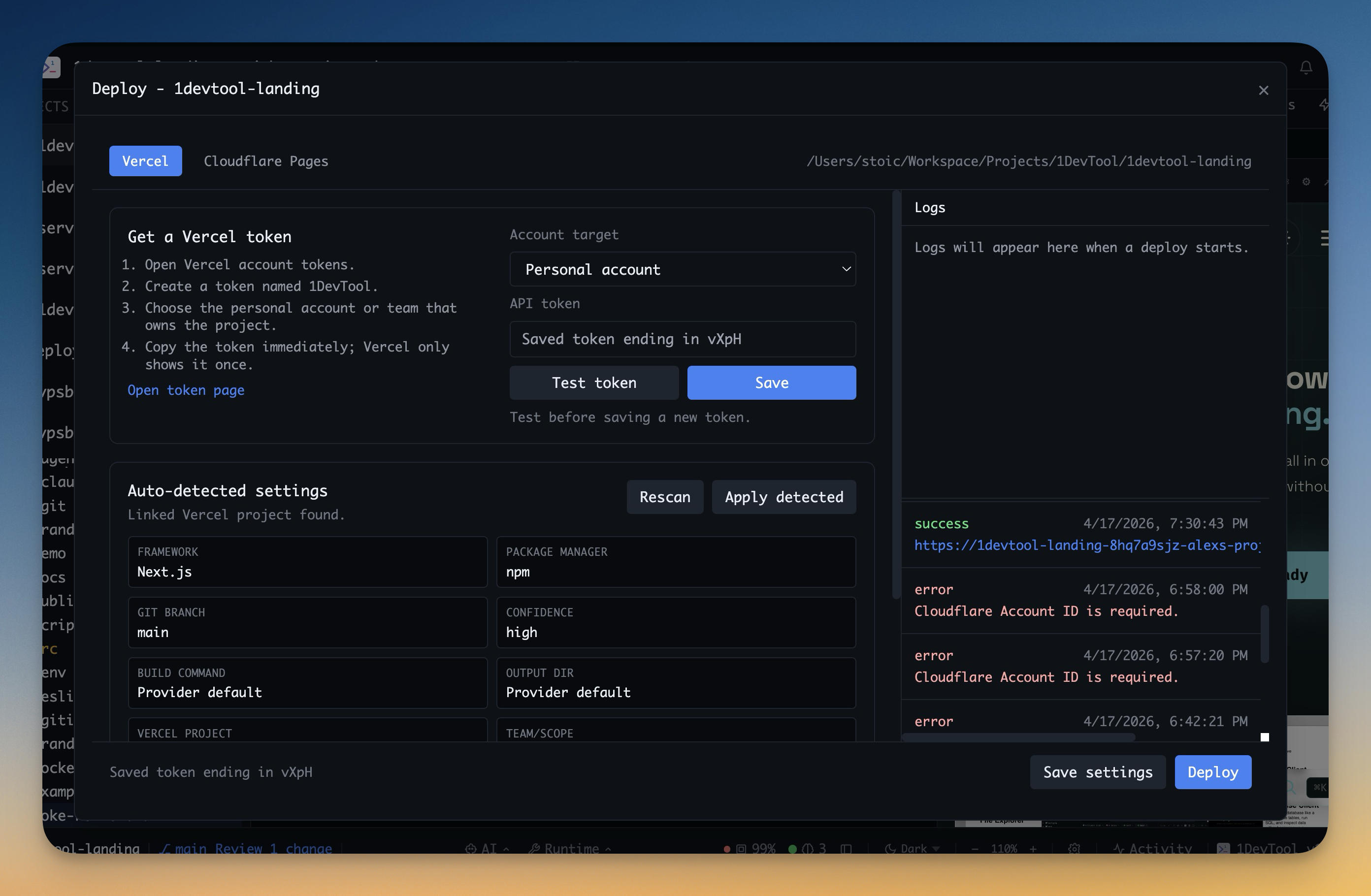
Scan the current project, suggest the right build settings, and deploy with inline logs without leaving 1DevTool.
Why You Need This
How this feature boosts your daily productivity
Shipping is usually where your workflow falls apart. You leave the editor, remember provider-specific commands, find the right token, wait in a terminal for logs, then open a browser tab to confirm the result. Built-In Deploys bring that back into the workspace with provider-aware setup for Vercel and Cloudflare Pages, inline build logs, and direct open/copy actions for the live URL once the deploy finishes.
How It Works
Get started in 4 simple steps
Open Deploy
Start from the current project and choose Vercel or Cloudflare Pages from the built-in deploy flow.
Review Suggested Config
1DevTool scans your project files and proposes framework, build command, and output directory defaults before you ship.
Deploy With Inline Logs
Run the deploy inside the app and follow live build or rollout logs without switching to a separate terminal or dashboard.
Open the Result
When the deploy finishes, open the live URL, copy it, or inspect the logs again if the provider reports a failure.
Without 1DevTool
The manual way vs. the 1DevTool way
The Hard Way
The 1DevTool Way
Key Capabilities
Everything included with Built-In Vercel & Cloudflare Deploys
Why It Matters
The productivity impact of having project management built into your workspace
Ship Without Leaving Context
Deploy from the same place where you wrote the code and watched the AI agent work. No handoff to a separate terminal ritual.
Provider-Aware Defaults
Framework detection and suggested build settings reduce the guesswork that usually slows down first deploys.
Logs Stay Visible
Build and rollout logs live in the app, which makes failures easier to revisit and explain.
Shorter Release Loop
The path from finished code to live URL becomes a continuous workflow instead of a context switch.
More in Project Management
Other features in this category you might find useful
Multi-Project Workspace
Work on multiple projects simultaneously with instant switching. Entire workspace state is preserved per project.
Smart File Explorer
Real-time file tree with type icons, .gitignore filtering, search, and right-click context menus.
Per-Project Code Intelligence
Spawn real typescript-language-server, gopls, pyright, rust-analyzer, clangd, solargraph, intelephense, or sourcekit-lsp for the projects you opt into — with project-aware errors and zero false positives.
Color-Coded Projects
Assign accent colors to each project for instant visual identification across your workspace.
Ready to boost your workflow?
Download 1DevTool for free and experience Built-In Vercel & Cloudflare Deploys along with 335 other features — all in one app.