Every Version of Every Changed File
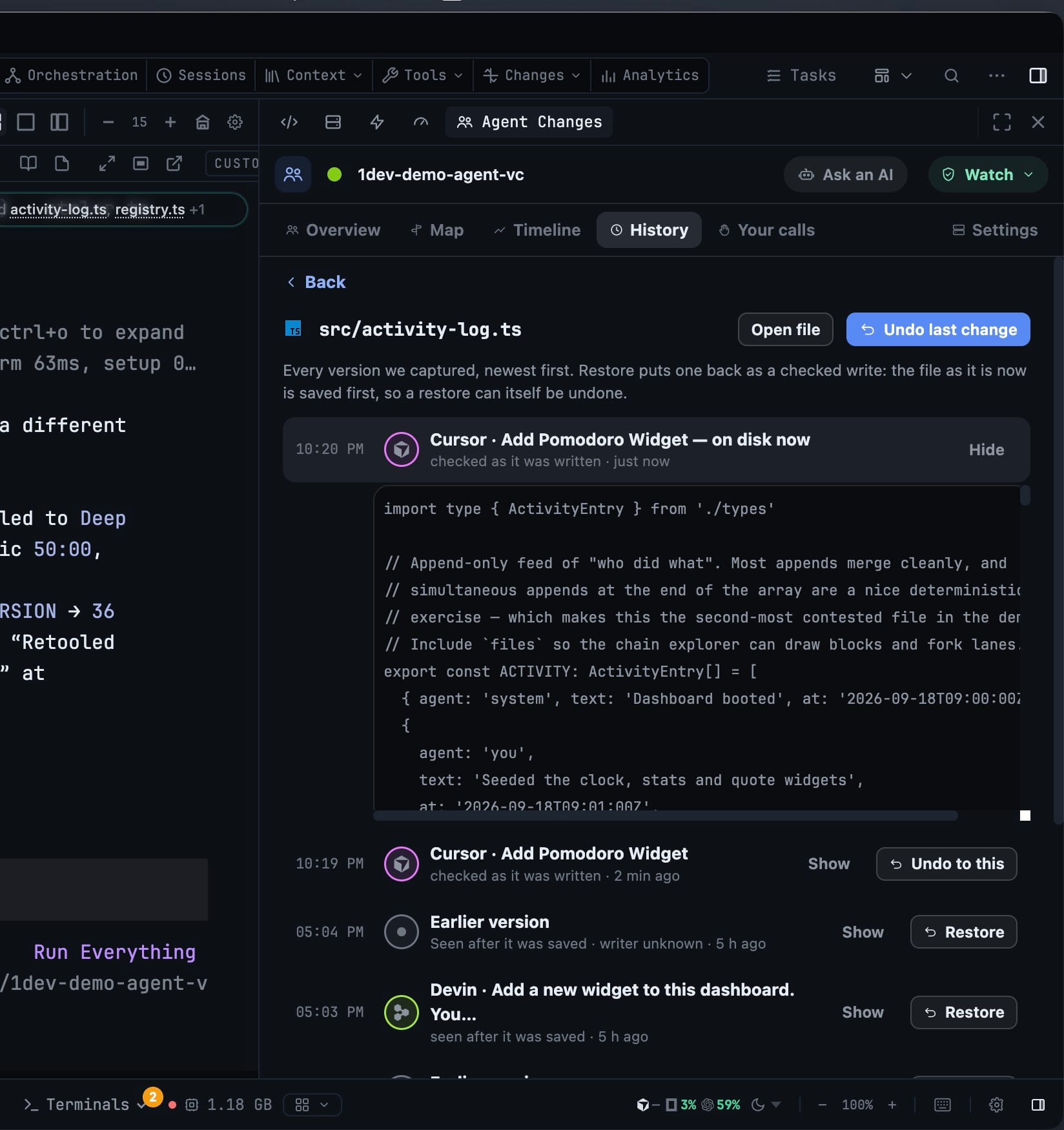
Every version of every file your agents touched is kept, newest first, each one labelled by who wrote it. Open a file's history and put an earlier version back — even one that is no longer on disk and that git never saw.
More Screenshots
Click any image to zoom in
Why You Need This
How this feature boosts your daily productivity
An agent that overwrites good work does it between commits, where git cannot help you: the version you wanted was never staged, so there is nothing to check out. Agent Changes keeps every version it captured in a local vault and labels each one with its writer — “Captured just before an agent wrote”, “Saved outside an agent”, “You restored this”, or the agent and task that produced it. Restore puts one back as a checked write: the file as it is now is saved first, so a restore can itself be undone. Undo last change and Undo to this do the same job from the row you are already reading.
How It Works
Get started in 4 simple steps
Open Recent changes
The History tab lists the newest version of each file an agent or you touched, newest first, with the writer and the time.
Open one file's history
Every version we captured, newest first, each labelled — “Captured just before an agent wrote”, “Seen after it was saved”, “Saved outside an agent”, “Applied from a conflict” or “You restored this”.
Show a version before you take it
Show expands the file as it stood at that moment, so you compare the text rather than guessing from a timestamp.
Put one back
Restore, Undo to this or Undo last change write it as a checked write — the file as it is now is saved first, so the restore can itself be undone.
Without 1DevTool
The manual way vs. the 1DevTool way
The Hard Way
The 1DevTool Way
How it compares
Edits an agent makes between commits are recovered from the agent's own checkpoints or the editor's local history.
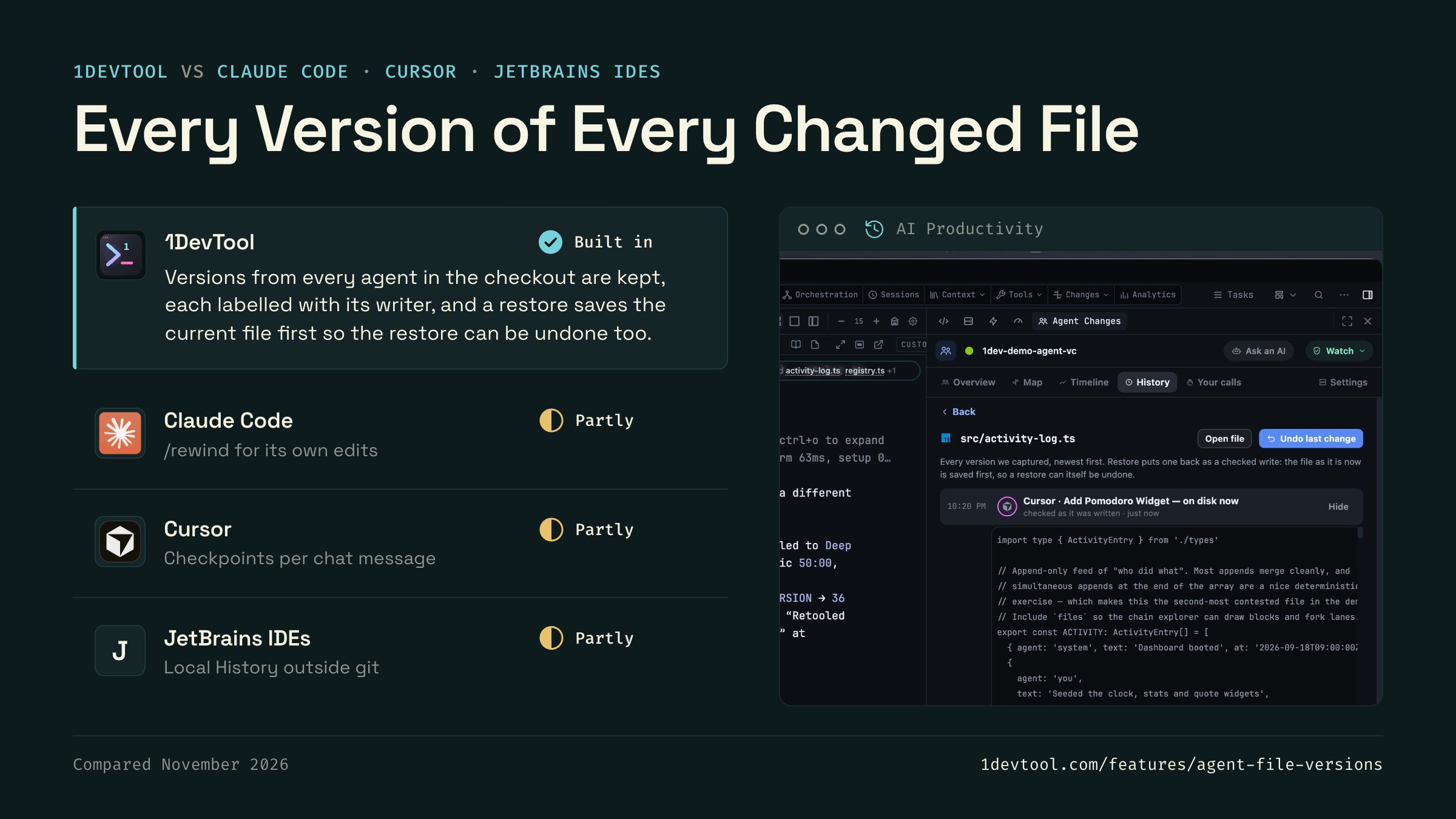
 1DevToolBuilt inBuilt in
Versions from every agent in the checkout are kept, each labelled with its writer, and a restore saves the current file first so the restore can be undone too.
 Claude CodePartlyPartly
Claude Code checkpoints before each prompt, and /rewind restores code from an earlier point. It tracks edits made by its own file tools in that session.
- Partly
Cursor saves checkpoints as its agent edits, and you can restore files to how they were at an earlier message in that chat.
- Partly
JetBrains IDEs keep a Local History of file revisions independent of version control, including external changes, and can revert a file to any of them.

Checked November 2026 against each app's public docs. These products change quickly. If a row is out of date, tell us at feedback.stoicsoft.com/1devtool.
Key Capabilities
Everything included with Every Version of Every Changed File
Why It Matters
The productivity impact of having ai productivity built into your workspace
Searchable Prompt Library
Every prompt you've ever sent is captured and searchable. Find and reuse your best AI interactions.
Visual AI Communication
Annotate screenshots and embed them in prompts. Show your AI agent exactly what you see.
Session Knowledge Base
AI conversations become searchable history. Find how you solved a similar problem last week.
Power Navigation
Command palette gives you instant access to any feature. Navigate 1DevTool at the speed of thought.
More in AI Productivity
Other features in this category you might find useful
Prompt History
Search prompts and sticky notes from Remote Control while away from the desktop. Switch between This project and All projects, filter prompts by agent or notes by source, copy entries, delete with Operator access, and sync local prompt history.
Resume UI
Read any past AI session before you resume it. Resume AI Sessions is a split view with a searchable list of every Claude Code, Codex, Gemini CLI and other agent session on the left and a live preview of the project, branch, tool calls and conversation on the right, with replies rendered as Markdown, with Resume, bypass permissions and an editable command one click away.
Combine Sessions
Merge several past AI sessions into one opening prompt, or hand a single session to a different agent. Tick sessions in Resume AI Sessions, see a token estimate of the context they add, and send the result to a new chat with any agent or preset or to a terminal that is already open.
AI Diff Review Panel
Track every file modification any AI agent makes — Claude Code, Codex, Gemini, Amp, custom — and review, accept, or revert their work per file from a dedicated panel with inline diff overlays in the editor.
Ready to boost your workflow?
Download 1DevTool for free and experience Every Version of Every Changed File along with 342 other features — all in one app.