AI Memory Manager
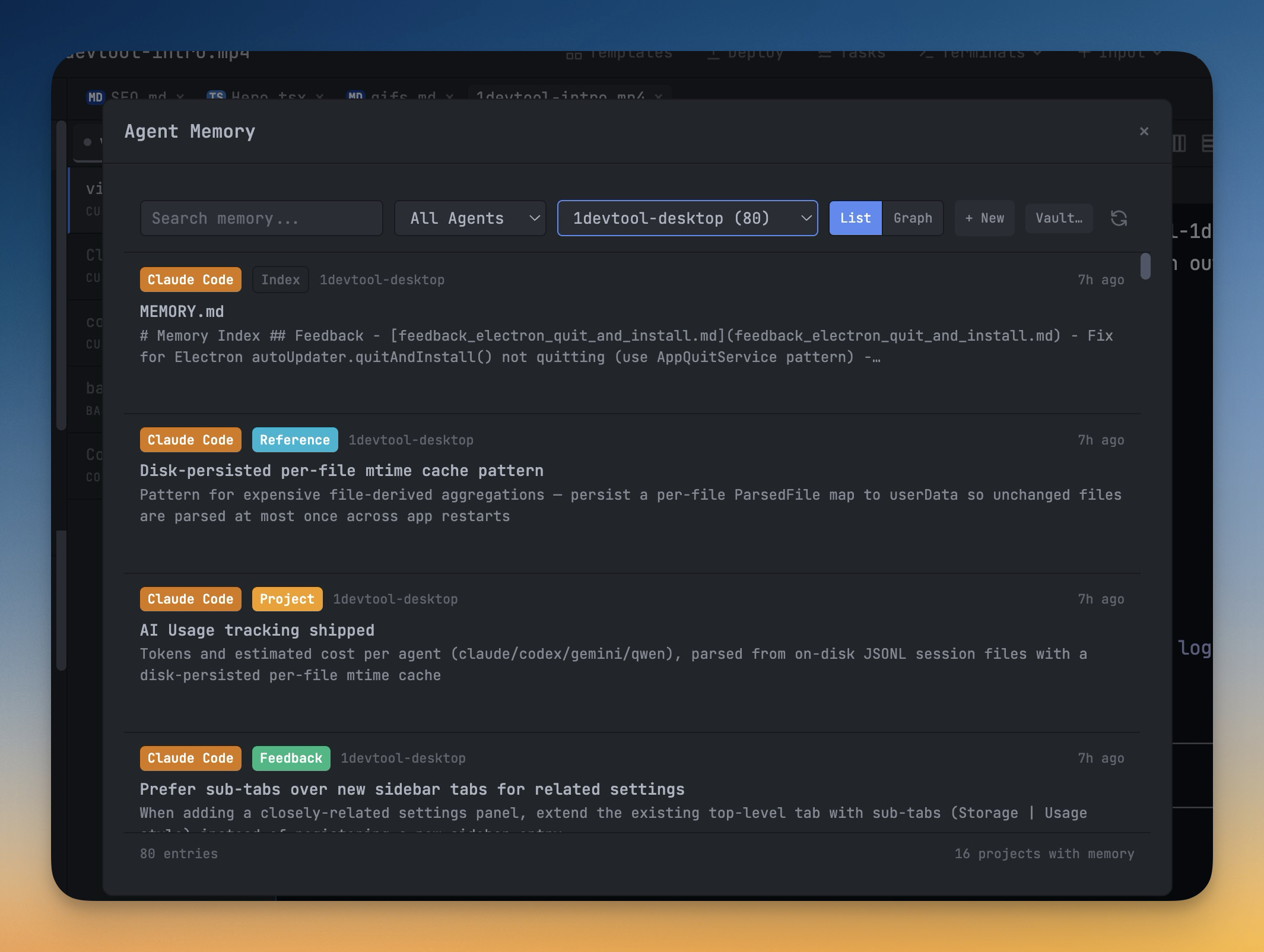
Browse, search, and edit every AI agent memory across all your projects from one panel — in a list or an interactive graph — and export the whole thing to an Obsidian vault.
More Screenshots
Click any image to zoom in
Why You Need This
How this feature boosts your daily productivity
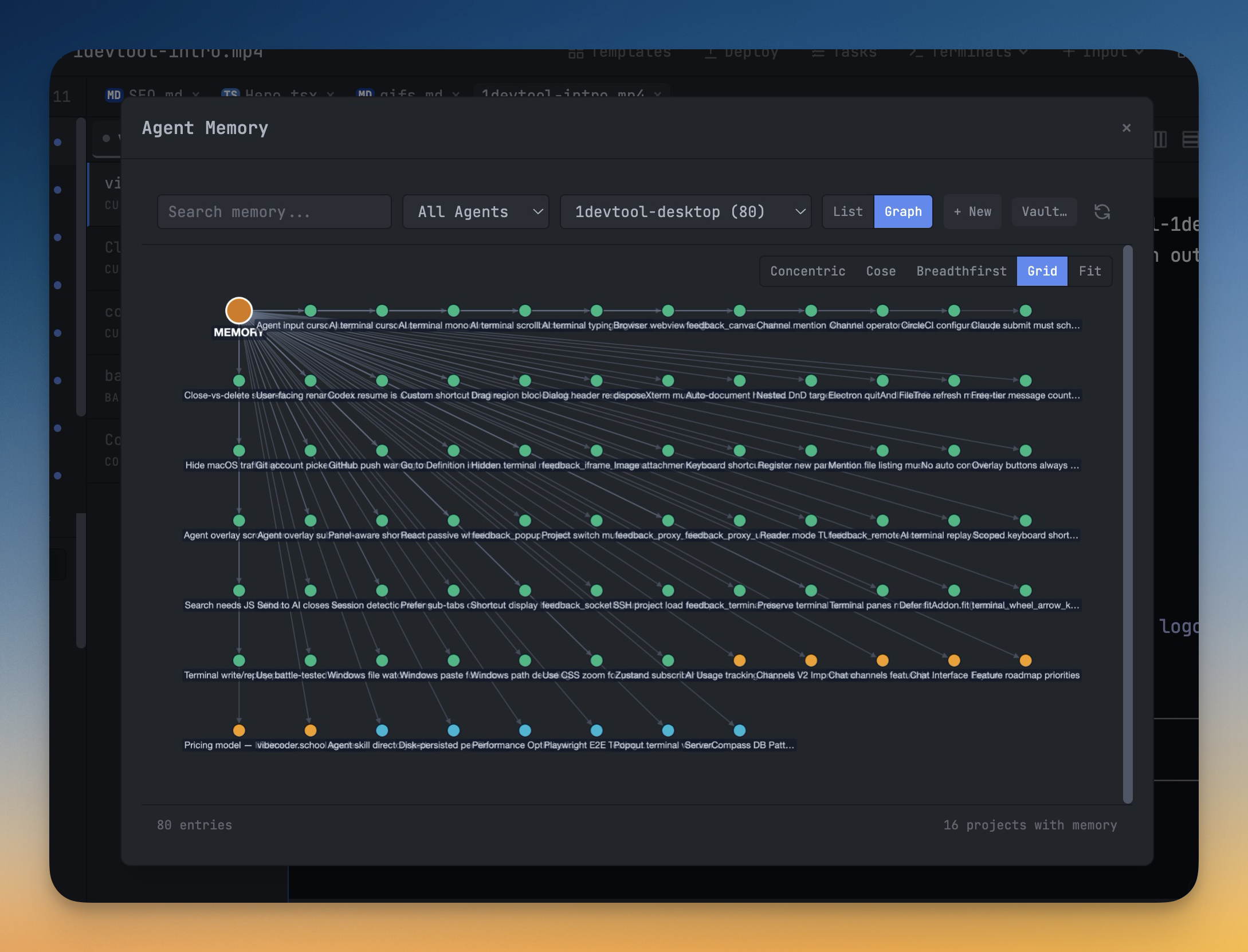
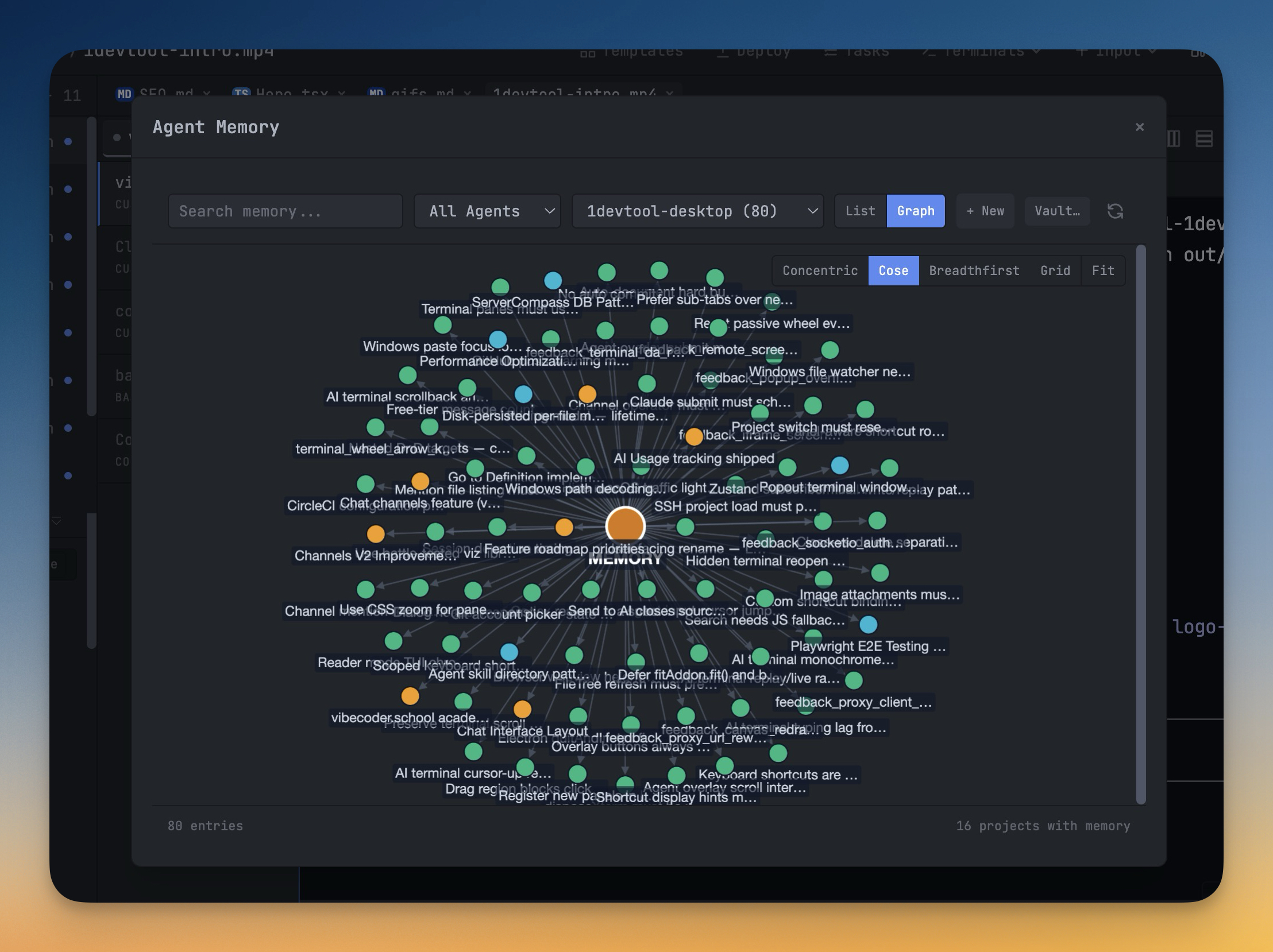
Claude, Codex, Gemini, and Qwen all write memory entries to disk in their own formats and locations, so your accumulated "what the AI remembers" knowledge ends up fragmented across a dozen dotfiles you'll never hand-edit. The Memory Manager reads every agent's memory across every project and renders them in a single panel you can actually use. Filter by agent and project with two dropdowns to narrow "all Codex memories" or "Claude memories for this one repo." Toggle from List view into an interactive Graph view — Cytoscape lazy-loads only when you switch, memoized filtering keeps hundreds of nodes smooth, and you can see at a glance how memories reference each other across projects and agents. Create and edit entries inline in the Markdown editor with autosave, instead of opening a text editor and hoping you don't corrupt the format. And when you want your AI memories to live alongside the rest of your notes, the Obsidian export writes every entry as a Markdown file into a vault folder you pick, preserving the agent/project folder hierarchy so your memory archive becomes first-class notes you can browse, link, and search in Obsidian.
How It Works
Get started in 4 simple steps
Work Naturally
Use AI agents in your terminals as you normally would. Prompts and sessions are captured automatically.
Search Your History
Open Prompt History to find past prompts. Search by keyword to find the exact prompt you used before.
Annotate Visually
Capture and annotate screenshots. Embed them in AI prompts for visual context that text alone can't convey.
Build Your Library
Your prompt history becomes a personal knowledge base. Reuse proven prompts and refine your AI workflow over time.
Without 1DevTool
The manual way vs. the 1DevTool way
The Hard Way
The 1DevTool Way
Key Capabilities
Everything included with AI Memory Manager
Why It Matters
The productivity impact of having ai productivity built into your workspace
Searchable Prompt Library
Every prompt you've ever sent is captured and searchable. Find and reuse your best AI interactions.
Visual AI Communication
Annotate screenshots and embed them in prompts. Show your AI agent exactly what you see.
Session Knowledge Base
AI conversations become searchable history. Find how you solved a similar problem last week.
Power Navigation
Command palette gives you instant access to any feature. Navigate 1DevTool at the speed of thought.
More in AI Productivity
Other features in this category you might find useful
Prompt History
Search prompts and sticky notes from Remote Control while away from the desktop. Switch between This project and All projects, filter prompts by agent or notes by source, copy entries, delete with Operator access, and sync local prompt history.
Resume UI
Read any past AI session before you resume it. Resume AI Sessions is a split view with a searchable list of every Claude Code, Codex, Gemini CLI and other agent session on the left and a live preview of the project, branch, tool calls and conversation on the right, with replies rendered as Markdown, with Resume, bypass permissions and an editable command one click away.
Combine Sessions
Merge several past AI sessions into one opening prompt, or hand a single session to a different agent. Tick sessions in Resume AI Sessions, see a token estimate of the context they add, and send the result to a new chat with any agent or preset or to a terminal that is already open.
AI Diff Review Panel
Track every file modification any AI agent makes — Claude Code, Codex, Gemini, Amp, custom — and review, accept, or revert their work per file from a dedicated panel with inline diff overlays in the editor.
Ready to boost your workflow?
Download 1DevTool for free and experience AI Memory Manager along with 335 other features — all in one app.