Custom Agents
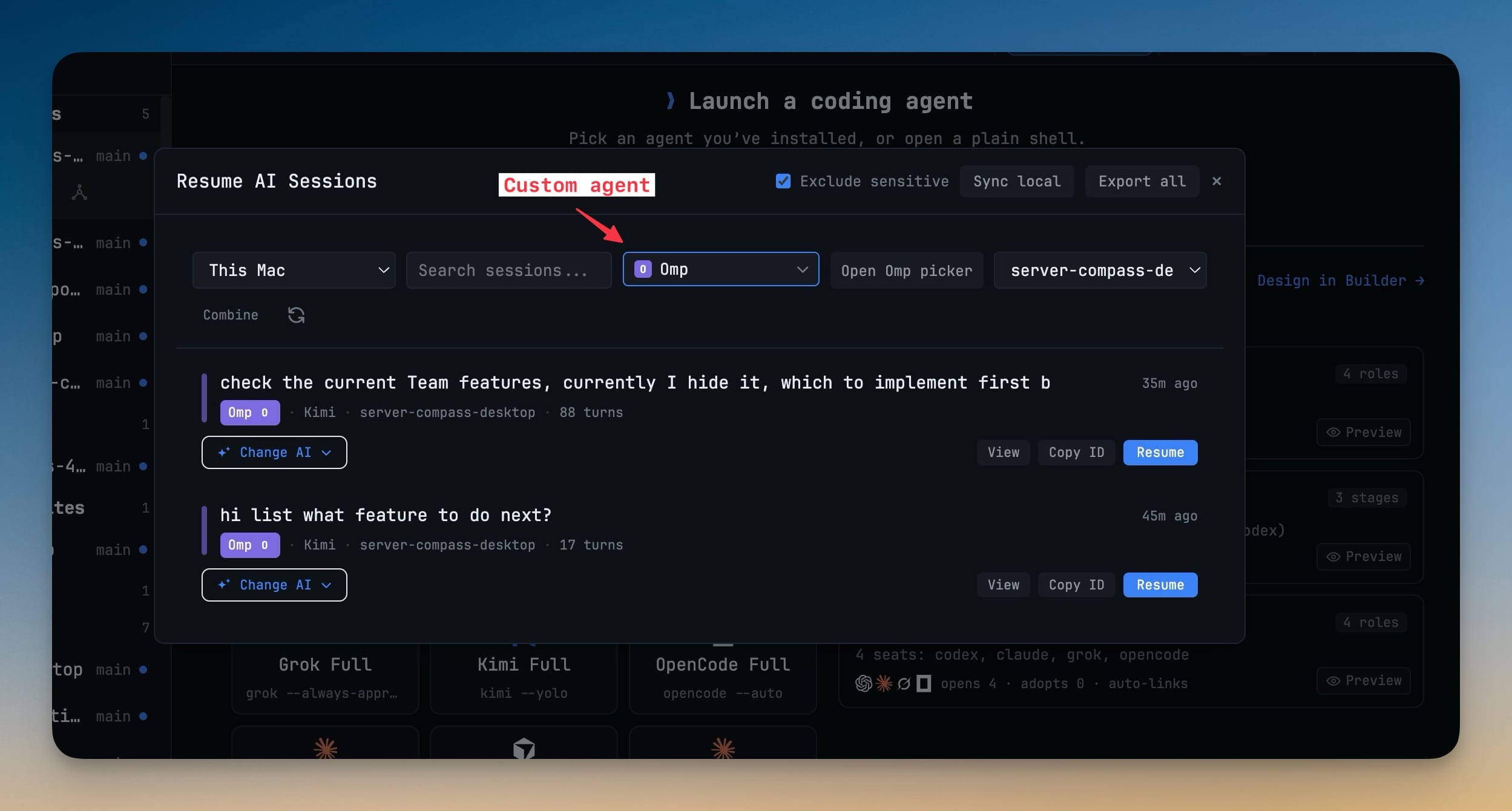
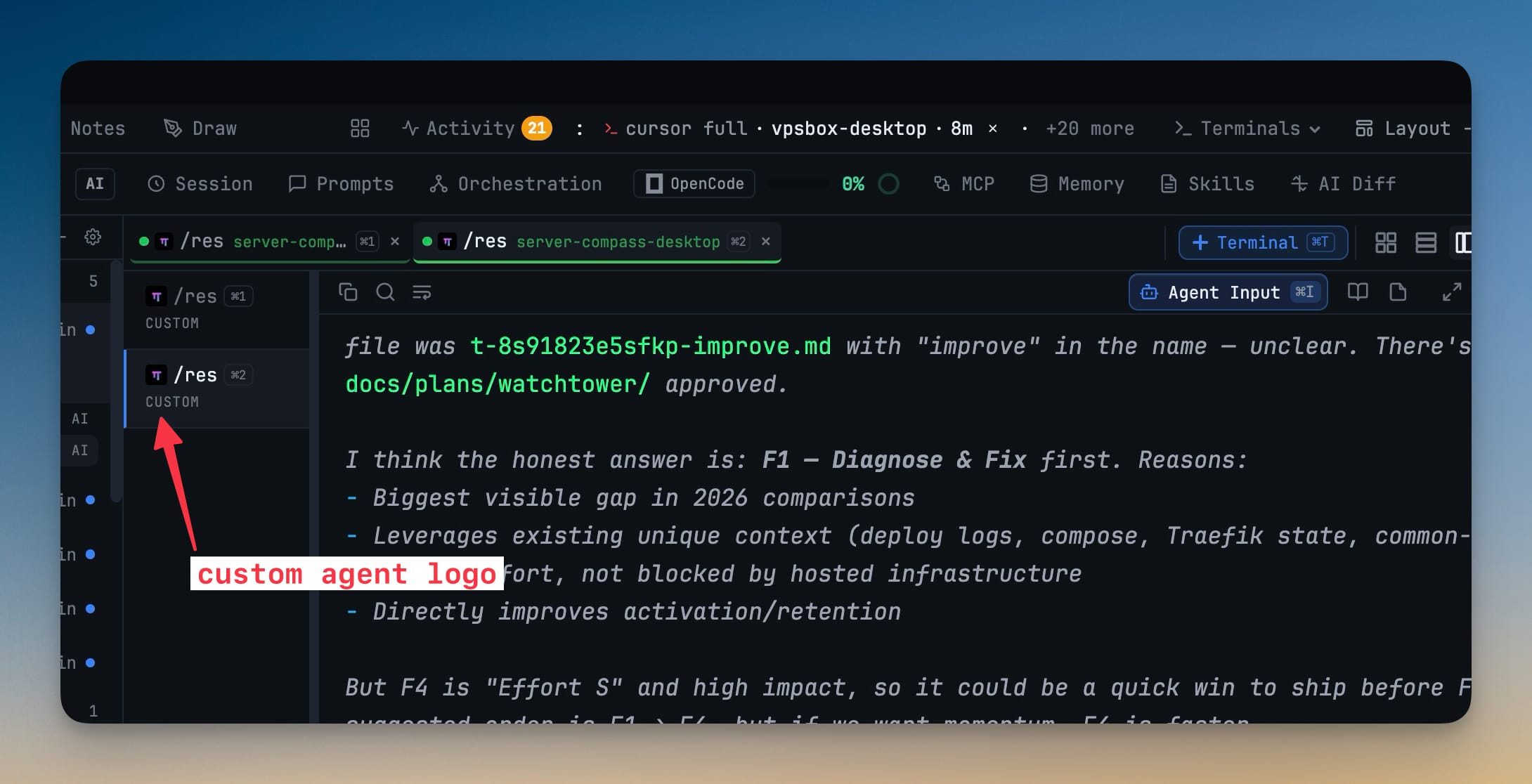
Register any coding CLI — a fork, an in-house wrapper, or a tool that shipped last week — as a first-class agent with its own name, colour, logo, resumable sessions and memory files. It then appears in Add Terminal, Change AI, Prompt History, Resume and Memory exactly like the built-in agents, with no 1DevTool release required.
More Screenshots
Click any image to zoom in
Why You Need This
How this feature boosts your daily productivity
Finding a coding CLI you like used to be the easy part. Running it in 1DevTool meant a tab labelled with the raw command, no logo to tell it apart, no session history when you quit, no Memory panel because nothing knew which file it read, and no entry in Change AI or Prompt History. The only fix was to request support and wait for a release. Custom agents close that gap: you describe the CLI once — name, colour, where it stores transcripts, how it resumes — and from then on every surface that knows about Claude and Codex knows about yours too.
How It Works
Get started in 4 simple steps
Mark the command as an AI agent
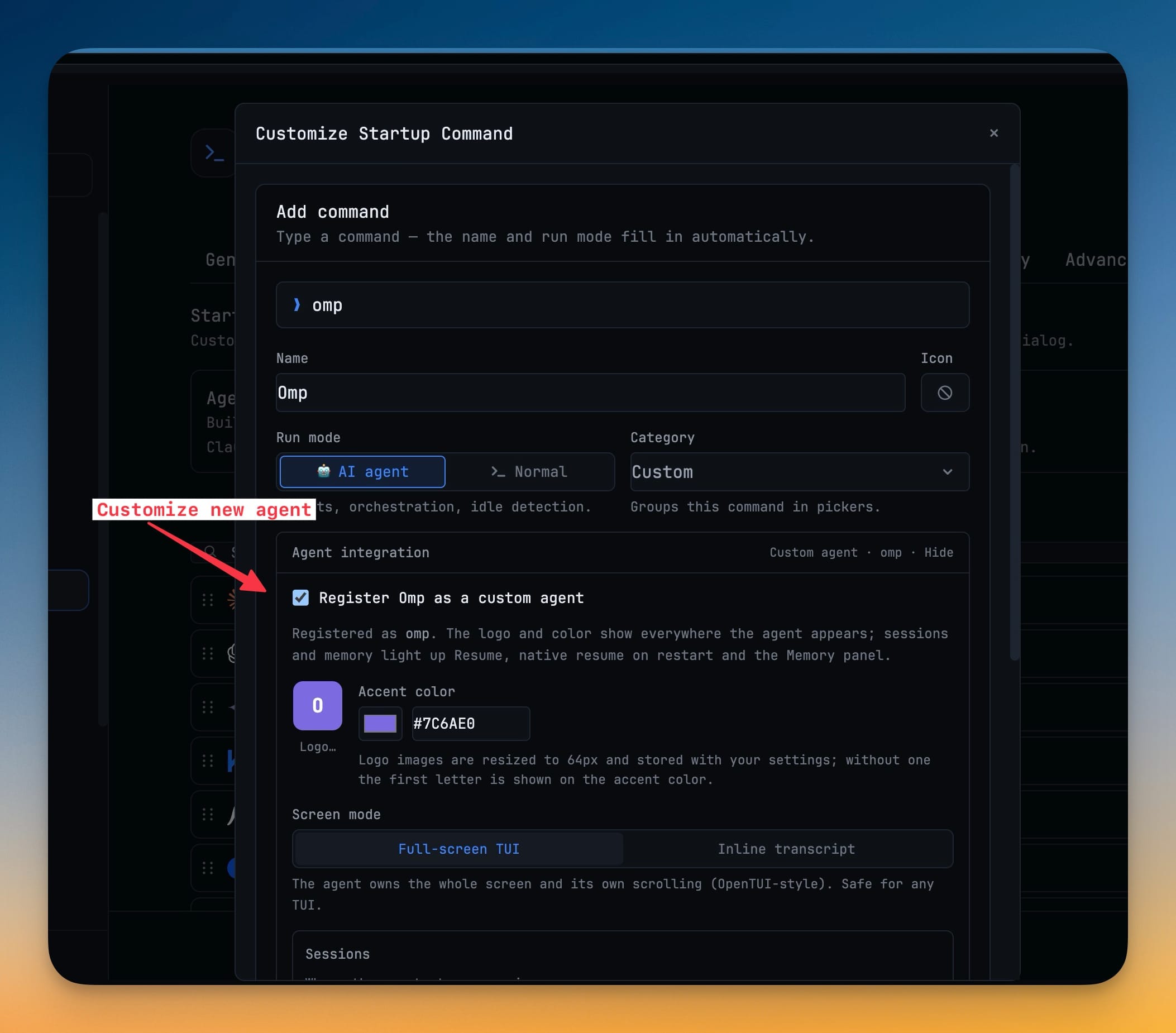
In Settings → Terminal → Commands, add or edit the command and set Run mode to AI agent — that alone gives it prompts, orchestration and idle detection.
Expand Agent integration and register it
Tick "Register <name> as a custom agent", then set a display name, an accent colour and an optional logo. Without a logo the first letter sits on the accent colour.
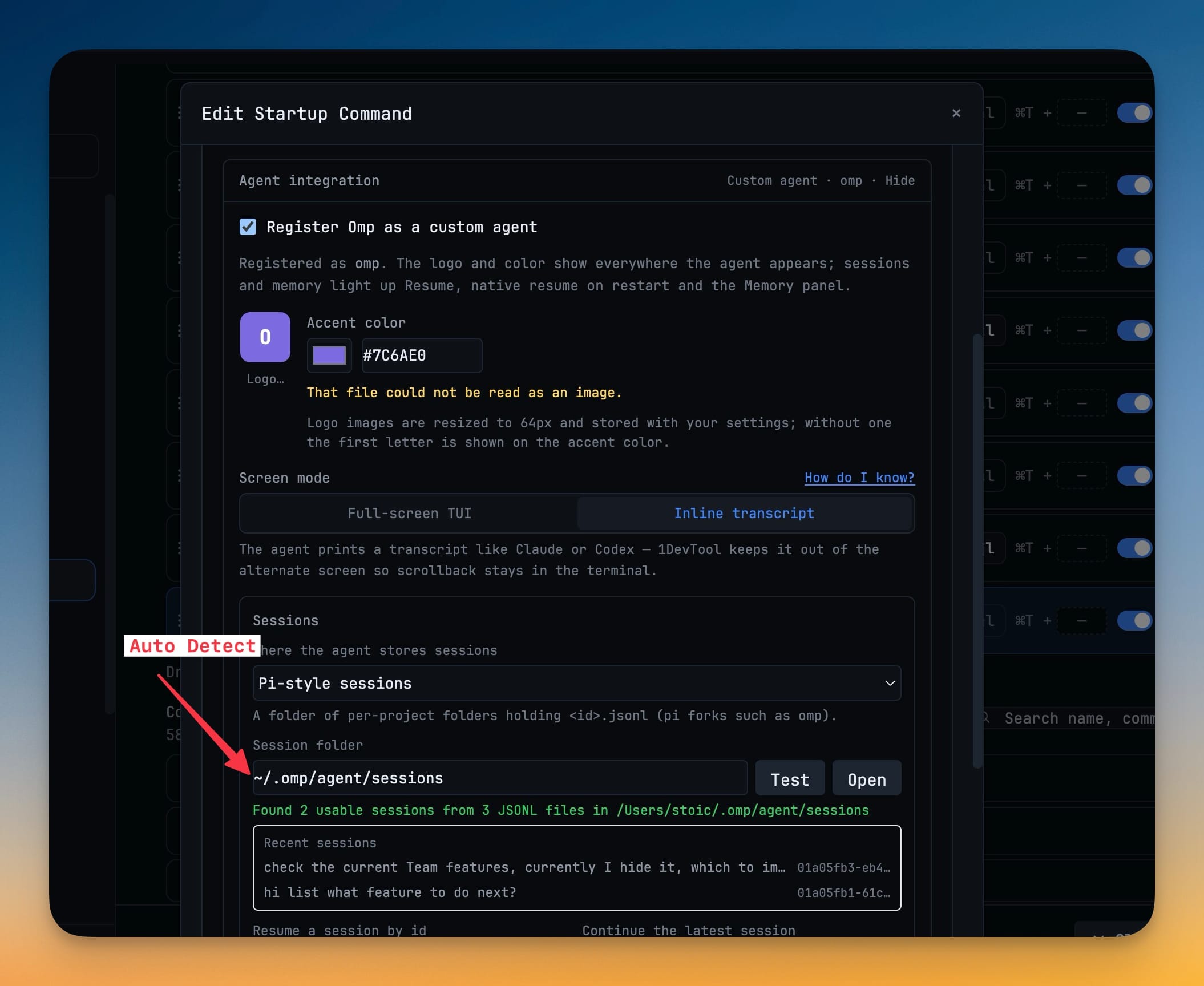
Point it at its sessions, then press Test
Choose Pi-style sessions, Claude-style projects or a flat JSONL folder and give the path. Test reports what it found — "Found 2 usable sessions from 3 JSONL files" — and previews them before you save. Open reveals the folder.
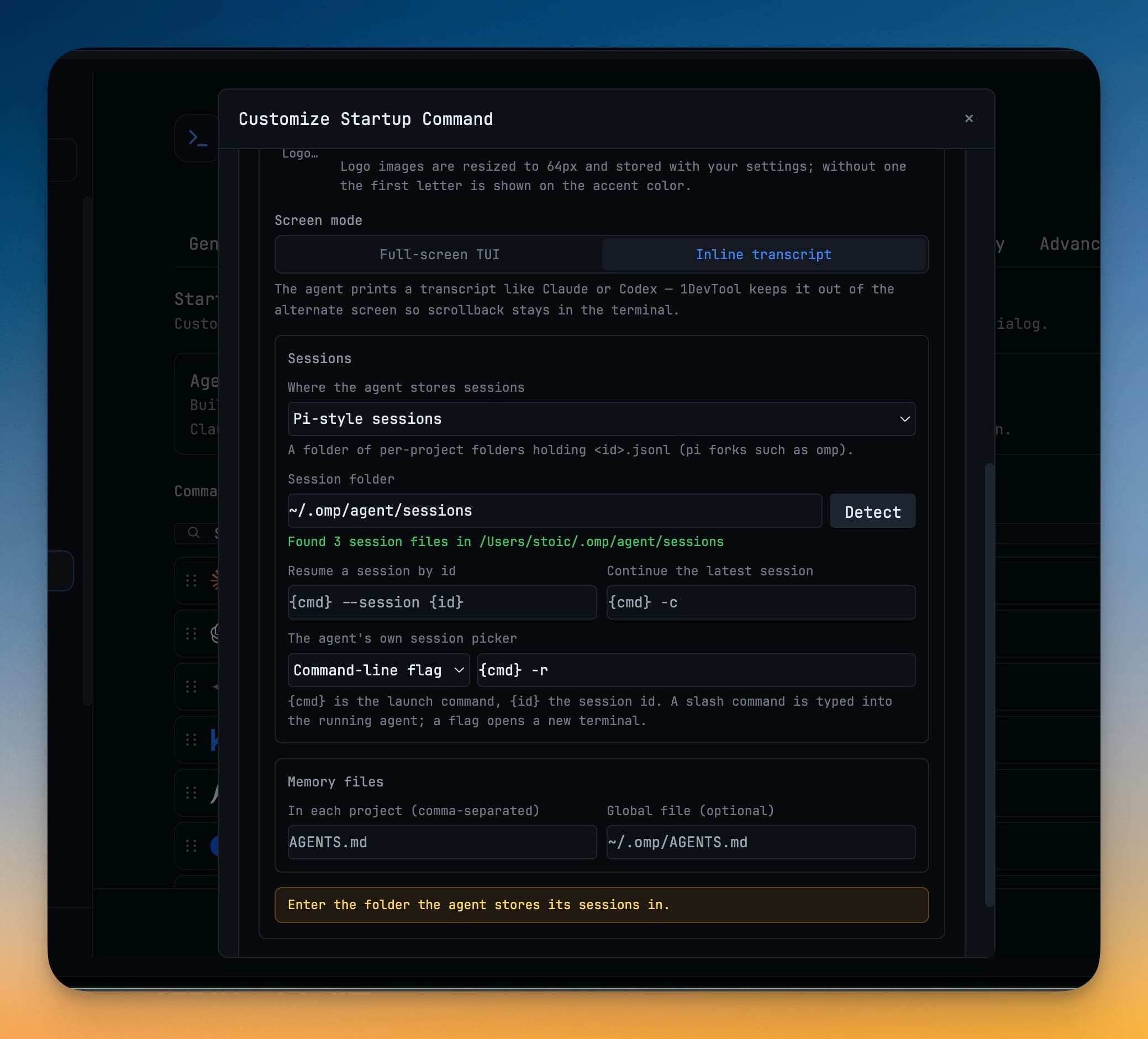
Fill in the resume templates once
Give the resume-by-id form ({cmd} --session {id}), the continue-latest form ({cmd} -c) and the agent’s own picker — a slash command typed into the running TUI, or a flag such as {cmd} -r.
Pick a screen mode and name the memory files
Full-screen TUI lets the agent own the alternate screen and its scrolling; Inline transcript keeps scrollback in 1DevTool the way Claude and Codex do. List the project memory files (e.g. AGENTS.md) and an optional global file.
Without 1DevTool
The manual way vs. the 1DevTool way
The Hard Way
The 1DevTool Way
Key Capabilities
Everything included with Custom Agents
Why It Matters
The productivity impact of having ai productivity built into your workspace
No More Waiting For Support
A fork, an in-house wrapper or a CLI that shipped last week becomes a fully wired agent in about five minutes, instead of a feature request with no ship date.
Your Sessions Survive The Quit
Point 1DevTool at the transcripts the CLI already writes and Resume, continue and the agent’s own picker all start working — with a Test button that proves the path before you save it.
Tell Six Terminals Apart
Its own logo and accent colour follow the agent through every surface, so a busy workspace stays readable without opening tabs to check.
The Built-Ins Stay Protected
Built-in names are reserved, so a custom registration can never shadow Claude or Codex, and deleting the command asks before dropping the registration.
More in AI Productivity
Other features in this category you might find useful
Prompt History
Search prompts and sticky notes from Remote Control while away from the desktop. Switch between This project and All projects, filter prompts by agent or notes by source, copy entries, delete with Operator access, and sync local prompt history.
Resume UI
Read any past AI session before you resume it. Resume AI Sessions is a split view with a searchable list of every Claude Code, Codex, Gemini CLI and other agent session on the left and a live preview of the project, branch, tool calls and conversation on the right, with replies rendered as Markdown, with Resume, bypass permissions and an editable command one click away.
Combine Sessions
Merge several past AI sessions into one opening prompt, or hand a single session to a different agent. Tick sessions in Resume AI Sessions, see a token estimate of the context they add, and send the result to a new chat with any agent or preset or to a terminal that is already open.
AI Diff Review Panel
Track every file modification any AI agent makes — Claude Code, Codex, Gemini, Amp, custom — and review, accept, or revert their work per file from a dedicated panel with inline diff overlays in the editor.
Ready to boost your workflow?
Download 1DevTool for free and experience Custom Agents along with 335 other features — all in one app.