Gitea and Forgejo Support
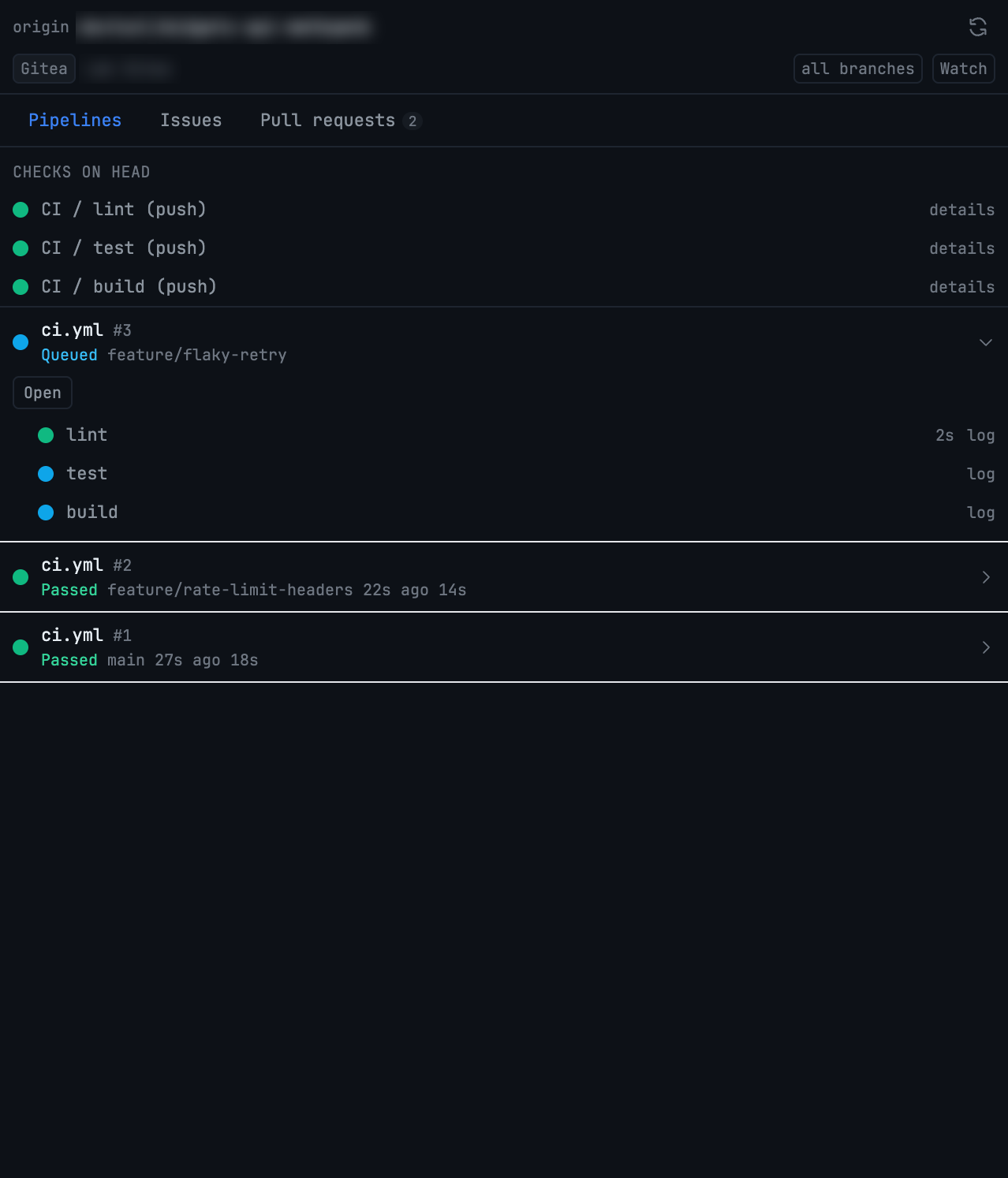
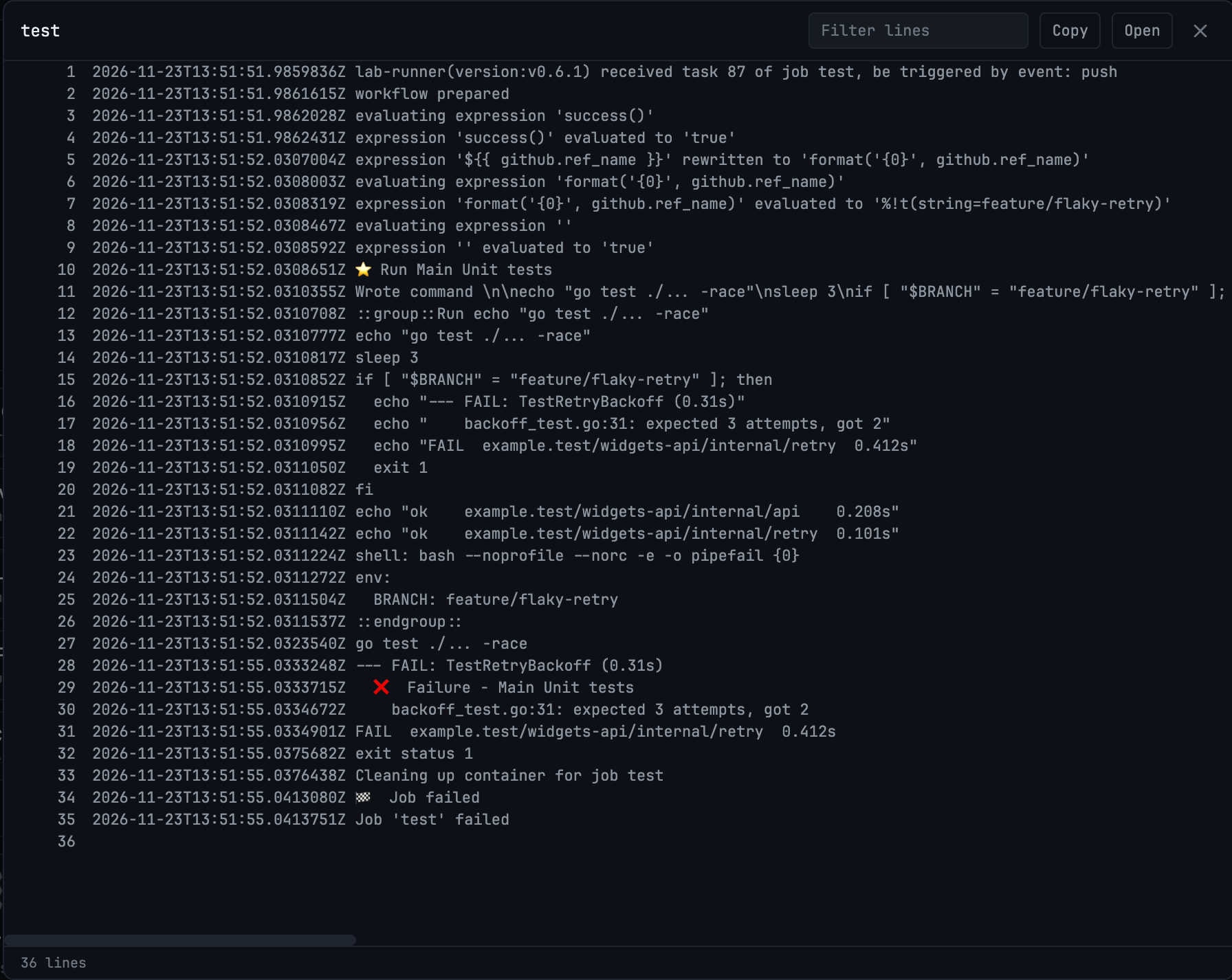
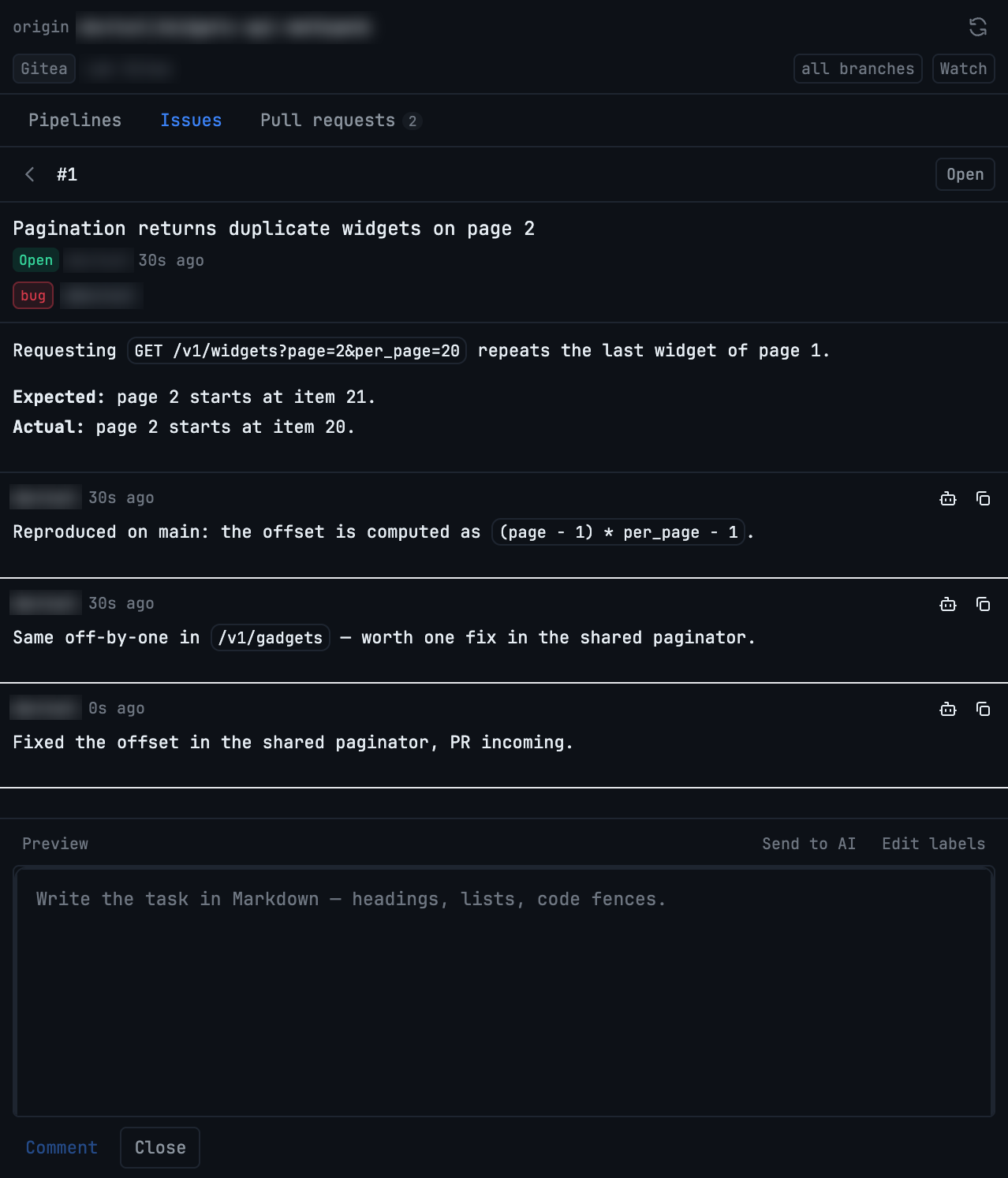
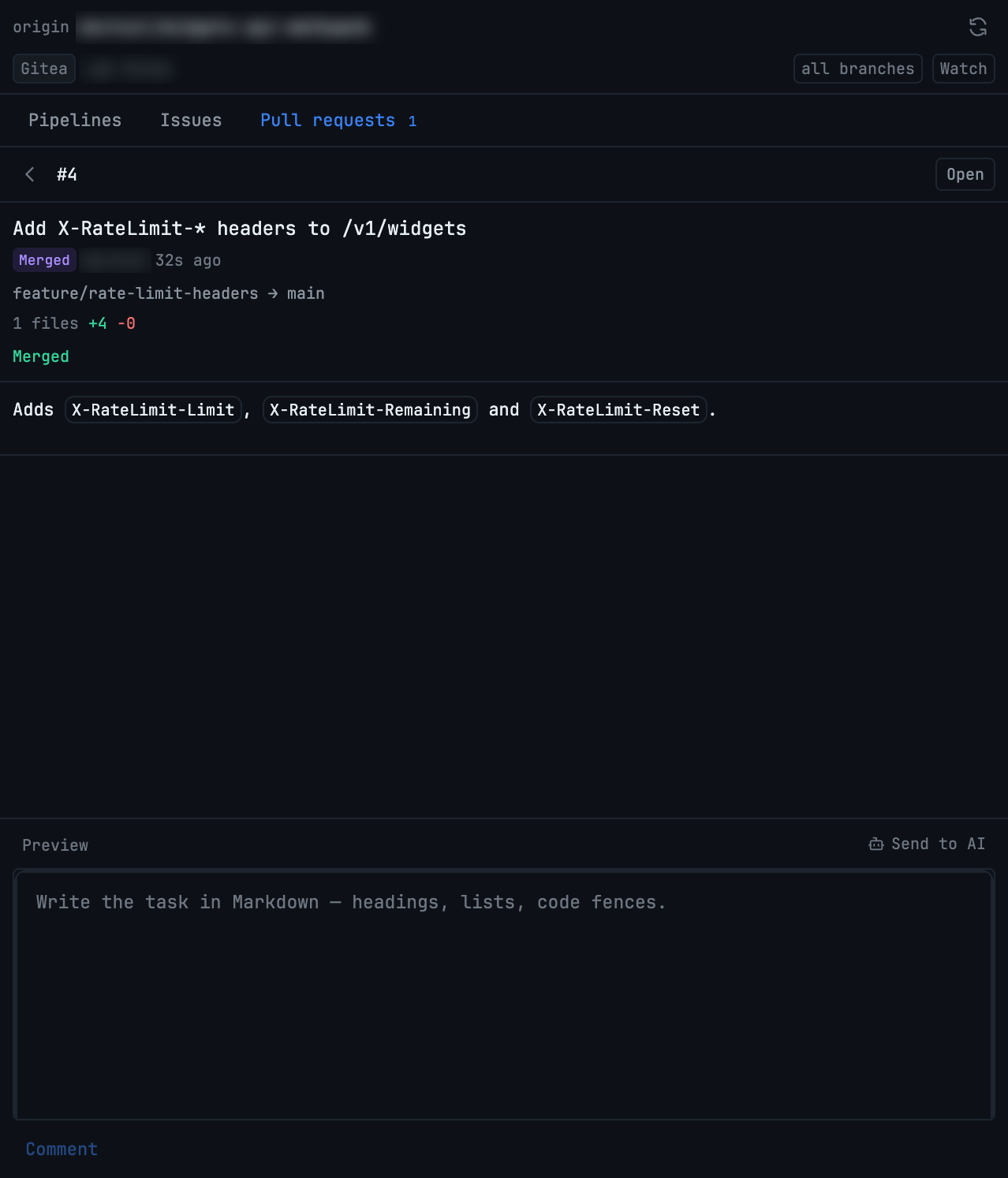
Connect a self-hosted Gitea, Forgejo or Codeberg server to a git account, then push, pull, publish and clone with its access token, and follow its Actions runs, job logs, issues and pull requests in the Repo panel.
More Screenshots
Click any image to zoom in
Why You Need This
How this feature boosts your daily productivity
If your code lives on a Gitea or Forgejo server you run yourself, you used to push with whatever credentials your system had cached and check CI, issues and pull requests in a browser tab. Now the server is a first-class git host: add its address and an access token in Settings, Git, and 1DevTool shows which user the token belongs to before anything is sent. Fetch, pull and push use that token without storing it in the repository, Publish Repository creates repositories on your account or an organization, Add Project clones from it, and the Repo panel lists Actions runs with their job logs, re-runs, issues and pull requests you can comment on and merge. A plain-HTTP server receives the token only after you tick Allow HTTP for this account, and the token is only ever sent to the server it belongs to.
How It Works
Get started in 4 simple steps
Add Your Projects
Click the "+" button to add project folders. Assign unique colors for instant visual identification.
Browse & Navigate
Use the file explorer to browse your project. Filter files, toggle hidden items, and search instantly.
Switch Instantly
Click any project to switch. Your entire workspace state — terminals, files, layout — restores automatically.
Choose Your Layout
Select a preset layout or create a custom one. Your layout is saved per project for consistent workflows.
Without 1DevTool
The manual way vs. the 1DevTool way
The Hard Way
The 1DevTool Way
Key Capabilities
Everything included with Gitea and Forgejo Support
Why It Matters
The productivity impact of having project management built into your workspace
Instant Project Switching
Switch between projects in one click with complete state restoration. No more 5-minute setup rituals.
Visual Organization
Color-coded projects, file type icons, and layout presets keep your workspace organized and recognizable.
Smart File Navigation
.gitignore-aware filtering, instant search, and context menus make finding and opening files effortless.
Workspace Memory
Every project remembers its terminals, open files, database connections, and layout. Pick up exactly where you left off.
More in Project Management
Other features in this category you might find useful
Multi-Project Workspace
Work on multiple projects simultaneously with instant switching. Entire workspace state is preserved per project.
Smart File Explorer
Real-time file tree with type icons, .gitignore filtering, search, and right-click context menus.
Per-Project Code Intelligence
Spawn real typescript-language-server, gopls, pyright, rust-analyzer, clangd, solargraph, intelephense, sourcekit-lsp, or csharp-ls for the projects you opt into — with project-aware errors and zero false positives.
Color-Coded Projects
Assign accent colors to each project for instant visual identification across your workspace.
Ready to boost your workflow?
Download 1DevTool for free and experience Gitea and Forgejo Support along with 348 other features — all in one app.