Kiro CLI as a Built-In AI Agent
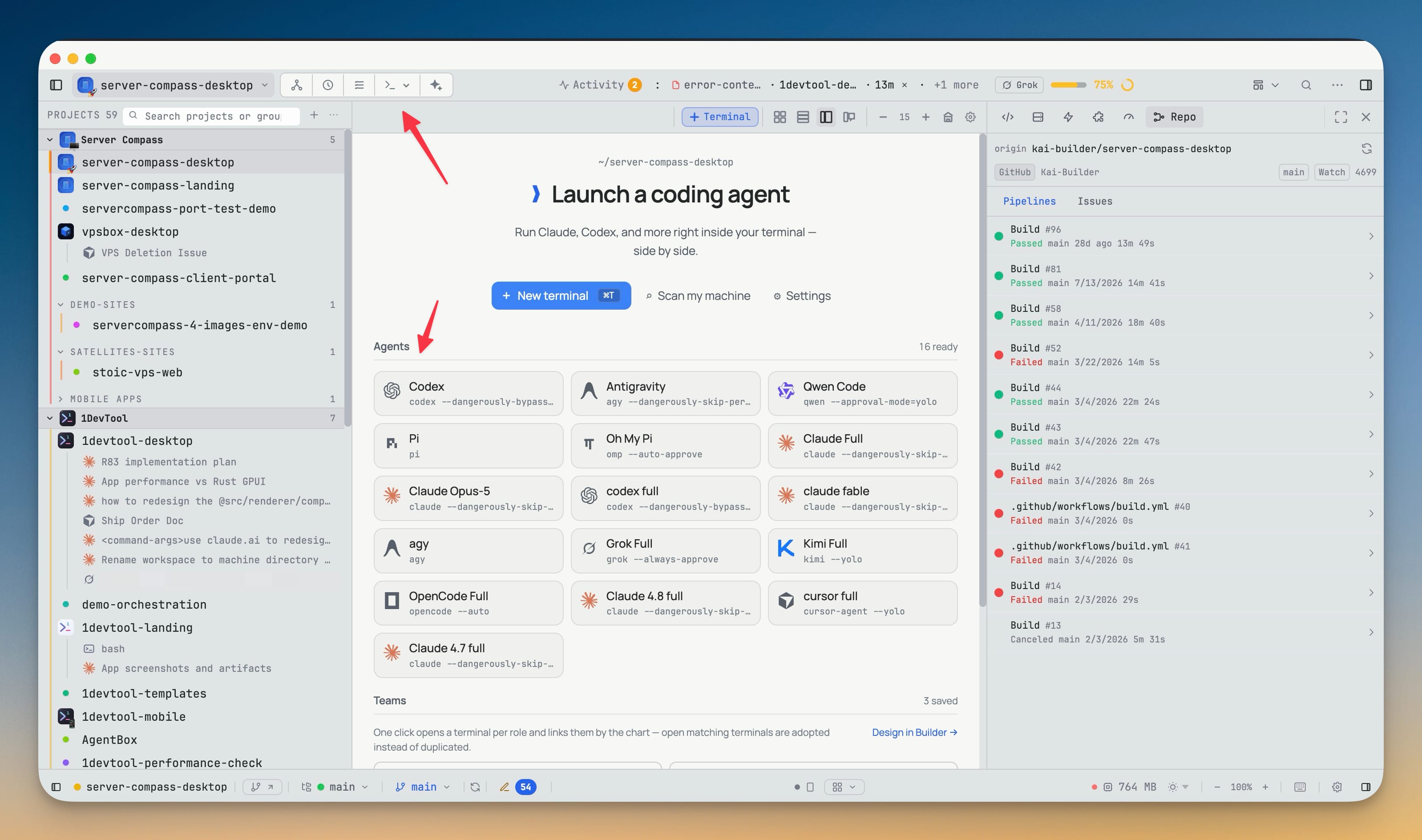
AWS's Kiro CLI is a first-class agent in 1DevTool, with its own logo in Add Terminal, the empty-state cards, Change AI, Resume, Prompt History, Memory, MCP and skills. Its sessions resume after a restart through its own resume command, and titles you set are written back to the CLI's own store.
Why You Need This
How this feature boosts your daily productivity
A CLI you have to launch by hand in a plain shell is outside everything the workspace does for you — no session resume, no prompt history, no orchestration, no memory or skills surface. Built-in support means Kiro CLI shows up wherever the other agents do and behaves the same way, so you can put it in a team, resume yesterday's session after a restart, and rename a terminal knowing the name goes back to Kiro's own session store rather than living only in 1DevTool.
How It Works
Get started in 4 simple steps
Pick Kiro CLI in Add Terminal
It sits in the AI Agents grid with its own logo, next to the other built-ins — no custom-agent registration to fill in.
Use it like any other agent
It appears in the empty-state cards, Change AI, Resume, Prompt History, Memory, MCP and skills.
Resume after a restart
Sessions come back through Kiro's own resume command rather than starting a fresh conversation.
Name the terminal
A title you set is written back to the CLI's own session store, so the name survives outside 1DevTool.
Without 1DevTool
The manual way vs. the 1DevTool way
The Hard Way
The 1DevTool Way
Key Capabilities
Everything included with Kiro CLI as a Built-In AI Agent
Why It Matters
The productivity impact of having ai productivity built into your workspace
Searchable Prompt Library
Every prompt you've ever sent is captured and searchable. Find and reuse your best AI interactions.
Visual AI Communication
Annotate screenshots and embed them in prompts. Show your AI agent exactly what you see.
Session Knowledge Base
AI conversations become searchable history. Find how you solved a similar problem last week.
Power Navigation
Command palette gives you instant access to any feature. Navigate 1DevTool at the speed of thought.
More in AI Productivity
Other features in this category you might find useful
Prompt History
Search prompts and sticky notes from Remote Control while away from the desktop. Switch between This project and All projects, filter prompts by agent or notes by source, copy entries, delete with Operator access, and sync local prompt history.
Resume UI
Read any past AI session before you resume it. Resume AI Sessions is a split view with a searchable list of every Claude Code, Codex, Gemini CLI and other agent session on the left and a live preview of the project, branch, tool calls and conversation on the right, with replies rendered as Markdown, with Resume, bypass permissions and an editable command one click away.
Combine Sessions
Merge several past AI sessions into one opening prompt, or hand a single session to a different agent. Tick sessions in Resume AI Sessions, see a token estimate of the context they add, and send the result to a new chat with any agent or preset or to a terminal that is already open.
AI Diff Review Panel
Track every file modification any AI agent makes — Claude Code, Codex, Gemini, Amp, custom — and review, accept, or revert their work per file from a dedicated panel with inline diff overlays in the editor.
Ready to boost your workflow?
Download 1DevTool for free and experience Kiro CLI as a Built-In AI Agent along with 345 other features — all in one app.