Machines
One roster for every computer your projects live on — a VPS, a Mac mini, a VM, or another computer running 1DevTool — beside This Computer, which is always there. Each row reports whether it is reachable, how far away it is, the OS and shell it runs, and which AI CLIs, git, ripgrep, tmux and Node are actually installed on it.
More Screenshots
Click any image to zoom in
Why You Need This
How this feature boosts your daily productivity
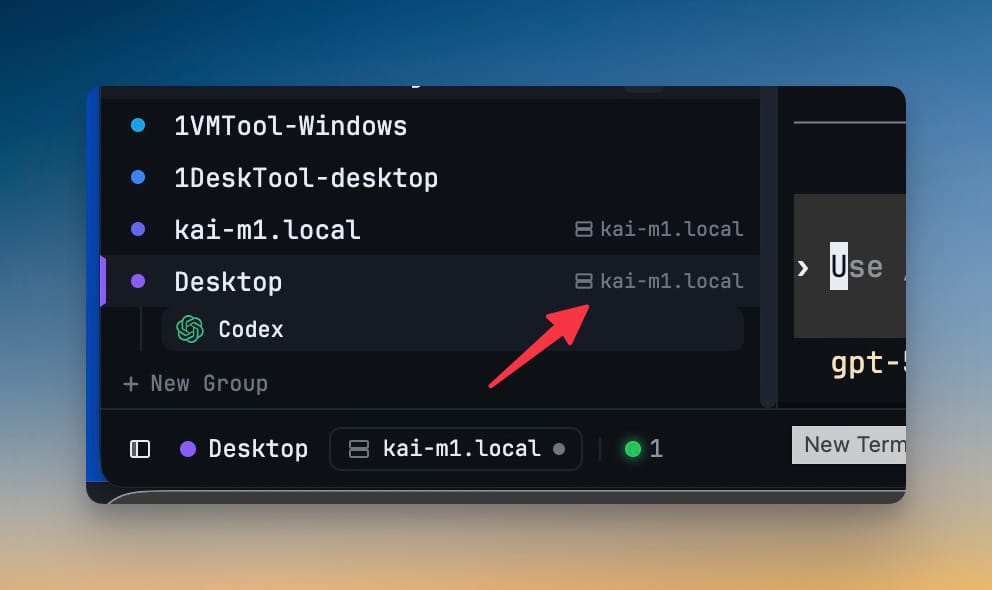
Remote work turns into a mental map: this project is really on the mini, that one is local, the third is over SSH. The map is wrong roughly once a week, and you find out when a command lands on the wrong computer. Machines replaces the map with a list. Add a host from a picker fed by your own ~/.ssh/config so aliases, ProxyJump and IdentityFile carry over instead of being retyped, then rename it, point it at a different key, reconnect or mount it from one place. Every surface then says where you are — a badge on the project chip, project rows grouped by machine in the dropdown, a chip in the sidebar and a pill in the status bar with reconnect — and an unreachable machine says it is offline with a Reconnect button instead of rendering an empty folder that looks exactly like a project you deleted. A machine a project still points at refuses to be deleted rather than quietly orphaning it.
How It Works
Get started in 4 simple steps
Open Settings → Machines
This Computer is always the first row and never has to be created. Add a machine for a VPS, a Mac mini, a VM, or another computer running 1DevTool.
Add an SSH host from your own config
The picker is fed by ~/.ssh/config, so a Host alias brings its ProxyJump, IdentityFile and port with it instead of being retyped into a form.
Read what is actually installed
Each row reports reachability, latency, OS and shell, plus which AI CLIs and versions are there alongside git, ripgrep, tmux and Node.
Point a project at it
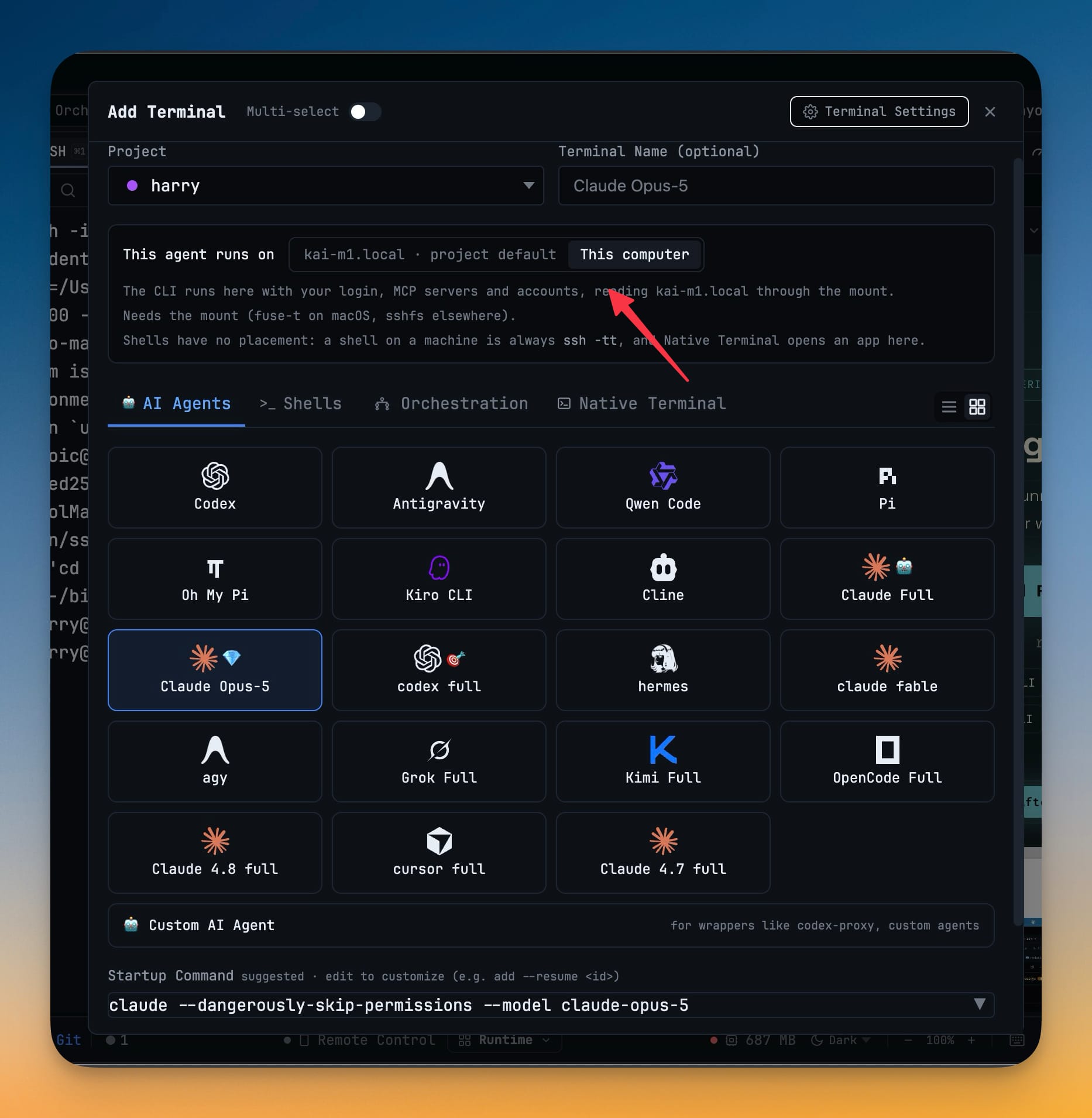
Add Project → SSH → host and path creates or matches the machine for you. With the top bar scoped to a machine, Add Project opens on that machine with its folders already listed.
Manage it from one place
Rename, choose an SSH key, reconnect, mount, or remove — and a machine a project still points at refuses to be deleted rather than orphaning it.
Without 1DevTool
The manual way vs. the 1DevTool way
The Hard Way
The 1DevTool Way
Key Capabilities
Everything included with Machines
Why It Matters
The productivity impact of having project management built into your workspace
Instant Project Switching
Switch between projects in one click with complete state restoration. No more 5-minute setup rituals.
Visual Organization
Color-coded projects, file type icons, and layout presets keep your workspace organized and recognizable.
Smart File Navigation
.gitignore-aware filtering, instant search, and context menus make finding and opening files effortless.
Workspace Memory
Every project remembers its terminals, open files, database connections, and layout. Pick up exactly where you left off.
More in Project Management
Other features in this category you might find useful
Multi-Project Workspace
Work on multiple projects simultaneously with instant switching. Entire workspace state is preserved per project.
Smart File Explorer
Real-time file tree with type icons, .gitignore filtering, search, and right-click context menus.
Per-Project Code Intelligence
Spawn real typescript-language-server, gopls, pyright, rust-analyzer, clangd, solargraph, intelephense, or sourcekit-lsp for the projects you opt into — with project-aware errors and zero false positives.
Color-Coded Projects
Assign accent colors to each project for instant visual identification across your workspace.
Ready to boost your workflow?
Download 1DevTool for free and experience Machines along with 345 other features — all in one app.