Model-Aware Agent Delegation
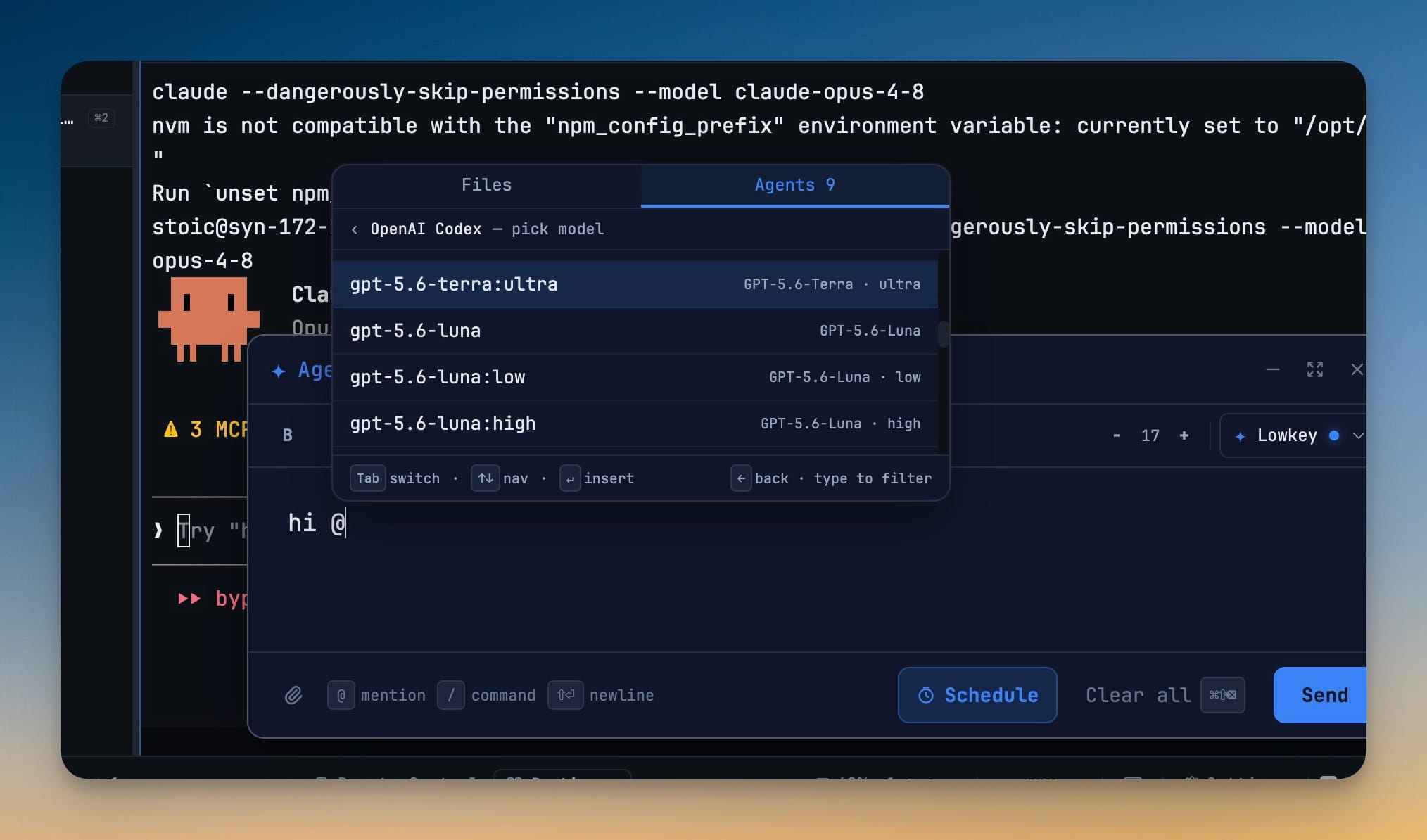
Choose the exact model — and reasoning level where the agent supports it — for every AI agent handoff, right from the @mention picker. Delegated tasks run on the model you pick instead of whatever the agent's CLI defaults to.
More Screenshots
Click any image to zoom in
Why You Need This
How this feature boosts your daily productivity
Delegation is only as good as the model behind it. Without a per-handoff choice, a throwaway rename can burn your most expensive reasoning quota while a hard refactor limps along on a cheap default — and the only way to change it is editing a config file and restarting. Picking the model at the moment you hand off means the easy work goes to something fast and cheap, the hard work gets the reasoning it needs, and you decide which is which every single time.
How It Works
Get started in 4 simple steps
Open the Agents tab
In Agent Input, @mention or open the picker and switch to the Agents tab; every installed agent that offers model choices is listed there.
Drill into the model list
Select an agent like "OpenAI Codex — pick model" and its models appear; type to filter, use the arrow keys to move, and ← to step back.
Send with the model attached
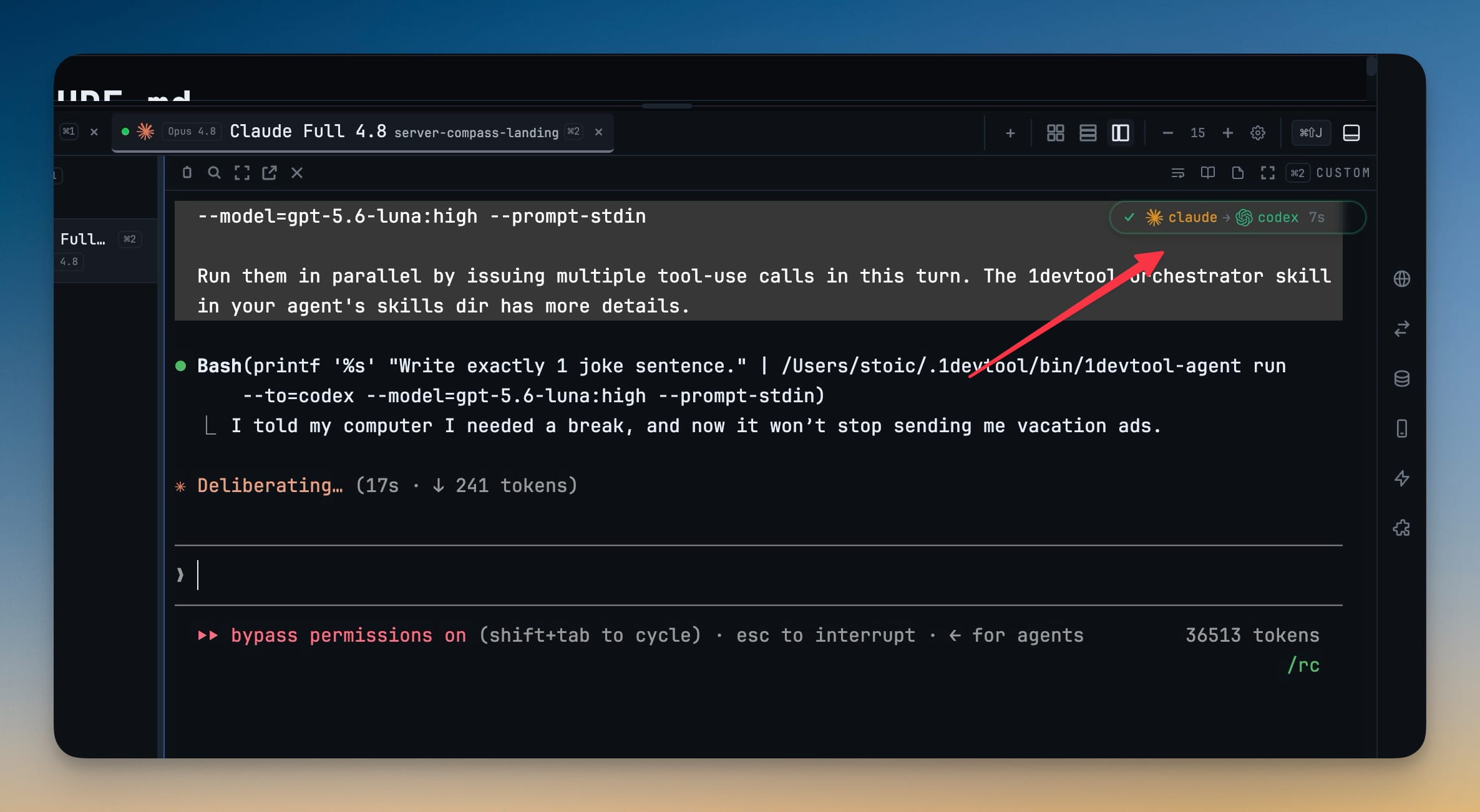
Insert your pick and send — the task is delegated through the local 1devtool-agent CLI with --model set to exactly what you chose.
Refresh when things change
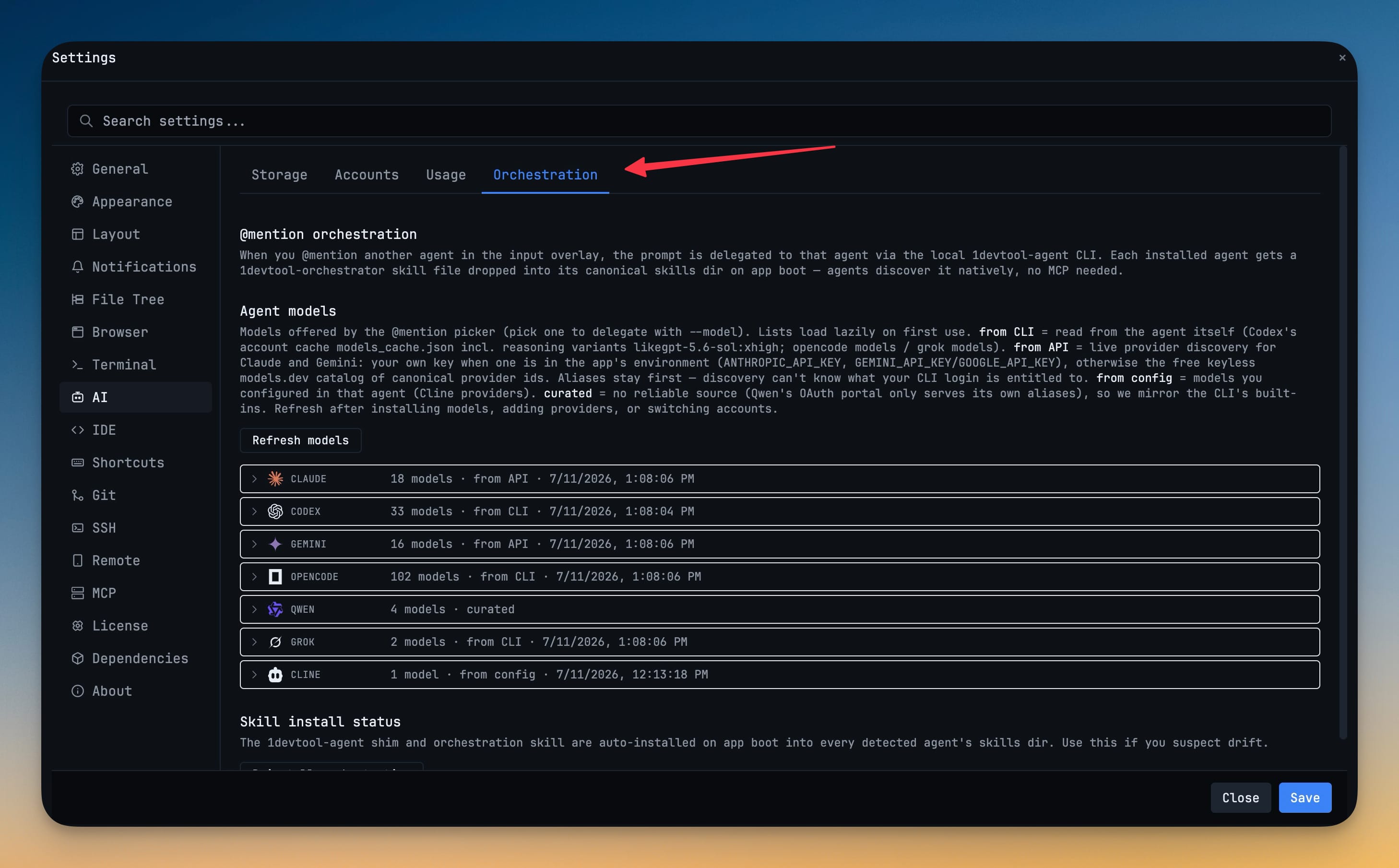
After switching accounts or adding a provider, hit Refresh models in Settings → AI → Orchestration to re-probe what each agent can run.
Without 1DevTool
The manual way vs. the 1DevTool way
The Hard Way
The 1DevTool Way
Key Capabilities
Everything included with Model-Aware Agent Delegation
Why It Matters
The productivity impact of having ai productivity built into your workspace
Right Model for the Job
Route quick edits to a fast, cheap model and save your top reasoning tier for the refactors that actually need it.
Quota You Control
Stop burning premium usage on grunt work you delegated — the handoff runs on the model you chose, not the default.
Reasoning on Demand
Pick low, high, or ultra effort where the agent exposes it, so hard problems get more thinking and easy ones stay fast.
No Config Spelunking
Change the model from the picker instead of editing an agent's config file and restarting to apply it.
More in AI Productivity
Other features in this category you might find useful
Prompt History
Search prompts and sticky notes from Remote Control while away from the desktop. Switch between This project and All projects, filter prompts by agent or notes by source, copy entries, delete with Operator access, and sync local prompt history.
Resume UI
Browse, search, and resume past AI sessions from Claude Code, Codex, and Gemini CLI — or combine multiple sessions into one.
Combine Sessions
Select sessions from Claude Code, Codex, and Gemini CLI and merge them into a single conversation — giving your next agent the full cross-agent context.
AI Diff Review Panel
Track every file modification any AI agent makes — Claude Code, Codex, Gemini, Amp, custom — and review, accept, or revert their work per file from a dedicated panel with inline diff overlays in the editor.
Ready to boost your workflow?
Download 1DevTool for free and experience Model-Aware Agent Delegation along with 326 other features — all in one app.