Project Row Quick Actions
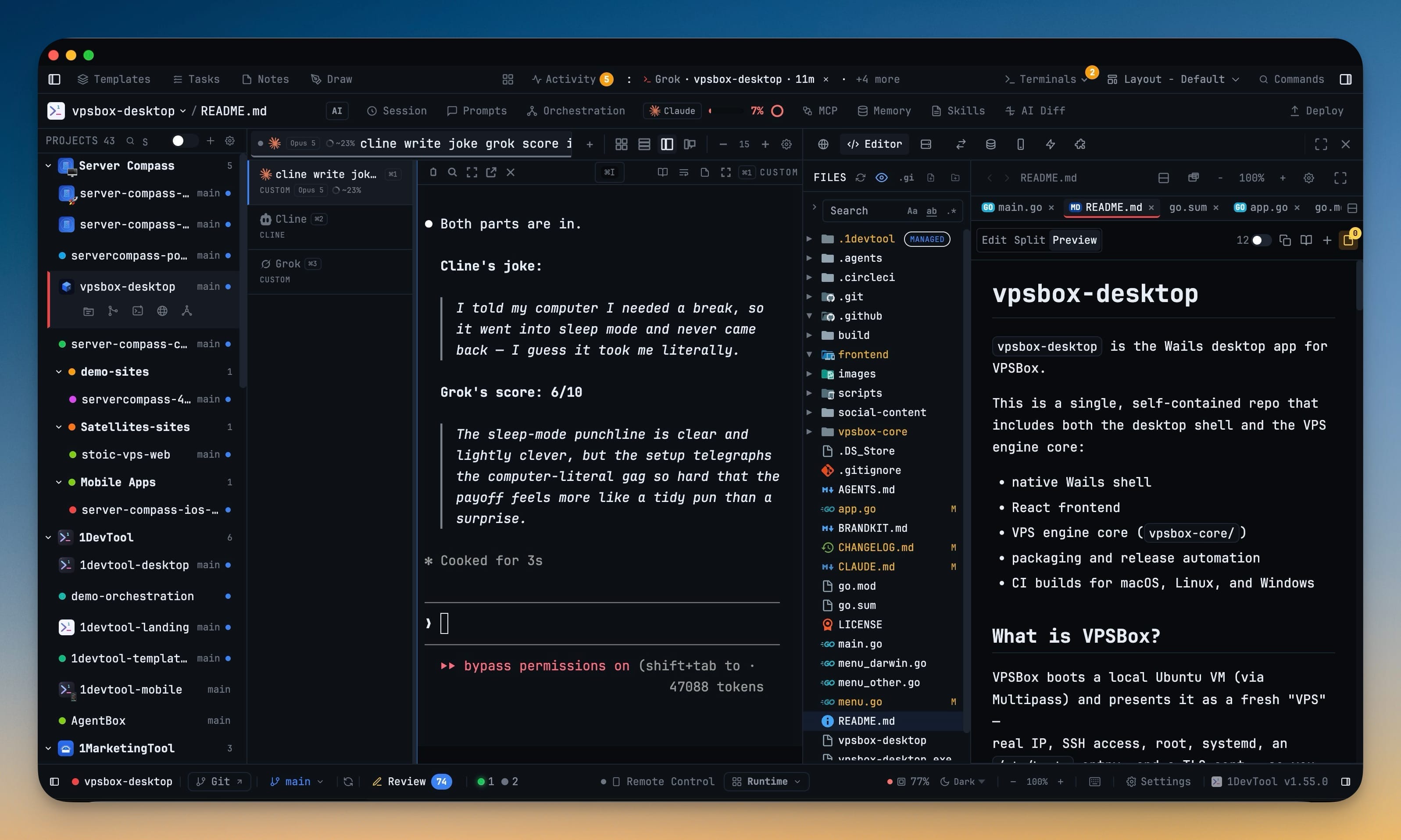
Every project row in the sidebar opens File Tree, Git Client, a new terminal, Browser, or Mission Control directly. With the sidebar collapsed, the 40-pixel rail shows every project avatar, colour and emoji in the same order as the full list.
More Screenshots
Click any image to zoom in
Why You Need This
How this feature boosts your daily productivity
Getting to a tool in another project used to be two separate moves: switch projects, then hunt through the panel bar for the thing you wanted. That is fine once and tiresome twenty times a day, which is roughly how often it happens when you keep several repositories open. Putting the five most-used destinations on the project row itself collapses that into a single click that lands you in the right tool in the right project. The collapsed sidebar gained the matching fix — the icon rail now carries real project identity, so you can keep switching projects without reopening the sidebar just to tell them apart.
How It Works
Get started in 4 simple steps
Find the project row
Hover any project in the sidebar. A compact action strip appears under the name.
Pick the destination
File Tree, Git Client, New Terminal, Browser, or Mission Control — each opens that tool for that project in one click.
Collapse the sidebar when you want the width
The 40-pixel rail keeps every project’s avatar, colour and emoji, ordered exactly as the full list.
Keep switching from the rail
Click any avatar to change projects. You no longer have to reopen the sidebar just to tell one project from another.
Without 1DevTool
The manual way vs. the 1DevTool way
The Hard Way
The 1DevTool Way
Key Capabilities
Everything included with Project Row Quick Actions
Why It Matters
The productivity impact of having project management built into your workspace
Instant Project Switching
Switch between projects in one click with complete state restoration. No more 5-minute setup rituals.
Visual Organization
Color-coded projects, file type icons, and layout presets keep your workspace organized and recognizable.
Smart File Navigation
.gitignore-aware filtering, instant search, and context menus make finding and opening files effortless.
Workspace Memory
Every project remembers its terminals, open files, database connections, and layout. Pick up exactly where you left off.
More in Project Management
Other features in this category you might find useful
Multi-Project Workspace
Work on multiple projects simultaneously with instant switching. Entire workspace state is preserved per project.
Smart File Explorer
Real-time file tree with type icons, .gitignore filtering, search, and right-click context menus.
Per-Project Code Intelligence
Spawn real typescript-language-server, gopls, pyright, rust-analyzer, clangd, solargraph, intelephense, or sourcekit-lsp for the projects you opt into — with project-aware errors and zero false positives.
Color-Coded Projects
Assign accent colors to each project for instant visual identification across your workspace.
Ready to boost your workflow?
Download 1DevTool for free and experience Project Row Quick Actions along with 347 other features — all in one app.