Project Workspaces
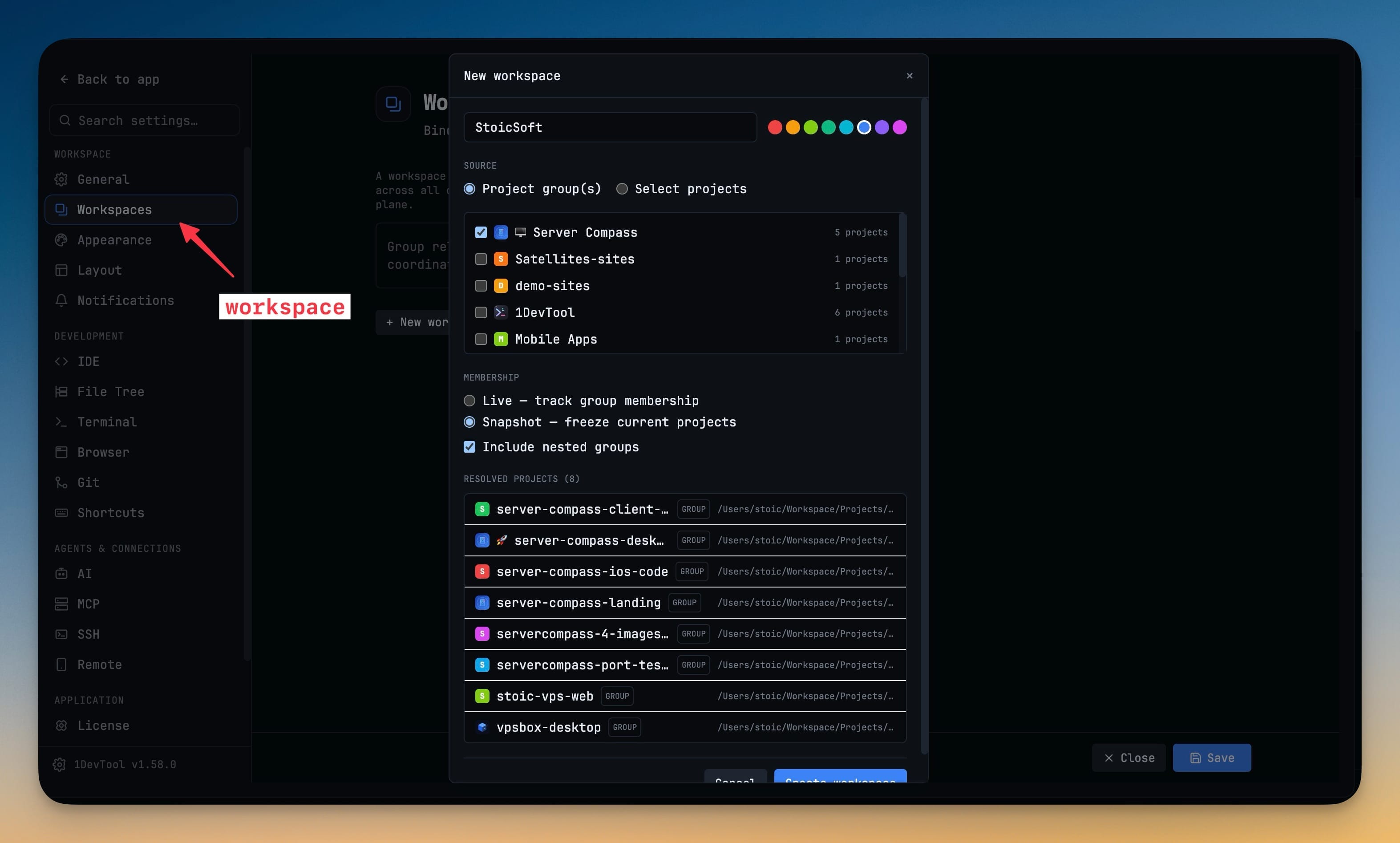
Bind several projects into one named workspace so a product that spans a web app, an API and a mobile client is one operational set instead of a pile of ad-hoc links. Membership can track a sidebar group as it changes, or freeze today's members as a snapshot.
More Screenshots
Click any image to zoom in
Why You Need This
How this feature boosts your daily productivity
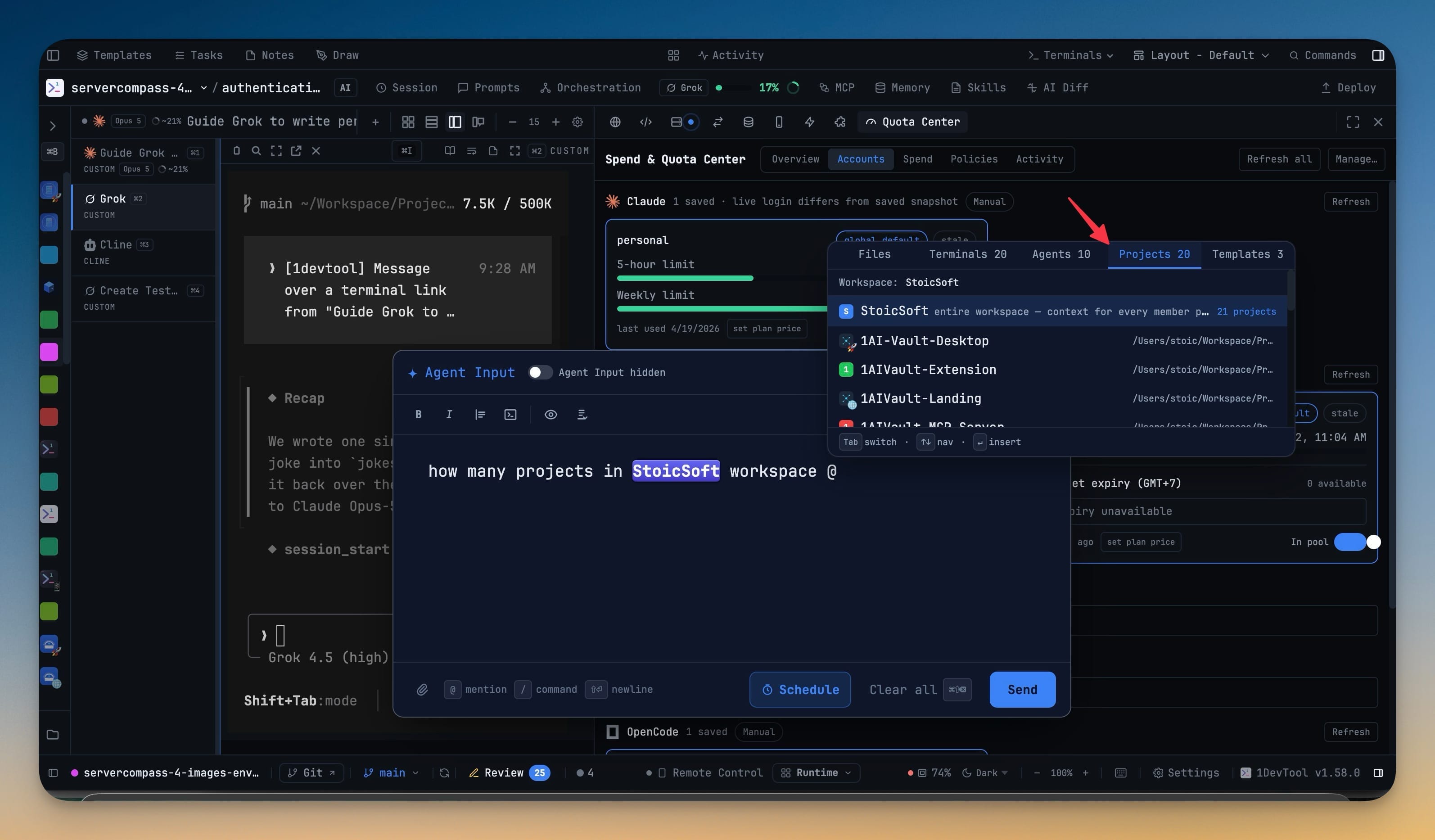
Almost nothing real lives in a single repository, but tools keep insisting it does — so you end up being the integration layer, remembering which four projects make up one product and re-explaining that to every agent you talk to. A workspace makes that grouping a first-class thing the app knows about: Mission Control cards carry a workspace badge, the Team Map can filter to it, the Tasks board can list every task across it, and Agent Input can hand an agent the whole product's context by name. The creation sheet shows you which projects actually resolve — with their avatars, colours and emoji — before you save, so a mistake surfaces while it is still cheap to fix.
How It Works
Get started in 4 simple steps
Create the workspace
From Settings → Workspaces, or right-click a sidebar group → Create workspace…. Name it and give it a colour.
Choose where members come from
Build it from project group(s) or select projects directly, and tick Include nested groups when the group has children.
Pick Live or Snapshot
Live tracks the sidebar group as it changes; Snapshot freezes today’s members. The sheet lists the projects that actually resolve before you save.
Use it across the app
Mission Control cards carry a workspace badge, the Team Map gains a workspace chip and a Show outside toggle, and Tasks gains a Workspace view.
Without 1DevTool
The manual way vs. the 1DevTool way
The Hard Way
The 1DevTool Way
How it compares
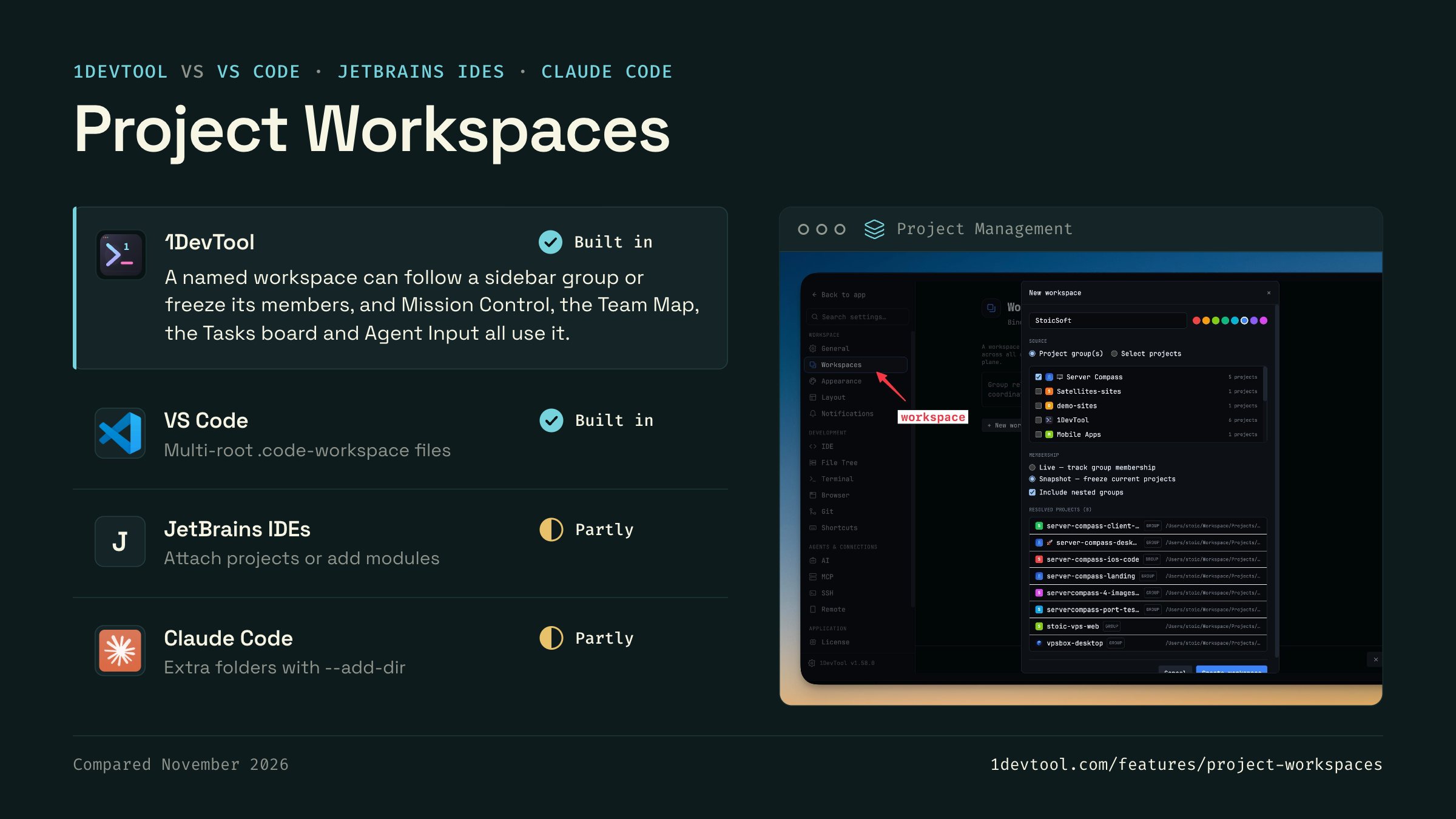
A product split across repos is usually opened as a multi-root workspace, or the agent is told about the other folders by hand.
 1DevToolBuilt inBuilt in
A named workspace can follow a sidebar group or freeze its members, and Mission Control, the Team Map, the Tasks board and Agent Input all use it.
- Built in
A .code-workspace file lists several folders that open together in one window, with shared settings and per-folder Source Control.
- Partly
WebStorm, PyCharm and similar IDEs can attach another project to the open one. IntelliJ IDEA adds them as modules.
 Claude CodePartlyPartly
Claude Code works in one directory and reads others you add with --add-dir or /add-dir, or list in its settings.

Checked November 2026 against each app's public docs. These products change quickly. If a row is out of date, tell us at feedback.stoicsoft.com/1devtool.
Key Capabilities
Everything included with Project Workspaces
Why It Matters
The productivity impact of having project management built into your workspace
Instant Project Switching
Switch between projects in one click with complete state restoration. No more 5-minute setup rituals.
Visual Organization
Color-coded projects, file type icons, and layout presets keep your workspace organized and recognizable.
Smart File Navigation
.gitignore-aware filtering, instant search, and context menus make finding and opening files effortless.
Workspace Memory
Every project remembers its terminals, open files, database connections, and layout. Pick up exactly where you left off.
More in Project Management
Other features in this category you might find useful
Multi-Project Workspace
Work on multiple projects simultaneously with instant switching. Entire workspace state is preserved per project.
Smart File Explorer
Real-time file tree with type icons, .gitignore filtering, search, and right-click context menus.
Per-Project Code Intelligence
Spawn real typescript-language-server, gopls, pyright, rust-analyzer, clangd, solargraph, intelephense, sourcekit-lsp, or csharp-ls for the projects you opt into — with project-aware errors and zero false positives.
Color-Coded Projects
Assign accent colors to each project for instant visual identification across your workspace.
Ready to boost your workflow?
Download 1DevTool for free and experience Project Workspaces along with 342 other features — all in one app.