Remote Control Over Cloudflare Tunnel
Route Remote Control through a Cloudflare Tunnel so your phone reaches your desktop from LTE, hotel Wi-Fi, or any network — no router config, no VPN.
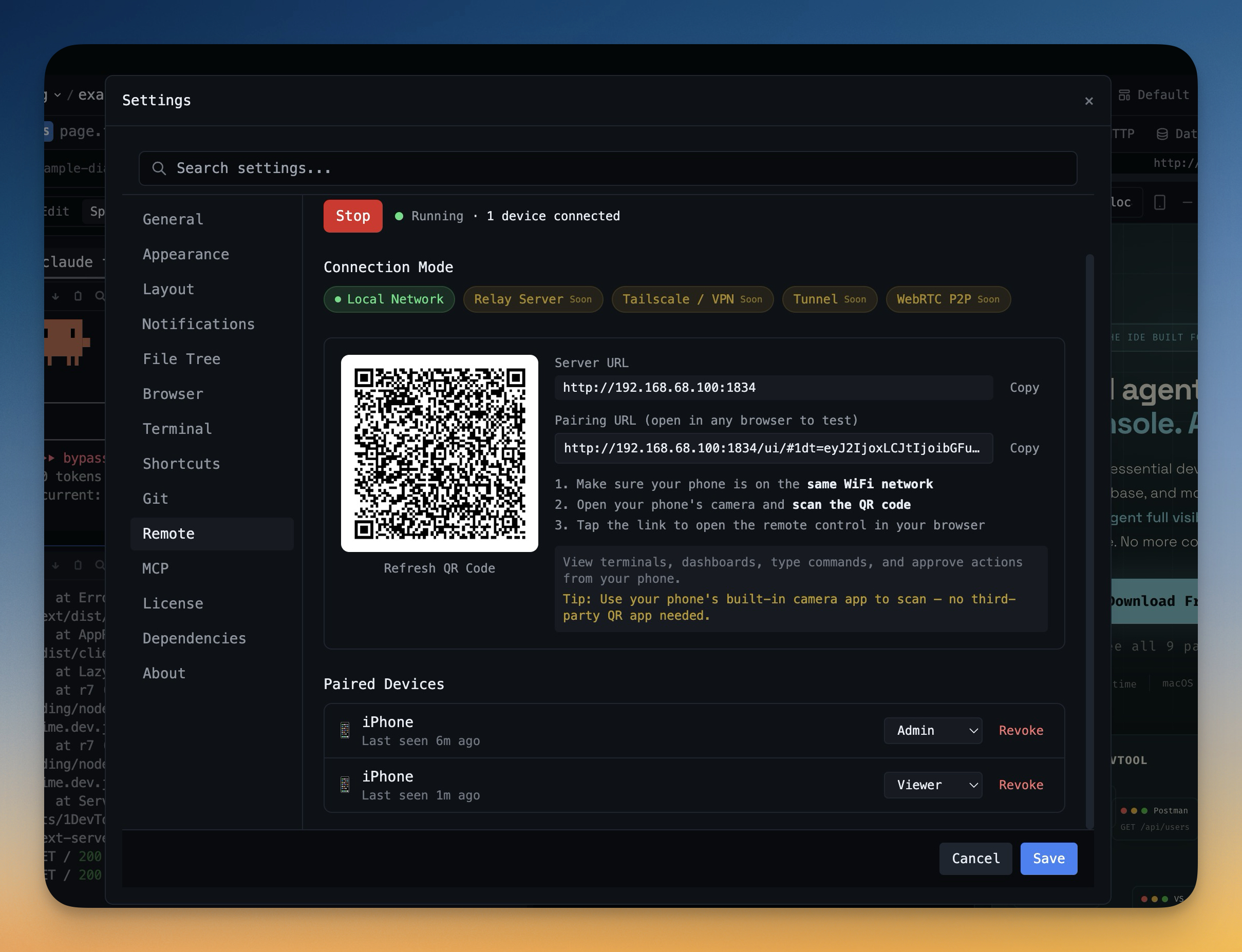
Why You Need This
How this feature boosts your daily productivity
Same-network remote control breaks the moment you leave home Wi-Fi. Hotel networks isolate clients, mobile carriers don't see your LAN, and most ISPs make port-forwarding painful. With a managed Cloudflare Tunnel, the phone pairs with a public URL instead of a LAN address — you stop juggling networks and start controlling your desktop from wherever you actually are.
How It Works
Get started in 4 simple steps
Add Your Projects
Click the "+" button to add project folders. Assign unique colors for instant visual identification.
Browse & Navigate
Use the file explorer to browse your project. Filter files, toggle hidden items, and search instantly.
Switch Instantly
Click any project to switch. Your entire workspace state — terminals, files, layout — restores automatically.
Choose Your Layout
Select a preset layout or create a custom one. Your layout is saved per project for consistent workflows.
Without 1DevTool
The manual way vs. the 1DevTool way
The Hard Way
The 1DevTool Way
How it compares
Reaching a home machine from mobile data usually means a VPN, port forwarding, or a tunnel service that gives it a public URL.
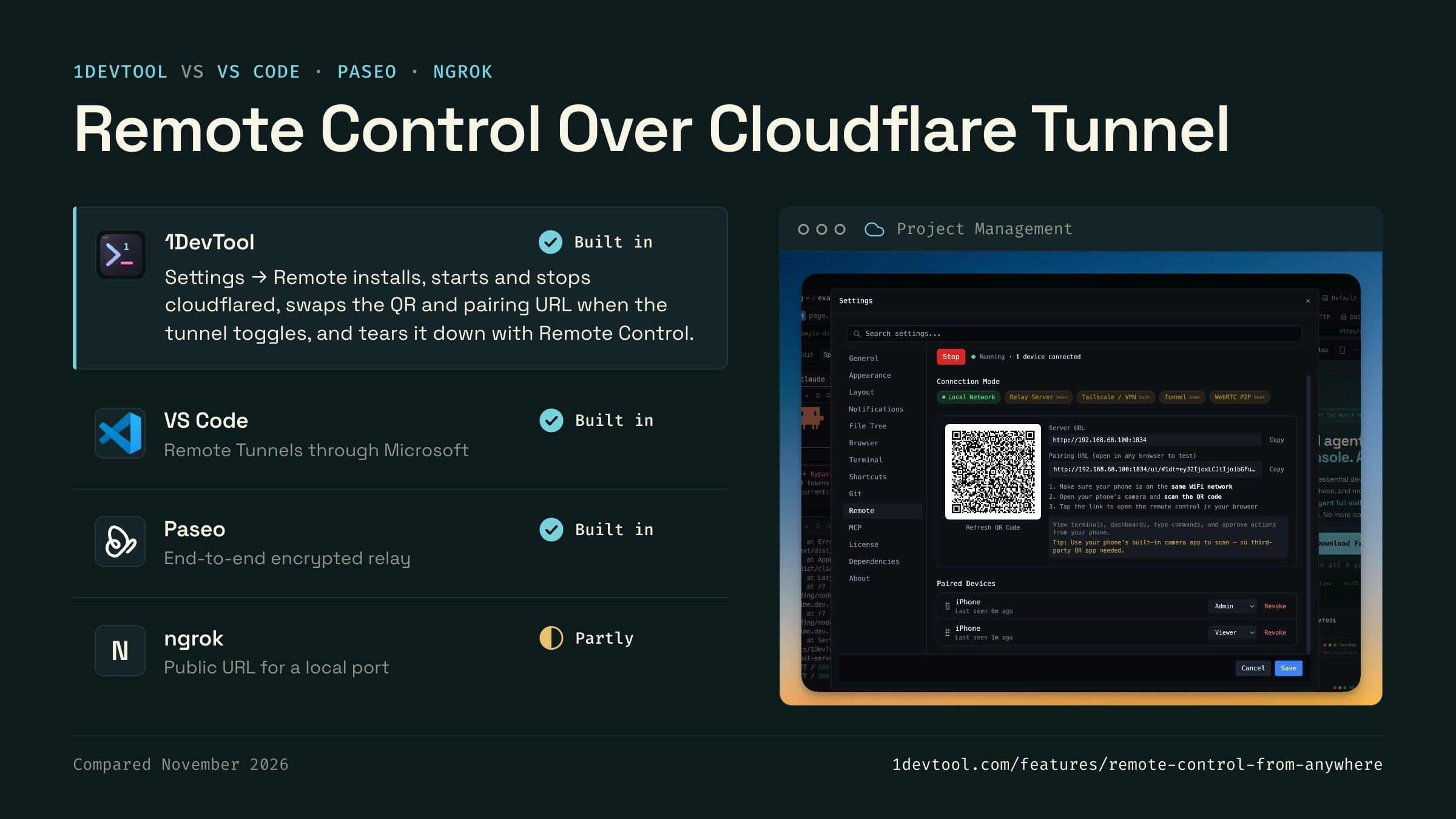
 1DevToolBuilt inBuilt in
Settings → Remote installs, starts and stops cloudflared, swaps the QR and pairing URL when the tunnel toggles, and tears it down with Remote Control.
- Built in
VS Code Remote Tunnels connects through Microsoft's dev tunnels service, so the machine is reachable from any network after an account sign-in.
- Built in
Paseo's optional relay lets the phone reach the daemon from any network, with end-to-end encrypted traffic and no port forwarding.
- ngrokPartlyPartly
ngrok gives a local port a public URL from its CLI, with optional access rules on the ngrok side.

Checked November 2026 against each app's public docs. These products change quickly. If a row is out of date, tell us at feedback.stoicsoft.com/1devtool.
Key Capabilities
Everything included with Remote Control Over Cloudflare Tunnel
Why It Matters
The productivity impact of having project management built into your workspace
Instant Project Switching
Switch between projects in one click with complete state restoration. No more 5-minute setup rituals.
Visual Organization
Color-coded projects, file type icons, and layout presets keep your workspace organized and recognizable.
Smart File Navigation
.gitignore-aware filtering, instant search, and context menus make finding and opening files effortless.
Workspace Memory
Every project remembers its terminals, open files, database connections, and layout. Pick up exactly where you left off.
More in Project Management
Other features in this category you might find useful
Multi-Project Workspace
Work on multiple projects simultaneously with instant switching. Entire workspace state is preserved per project.
Smart File Explorer
Real-time file tree with type icons, .gitignore filtering, search, and right-click context menus.
Per-Project Code Intelligence
Spawn real typescript-language-server, gopls, pyright, rust-analyzer, clangd, solargraph, intelephense, sourcekit-lsp, or csharp-ls for the projects you opt into — with project-aware errors and zero false positives.
Color-Coded Projects
Assign accent colors to each project for instant visual identification across your workspace.
Ready to boost your workflow?
Download 1DevTool for free and experience Remote Control Over Cloudflare Tunnel along with 342 other features — all in one app.