Pull Requests in the Repo Panel
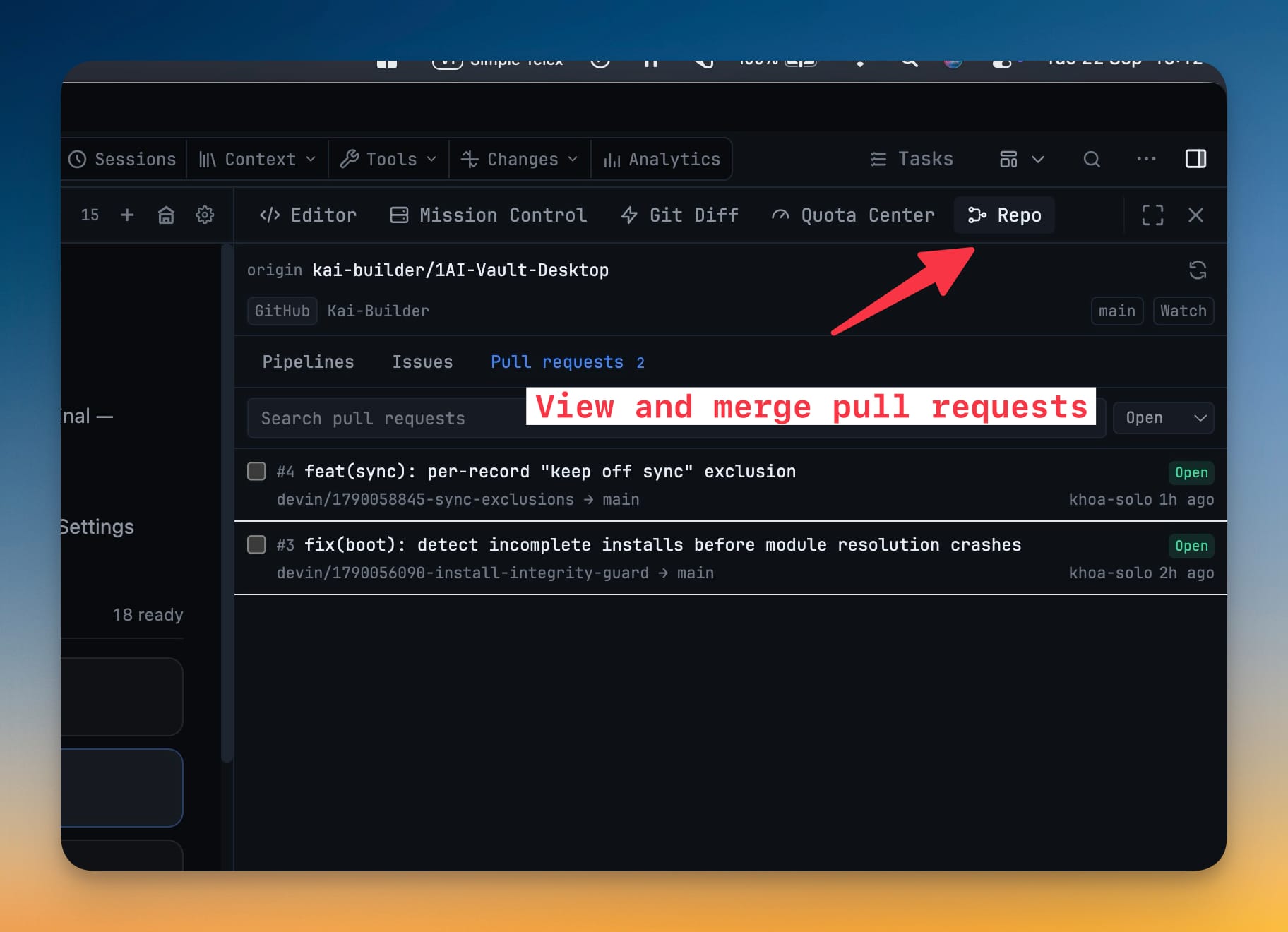
GitHub pull requests and GitLab merge requests in the third tab of the Repo panel, resolved from the same git remote as your pipelines and issues. Read branches, labels, assignees, diff size and the full comment thread, then comment, close, hand the request to an AI terminal, or merge it — one at a time or a whole ticked batch.
More Screenshots
Click any image to zoom in
Why You Need This
How this feature boosts your daily productivity
An agent opens a pull request on a branch you can already see in the app, and then you leave for a browser tab to read and merge it. The Pull requests tab keeps that round trip inside the panel that already knows your remote: an open count before you even look, a mergeability line that says Mergeable or names exactly what is blocking, and a merge that is pinned to the revision you reviewed — so a branch that moved while you were reading is refused rather than landed behind your back.
How It Works
Get started in 4 simple steps
Open the Repo panel's third tab
Pull requests sits next to Pipelines and Issues, resolved from the same git remote. A badge on the tab shows how many are open before you look.
Narrow the list
Open, merged, closed or all, searched by title, number or branch — debounced rather than fired per keystroke, and local on GitHub, provider-side on GitLab.
Read one properly
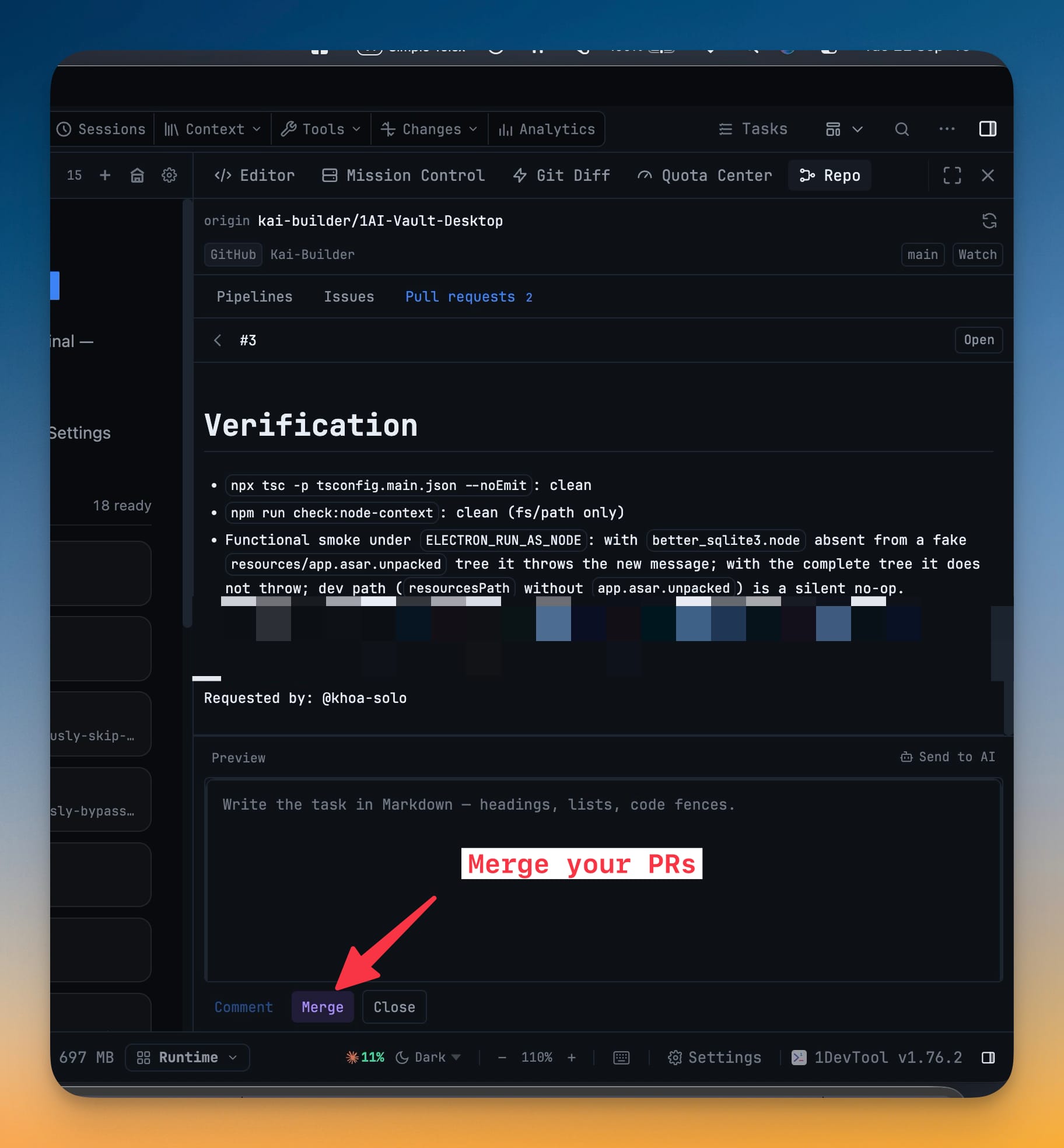
Source and target branch (forks marked), description, labels, assignees, diff size and the full comment thread, under a line that says Mergeable, Conflicting changes, Behind the base branch, Blocked by checks or review policy, or Checking mergeability…
Merge, comment, or send it to an agent
Pick Merge commit, Squash or Rebase (GitLab offers merge or squash) and the app sends the revision you reviewed as a condition, so a moved branch is refused. Send to AI hands the request, its branches and the comments you tick to an AI terminal.
Or merge a whole batch
Tick any open, non-draft requests, confirm once, and they merge one after another in the order you reviewed them, each with its own head-revision condition and a result saying what landed or exactly why it did not.
Without 1DevTool
The manual way vs. the 1DevTool way
The Hard Way
The 1DevTool Way
Key Capabilities
Everything included with Pull Requests in the Repo Panel
Why It Matters
The productivity impact of having project management built into your workspace
The Review Loop Closes in One App
A branch an agent opened is read, discussed and merged in the panel that already knows your remote — no browser tab in the middle.
A Merge Can't Land Something You Didn't See
The revision you reviewed is sent as a condition, so a push that arrived while you were reading makes the host refuse rather than merge.
Five Requests Cost One Confirmation
Batch merge turns five page loads into one tick-and-confirm, and hands back a per-request answer instead of leaving you to check.
Both Hosts, One Panel
GitHub and GitLab differ on merge verbs, mergeability vocabulary and search; the panel handles that underneath instead of showing it to you.
More in Project Management
Other features in this category you might find useful
Multi-Project Workspace
Work on multiple projects simultaneously with instant switching. Entire workspace state is preserved per project.
Smart File Explorer
Real-time file tree with type icons, .gitignore filtering, search, and right-click context menus.
Per-Project Code Intelligence
Spawn real typescript-language-server, gopls, pyright, rust-analyzer, clangd, solargraph, intelephense, or sourcekit-lsp for the projects you opt into — with project-aware errors and zero false positives.
Color-Coded Projects
Assign accent colors to each project for instant visual identification across your workspace.
Ready to boost your workflow?
Download 1DevTool for free and experience Pull Requests in the Repo Panel along with 319 other features — all in one app.