Simple Handoff
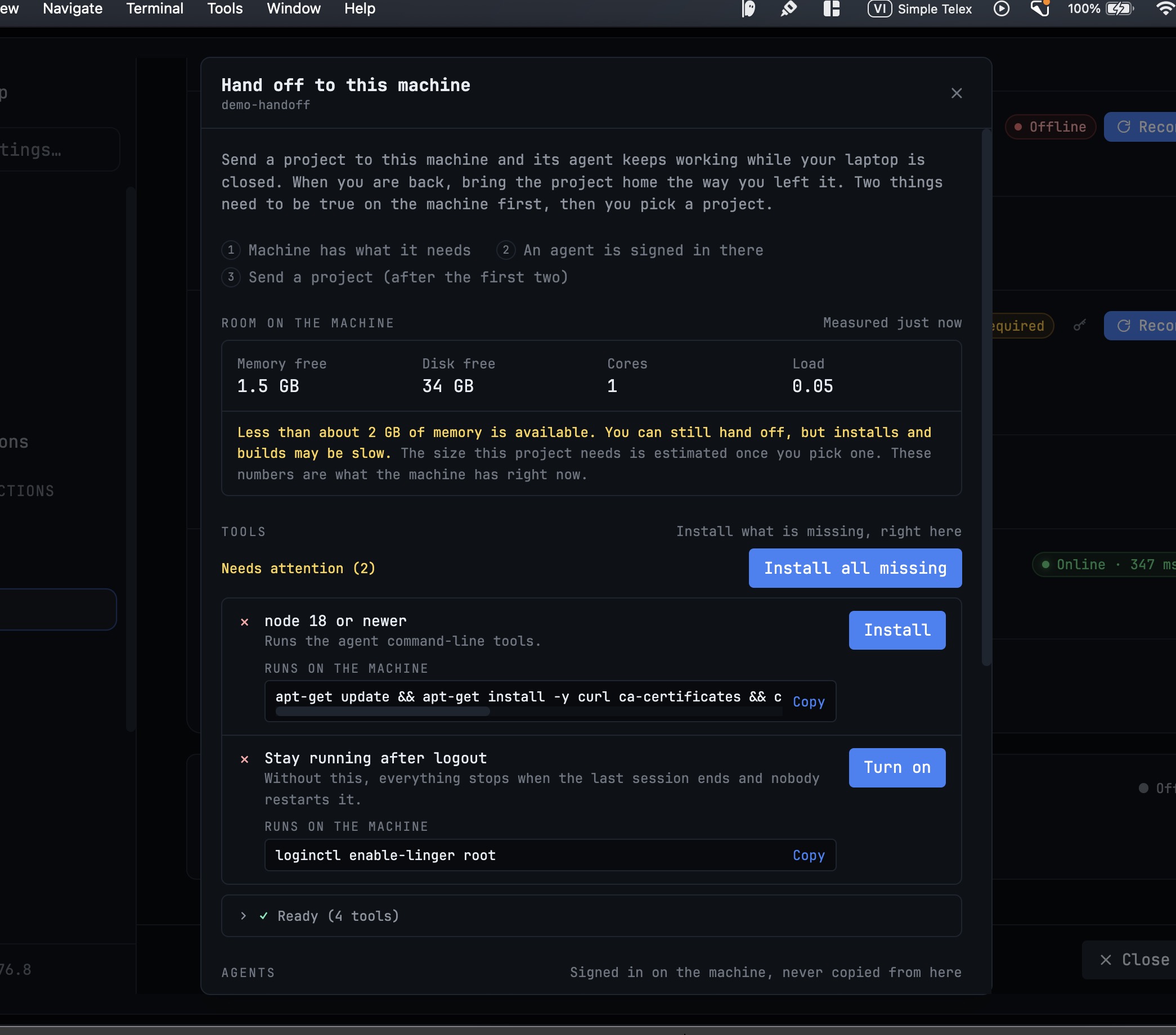
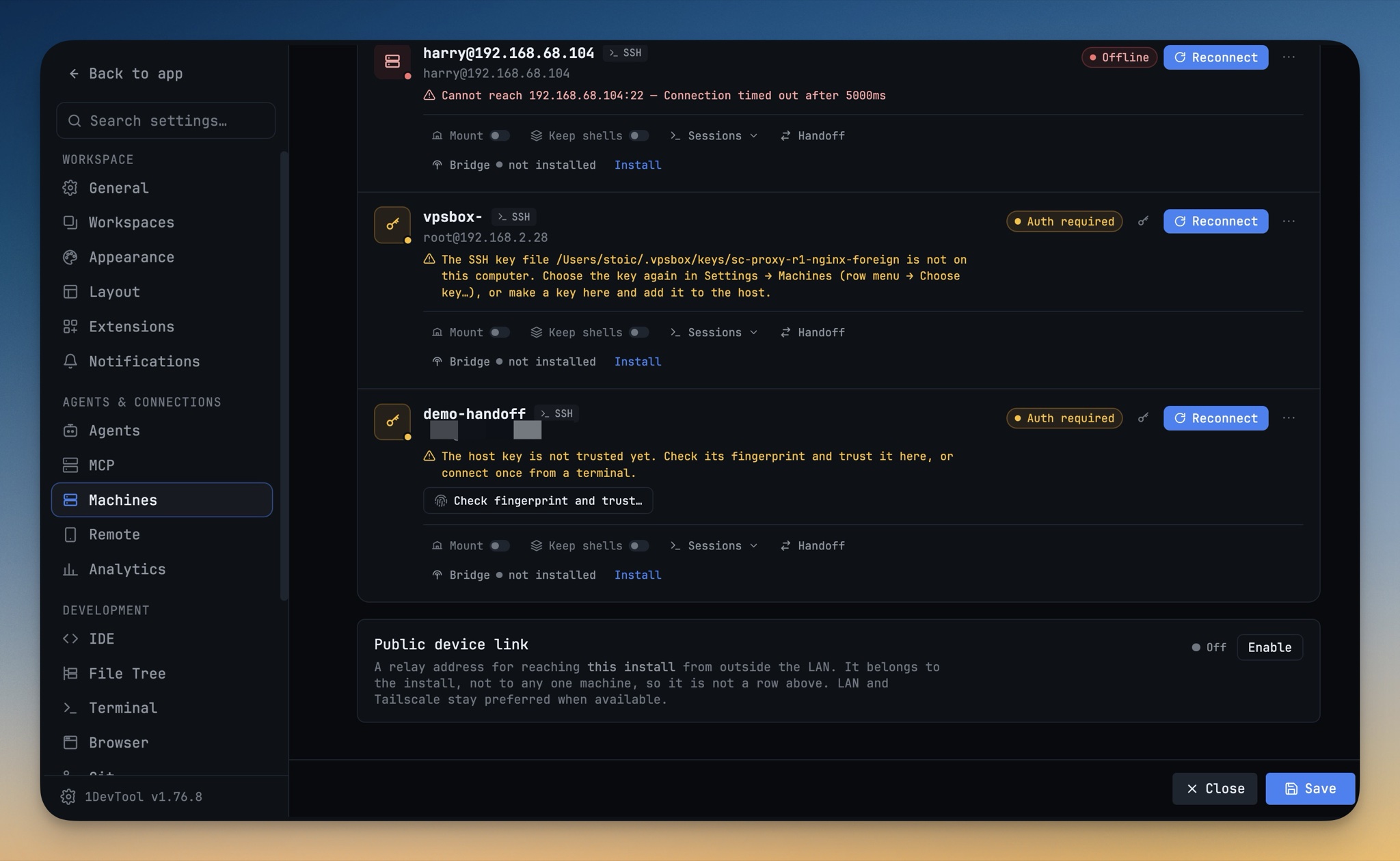
Send a project to one of your own machines and its agent keeps working while your laptop is closed. `rsync` carries tracked and untracked files, staged and unstaged changes, deletions and `.git`, so there is no "push to GitHub first", and the run lives on the box as a `systemd --user` unit. Take back rsyncs the project home and cleans up after itself.
More Screenshots
Click any image to zoom in
Why You Need This
How this feature boosts your daily productivity
A long agent task and a laptop that has to move are not compatible. Leaving the lid propped open on the kitchen table is not a plan, and the manual alternative — commit, push, SSH, clone, install Node, scp the `.env` over, start a `tmux` session you will forget the name of — costs more time than the task you wanted done. Handoff removes the whole ritual: the box starts from exactly what is on your disk right now, half-finished edits included, and keeps going whether your machine is asleep, on another network, or off.
How It Works
Get started in 4 simple steps
Add Your Projects
Click the "+" button to add project folders. Assign unique colors for instant visual identification.
Browse & Navigate
Use the file explorer to browse your project. Filter files, toggle hidden items, and search instantly.
Switch Instantly
Click any project to switch. Your entire workspace state — terminals, files, layout — restores automatically.
Choose Your Layout
Select a preset layout or create a custom one. Your layout is saved per project for consistent workflows.
Without 1DevTool
The manual way vs. the 1DevTool way
The Hard Way
The 1DevTool Way
Key Capabilities
Everything included with Simple Handoff
Why It Matters
The productivity impact of having project management built into your workspace
Instant Project Switching
Switch between projects in one click with complete state restoration. No more 5-minute setup rituals.
Visual Organization
Color-coded projects, file type icons, and layout presets keep your workspace organized and recognizable.
Smart File Navigation
.gitignore-aware filtering, instant search, and context menus make finding and opening files effortless.
Workspace Memory
Every project remembers its terminals, open files, database connections, and layout. Pick up exactly where you left off.
More in Project Management
Other features in this category you might find useful
Multi-Project Workspace
Work on multiple projects simultaneously with instant switching. Entire workspace state is preserved per project.
Smart File Explorer
Real-time file tree with type icons, .gitignore filtering, search, and right-click context menus.
Per-Project Code Intelligence
Spawn real typescript-language-server, gopls, pyright, rust-analyzer, clangd, solargraph, intelephense, or sourcekit-lsp for the projects you opt into — with project-aware errors and zero false positives.
Color-Coded Projects
Assign accent colors to each project for instant visual identification across your workspace.
Ready to boost your workflow?
Download 1DevTool for free and experience Simple Handoff along with 324 other features — all in one app.