Voice Mode for Agent Input
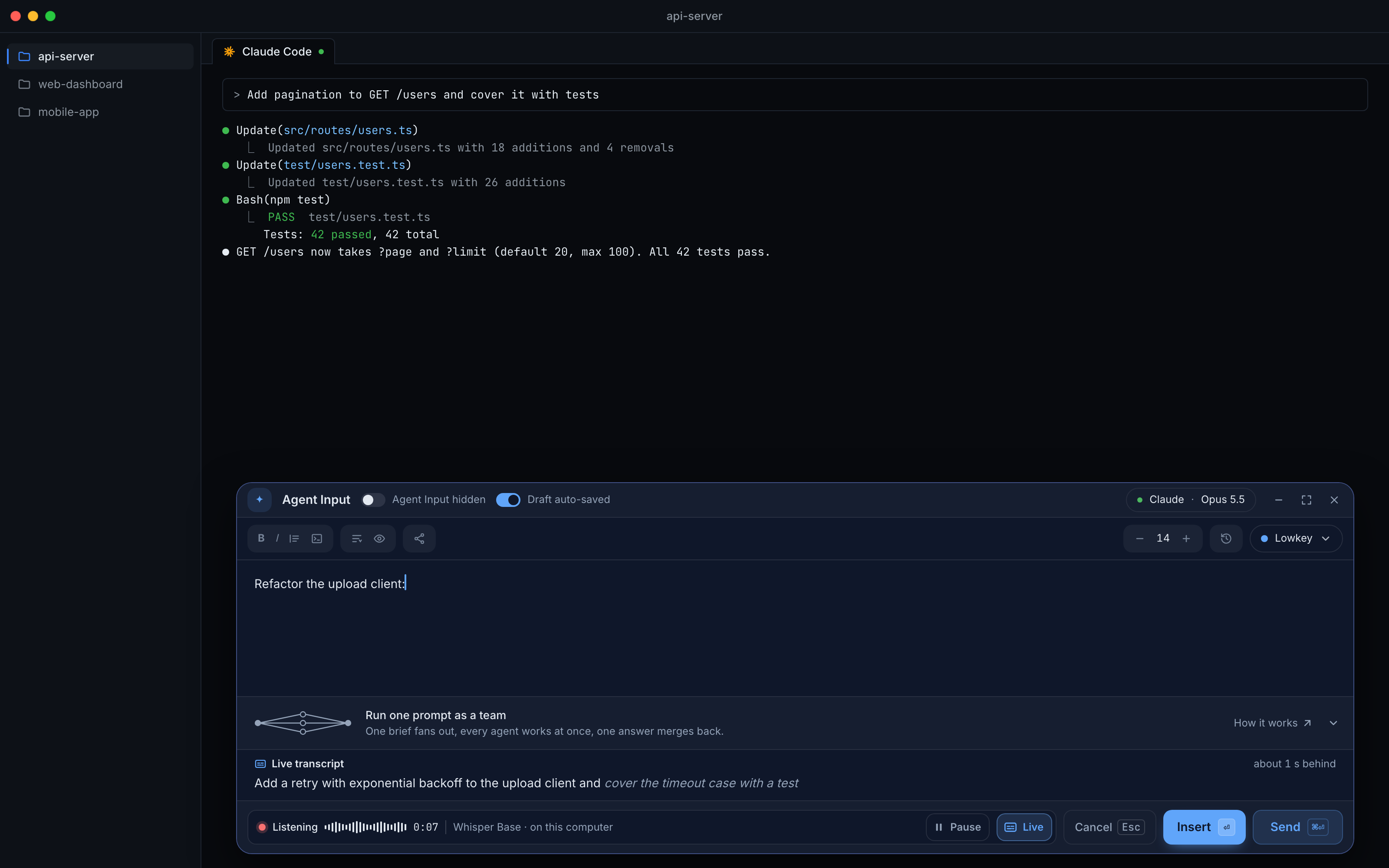
Say your prompt and the words land in Agent Input at the caret, ready to edit or send. Speech is turned into text on your computer by OpenAI Whisper, either built into 1DevTool or in 1AudioTool, and your audio is never uploaded.
More Screenshots
Click any image to zoom in
Why You Need This
How this feature boosts your daily productivity
The prompts that get good work from a coding agent are long and specific, and typing them is the slow part, so they get shorter than they should be. Dictation apps paste into whatever has focus and often send your audio to a server. Voice mode puts speech-to-text inside Agent Input: it knows where your caret is, shows the words as they are recognised, and lets you undo a take in one click.
How It Works
Get started in 4 simple steps
Click the mic or press ⌘⇧Space
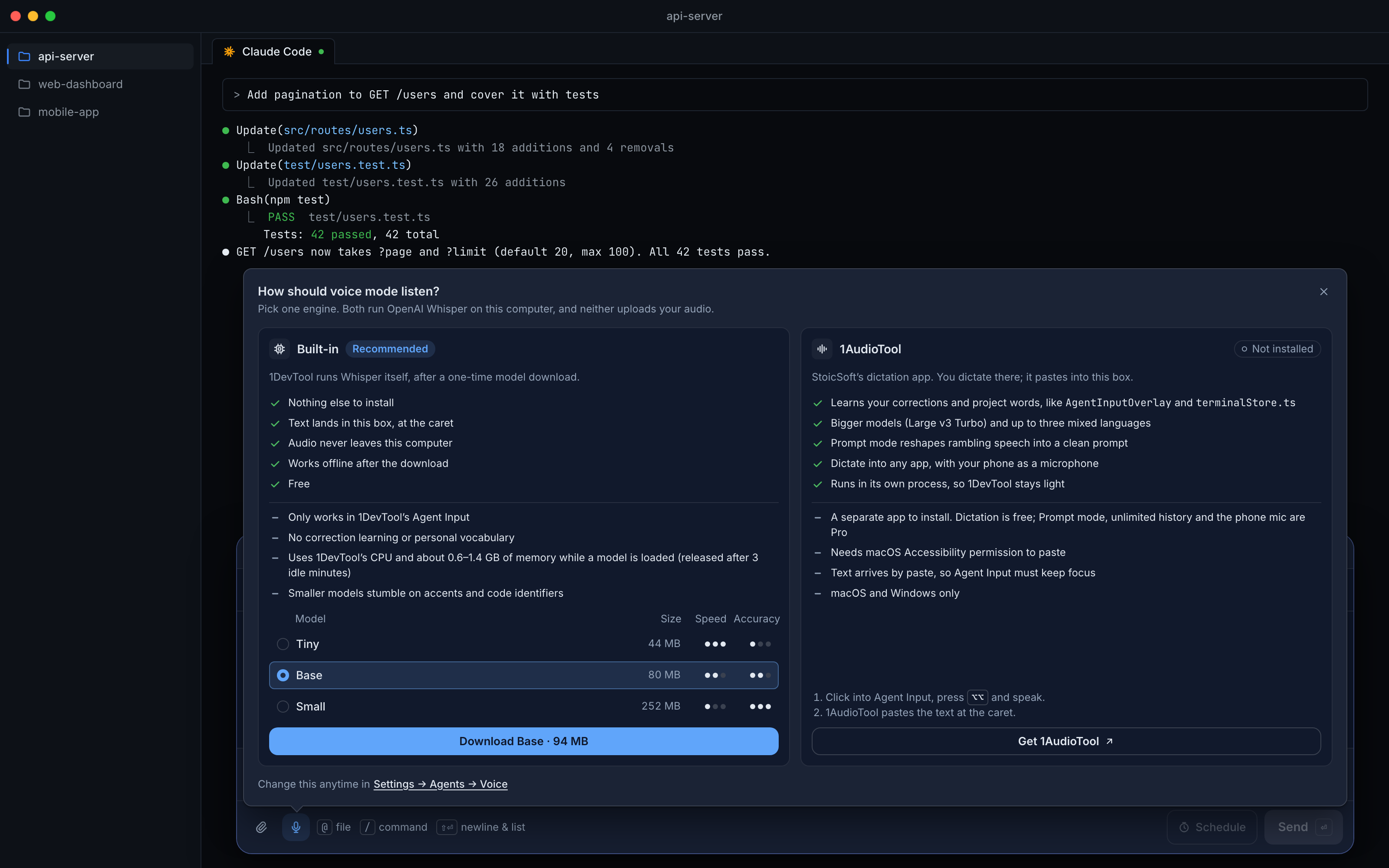
The microphone sits next to the attach button in Agent Input; Ctrl+Shift+Space on Windows and Linux. The first click asks How should voice mode listen?
Pick Built-in or 1AudioTool
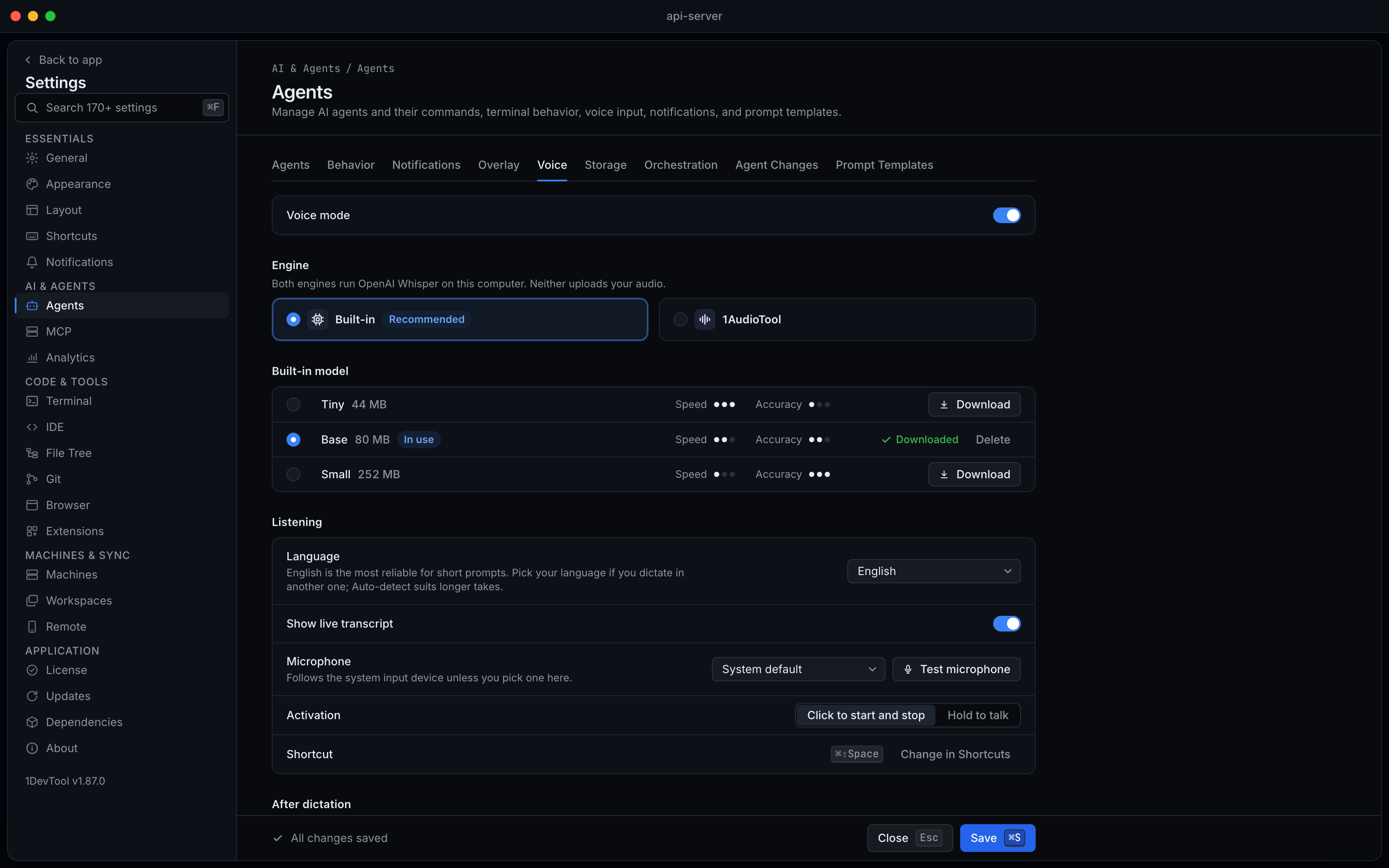
Built-in runs Whisper inside 1DevTool after a one-time download of Tiny, Base or Small. 1AudioTool runs it in its own app and pastes into Agent Input.
Talk, pause, watch it arrive
The listening strip shows a level meter and a clock. Live shows the words as they are recognised; Pause closes the mic until Continue.
Insert, Send or Cancel
Enter inserts at the caret, ⌘⏎ inserts and sends, Esc drops the take. Inserted · Undo takes the words back out.
Without 1DevTool
The manual way vs. the 1DevTool way
The Hard Way
The 1DevTool Way
Key Capabilities
Everything included with Voice Mode for Agent Input
Why It Matters
The productivity impact of having ai productivity built into your workspace
Long Prompts at Speaking Speed
You say the file, the constraint and the test you want in a few seconds, so the detailed prompt stops being the expensive one.
Your Audio Stays Here
Whisper runs on your computer, built in or in 1AudioTool, so nothing you say is sent to a server.
You Read It Before the Agent Does
Insert lands at the caret without sending, highlighted and one click from Undo; only Send or ⌘⏎ sends.
More in AI Productivity
Other features in this category you might find useful
Prompt History
Search prompts and sticky notes from Remote Control while away from the desktop. Switch between This project and All projects, filter prompts by agent or notes by source, copy entries, delete with Operator access, and sync local prompt history.
Resume UI
Read any past AI session before you resume it. Resume AI Sessions is a split view with a searchable list of every Claude Code, Codex, Gemini CLI and other agent session on the left and a live preview of the project, branch, tool calls and conversation on the right, with replies rendered as Markdown, with Resume, bypass permissions and an editable command one click away.
Combine Sessions
Merge several past AI sessions into one opening prompt, or hand a single session to a different agent. Tick sessions in Resume AI Sessions, see a token estimate of the context they add, and send the result to a new chat with any agent or preset or to a terminal that is already open.
AI Diff Review Panel
Track every file modification any AI agent makes — Claude Code, Codex, Gemini, Amp, custom — and review, accept, or revert their work per file from a dedicated panel with inline diff overlays in the editor.
Ready to boost your workflow?
Download 1DevTool for free and experience Voice Mode for Agent Input along with 347 other features — all in one app.