Hermes Agent
Run Hermes as a first-class AI terminal in 1DevTool. Pick Hermes when adding a terminal and it behaves like every other agent — automatically detected across macOS, Linux, and Windows, with usage tracking, session memory browsing, and resume all included.
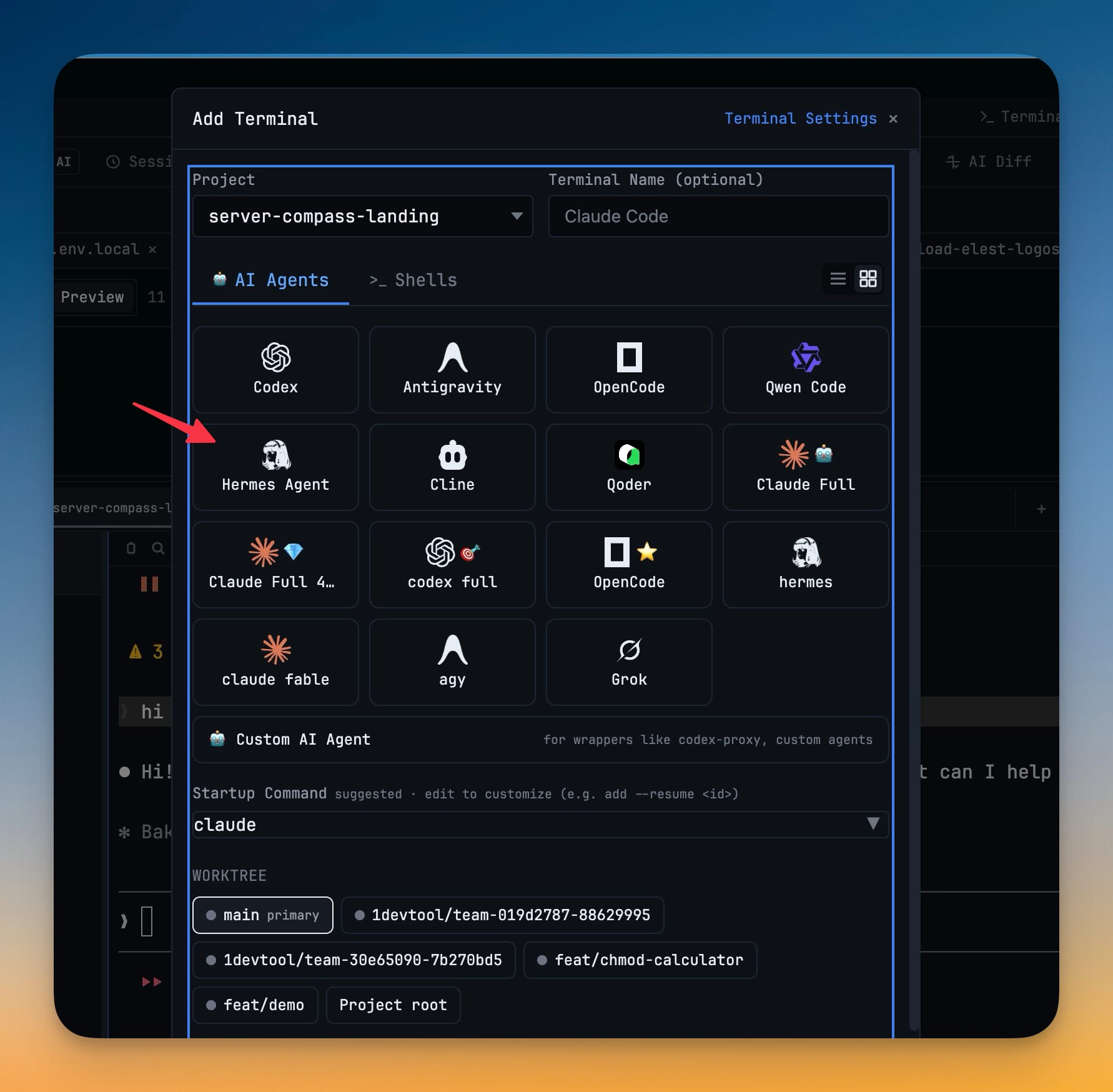
More Screenshots
Click any image to zoom in
Why You Need This
How this feature boosts your daily productivity
Adding a new AI CLI to your workflow usually means launching it in a plain shell with none of the niceties — no usage in the quota pill, no way to reopen a past conversation, sometimes no sign it is even installed. 1DevTool detects your Hermes binary on every OS, surfaces its usage next to your other agents, and stores its sessions in SQLite so you can browse and resume past conversations from the Resume Manager.
How It Works
Get started in 4 simple steps
Add a terminal, pick Hermes
Open Add Terminal and choose Hermes from the AI agents; if the binary is not found yet, 1DevTool points you to the install.
Let it detect your install
1DevTool locates the hermes binary automatically on macOS, Linux, and Windows, including common ~/.local/bin and Homebrew paths.
Prompt it like any agent
Hermes gets the same prompt handling, headless mode, and quota tracking in the usage pill as Claude, Codex, and the rest.
Browse and resume sessions
Hermes stores its conversations in SQLite; open the Resume Manager to browse past sessions and pick one back up where you left it.
Without 1DevTool
The manual way vs. the 1DevTool way
The Hard Way
The 1DevTool Way
Key Capabilities
Everything included with Hermes Agent
Why It Matters
The productivity impact of having ai productivity built into your workspace
A Real Agent, Not a Raw Shell
Hermes gets the same prompt handling, headless mode, and quota tracking as every other agent instead of running bare in a plain terminal.
Found on Every OS
Automatic detection across macOS, Linux, and Windows means you do not hand-wire a path just to launch it.
Your Sessions Stay Around
Conversations are stored in SQLite and browsable from the Resume Manager, so past work is never a scrollback you lost.
Resume Where You Stopped
Reopen a Hermes session and continue the thread instead of re-explaining context to a fresh run.
More in AI Productivity
Other features in this category you might find useful
Prompt History
Search prompts and sticky notes from Remote Control while away from the desktop. Switch between This project and All projects, filter prompts by agent or notes by source, copy entries, delete with Operator access, and sync local prompt history.
Resume UI
Read any past AI session before you resume it. Resume AI Sessions is a split view with a searchable list of every Claude Code, Codex, Gemini CLI and other agent session on the left and a live preview of the project, branch, tool calls and conversation on the right, with replies rendered as Markdown, with Resume, bypass permissions and an editable command one click away.
Combine Sessions
Merge several past AI sessions into one opening prompt, or hand a single session to a different agent. Tick sessions in Resume AI Sessions, see a token estimate of the context they add, and send the result to a new chat with any agent or preset or to a terminal that is already open.
AI Diff Review Panel
Track every file modification any AI agent makes — Claude Code, Codex, Gemini, Amp, custom — and review, accept, or revert their work per file from a dedicated panel with inline diff overlays in the editor.
Ready to boost your workflow?
Download 1DevTool for free and experience Hermes Agent along with 335 other features — all in one app.