Repo — Pipelines and Issues
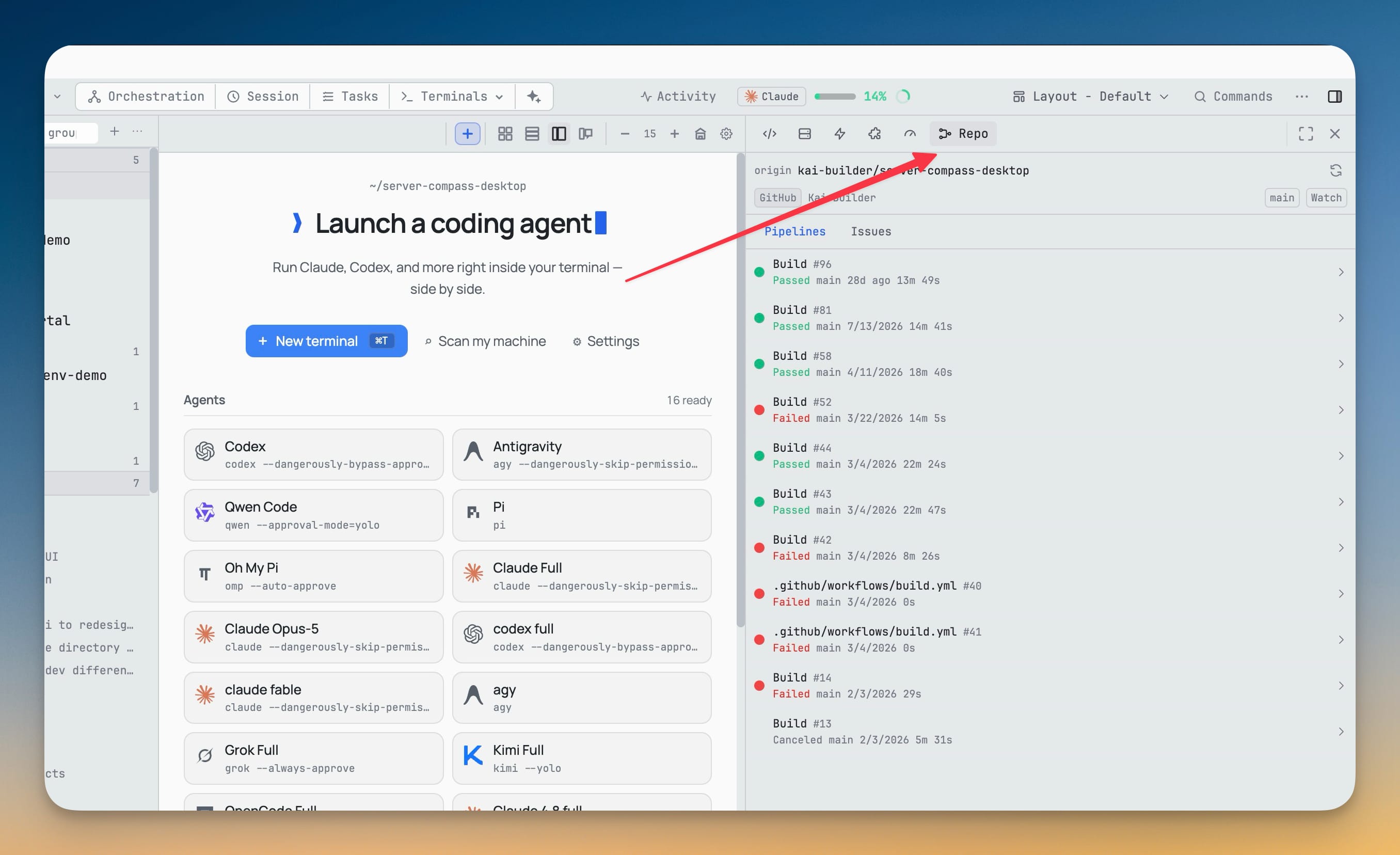
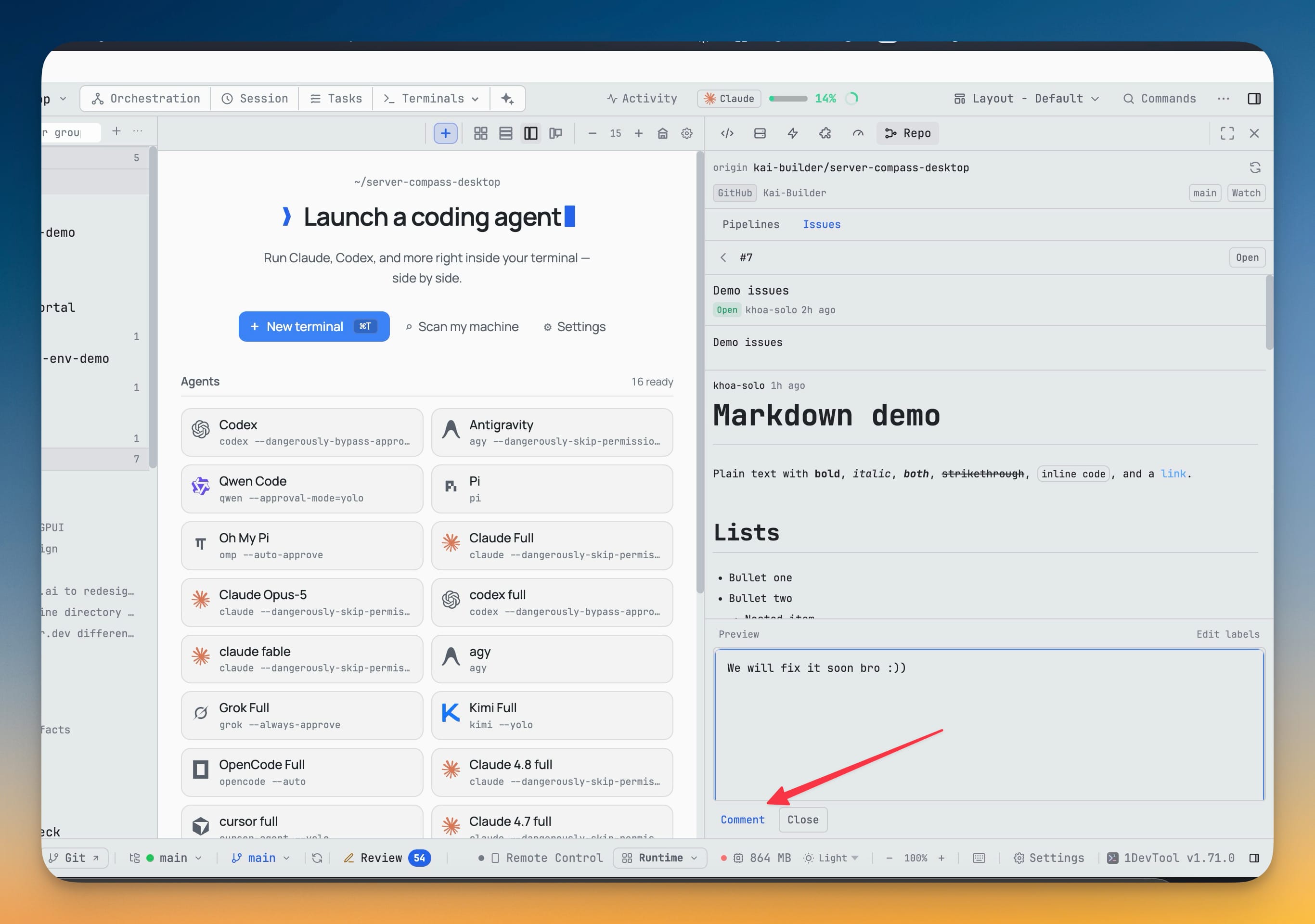
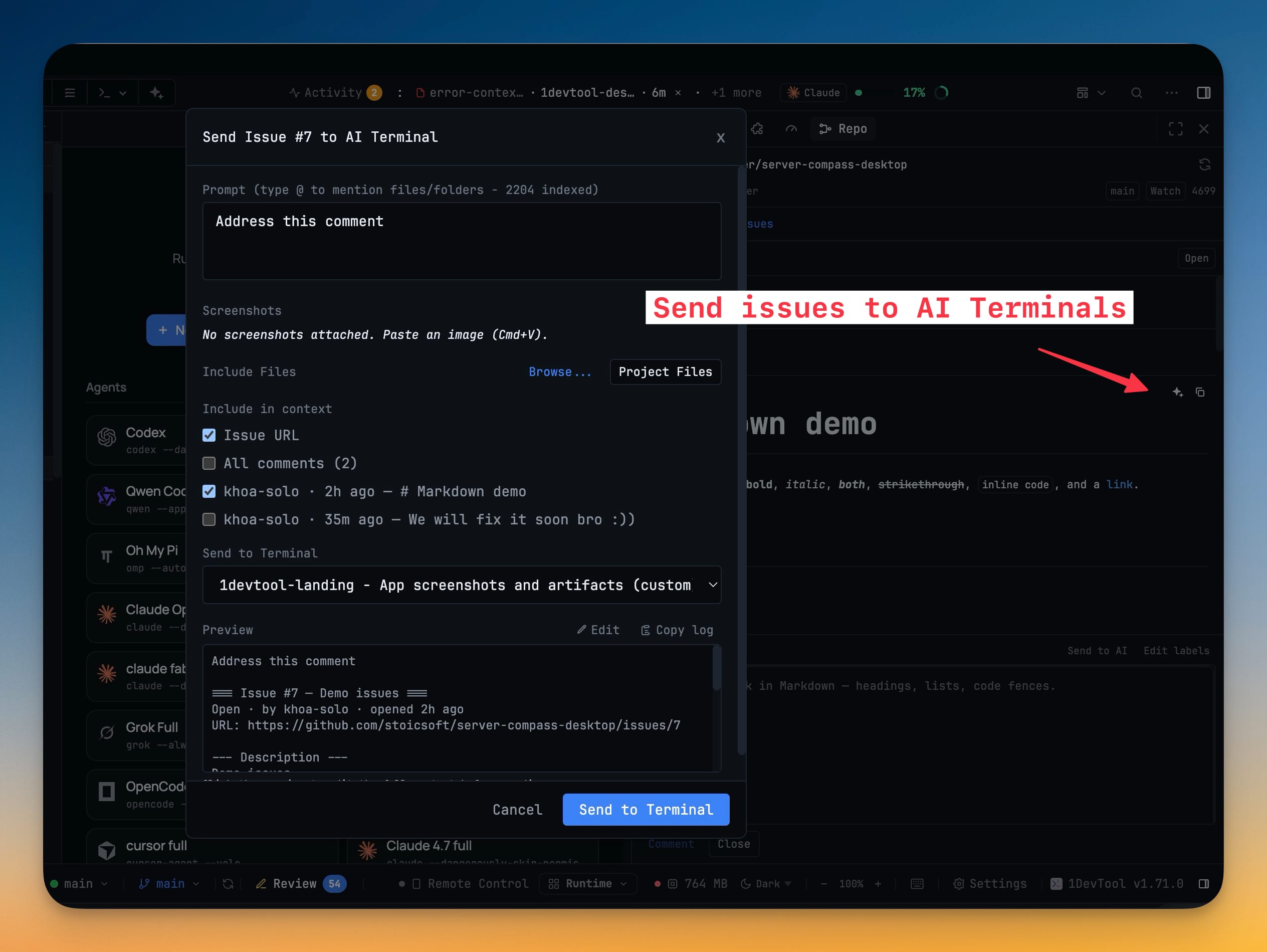
CI pipelines and issues for GitHub and GitLab, resolved from the git remote of the project you have open. Watch runs for the current branch, re-run or cancel them, read job logs in a searchable viewer, work issues end to end, and send an issue or a comment straight into an AI agent's composer with the context you choose.
More Screenshots
Click any image to zoom in
Why You Need This
How this feature boosts your daily productivity
Checking whether the build passed should not cost you a browser tab and the twenty minutes that follow it. The Repo panel keeps runs, jobs and the checks on HEAD beside your terminals, refreshed while you are looking at them and paused when you are not. Re-run, re-run failed jobs and cancel are all there, each confirmed inline before it fires. Issues get the same treatment — filter by state, read rendered Markdown and comments, then create, comment, close, reopen and change labels and assignees. The part that closes the loop is Send to AI: instead of copying an issue into your clipboard and pasting it into a terminal with half the context missing, you tick which comments come along, choose the target terminal, and read a preview of exactly what the agent will receive. A per-project watch can raise a desktop notification when a run goes from passing to failing; nothing is watched by default.
How It Works
Get started in 4 simple steps
Open the Repo panel
It resolves GitHub or GitLab from the git remote of the project you have open, and offers Pipelines and Issues as sub-tabs.
Watch the runs that matter
Runs for the current repo and branch, expandable jobs, and the checks on HEAD — refreshed while you are looking and paused when you are not.
Act on a run
Re-run, Re-run failed and Cancel each confirm inline before firing. A job's log opens in a searchable viewer with its colors intact.
Work the issue list
Filter by state, open one to read its rendered Markdown and comments, then create, comment, close, reopen, and change labels and assignees.
Send it to an agent
Pick which comments and whether the issue URL come along, choose the target terminal, and read the preview of exactly what the agent will receive before sending.
Opt in to a watch
Watch in the panel header raises a desktop notification when a run goes from passing to failing. Nothing is watched by default.
Without 1DevTool
The manual way vs. the 1DevTool way
The Hard Way
The 1DevTool Way
Key Capabilities
Everything included with Repo — Pipelines and Issues
Why It Matters
The productivity impact of having project management built into your workspace
Instant Project Switching
Switch between projects in one click with complete state restoration. No more 5-minute setup rituals.
Visual Organization
Color-coded projects, file type icons, and layout presets keep your workspace organized and recognizable.
Smart File Navigation
.gitignore-aware filtering, instant search, and context menus make finding and opening files effortless.
Workspace Memory
Every project remembers its terminals, open files, database connections, and layout. Pick up exactly where you left off.
More in Project Management
Other features in this category you might find useful
Multi-Project Workspace
Work on multiple projects simultaneously with instant switching. Entire workspace state is preserved per project.
Smart File Explorer
Real-time file tree with type icons, .gitignore filtering, search, and right-click context menus.
Per-Project Code Intelligence
Spawn real typescript-language-server, gopls, pyright, rust-analyzer, clangd, solargraph, intelephense, or sourcekit-lsp for the projects you opt into — with project-aware errors and zero false positives.
Color-Coded Projects
Assign accent colors to each project for instant visual identification across your workspace.
Ready to boost your workflow?
Download 1DevTool for free and experience Repo — Pipelines and Issues along with 345 other features — all in one app.