Share Recap Cards
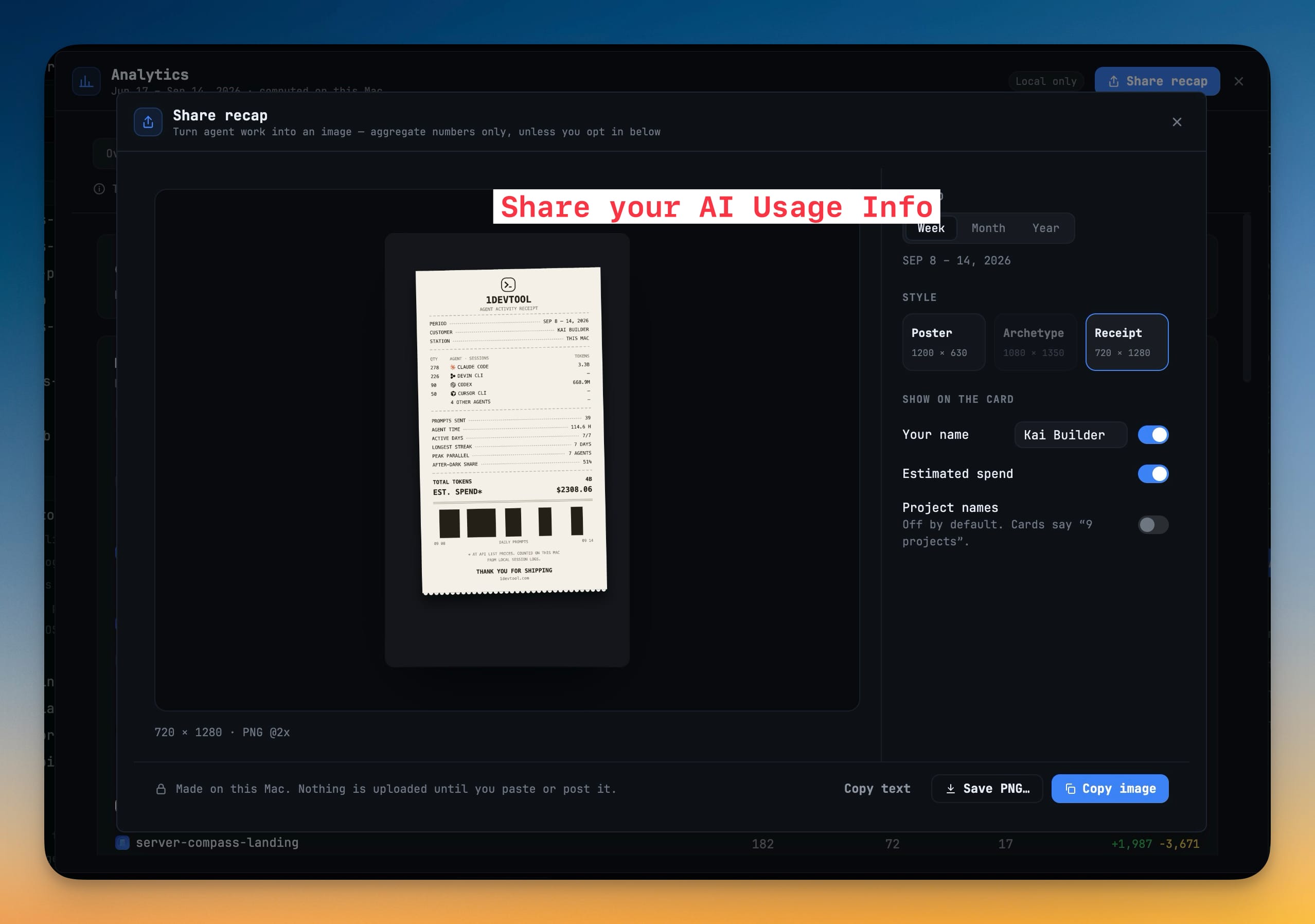
Turn a week, month or year of agent work into a Poster, Archetype or Receipt card, then copy it as an image, save it as a PNG or copy it as text. Cards carry aggregate numbers only — project names and estimated spend stay off unless you switch them on, and prompts and session titles never appear.
More Screenshots
Click any image to zoom in
Why You Need This
How this feature boosts your daily productivity
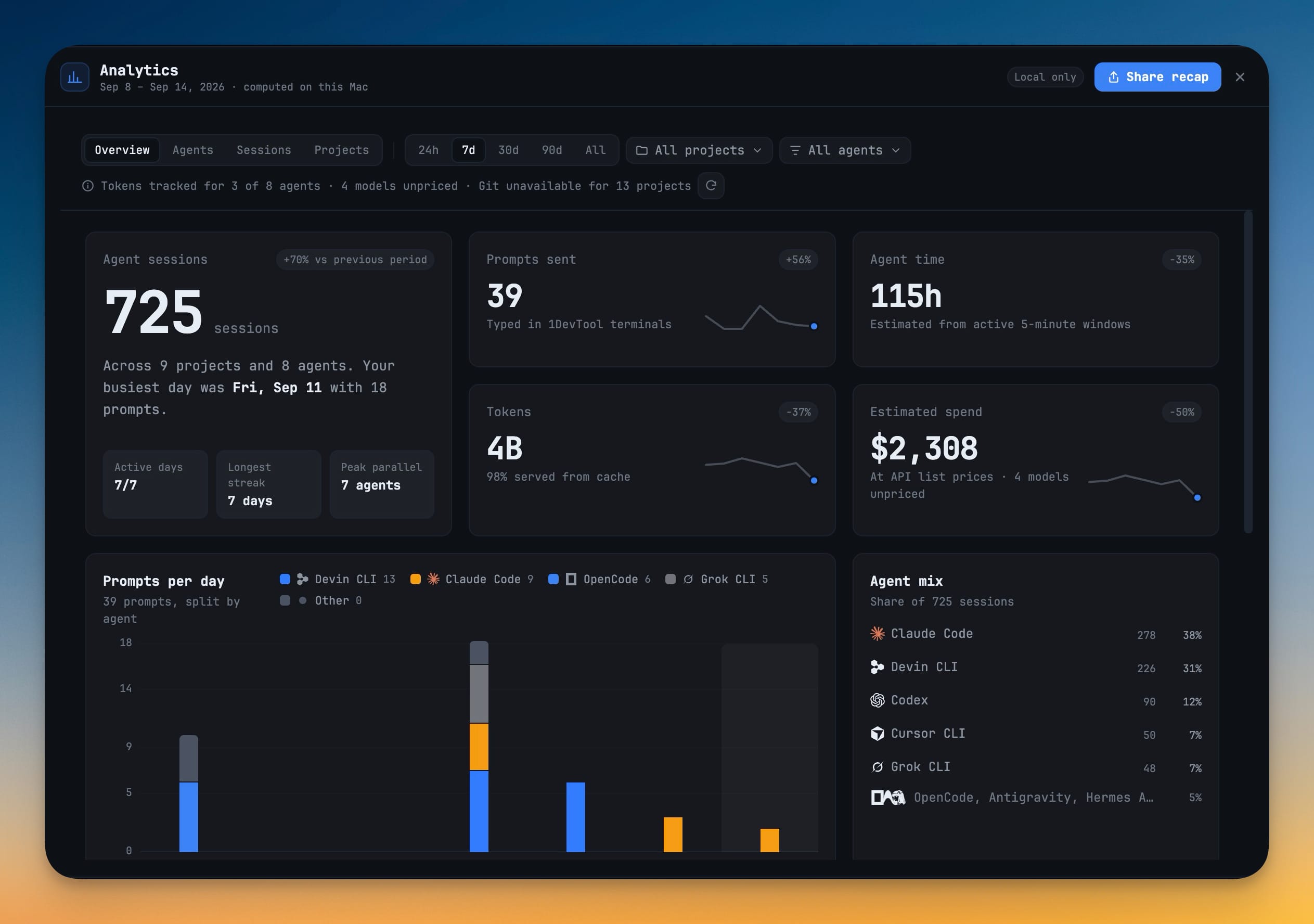
Showing how you work with coding agents usually means screenshotting a terminal and then cropping out every project name and prompt that should not leave your machine. Share recap starts from the other end: it draws a card from Analytics' aggregate numbers — sessions, prompts, agent time, tokens, active days, streaks, peak parallel agents — with your agents' real brand marks. Pick a Week, Month or Year (rolling 7, 30 or 365 days) and a style: Poster at 1200 × 630, Archetype at 1080 × 1350 with your coding archetype once the period has enough activity, or Receipt at 720 × 1280. Under Show on the card you decide whether your name and estimated spend appear, and Project names is off by default, so a card says "9 projects" instead of naming them. The card is rendered on your computer and nothing is uploaded until you paste or post it yourself; defaults for style, period and each toggle live in Settings → Analytics.
How It Works
Get started in 4 simple steps
Click Share recap
The button sits in the Analytics header, next to the Local only chip.
Pick a period and a style
Week, Month or Year, then Poster (1200 × 630), Archetype (1080 × 1350) or Receipt (720 × 1280).
Choose what the card shows
Under Show on the card, toggle Your name, Estimated spend and Project names. Project names start off, so a card says “9 projects”.
Copy or save it
Copy image, Save PNG… or Copy text. Nothing is uploaded until you paste or post it yourself.
Without 1DevTool
The manual way vs. the 1DevTool way
The Hard Way
The 1DevTool Way
Key Capabilities
Everything included with Share Recap Cards
Why It Matters
The productivity impact of having ai productivity built into your workspace
Share The Work, Not The Repo
Cards carry aggregate numbers, and project names are off by default, so a recap never leaks what you are building.
A Card For Every Channel
Poster fits a link preview, Archetype a portrait post and Receipt a story — each at its own size.
Nothing Leaves Until You Post It
The image is rendered locally; there is no upload step between you and the clipboard.
More in AI Productivity
Other features in this category you might find useful
Prompt History
Search prompts and sticky notes from Remote Control while away from the desktop. Switch between This project and All projects, filter prompts by agent or notes by source, copy entries, delete with Operator access, and sync local prompt history.
Resume UI
Read any past AI session before you resume it. Resume AI Sessions is a split view with a searchable list of every Claude Code, Codex, Gemini CLI and other agent session on the left and a live preview of the project, branch, tool calls and conversation on the right, with replies rendered as Markdown, with Resume, bypass permissions and an editable command one click away.
Combine Sessions
Merge several past AI sessions into one opening prompt, or hand a single session to a different agent. Tick sessions in Resume AI Sessions, see a token estimate of the context they add, and send the result to a new chat with any agent or preset or to a terminal that is already open.
AI Diff Review Panel
Track every file modification any AI agent makes — Claude Code, Codex, Gemini, Amp, custom — and review, accept, or revert their work per file from a dedicated panel with inline diff overlays in the editor.
Ready to boost your workflow?
Download 1DevTool for free and experience Share Recap Cards along with 347 other features — all in one app.