Vibe Coder Layout
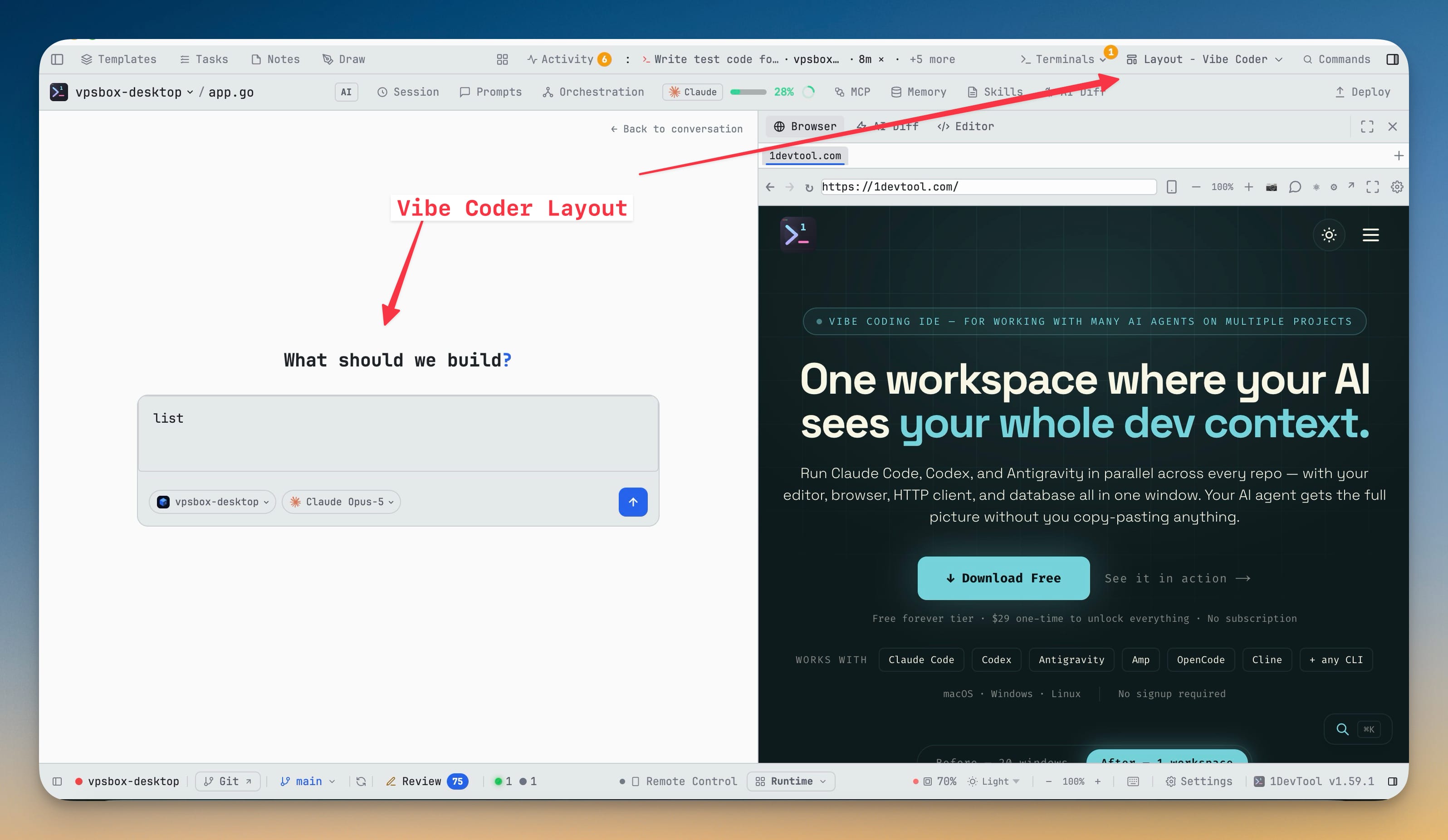
A prompt-first layout that rearranges the app around one question: what do you want to build? Vibe Home is a full-size composer with every mention, skill, slash command and template you get elsewhere, and the right panel keeps Preview, Changes and Code side by side while the build runs.
Why You Need This
How this feature boosts your daily productivity
Most sessions that start with an idea rather than a file spend their first minutes on layout admin — which panel to open, which terminal to attach, where the preview goes. Vibe Coder removes that step without removing the IDE: the composer is the full Agent Input, not a stripped-down prompt box, so file, terminal, agent and project mentions all still work, and the terminal underneath is real and one click away the moment you want it. Chips under the prompt decide the project, the agent and model, whether it proposes a plan before changing anything or starts building immediately, and how much it asks before acting — so the decisions that usually live in scattered settings sit on the same line as the prompt.
How It Works
Get started in 4 simple steps
Pick Vibe Coder
Choose it in the layout picker and the app rearranges around one question: what do you want to build? Opening with no project loaded still greets you with Vibe Home.
Describe it
Vibe Home is the full Agent Input composer — file, terminal, agent and project mentions, skills, slash commands, templates and drag-and-drop images all work exactly as they do elsewhere.
Set the chips
Chips under the prompt pick the project, the agent and model, whether it proposes a plan before changing anything or starts building immediately, and how much it asks before acting.
Watch it build
The prompt becomes a conversation with a real terminal one click underneath, while the right panel keeps Preview, Changes and Code side by side.
Without 1DevTool
The manual way vs. the 1DevTool way
The Hard Way
The 1DevTool Way
Key Capabilities
Everything included with Vibe Coder Layout
Why It Matters
The productivity impact of having project management built into your workspace
Instant Project Switching
Switch between projects in one click with complete state restoration. No more 5-minute setup rituals.
Visual Organization
Color-coded projects, file type icons, and layout presets keep your workspace organized and recognizable.
Smart File Navigation
.gitignore-aware filtering, instant search, and context menus make finding and opening files effortless.
Workspace Memory
Every project remembers its terminals, open files, database connections, and layout. Pick up exactly where you left off.
More in Project Management
Other features in this category you might find useful
Multi-Project Workspace
Work on multiple projects simultaneously with instant switching. Entire workspace state is preserved per project.
Smart File Explorer
Real-time file tree with type icons, .gitignore filtering, search, and right-click context menus.
Per-Project Code Intelligence
Spawn real typescript-language-server, gopls, pyright, rust-analyzer, clangd, solargraph, intelephense, or sourcekit-lsp for the projects you opt into — with project-aware errors and zero false positives.
Color-Coded Projects
Assign accent colors to each project for instant visual identification across your workspace.
Ready to boost your workflow?
Download 1DevTool for free and experience Vibe Coder Layout along with 321 other features — all in one app.