Pull Requests
Read, comment on and merge GitHub pull requests and GitLab merge requests from the Repo panel — with a mergeability line that names what is blocking, a merge pinned to the revision you reviewed, and a batch merge with a result per request.
Pull requests is the third tab of the Repo panel, next to Pipelines & Issues. It resolves from the same git remote as the rest of the panel, and handles GitHub pull requests and GitLab merge requests alike.
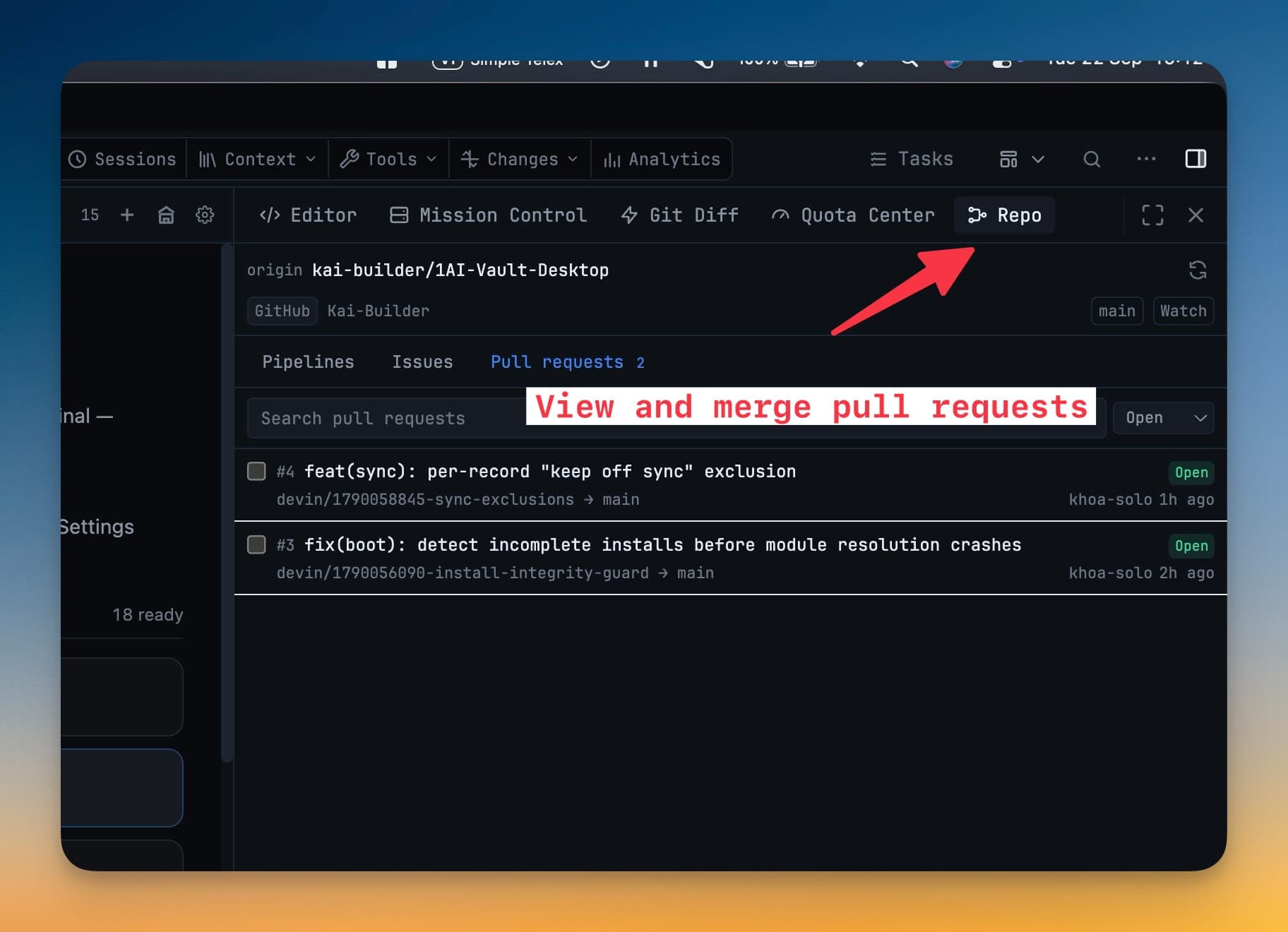
The list
A badge on the Pull requests tab shows how many are open, so you can tell whether anything is waiting without opening it.
Filter by Open, Merged, Closed or all, and search by title, number or branch. The search is debounced rather than fired per keystroke — on GitHub it runs locally over what the panel already holds, on GitLab it goes to the provider.
Pull requests are not polled. They change on human timescales, and the live request budget belongs to the pipeline poll, so the list refreshes when you ask it to.
Reading one
Open a row and you get the source and target branch (forks are marked), the description, labels, assignees, diff size and the full comment thread.
Above the actions sits a mergeability line that says the real state rather than a bare tick:
| Line | What it means |
|---|---|
| Mergeable | The host says it will merge |
| Conflicting changes | The branches disagree |
| Behind the base branch | Update it first |
| Blocked by checks or review policy | A required check or review is missing |
| Checks failing or still running | CI has not gone green |
| Draft — mark ready on the host to merge | The request is not asking to be merged yet |
| Checking mergeability… | The host has not worked it out yet |
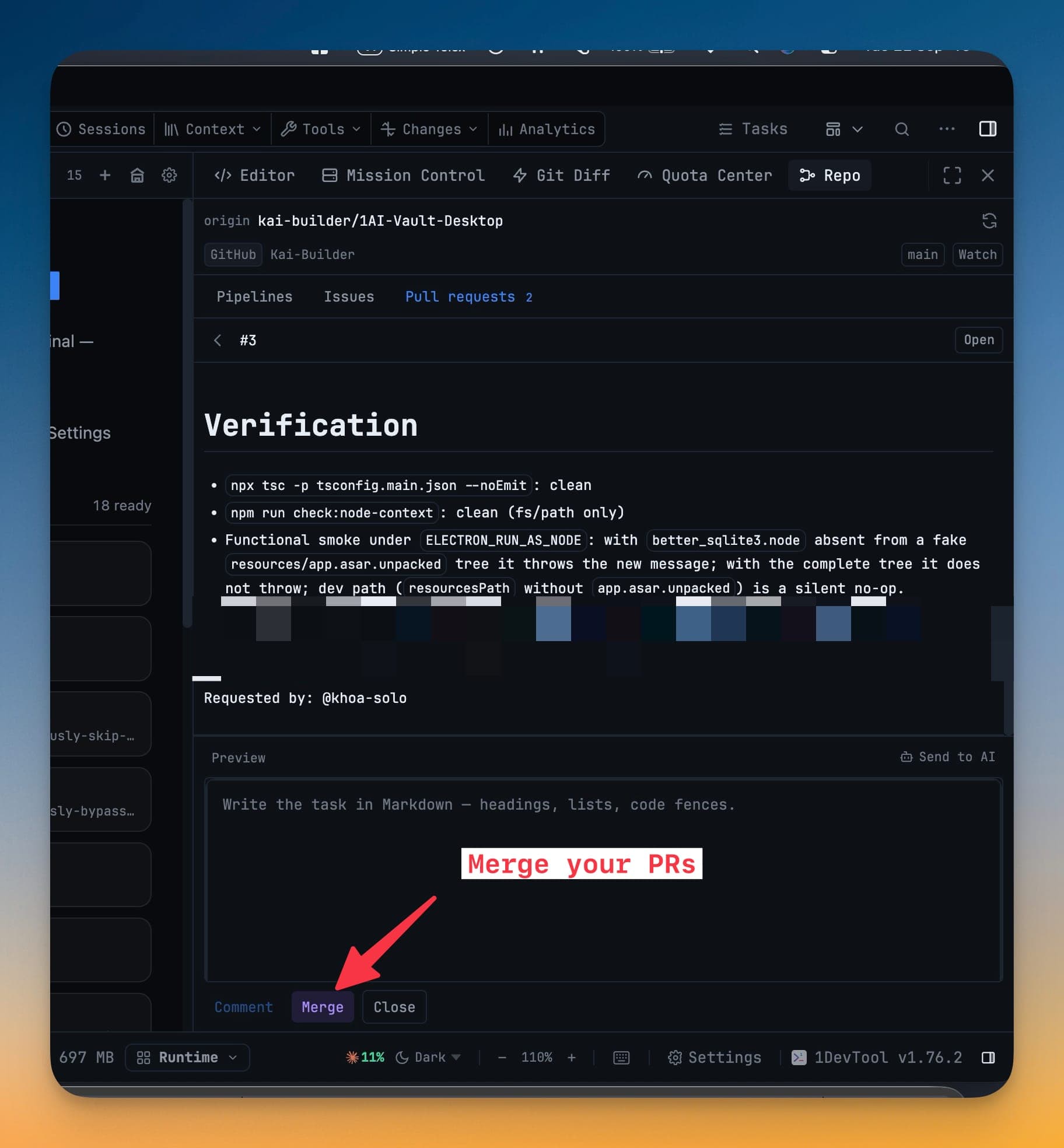
Merging
Pick Merge commit, Squash or Rebase on GitHub. GitLab has no rebase-merge verb, so it offers merge or squash.
The app sends the exact revision you reviewed as a condition on the merge. If someone pushed to the branch while you were reading it, the host refuses the merge rather than landing code you never saw.
You can also Comment (with a Write / Preview toggle), Close a request, or Reopen a closed one.
Send to AI
Send to AI hands the request to an AI terminal for review. You choose what goes with it — the pull request URL, all comments, or individual comments you tick — and the branches come along automatically. This is the same flow issues already had.
Merging many at once
Tick any open, non-draft requests in the list and confirm once. They merge one after another, each keeping its own head-revision condition, and you get a result per request: what landed, and for the ones that did not, exactly why.
- Drafts and already-merged requests cannot be ticked, so a batch never starts with a member that could not have landed anyway.
- If a request merges or closes elsewhere while your selection is open, it is pruned from the selection rather than carried into the run.
- The order is the order you see — the list is sorted by most recently updated, which is the order you just reviewed them in, not numeric order.