Choose a Model for Every AI Agent Handoff
Pick the exact model and reasoning level for each delegated AI agent task from Agent Input.
When you hand work to another AI agent, you can choose the exact model that should run the task instead of relying on that agent's default. Agents that support reasoning levels also let you choose how much reasoning effort to use for each handoff.
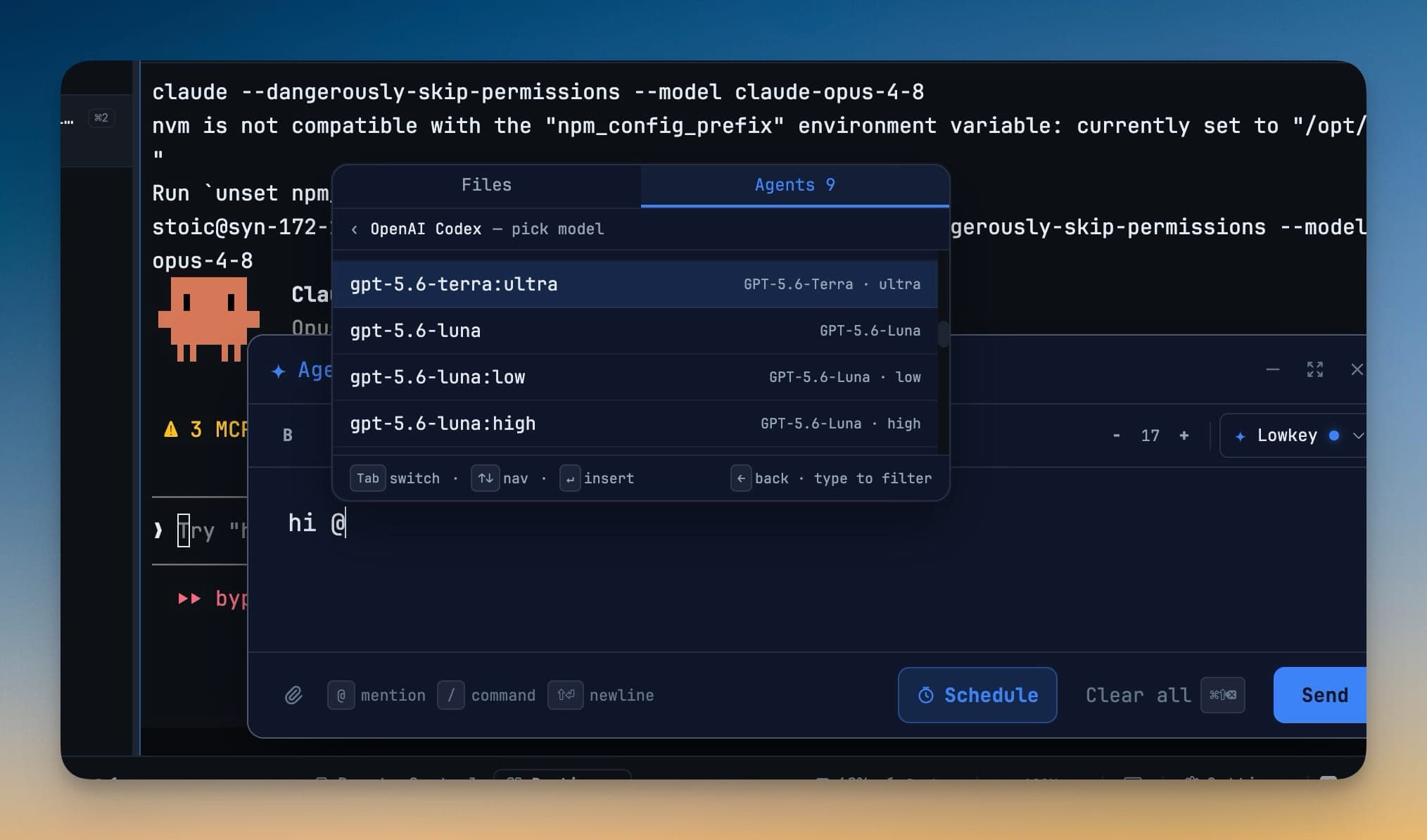
This works from the Agents tab in Agent Input. Your model choice applies to that handoff only, so you can use a fast model for a small edit and a higher-reasoning model for a difficult refactor without changing the agent's configuration or restarting it.
Choose an Agent and Model
- Open Agent Input.
- Select the Agents tab.
- Choose the agent you want to delegate to, such as OpenAI Codex — pick model.
- Filter the model list by typing, or use the arrow keys to move through it.
- Press Enter to insert the selected model. Use
←to return to the agent list. - Enter the task and send it.
The delegated task runs through the local 1devtool-agent CLI with --model set to your selection. The choice is made at the moment of delegation—no config-file edit or restart is required.
Choose a Reasoning Level
When a model offers multiple reasoning levels, each level appears as its own option. For example, you might choose:
model:lowfor a quick, mechanical changemodel:highfor debugging or a multi-file implementationmodel:ultrafor architecture work or a difficult migration
Only supported reasoning levels appear in the picker. This lets each delegated task use an appropriate balance of speed, cost, and reasoning depth.
Review and Refresh Available Models
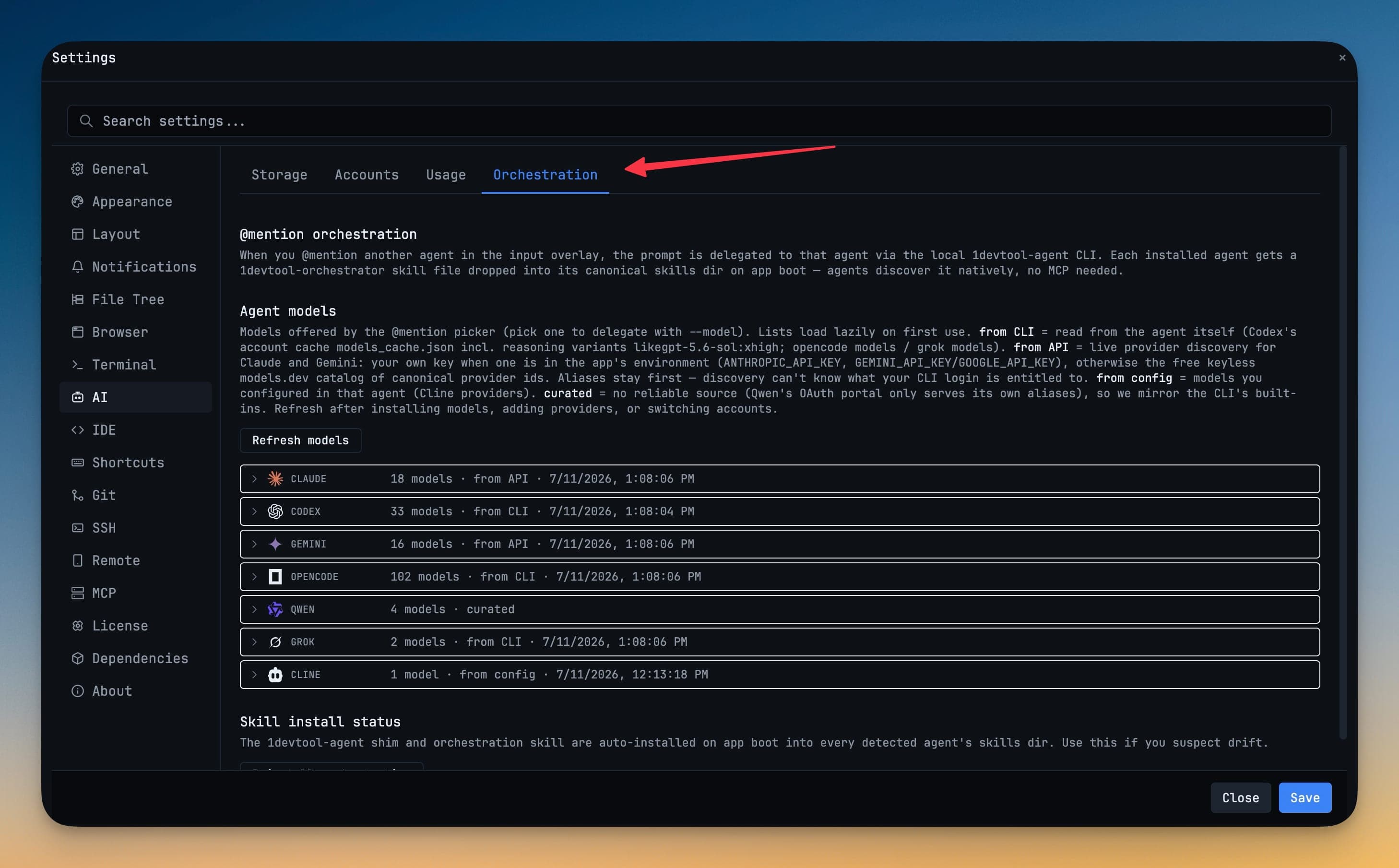
Open Settings → AI → Orchestration to see the models available to every installed agent. The source shown beside an agent explains where its list came from:
| Source | How models are discovered |
|---|---|
| from CLI | Read from the installed tool's account or model cache, including supported reasoning variants. |
| from API | Loaded using the provider API when a key is available, with a catalog fallback when supported. |
| from config | Read from providers configured in the agent itself. |
| curated | Supplied as a maintained compatibility list. |
Use Refresh models after switching accounts, adding a provider, or changing an agent's configuration. If a live refresh fails, 1DevTool keeps the last successful model list available instead of leaving the picker empty.
Verify the Handoff
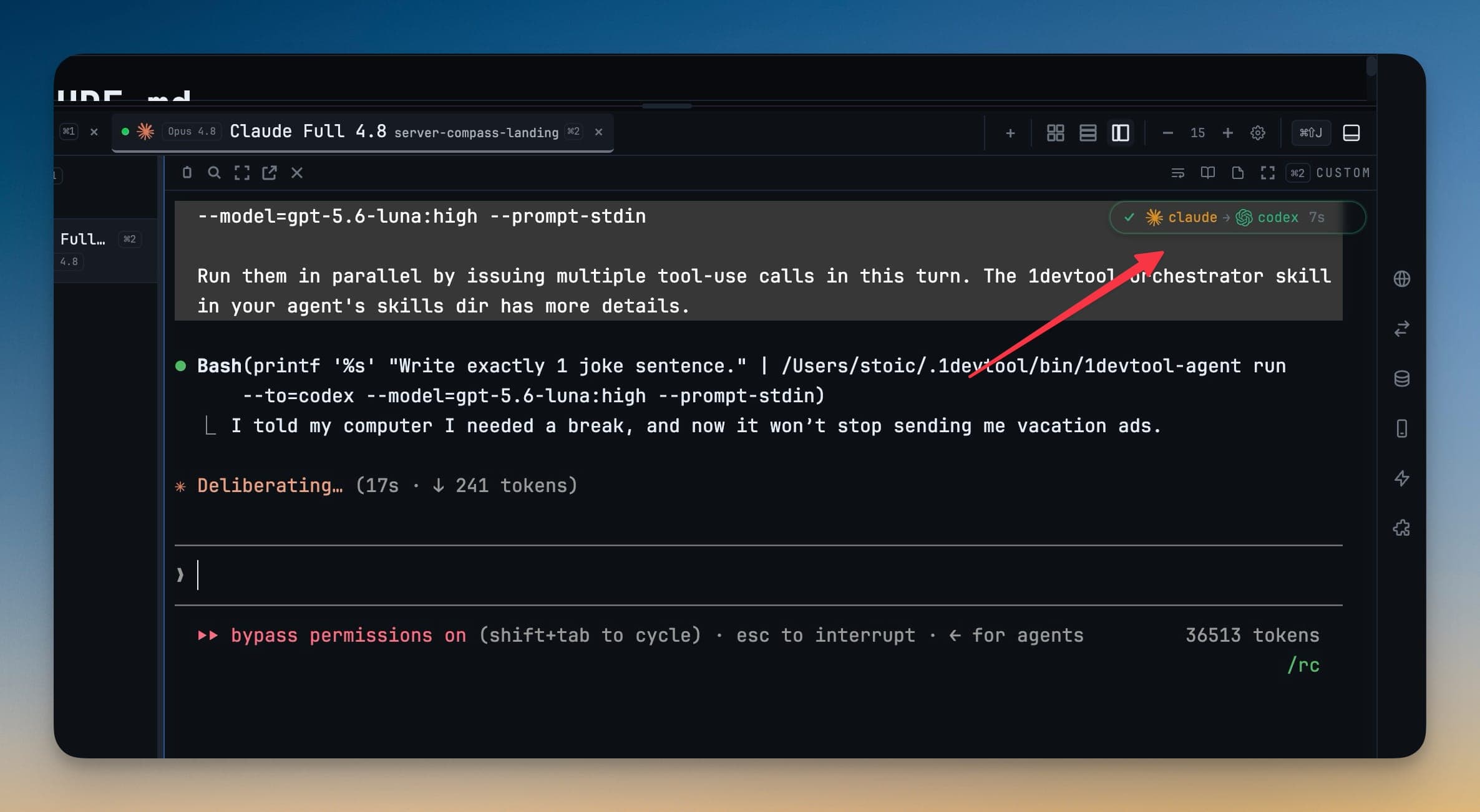
After you send the task, the sub-agent badge shows the agents in the handoff chain. The currently running agent is animated, and the delegated command includes the selected model. Use these details to confirm both where the task went and which model is running it.
Pick the Right Model for the Task
- Use a fast, lower-cost model for renames, formatting, boilerplate, and other well-scoped edits.
- Use a stronger reasoning level for debugging, refactors, migrations, and decisions with broad impact.
- Refresh the model catalog when a newly installed or newly authorized model does not appear.
- Check the handoff badge and delegated command when you need to verify which agent and model are active.
For a longer workflow walkthrough, see Pick the Model for Every AI Agent Handoff.